Barcelona outfit check! ✨ #ootd #fashion #outfit
Barcelona outfit check! ✨ #ootd #fashion #outfit
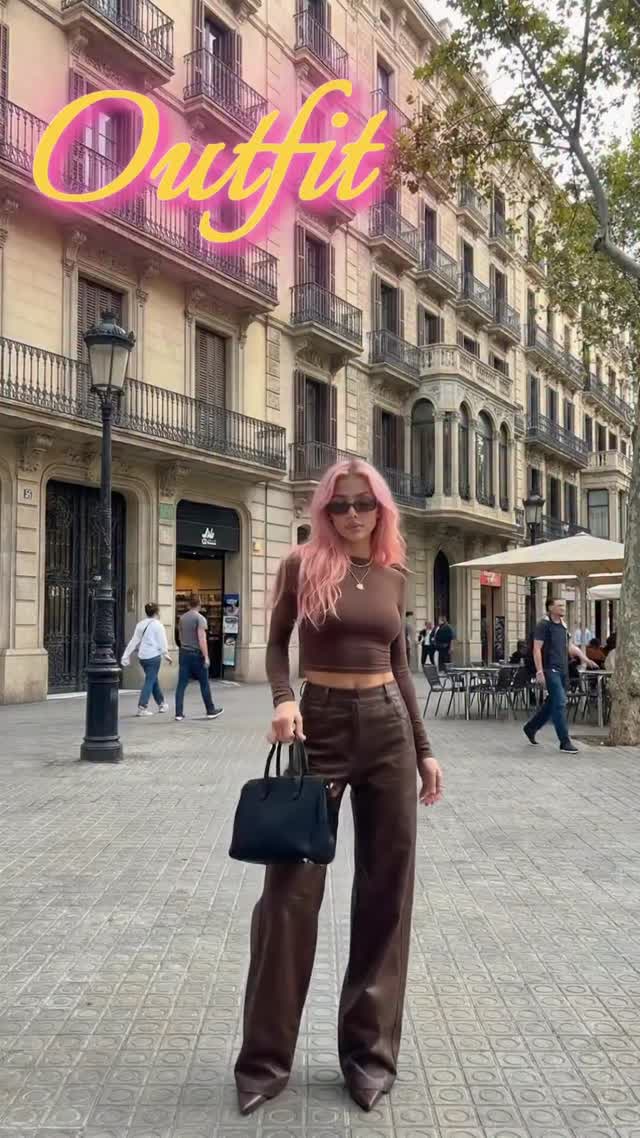
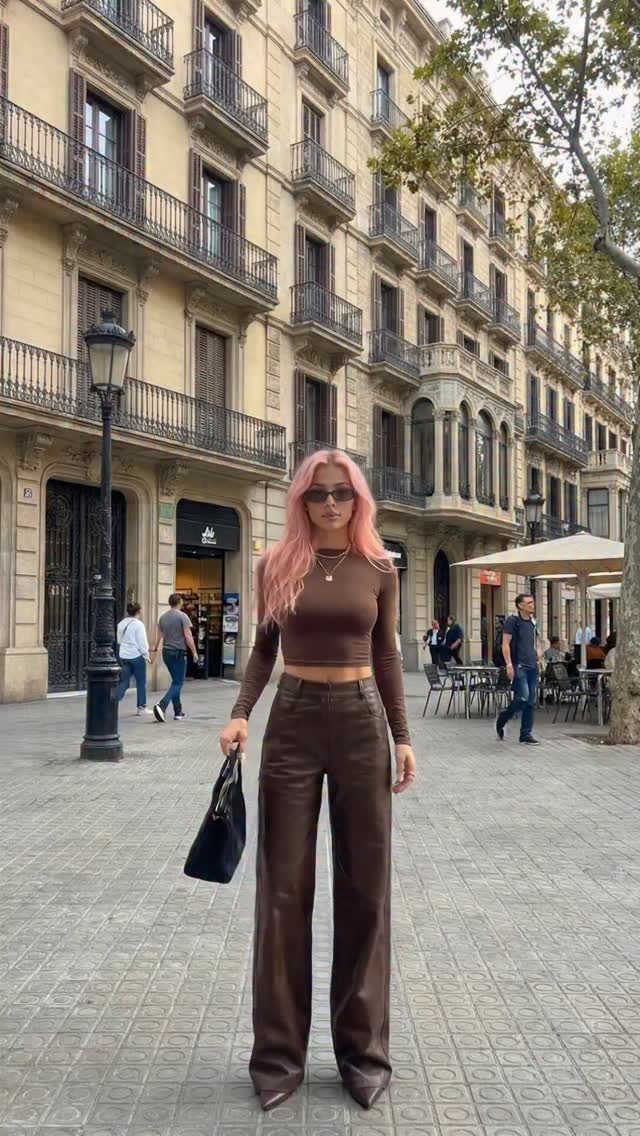
This is a classic street-style formula that performs because it’s immediately readable: one person, one color story, one recognizable city backdrop. The styling is simple (monochrome brown), but the scene adds richness—balconies, cafés, and the street perspective give the image depth without turning it into clutter.
There’s also a smart platform choice embedded here: the big “Outfit” overlay turns the photo into a cover. It tells viewers what they’re about to get before they even read the caption.
Outfit content spreads when it hits two things at once: a clean silhouette and a setting that feels aspirational. The wide-leg trousers create a recognizable fashion shape, and the historic street scene adds the “travel / city life” vibe.
The color strategy is doing most of the work. Brown-on-brown keeps the outfit cohesive, while the pink hair acts like an accent that makes the subject pop. Then the neon-style “Outfit” text gives the post a story-format punch.
| Signal | Evidence (from this image) | Mechanism | Replication Action |
|---|---|---|---|
| Monochrome cohesion | Top and trousers share the same brown palette | Looks styled, not random | Pick one base color and build the whole outfit around it |
| Silhouette clarity | Wide-leg pants + fitted crop top | Reads instantly at thumbnail size | Pair one fitted piece with one oversized piece |
| Aspirational context | European balconies + café seating + street depth | Gives lifestyle value beyond the outfit | Shoot on a street with depth lines and recognizable architecture |
| Cover text | Large “Outfit” overlay | Improves click-through for story/reel formats | Add one big cover word; keep it short and readable |
Recipe 1: Monochrome rotation
Recipe 2: Overlay system
Recipe 3: Setting swap
City backgrounds already have texture—windows, railings, signs, people. The best way to keep the image premium is to simplify your outfit palette. That’s why monochrome is so effective: it turns the city into atmosphere and keeps the subject as the cleanest shape in frame.
If your image feels chaotic, don’t change the outfit first. Change the background density: pick a quieter street, shoot earlier, or use moderate depth of field.
| Prompt chunk | What it controls | Swap ideas (EN) |
|---|---|---|
| “Barcelona-style balconies and café umbrellas” | Location cue | “Paris street”, “Rome piazza”, “Lisbon alley” |
| “monochrome brown outfit, fitted top + wide-leg trousers” | Outfit cohesion and silhouette | “monochrome black”, “cream tones”, “grey tones” |
| “full-body vertical framing, subject centered” | Cover-frame readability | “slightly off-center”, “wider context”, “tighter crop” |
| “soft diffused daylight” | Premium street look | “golden hour”, “overcast”, “shade + bounce” |
| “top overlay text ‘Outfit’ in gradient script” | Platform-native cover behavior | “minimal sans-serif title”, “no text overlay”, “smaller corner label” |
Photoreal street-fashion full-body portrait in a Barcelona-style European street with beige stone buildings full of balconies, café umbrellas, tiled pavement, a street lamp, a tree canopy, and a few pedestrians in the background. Single adult woman with long wavy pastel pink hair, dark sunglasses, holding a black structured handbag, calm confident stance facing the camera. Monochrome brown outfit: fitted long-sleeve crop top and high-waisted wide-leg trousers. Soft diffused daylight, moderate depth of field, vertical smartphone framing. Add large cursive script text at the top reading “Outfit” in a bright yellow-to-pink gradient with a soft glow.