0:00 / 0:00
▶
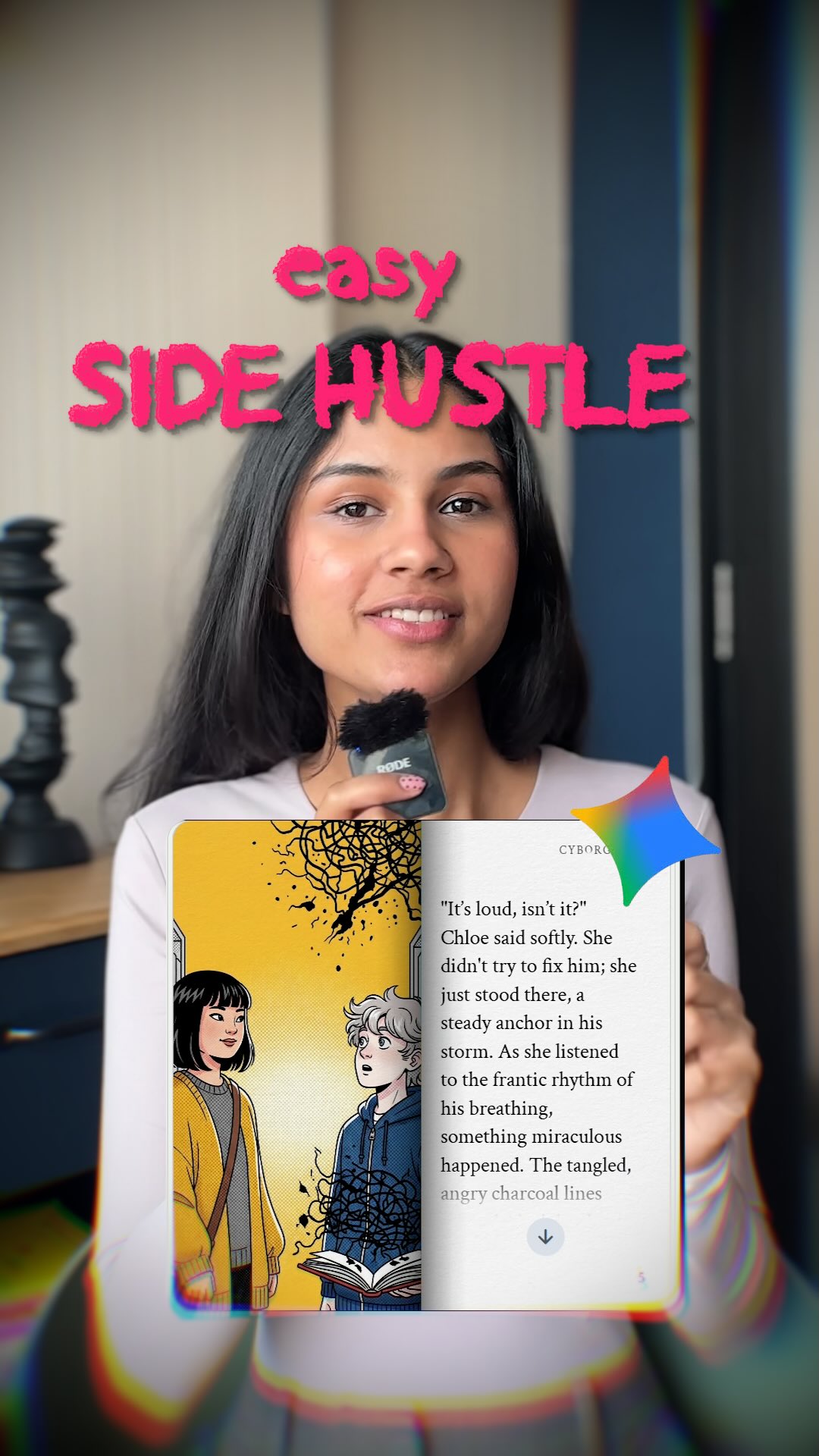
This case study analyzes a high-performing "AI Side Hustle" tutorial by creator @cyborggirll. The video leverages the massive interest in passive income and generative AI to showcase a specific, actionable workflow: creating illustrated comic books using Google Gemini. The visual style is a polished blend of UGC (User-Generated Content) and professional screen recordings. The creator uses a direct-to-camera address, holding a wireless lavalier mic to establish an "expert-yet-accessible" persona. The aesthetic is characterized by soft, warm indoor lighting, a minimalist home office background, and vibrant, indie-style comic art that serves as the "proof of concept." By combining a trending tech tool with a tangible creative output (an ebook), the video captures both the "get rich" and "get creative" demographics, making it a prime example of high-value educational content in the AI niche.
The video is a masterclass in pacing and visual hierarchy. It starts with a strong personal hook—the creator speaking directly to the viewer—before quickly transitioning into a fast-paced screen-share tutorial. The wardrobe is a simple, light pink long-sleeved top that doesn't distract from the information, while the RODE wireless mic acts as a visual cue for high-quality audio. The color palette shifts between the warm, neutral tones of the creator's room and the saturated, stylized colors of the AI-generated comic book, creating a pleasing visual rhythm.
| Time Range | Visual Content | Shot Language | Lighting & Tone | Viewer Intent |
|---|---|---|---|---|
| 00:00–00:02 | Creator speaking with "SIDE HUSTLE" text overlay. | Medium Shot (MS), Static | Soft, warm, natural light | Hook: Stop the scroll with a promise of value. |
| 00:02–00:04 | Google search for "Gemini Storybook". | Screen Recording | High contrast, digital | Establish Tool: Show the "where" and "how". |
| 00:04–00:09 | Storyboard and character input screens. | Close-up (CU) UI | Clean, organized | Process: Demystify the complexity of creation. |
| 00:10–00:12 | Prompting and "Hit generate" action. | CU UI | Action-oriented | The "Magic" Moment: Show the AI doing the work. |
| 00:13–00:16 | Finished comic book on a mobile device. | MS, Handheld feel | Warm, authentic | Proof: Show the high-quality result. |
| 00:17–00:25 | Detailed look at comic pages (EQ theme). | CU, Panning across art | Vibrant, artistic | Value Add: Show specific use cases (education). |
| 00:26–00:28 | Amazon KDP publishing dashboard. | Screen Recording | Dark mode, professional | Monetization: Show the "hustle" part of the side hustle. |
| 00:29–00:32 | Creator closing with CTA. | MS, Static | Soft, warm | Retention: Build community and follow-through. |
The hook, "A side hustle you NEVER thought of," taps into the scarcity principle and curiosity gap. In a saturated market of "dropshipping" and "affiliate marketing" videos, the idea of creating a comic book—something traditionally requiring immense skill—using AI feels fresh and untapped. It targets the "Indie Creator" who wants to build a brand but lacks the technical drawing skills, effectively lowering the barrier to entry for a high-status creative field.
The video succeeds because it provides visual proof at every step. Instead of just talking about AI, the creator shows the actual interface of Google Gemini, the specific storyboard panels, and the final product on a phone. This reduces the "skepticism cost" for the viewer. Seeing the high-quality indie art style (the yellow cardigan, the library setting) makes the AI's capability feel tangible and desirable.
From a platform perspective, this video is designed for high Save and Share counts. Tutorials are "bookmarkable" content. A user sees the workflow and saves it to try later. The mention of "Google Gemini" (a trending keyword) and "Amazon KDP" (a high-intent search term) helps the algorithm categorize the video for an audience interested in tech and entrepreneurship. The fast cuts (averaging 2-3 seconds per shot) maintain a high average view duration, signaling to the algorithm that the content is engaging.
Choose a creative project that usually takes weeks but can be done in hours with AI (e.g., comic books, children's stories, technical manuals, or coloring books).
Use a clean, non-distracting background. Ensure you have soft, frontal lighting (a window or a ring light with a diffuser). Use a visible microphone to signal "tutorial quality."
Start with a bold claim. Use the formula: "[Desirable Outcome] + [Unexpected Method] + [Time/Effort Constraint]." Example: "Make $100/day selling books you didn't even write."
Use a screen recording tool (like Loom or built-in phone recording) to capture the AI interface. Crucial: Show the prompt you are using. This is the "value" the audience wants to steal.
To make a comic, you need character consistency. Use AI prompts that describe the character's clothing and features in detail (e.g., "Girl in a green oversized cardigan and striped shirt").
Cut out every "um" and "ah." Use transitions between your face and the screen recordings. Add dynamic captions that highlight the action verbs (e.g., "Plan," "Upload," "Prompt," "Generate").
Film yourself holding a device showing the final product. This "physicality" bridges the gap between digital AI and a real-world asset.
Don't just say "follow me." Give them a reason. "Follow for more AI workflows that actually make money."
Google Gemini for the story/layout and Midjourney or DALL-E 3 for the specific comic art style.
"Consistent character," "Indie-style," and "Storyboard layout."
You need to use a "Character Reference" (cref) tag or include very specific wardrobe details in every prompt.
Choose a specific art style like "hand-drawn ink" or "watercolor" rather than the default "3D render" look.
Instagram favors the "aesthetic" result, while TikTok favors the "raw" process and the "hustle" narrative.