0:00 / 0:00
▶
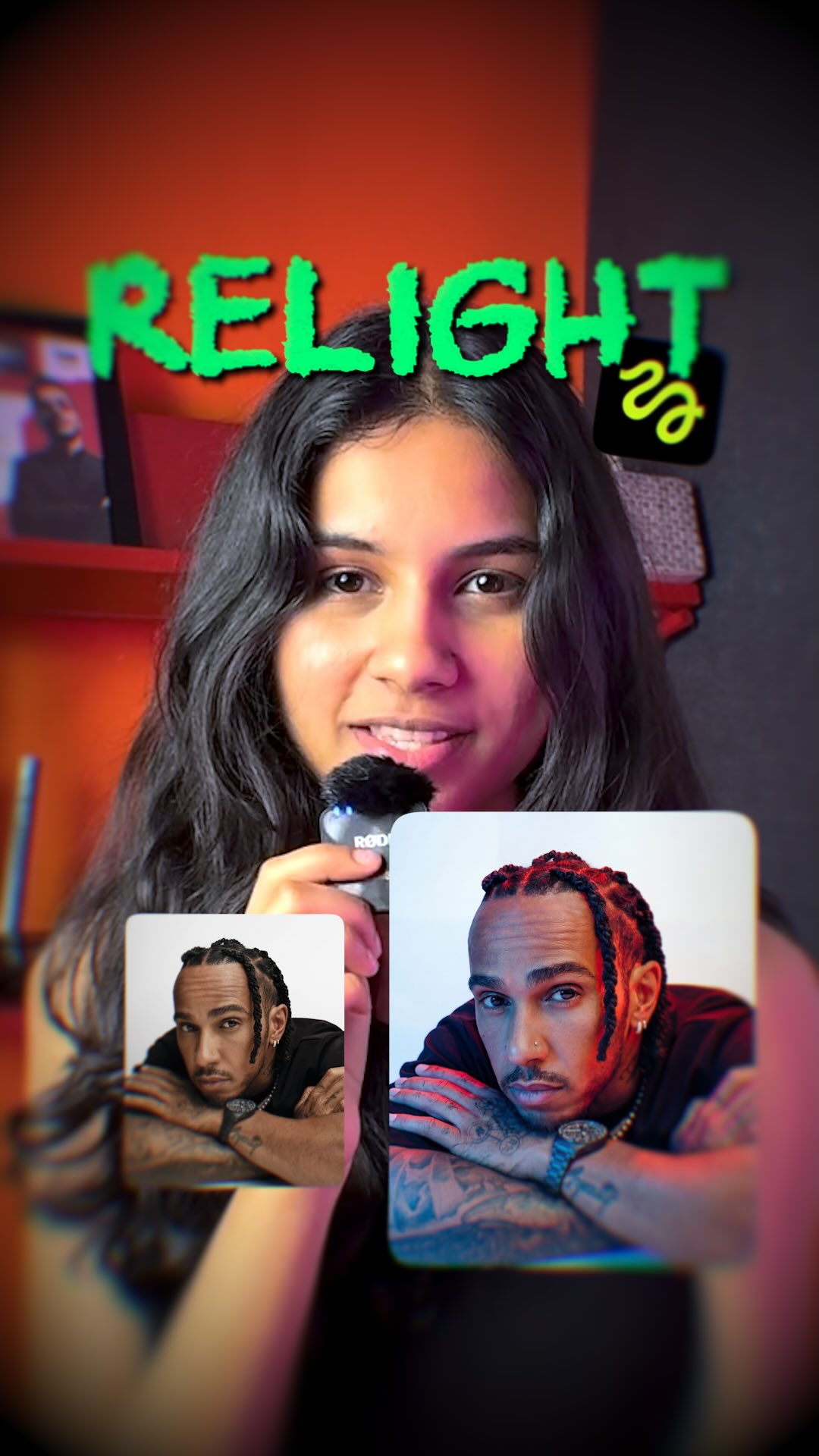
This AI video is a creator-education reel about relighting portraits with an AI tool. The format combines a talking-head hook, quick visual proof on recognizable portrait examples, and a mobile screen recording that walks viewers through the actual relight interface. It ends by returning to the creator on camera, reinforcing both trust and shareable creator identity.
For small creators, this is exactly the kind of content that can work as both education and growth. It is not only a software demo. It is a socially optimized tutorial: fast hook, simple promise, visual before-and-after payoff, and a creator face attached to the lesson.
The creator starts on camera with a microphone in a red-lit room, which immediately creates a recognizable “creator tip” context. Then the video jumps to a portrait example and shows that lighting can be changed. The audience understands the promise very quickly: this is an AI hack with visible results.
If you want to recreate this structure, your first seconds should answer two questions fast: who is talking, and what visual change are they about to teach? This reel does both. It anchors the instructor and previews the outcome before the tutorial gets technical.
This is not formatted like a software manual. It feels like social-native education. The creator talks directly to viewers, then immediately flips into example images and the actual interface. That back-and-forth keeps the video energetic while still making the workflow understandable.
The reel shows that the portrait can be re-lit before spending time on the tool UI. That ordering is correct for short-form. People care more about the result than the settings until they believe the result is real and useful.
The creator’s face, voice, and microphone make the tutorial feel personal and trustworthy. This matters for AI tool content because screen recordings alone often feel generic. A visible host turns the lesson into a recommendation rather than a silent product demo.
The red-magenta room lighting gives the host a recognizable visual identity without distracting from the content. It is enough styling to make the reel memorable, but not so much that it competes with the screen-demo sections.
The central lesson is that an AI relight tool can change the direction and mood of portrait lighting after the image is already made. The reel appears to demonstrate uploading or choosing a reference portrait, selecting a relight workflow, dragging light position, and using presets or sliders to generate alternative lighting setups.
The sample portraits make the lesson concrete. Instead of saying “AI relight is powerful,” the reel visually proves how face lighting shifts across the same subject. That is a much stronger teaching device than verbal explanation alone.
Good tutorial reels need the interface to feel real and navigable. This one does that by showing the relight page, toggles, sliders, and output results in a way viewers can follow. The best AI tutorial content always balances inspiration with enough interface detail that the audience believes they can repeat the process.
Dragging a virtual light around a face is a very intuitive interaction. Even viewers who have never used an AI image tool can understand the concept immediately. That intuitive control is part of why relight demos perform well in social content.
The edit rhythm is clear and repeatable: hook on camera, show a result, open the tool, demonstrate the workflow, show more results, then return to the host. This structure is ideal for short educational AI content because it stays fast without losing the thread.
The large on-screen captions like “this is how you can do it too” and “AI hacks” turn the lesson into a direct invitation. They are not decorative. They help viewers instantly classify the video as actionable creator education.
For this kind of video, lock the host identity, the microphone format, the red-lit room, the vertical phone-demo interface, and the topic promise around relighting portraits. Those are the stable pillars. Once they are fixed, you can vary the example portraits and the exact UI sequence.
Make sure the creator remains central. If the reel becomes only screen capture, it loses personality. If it becomes only personality, it loses practical value. The balance between face, proof, and UI is what makes this format strong.
Have the creator state the AI trick quickly, then cut straight to a portrait example showing the effect. This creates curiosity before the demo starts.
Do not keep the interface abstract. Show the relight page, the image selection, the light-position drag, and the preset or slider controls. A tutorial only works when viewers can picture themselves repeating the steps.
Wrap up on camera so the reel feels like a recommendation from a person, not just a detached product showcase. This also helps build repeat-viewer trust for future AI tool content.
If the interface dominates before viewers see why they should care, drop-off increases. Always show a visible before-and-after or mood change early in the reel.
A charismatic host helps, but the lesson still needs clear tool evidence. If viewers cannot identify what app, page, or control is being used, the content becomes inspiration-only rather than practical teaching.
Tutorial reels fail quickly when text, buttons, or slider positions are too small. This format only works if the screen recording remains visually legible at short-form scale.
This reel fits searches like AI relight portrait tutorial, image relight app demo, Hugging Face AI portrait relighting workflow, change portrait lighting with AI, AI photo relighting for creators, and short-form AI editing hacks. Those terms have much better teaching intent than broad phrases like “cool AI app.”
The same structure can be repeated across background removal, lip sync, restyle, upscaling, face swap, or text-to-video tools. Once the creator has a recognizable on-camera tutorial format, the content system becomes highly repeatable.
Because the creator provides trust, personality, and framing, while the UI demo provides proof. The combination is more persuasive than either one alone.
Show the result early, then show the workflow. Short-form viewers need proof before they will invest attention in process.
Use a visible host, one strong promise, fast proof clips, readable UI, and a final invitation that makes viewers feel they can copy the method right away.
Yes. The face-to-demo-to-wrap-up structure works for almost any visually demonstrable AI creator tool.