At Dreamfall Art, we create cinematic visuals that combine style, precision, and storytelling. Each piece is built to elevate brand identity, blending creativity and technology into visuals that are both innovative and impactful.
From high fashion to lifestyle campaigns, our work is designed to capture attention and transform ideas into striking, unforgettable content.
Turning vision into visuals.
📩 DM for commissions and collaborations
#ai #midjourney #aiart #aicommunity
How dreamfall.art Made This Cinematic Brand Showcase AI Video
This case study analyzes a high-end cinematic AI product showcase by @dreamfall.art. The video demonstrates the power of AI in brand storytelling, seamlessly transitioning a single subject through multiple high-fashion looks and exotic locations. It utilizes a "magic touch" hook where the subject interacts with the camera to trigger environment and wardrobe shifts, culminating in a sophisticated product reveal. The aesthetic is editorial luxury, blending studio-quality lighting with lush, photorealistic natural environments. This type of content is a goldmine for AI studios and creative agencies looking to demonstrate technical prowess and high-value production capabilities without the traditional overhead of physical shoots.
What You’re Seeing: A Visual Analysis
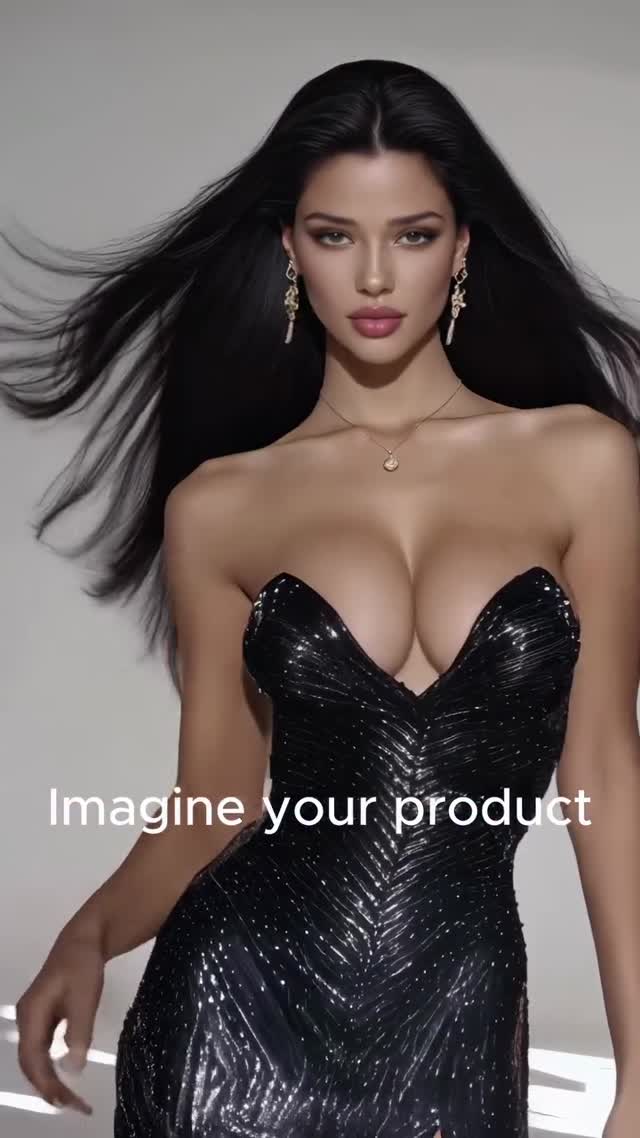
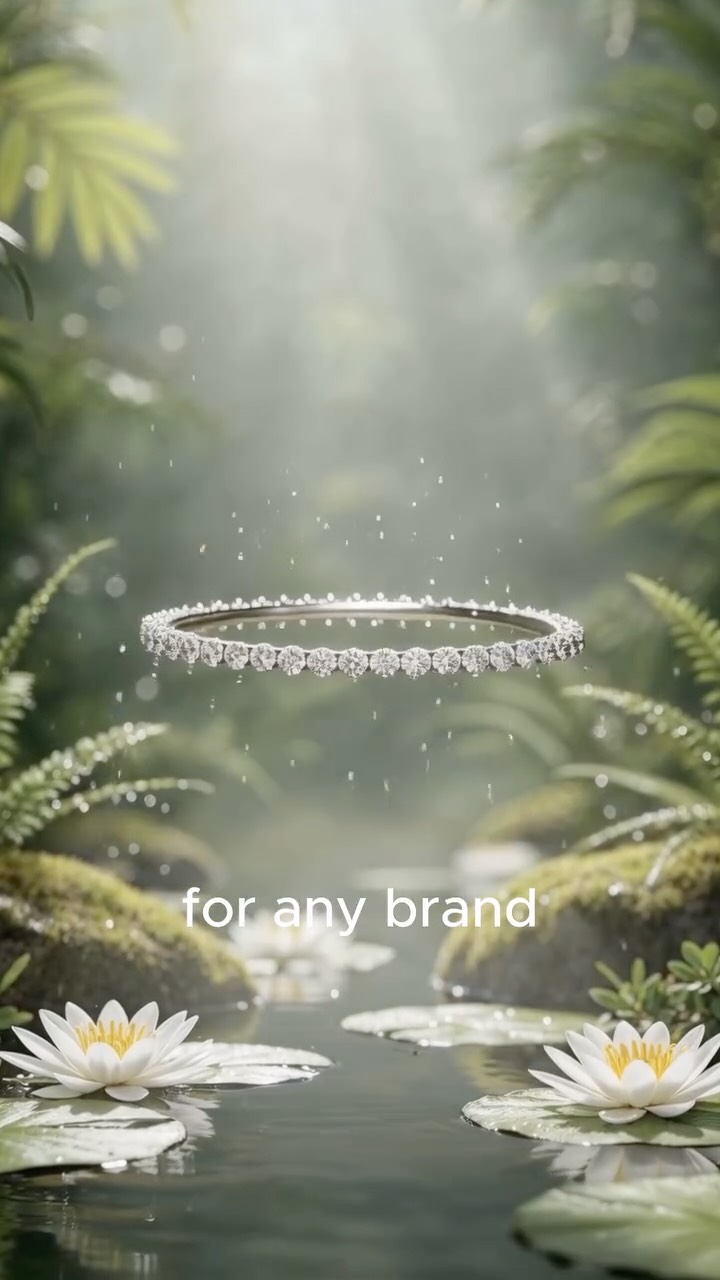
The video is a masterclass in temporal consistency and visual flow. It begins in a minimalist studio setting with a woman of Mediterranean appearance, wearing a black sequined strapless dress. Her hair is long, dark, and caught in a subtle wind-machine effect. The lighting is soft-box studio style, creating clean highlights on her skin. As she points toward the lens, a "lens flare" transition swaps her outfit to a vibrant red silk gown. The camera then pulls back to reveal a sudden shift from the studio to a dense, misty tropical jungle. The subject then changes entirely to a blonde woman in safari-chic attire, holding a specific product—a green cosmetic jar. The final sequence features high-end product renders (jewelry, perfume) floating over a serene pond with lilies, bathed in "God rays" of sunlight filtering through the canopy.
Shot-by-Shot Breakdown
Time Range
Visual Content
Shot Language
Lighting & Color
Viewer Intent
00:00–00:02
Woman in black sequin dress, studio background.
Medium Close-Up (MCU), static.
High-key studio, neutral tones.
Establish high-end aesthetic hook.
00:02–00:05
Subject points to camera; dress changes to red silk.
MCU, slight zoom-in on finger.
Transition to warmer, saturated reds.
Demonstrate "AI Magic" & wardrobe versatility.
00:05–00:08
Subject in red dress, now in a lush jungle.
Wide Shot (WS), slow pull back.
Dappled sunlight, deep greens.
Showcase environment generation capabilities.
00:08–00:11
Transition to blonde woman in safari gear holding a jar.
Medium Shot (MS), eye-level.
Naturalistic, soft jungle light.
Introduce product integration & character swap.
00:11–00:13
Close-up of the green product jar.
Extreme Close-Up (ECU), macro feel.
Sharp focus, highlight on gold logo.
Direct product focus/Brand identity.
00:13–00:16
Floating jewelry and perfume over a lily pond.
Cinematic WS, slow tilt.
Ethereal "God rays," soft bokeh.
Final "Dreamlike" brand elevation.
Why It Went Viral: The Mechanism
The success of this video lies in its "Service-as-Entertainment" approach. Instead of a dry portfolio, it uses a high-speed visual narrative that triggers the brain's novelty response. The "wardrobe change" is a classic social media trope, but elevated here with cinematic AI quality that feels like a multi-million dollar production. It targets the "Aspiration" psychology—viewers (especially brand owners) see the potential for their own products to look this premium. The pacing is perfectly tuned to the 15-second "Goldfish" attention span, with a major visual shift every 2-3 seconds.
From a platform perspective, Instagram's algorithm prioritizes high-definition, high-contrast visuals and re-watchability. The seamless transitions encourage users to loop the video to see "how the trick was done." The high save rate likely comes from other creators using it as a "prompt engineering" or "visual style" reference. The caption is minimal, letting the visual quality do the heavy lifting, which reduces the cognitive load for the viewer.
5 Testable Viral Hypotheses
The Interaction Trigger: If the subject "touches" the screen to cause a change, engagement increases because it creates a pseudo-interactive experience.
The Color Pop: Transitioning from a neutral/black palette to a high-saturation red/green palette mid-video triggers a visual "wake-up" signal in the scroll.
The "Impossible" Location: Placing high-fashion items in wild, hyper-detailed nature creates a "surreal luxury" vibe that outperforms standard studio shots.
The Product-as-Hero: Ending with floating, ethereal product shots (jewelry/perfume) associates the brand with "magic" rather than just "utility."
The Character Pivot: Swapping the model halfway through maintains interest by resetting the visual focus, preventing "model fatigue."
How to Recreate: Step-by-Step Guide
Concept & Storyboard: Define your "Hero" product and 3 distinct "Vibes" (e.g., Studio, Nature, Ethereal).
Character Consistency: Use a tool like Midjourney or Flux to create a consistent character sheet for your primary model. Use specific descriptors (e.g., "Mediterranean features, almond eyes, long dark wavy hair").
Base Video Generation: Use Kling AI or Luma Dream Machine. Start with the studio shot. Use a prompt that specifies the "pointing at camera" action.
Wardrobe/Environment Swap: Use "Video-to-Video" or "In-painting" features. Mask the dress and change the prompt from "black sequin" to "red silk."
Environment Transition: Use a "Zoom-out" or "Dissolve" transition in your video editor (CapCut/Premiere) to move from the studio background to a generated jungle background.
Product Integration: Generate a high-quality 3D-style render of your product. Use an AI video tool to animate it (e.g., "floating over water"). For the model holding the product, use an image-to-video tool with a high "motion" setting.
Text Overlays: Use a clean, sans-serif font (like Montserrat or Helvetica). Keep text centered and sync it exactly with the visual transitions.
Sound Design: Choose a "Cinematic Phonk" or "Luxury Ambient" track. Add subtle foley sounds (wind, water ripples) to enhance the immersion.
Growth Playbook: Distribution & Scaling
3 Opening Hook Lines
"Stop spending $10k on studio shoots. 📸"
"The future of brand storytelling is here. ✨"
"How I turned a 5-second clip into a luxury ad. 🎥"
4 Caption Templates
The "Visionary" Template: Imagine your brand, without limits. 🚀 We blend AI precision with cinematic style to elevate your identity. Which look was your favorite? [CTA: Link in bio for custom visuals]
The "Tutorial" Template: How we built this: 1️⃣ Character Lock 2️⃣ Environment Morph 3️⃣ Product Integration. AI is changing the game. Ready to level up? 👇
The "Short & Punchy": Cinematic visuals. Innovative tech. Impactful results. 💎 This is @Dreamfall.Art.
The "Engagement" Template: Studio or Jungle? 🌿 Which setting fits your brand better? Let us know in the comments!