Comment “COURSE” to start creating today.💥
I teach how to create hyper-realistic AI visuals from scratch and turn them into cinematic content that actually performs.
Inside the course, you learn the full system step by step: ideation, advanced prompting, animation, refinement, and final delivery.
This is the exact professional workflow I use when working with leading AI companies, global brands, and top creators.
If you want to master AI visuals, build a real portfolio, and unlock real monetization opportunities, this is where you start.
#ai #aieducation #aicourse #aimodels
Why dreamfall.art's Hyper Realistic AI Visuals Course Went Viral
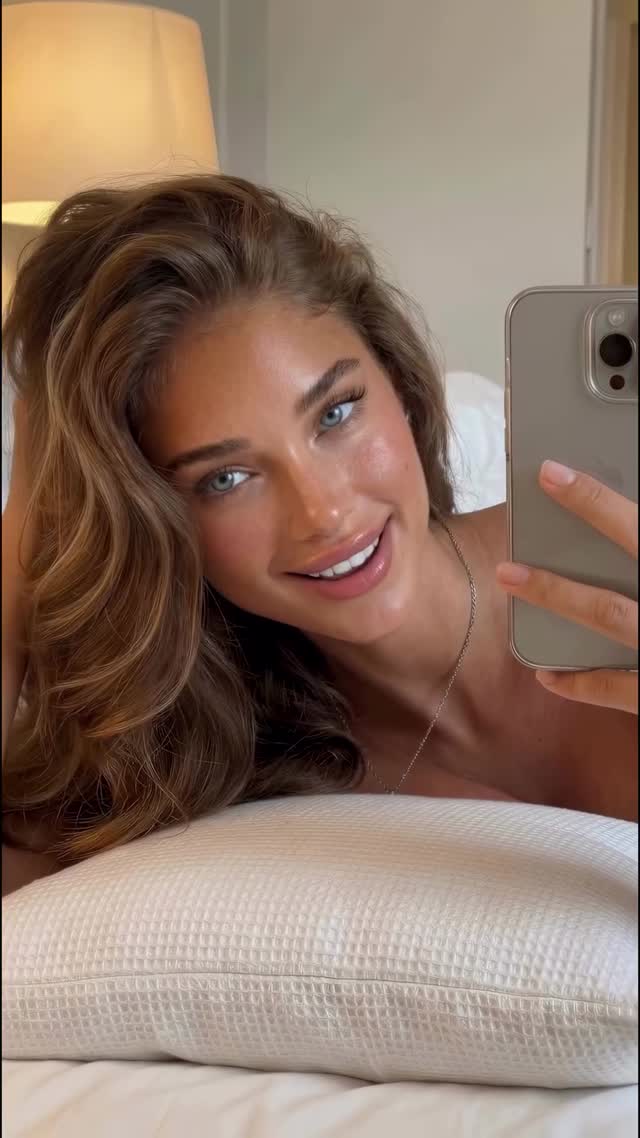
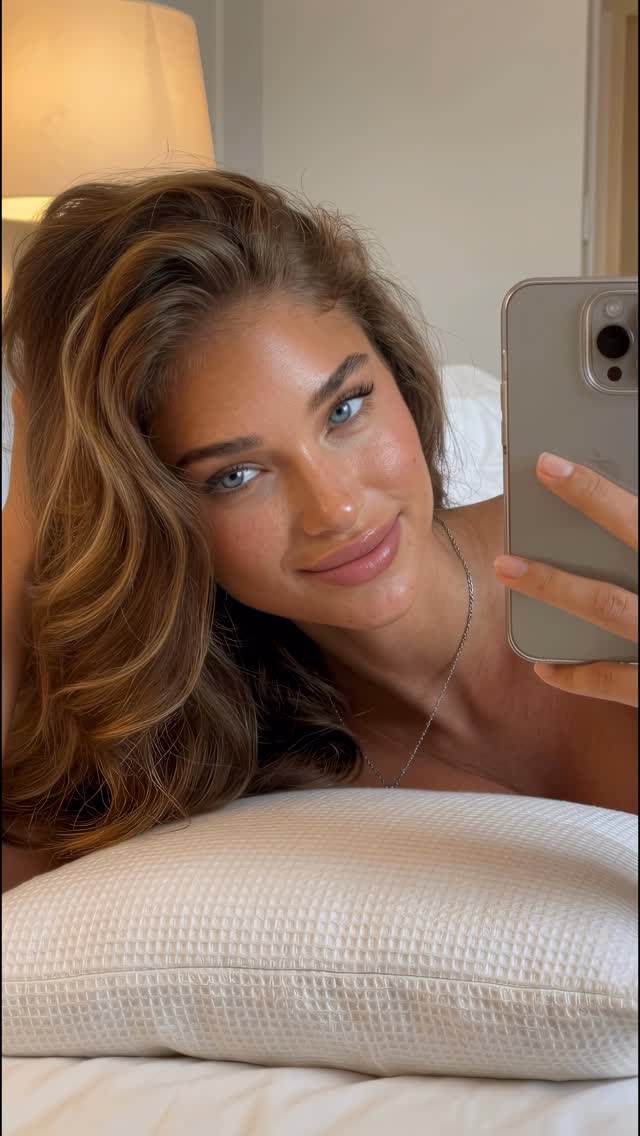
This case study examines a high-performance Instagram Reel by @dreamfall.art, which serves as a masterclass in hyper-realistic AI influencer branding. The video features a consistent female character in a variety of high-budget, aspirational settings—from cozy bedroom mirror selfies and morning routines to underwater product shots and even an Arctic expedition. By blending the "UGC (User Generated Content) aesthetic" with "Cinematic Editorial" quality, the creator achieves a level of realism that challenges the viewer's perception of what is real versus AI-generated. The core keywords for this aesthetic are: Hyper-realistic AI, iPhone aesthetic, cinematic lifestyle, consistent character LoRA, and luxury travel.
What You’re Seeing: A Visual Analysis
The video is a montage of short, punchy clips featuring a tanned, blue-eyed female protagonist with wavy honey-brown hair. The wardrobe shifts seamlessly from casual loungewear and a simple bomber jacket to a high-fashion black dress and a professional wetsuit. The lighting is the star here: it transitions from the warm, soft glow of a bedside lamp to the harsh, direct sunlight of a beach, and the diffused, cool tones of an Arctic sunset. The texture of the skin is remarkably detailed, showing pores and natural highlights, which is a hallmark of advanced AI generation. The music is upbeat and rhythmic, with cuts perfectly timed to the beat, creating a "day in the life" flow that culminates in a meta-reveal on a Times Square billboard.
Shot-by-Shot Breakdown
Time Range
Visual Content
Shot Language
Lighting & Tone
Viewer Intent
00:00–00:03
Subject lying on a white pillow, holding a phone for a mirror selfie.
Close-up (CU), handheld phone shake.
Warm, indoor lamp light; cozy beige tones.
Hook: Relatable, intimate "just woke up" vibe.
00:03–00:06
Subject brushing teeth in a marble bathroom mirror.
Medium Close-up (MCU), mirror reflection.
Bright, clean morning light; high-key white.
Reinforce persona: Daily routine authenticity.
00:06–00:10
Subject walking and talking on a busy NYC-style street.
Medium Shot (MS), walking towards camera.
Natural overcast daylight; urban grey/brown.
Social proof: Character exists in the "real world."
00:10–00:12
Subject in a studio holding a gold serum bottle.
MCU, professional studio setup.
High-contrast studio lighting; rim light on hair.
Authority: Transition to professional model/influencer.
00:12–00:14
Subject underwater holding "Ocean Glow" cream.
CU, underwater photography.
Deep blue, caustic light rays through water.
Aesthetic value: High-budget commercial feel.
00:14–00:17
Subject in the Arctic with icebergs, holding cream.
Wide Shot (WS) to MCU, scenic background.
Golden hour sunset; cool blues vs. warm skin.
Aspirational: Extreme luxury travel.
00:17–00:19
Subject on a beach, pointing at the camera.
CU, low angle, beach background.
Hard, direct sunlight; high saturation.
Direct Engagement: Breaking the fourth wall.
00:19–00:22
Zoom into a massive billboard in Times Square.
Extreme Wide Shot (EWS) to CU zoom.
Nighttime city lights; vibrant neon.
The Reveal: CTA for the course.
Why It Went Viral: The AI "Uncanny Valley" Mastery
The "Is It Real?" Curiosity Gap
The primary driver for this video's success is the psychological intrigue of hyper-realism. Humans are biologically wired to detect faces and subtle inconsistencies. When an AI video looks 99% real, the viewer's brain works overtime to find the "glitch," which significantly increases watch time. The creator leans into this by using common UGC tropes (mirror selfies, brushing teeth) that we usually associate with real humans, making the "reveal" that it's AI even more impactful.
Platform Signal: High Retention & Shareability
From a platform perspective, Instagram's algorithm prioritizes retention and saves. The rapid succession of vastly different environments (from a bedroom to the Arctic) keeps the viewer's dopamine levels high, preventing them from scrolling away. Furthermore, the "tutorial value" implied by the caption ("Comment COURSE") turns a simple aesthetic video into a lead magnet. Users share this not just because it looks cool, but because it represents a "new way of making money" or a "new technology" they want to show their friends.
5 Testable Viral Hypotheses
Hypothesis 1: The Mirror Selfie Hook. Using a mirror selfie in the first 3 seconds signals "real person/UGC," which bypasses the "AI filter" in a viewer's mind, leading to higher initial retention.
Hypothesis 2: Environmental Contrast. Rapidly switching between extreme heat (beach) and extreme cold (Arctic) creates a visual "shock" that resets the viewer's attention span every 3 seconds.
Hypothesis 3: The "Product Placement" Trust. Showing the character holding physical-looking products (serum, cream) anchors the digital character in the physical world, increasing perceived realism.
Hypothesis 4: The Meta-Reveal. Ending with a billboard in a famous location (Times Square) provides a sense of "grandeur" and "success" that triggers aspirational feelings in the audience.
Hypothesis 5: Low-Friction CTA. Using "Comment [Keyword]" instead of "Link in Bio" reduces the effort for the user, increasing engagement signals which tells the algorithm the content is valuable.
How to Recreate: From 0 to 1
Step 1: Character Identity Design
Define your character's "DNA." Use a tool like Midjourney or DALL-E 3 to create a consistent face. Focus on specific traits: "Sun-kissed skin, deep blue eyes, honey-blonde wavy hair, athletic build." Save these as your reference images.
Step 2: Train a LoRA (Consistency)
To keep the face identical across shots, you must train a LoRA (Low-Rank Adaptation) using a set of 15-20 high-quality images of your character. Tools like Civitai or Replicate are standard for this.
Step 3: Scene-Specific Prompting
Don't use one prompt for everything. Break your video into "Vibes." For the bedroom shot, use keywords like "iPhone mirror selfie, warm indoor lighting, 4k, cinematic grain." For the Arctic, use "8k, cinematic wide shot, iceberg background, sunset lighting."
Step 4: Video Generation (The Motion)
Use Kling AI, Luma Dream Machine, or Runway Gen-3 Alpha. Upload your character image as a "Character Reference" and describe the motion (e.g., "Subject is brushing teeth and smiling at the mirror").
Step 5: Lip-Sync & Expression
For shots where the character is talking, use LivePortrait or Hedra. Upload the video from Step 4 and an audio file of the speech to sync the mouth movements perfectly.
Step 6: Color Grading & Texture
To remove the "AI plastic look," bring your clips into CapCut or DaVinci Resolve. Add a slight "Film Grain" overlay and use a "Teal and Orange" or "Warm Lifestyle" LUT to unify the different clips.
Step 7: The Billboard Reveal
Use a mockup tool or a specialized AI prompt (e.g., "A massive digital billboard in Times Square at dusk showing [Character Name]") to create the final "social proof" shot.
Step 8: Audio & Pacing
Find a trending audio on Instagram. Use "Match Cut" editing—ensure every scene change happens exactly on a heavy beat or a transition in the music.
Growth Playbook: Distribution & Scaling
3 Opening Hook Lines
"I stopped filming content and started generating it. Here's how."
"This influencer doesn't exist. But she's making $10k/month."
"The secret to 100% consistent AI characters (Step-by-step)."
4 Caption Templates
The "Future of Work" Template: "The game has changed. 🚀 You no longer need a camera crew to create cinematic content. This entire video was made with AI. Comment 'TOOLS' and I'll send you my stack."
The "Aesthetic" Template: "From the Arctic to the Beach in 5 seconds. ❄️☀️ AI allows you to tell stories without limits. Which shot was your favorite? 1, 2, or 3?"
The "How-To" Tease: "Consistency is the #1 struggle for AI creators. I finally cracked the code for perfect character LoRAs. 💎 Want the workflow? Check the link in my bio."
The "Direct CTA": "Stop scrolling and start building. 🛠️ My AI Content Course is officially open. Comment 'COURSE' to get the early bird discount."