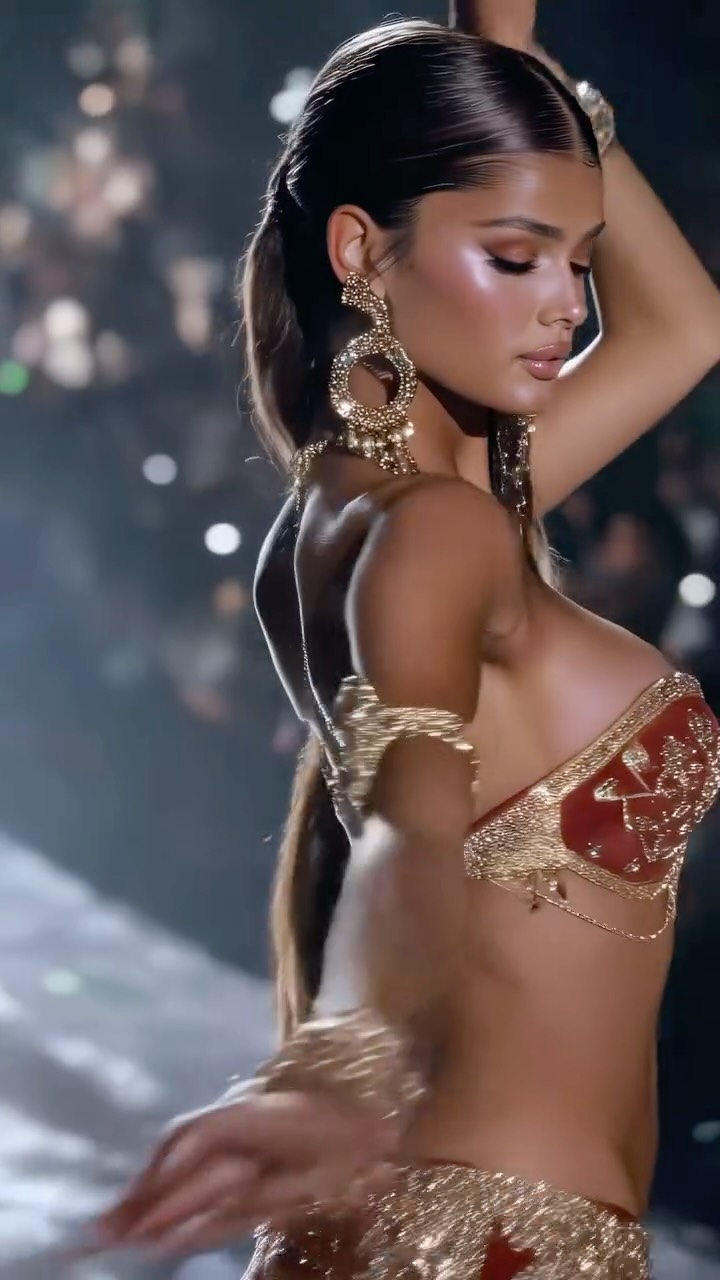
Belly dancer collection✨
Animated with @klingai_official
Are you serious about learning how to create AI visuals at a professional level? In my course, I teach everything I use in my own process:
• How I build concepts and visual storytelling
• The exact tools, prompts, and workflows I use
• How to refine, edit, and create a portfolio that gets noticed
This is the full system I used to grow Dreamfall Art and work with brands.
If you want access —
Comment “COURSE” below and I’ll send you the link directly.
#ai #klingai #midjourney #aiart #aiartcommunity
Case Snapshot
This 13.6-second vertical “belly dancer collection” montage is a high-glam fashion film built from 4 short shots. The consistent signature is clear: jeweled belly dance costumes (beaded bra tops, metallic embroidery, hip belts), big gold statement earrings, glossy long hair, and a dark ballroom/stage environment with haze and dense chandelier-like bokeh lights. The motion is intentionally controlled, not chaotic: slow turns, subtle hip/shoulder isolations, hand-to-hair poses, and a final hand-on-hip tableau. That combination makes it highly saveable for creators searching “belly dancer AI video prompt,” “glamour dance aesthetic,” “beaded costume cinematic reel,” and Chinese long-tail like “肚皮舞 高级感 短视频” or “金色亮片 质感AI视频.”
What You're Seeing
1) The Costume Is the Hook
The beadwork and metallic embroidery create moving specular highlights that read as “expensive” even with minimal movement. This is why the clip looks premium in just a few seconds.
2) Controlled Motion (So It Stays Realistic)
Instead of fast dance choreography, the clip uses slow turns and small isolations. That’s a realism tactic: fewer chances for AI anatomy failures.
3) Stage Atmosphere
The background is dark with haze and many small warm lights that bloom into bokeh. This hides geometry problems and creates a cinematic glow.
4) Casting as a “Collection”
It cycles through multiple looks within the same aesthetic band. That “collection” framing makes the montage feel curated rather than random.
5) Shot-by-Shot Breakdown (estimated)
Time range
Visual content
Shot language (framing / focal-length feel / movement)
There’s no in-frame subtitle system; the visual texture (beads + bokeh + haze) carries the entire attention loop.
7) How to Make It Not Feel “Cultural Costume AI Slop”
Keep it respectful: describe the costume neutrally, avoid stereotypes, and focus on lighting, materials, and performance posture rather than caricature.
8) What to Swap for a Series
Swap one variable per post: costume color (red-gold vs silver-gold), jewelry style, background bokeh color, or pose set. Keep the stage template locked.
Why It Went Viral
Topic Selection Analysis (250-300 words)
This works because it merges three proven attention levers: (1) high-sparkle visual texture (beadwork that catches light), (2) a strong feminine glamour silhouette, and (3) a dark, cinematic stage atmosphere that instantly signals “performance.” Viewers don’t need context to understand what they’re seeing. The first frame already communicates the fantasy: spotlight, jewelry, and a curated dance look. The “collection” framing matters too. Instead of making one long choreographed scene (hard for AI), it shows multiple short looks, which increases novelty while keeping the overall vibe consistent. Each cut feels like a new outfit reveal, which is inherently scroll-stopping.
From a platform perspective, this is optimized for completion and saves. Completion: the clip is short, the motion is controlled, and the shots change often enough to keep attention. Saves: every frame is screenshot-worthy, so creators and viewers save it as a reference board for lighting, costume detail, posing, and aesthetic. Because the content is visually rich but not story-dependent, it also replays well, which can boost rewatch loops.
Platform-Signal View (about 100 words)
Watch time likely comes from constant shimmer (micro-motion in highlights) and short shot rhythm. Shares/saves likely come from reference utility: creators can copy the lighting and costume structure. The background bokeh and haze reduce harsh AI artifacts, so it passes “looks real enough” checks on a phone screen. The final clean pose creates a natural stopping point, which improves completion.
5 Testable Viral Hypotheses
Observed evidence: heavy beadwork shimmer. Mechanism: micro-motion texture sustains attention. Replication: choose fabrics/materials with specular highlights.
Observed evidence: dark haze + bokeh background. Mechanism: cinematic mood + hides geometry failures. Replication: keep backgrounds abstract and defocused.
Observed evidence: short 4-shot montage. Mechanism: novelty cadence increases retention. Replication: cut every 2-4 seconds with a consistent setting.
Observed evidence: controlled posing instead of fast dance. Mechanism: fewer AI anatomy failures = higher trust. Replication: storyboard “pose beats,” not complex choreography.
Observed evidence: strong silhouette and jewelry framing. Mechanism: thumbnail power improves click-through. Replication: ensure the first frame has face + costume + sparkle.
How to Recreate (0 to 1)
Step 1: Define the Collection Theme
Pick a clear series label: “Belly Dancer Collection,” “Gold Costume Collection,” or “Stage Glamour Collection.”
Step 2: Lock the Stage Template
Use one environment prompt: dark stage, haze, chandelier bokeh, reflective columns, warm spotlight, shallow depth of field.
Step 3: Write 4 Shot Beats
Plan: frontal portrait, back/three-quarter turn, hair-sweep pose, final hand-on-hip tableau.
Step 4: Design Costume Variants
Create two colorways: red-gold and silver-gold. Keep jewelry large and readable (earrings, cuffs, hip belt).
Step 5: Generate Keyframes
Generate 2-3 keyframes per shot and reject anything with broken hands or crawling shimmer artifacts.
Step 6: Render Short Segments and Stitch
Render each shot as a short clip for stability, then stitch with clean cuts. This keeps identity and costume details consistent.
Step 7: Troubleshoot
If beadwork flickers, reduce highlight intensity and simplify texture noise. If hair glitches, reduce wind and keep motion minimal.
Step 8: Publish Strategy
Use the strongest sparkle frame as cover. Post weekly with the same lighting signature and new costume variations.
Growth Playbook (Distribution & Scaling)
3 Opening Hook Lines
"I’m building a belly dancer collection with AI. Here’s the template."
"If your AI videos look flat, add shimmer + haze like this."