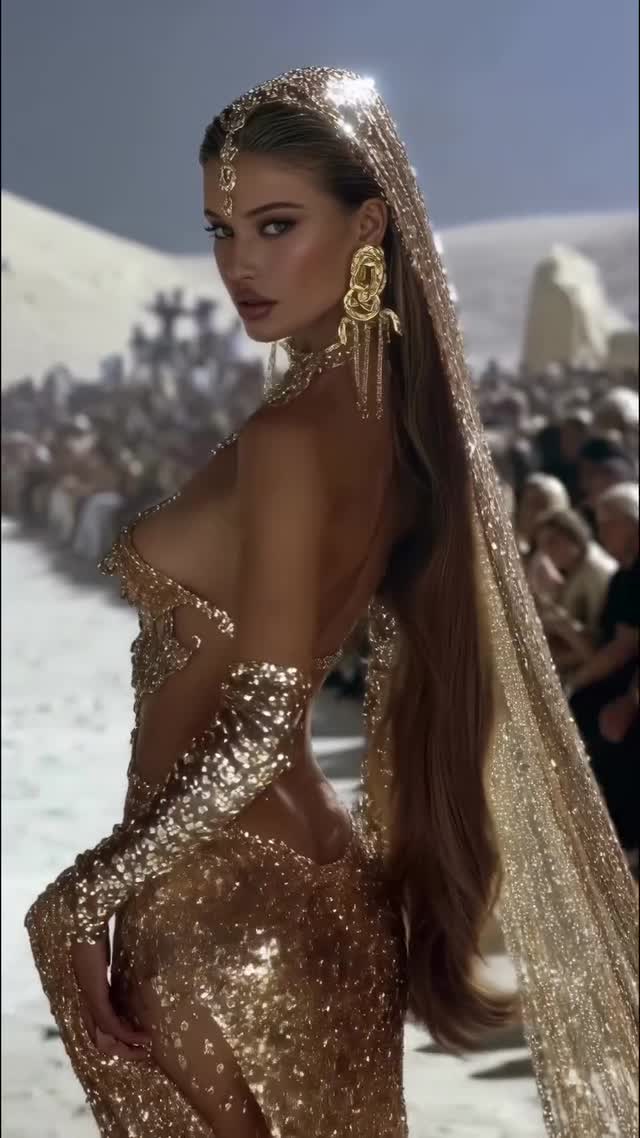
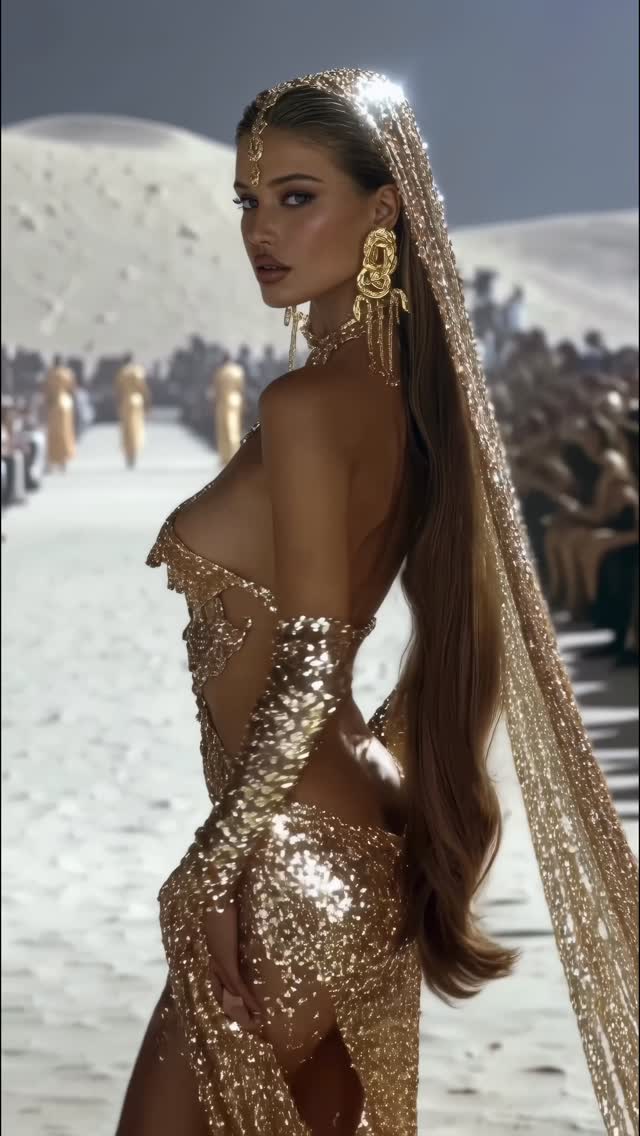
Desert collection 🐪
Animated with @klingai_official
Are you interested in learning how to create AI visuals at a professional level?
In my course, I teach everything I use in my own process:
• How I build concepts and visual storytelling
• The exact tools, prompts, and workflows I use
• How to refine, edit, and create a portfolio that gets noticed
• Personal feedback, guidance, and access to my private community
This is the full system I used to build my art studio and work with top brands.
If you want access —
Comment “COURSE” below and I’ll send you the link directly.
#midjourney #aiart #ai #aiartcommunity #midjourneyart #aiartwork
Why dreamfall.art's Desert Collection Went Viral — and the Formula Behind It
This viral sensation, titled "Desert Collection," is a masterclass in cinematic AI fashion editorial. Created using Kling AI, the video showcases a series of hyper-realistic models draped in intricate, gold-sequined couture against the backdrop of a sun-drenched desert. The aesthetic blends high-end luxury with an ethereal, almost mythological "Golden Goddess" vibe. With over 71,000 likes, it leverages the "quiet luxury" trend and the biological fascination with shimmering textures and symmetrical beauty. It’s not just a video; it’s a digital runway show that feels more "Vogue" than "AI-generated."
What You’re Seeing: A Visual Breakdown
The video is a montage of high-fashion portraits. The subjects are diverse female models with "supermodel" features—high cheekbones, flawless skin, and intense gazes. Their wardrobe is the star: liquid gold sequins, metallic corsetry, intricate face chains, and sheer veils that catch the light with every movement. The setting is a vast, white-sand desert under a high-noon sun, creating sharp, high-contrast shadows and brilliant highlights on the metallic fabrics. The camera work mimics professional fashion cinematography—slow-motion pans, shallow depth of field (bokeh), and tight close-ups that emphasize the texture of the jewelry and the models' expressions. The mood is opulent, mysterious, and aspirational.
Shot-by-Shot Analysis
Time Range
Visual Content
Shot Language
Lighting & Tone
Viewer Intent
00:00–00:02
Model in profile, gold sequined backless dress, long shimmering veil.
Medium Shot (MS), slow tracking.
Warm golden hour, high-key highlights.
The Hook: Immediate visual "wow" factor with shimmering gold.
00:02–00:05
Model walking forward in a gold corset and sun-ray headpiece.
Full Shot (FS) to Medium Close-Up (MCU).
Direct sunlight, sharp shadows on the sand.
Establish the "Runway" theme and scale.
00:05–00:07
Close-up of a model with dark hair and heavy gold face jewelry.
Close-Up (CU), shallow depth of field.
Softened direct light, focus on jewelry detail.
Reinforce the "Luxury" and "Craftsmanship" feel.
00:07–00:10
Model with a long blonde braid and sequined gown touching her hair.
Medium Shot (MS), subtle hand movement.
Warm, diffused desert light.
Humanize the AI; show realistic hair and fabric physics.
00:10–00:15
Series of close-ups focusing on face chains and hand gestures.
Extreme Close-Up (ECU) to CU.
High contrast, shimmering bokeh.
The Closer: Create intimacy and showcase AI detail limits.
Why It Went Viral: The Luxury Loop
The success of this video lies in its "Aspiration vs. Accessibility" hook. It presents a level of fashion production that would cost hundreds of thousands of dollars in the real world, yet it's created entirely with AI. This "High-Fashion Hack" appeals to the biological instinct for beauty and status. The "Desert Collection" theme taps into the "Dune" or "Burning Man Luxury" aesthetic that is currently trending in high-fashion circles.
From a platform perspective, the video succeeds because of its visual density. Every frame is packed with detail—the way the sequins reflect light, the movement of the hair, the texture of the sand. This forces the viewer to re-watch or pause to take in the details, signaling to the Instagram algorithm that the content is highly engaging. The lack of a complex narrative makes it "snackable" and perfect for the infinite scroll.
5 Testable Viral Hypotheses
The "Shimmer" Effect: High-frequency moving highlights (sequins) trigger more "stop-scrolling" behavior than flat textures.
The "Uncanny Valley" Peak: Models that are 95% realistic but 5% "too perfect" create a sense of awe that drives saves and shares.
The Monochromatic Palette: Sticking to a strict "Gold and Sand" color grade creates a cohesive, premium brand feel that users want to curate on their own profiles.
The "Runway" Context: Placing AI characters in a recognizable high-status environment (a fashion show) increases perceived value.
The "No-Face" Mystery: Using veils and face chains creates intrigue, making viewers look closer at the eyes and features.
How to Recreate: From 0 to 1
Concept Selection: Choose a high-contrast theme (e.g., "Ice Queen in the Arctic" or "Neon Cyberpunk in Tokyo"). This video uses "Gold in the Desert."
Character Consistency: Use a tool like Midjourney with a specific "Character Reference" (--cref) to ensure the models look like they belong to the same "collection."
Prompt Engineering: Focus on materials. Use keywords like "liquid gold," "micro-sequins," "metallic embroidery," and "shimmering silk."
Base Image Generation: Generate 5-10 high-quality portraits in Midjourney. Ensure the lighting is consistent (e.g., "harsh desert sun").
Video Animation (Kling AI): Upload your base images to Kling AI. Use the "Image-to-Video" feature.
Prompt for Motion: "Subtle head turn, wind blowing hair, sequins reflecting sunlight, cinematic slow motion."
Consistency Check: Ensure the "Creativity" setting isn't too high, or the gold jewelry will morph into skin. Keep it around 0.4-0.5.
Color Grading: Use CapCut or Premiere Pro to apply a "Warm/Gold" LUT to unify the different clips.
Sound Design: Add a deep, rhythmic "Tribal House" or "Cinematic Ambient" track to match the desert runway vibe.
Growth Playbook: Distribution & Scaling
Opening Hook Lines
"The fashion show that doesn't exist... yet. 🏜️✨"
"AI is officially taking over the runway. Thoughts?"
"Creating a $1M fashion shoot for $0. Here’s how."
Caption Templates
The "Aesthetic" Template:
Golden hour in the dunes. 🐪 The Desert Collection is finally here. Which look is your favorite? 1, 2, or 3? 👇 #AIFashion #DigitalArt #KlingAI
The "Educational" Template:
Stop scrolling! 🛑 I created this entire fashion editorial using only AI. No cameras, no models, just prompts. Want the workflow? Comment 'GOLD' below. ✍️ #AIWorkflow #ContentCreator #CreativeAI