Dressed to impress part 2✨
Animated with @klingai_official
Are you serious about learning how to create AI visuals at a professional level? In my course, I teach everything I use in my own process:
• How I build concepts and visual storytelling
• The exact tools, prompts, and workflows I use
• How to refine, edit, and create a portfolio that gets noticed
This is the full system I used to grow Dreamfall Art and work with brands.
If you want access —
Comment “COURSE” below and I’ll send you the link directly.
#ai #klingai #midjourney #aiart #midjourneyart #aiartwork #digitalart
How dreamfall.art Made This Luxury Fashion AI Video - and How to Recreate It
This case study analyzes a high-performance "Cinematic Editorial Portrait" reel by @dreamfall.art, which leverages the Kling AI video model to create a seamless montage of luxury fashion. The video features a consistent female subject in various high-end "Old Money" and "Editorial" outfits—ranging from satin trench coats to leather blazers—set against a backdrop of European cityscapes and luxury vehicles. With over 7,900 likes, it demonstrates the power of visual aspiration and technical consistency in the AI creator space. The aesthetic is defined by warm, golden-hour lighting, shallow depth of field, and a rhythmic editing style that mimics a professional fashion campaign.
What You’re Seeing
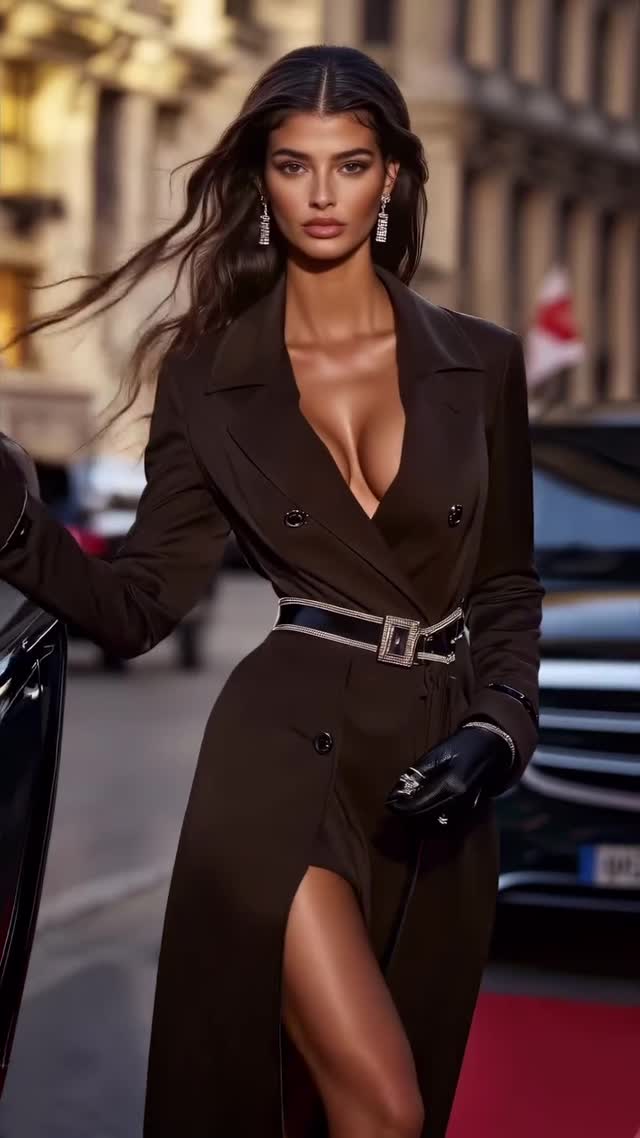
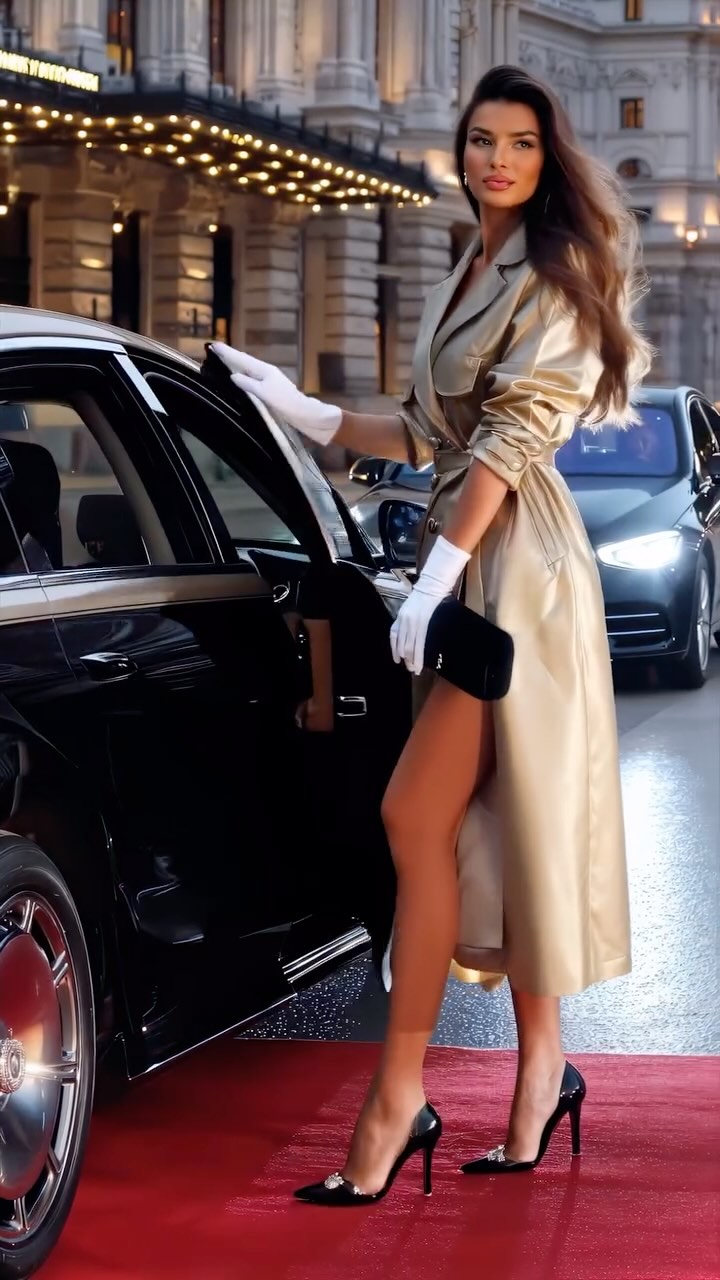
The video is a fast-paced montage of a glamorous woman in various luxury settings. The subject maintains a consistent facial identity across different outfits and lighting conditions, which is a hallmark of advanced AI video generation. The wardrobe is the focal point: deep-V necklines, belted waists, silk, satin, and leather textures that catch the light realistically. The scenes alternate between the subject walking on a red carpet, sitting inside a luxury car, and posing in front of grand, illuminated buildings at night.
Shot-by-Shot Breakdown
Time Range
Visual Content
Shot Language
Lighting & Tone
Viewer Intent
00:00–00:03
Subject in brown trench coat walking on red carpet.
Medium Shot (MS), tracking forward.
Warm, diffused daylight.
Hook: Immediate luxury "red carpet" vibe.
00:03–00:05
Subject sitting in a car wearing a burgundy blazer.
Close-Up (CU), static.
Soft interior car lighting, high contrast.
Reinforce persona: Wealth and exclusivity.
00:05–00:08
Getting out of a black car in a gold satin coat.
Full Shot (FS), low angle.
Golden hour glow, city lights background.
Movement: Showcases fabric physics (satin).
00:08–00:10
Close-up of bronze satin blazer, hair flip.
Extreme Close-Up (ECU) to CU.
Side-lit, emphasizing skin texture.
Sensory: Focus on texture and beauty.
00:10–00:12
Dark green leather trench at night.
Medium Close-Up (MCU).
Cool night tones with warm bokeh.
Contrast: Transition to "night life" aesthetic.
00:12–00:15
Walking in a gold satin dress, black gloves.
Medium Shot, slow motion.
High-key luxury lighting.
Pacing: Maintain high energy.
00:15–00:17
Teal satin blazer, profile view.
Profile CU, slight pan.
Cinematic teal/orange contrast.
Detail: Focus on jewelry and profile.
00:17–00:20
Black leather coat, night city background.
Medium Shot, hair blowing.
Warm street lamps, dark shadows.
Mood: Edgy, high-fashion finale.
00:20–00:22
Subject smiling inside car, tan blazer.
Close-Up, eye contact.
Warm, inviting interior light.
Engagement: Humanizing the AI subject.
Why It Went Viral
The Selection Strategy
This video taps into "Wealth Porn" and "High Fashion" niches, which are evergreen on Instagram. By choosing a "Dressed to Impress" theme, the creator targets a broad audience interested in luxury, beauty, and lifestyle. The psychological trigger here is aspiration; viewers are drawn to the idealized version of reality. The use of a consistent, highly attractive character creates a "virtual influencer" effect, making the audience feel like they are following a real person's life, which increases engagement and "save" rates for fashion inspiration.
The Platform Perspective
From an algorithmic standpoint, the video succeeds due to its high information density. Every 1.5 to 2 seconds, the scene, outfit, and lighting change completely. This prevents "scroll-past" behavior and maximizes watch time because the brain is constantly processing new, high-quality visual stimuli. The "loop effect" is also strong; because it's a montage, the end flows naturally back into the beginning, encouraging multiple views. The caption also includes a "Part 2" hook, signaling to the algorithm that this is part of a successful series.
5 Viral Hypotheses
The "Uncanny Valley" Bridge: By using Kling AI's high-fidelity motion (hair blowing, realistic fabric), the video stays just on the right side of the uncanny valley, fascinating users with how "real" AI has become.
The 0.5s Dopamine Hit: The rapid cuts between high-contrast colors (Gold to Burgundy to Teal) trigger constant micro-rewards in the viewer's brain, ensuring they stay until the end.
The "Old Money" Aesthetic: The specific choice of trench coats and luxury cars taps into the trending "Quiet Luxury" or "Old Money" search intent, which has high shareability.
Character Consistency: Unlike many AI videos that look like random clips, the consistent face makes this feel like a "brand" or a "story," which builds trust and follower conversion.
The "How did they do that?" Factor: Mentioning the tool (Kling AI) in the caption invites comments from other creators, boosting the engagement rate through technical curiosity.
How to Recreate (Step-by-Step)
Define Your "Hero" Character: Use Midjourney or Flux to create a consistent character. Save the seed or use a "Character Reference" (--cref) to ensure the face stays the same across all prompts.
Curate a Luxury Moodboard: Gather images of high-end fashion (Vogue, Harper's Bazaar) to use as style references for your AI prompts.
Generate Base Clips in Kling AI: Use the "Image-to-Video" feature. Upload your character reference and describe the motion (e.g., "walking towards camera, wind in hair, getting out of a luxury car").
Focus on Fabric Physics: In your prompts, specify materials like "silk," "satin," or "leather" to give the AI clear instructions on how light should reflect and how the fabric should move.
Maintain Lighting Consistency: Use keywords like "cinematic lighting," "golden hour," or "warm street lamps" across all clips to ensure the montage feels cohesive.
Batch Generate Outfits: Create 10-15 short clips (2-3 seconds each) with the same character but different luxury outfits.
Edit for Rhythm: Import clips into CapCut. Cut every 1.2 to 1.8 seconds. Sync the transitions to a "Luxury/Phonk" or "Cinematic House" beat.
Add Final Polish: Apply a subtle film grain and a consistent color grade (warm highlights, crushed blacks) to hide any AI artifacts and make it look like 35mm film.
Growth Playbook
Opening Hook Lines
"POV: You're attending Fashion Week in Milan (AI Edition) ✨"
"The future of fashion isn't on a runway, it's on a GPU."
"Dressed to impress, but make it 100% AI. Which look is your favorite?"
Caption Templates
Template 1: The "Tutorial" Hook
Dressed to impress Part [X] ✨
I created this entire fashion film using @klingai_official. The secret is in the lighting prompts.
👇 Which outfit should I try next?
#AIArt #KlingAI #DigitalFashion
Template 2: The "Aspirational" Hook
Luxury is a state of mind (and a well-crafted prompt). 🥂
Exploring the intersection of high fashion and artificial intelligence.
Save this for your next visual inspiration! 💾
#OldMoneyAesthetic #LuxuryLifestyle #AIAnimation