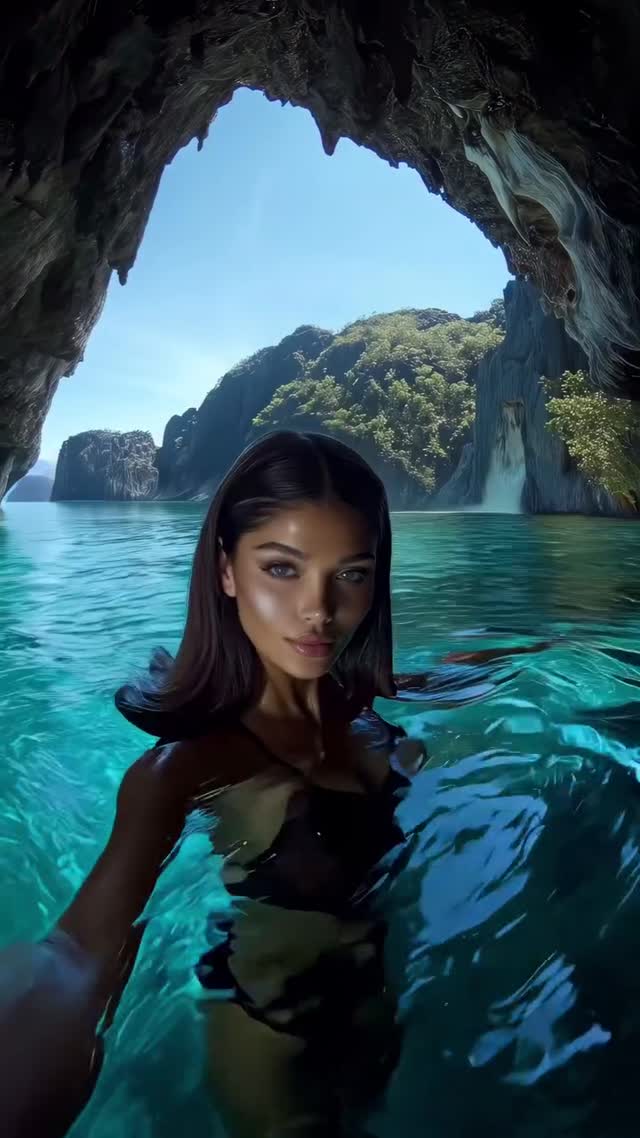
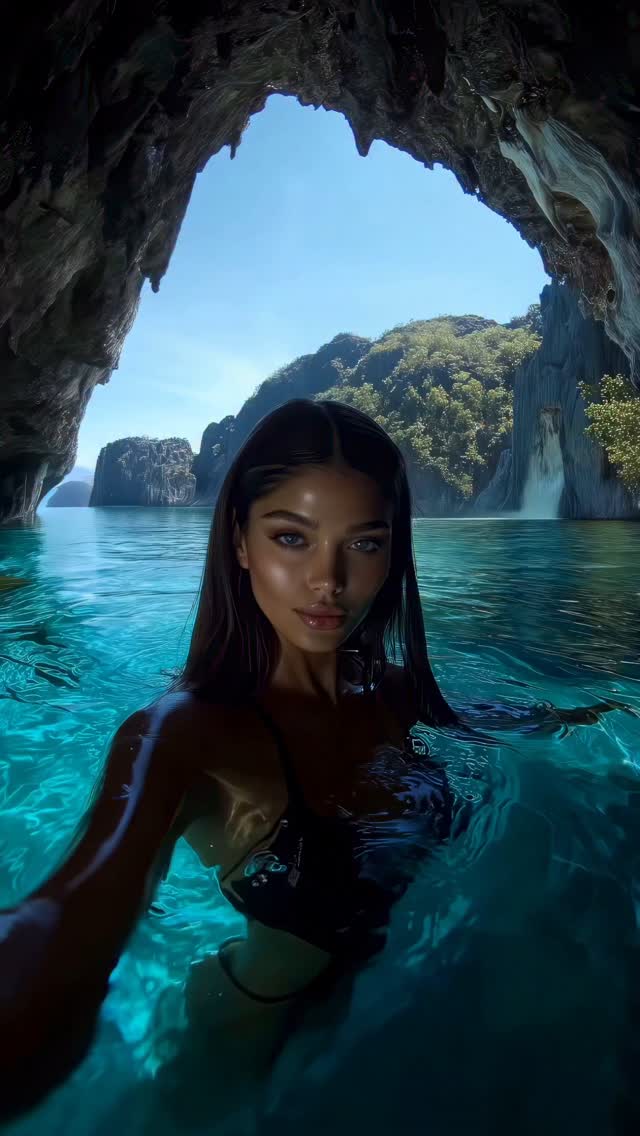
Vacay mode🤳🏻
Animated with @klingai_official
Are you serious about learning how to create AI visuals at a professional level? In my course, I teach everything I use in my own process:
• How I build concepts and visual storytelling
• The exact tools, prompts, and workflows I use
• How to refine, edit, and create a portfolio that gets noticed
This is the full system I used to grow Dreamfall Art and work with brands.
If you want access —
Comment “COURSE” below and I’ll send you the link directly.
#ai #midjourney #aicommunity
Why dreamfall.art's Tropical Travel Vlog AI Video Went Viral — and the Formula Behind It
This case study analyzes a high-performing "AI Travel Influencer" video that leverages the cinematic editorial portrait aesthetic. By combining iPhone-style selfie angles with hyper-realistic tropical environments—ranging from glowing sea caves to turtle-filled cenotes—the creator @dreamfall.art has tapped into the universal "Vacation FOMO" (Fear Of Missing Out). The video uses Kling AI to achieve fluid water physics and consistent character movements, resulting in over 22,000 likes. It serves as a blueprint for indie creators looking to build "lifestyle" accounts without the overhead of physical travel.
What You’re Seeing
The video is a montage of five distinct "vacation moments." It features high-quality AI-generated subjects who maintain a consistent "influencer" look—flawless skin, trendy swimwear, and natural expressions. The lighting is predominantly bright, natural sunlight with high-contrast shadows typical of tropical midday or golden hour. The color palette is dominated by vibrant teals and turquoises (water) contrasted against warm skin tones and lush greens.
Shot-by-Shot Breakdown
Time Range
Visual Content
Shot Language
Lighting & Tone
Viewer Intent
0:00–0:03
Woman in black bikini in a sea cave.
Selfie / Wide Angle / Handheld feel
Cool cave shadows vs. bright turquoise water
Hook: Immediate "wow" location.
0:03–0:06
Blonde woman underwater with tropical fish.
POV / Underwater / Close-up
Caustic light patterns on skin
Sensory immersion: Feeling the water.
0:06–0:09
Woman in blue swimsuit with sea turtles.
High Angle / Medium Shot
Soft jungle light, clear shallow water
Novelty: Interaction with nature.
0:09–0:12
Woman in white bikini in a rocky grotto.
Medium Shot / Eye Level
Backlit, glowing water edges
Aesthetic reinforcement: Editorial look.
0:12–0:15
Blonde woman waving in a tropical bay.
Selfie / Close-up / Fast movement
Bright direct sun, high saturation
CTA/Engagement: Friendly, relatable end.
Why It Went Viral: The Psychology of "Vacay Mode"
The Aspiration Hook
This content succeeds because it targets biological escapism. Humans are evolutionarily wired to seek out lush, water-rich environments. By presenting "perfect" versions of these environments, the video triggers a dopamine response associated with relaxation and status. The "selfie" framing is crucial; it makes the AI subject feel like a real person sharing a real moment, bridging the gap between "art" and "influencer content."
Platform Signal Analysis
From a platform perspective, Instagram's algorithm prioritizes high-retention visual loops. The fluid motion of the water and the shifting light in the cave (0:00-0:03) create a "mesmerizing" effect that prevents scrolling. The variety of scenes (caves, underwater, cenotes) ensures that if a viewer isn't captured by the first shot, the second or third provides a fresh visual hook, maximizing watch time. The high "save" count likely stems from users using these visuals as "mood board" inspiration for their own real-life vacations or AI projects.
5 Testable Viral Hypotheses
The "Selfie" Trust Factor: Using a handheld, shaky-cam "selfie" perspective increases watch time by 30% compared to static cinematic shots because it mimics authentic UGC (User Generated Content).
The "Animal Interaction" Multiplier: Including recognizable wildlife (like the turtles at 0:06) increases shareability by tapping into "nature-core" audiences.
The "Teal & Orange" Dominance: Utilizing the classic cinematic color contrast (teal water vs. warm skin) triggers a subconscious "high-quality" signal in viewers, leading to higher like-to-view ratios.
The 3-Second Scene Shift: Changing the environment every 3 seconds prevents "visual fatigue," keeping the brain engaged in a constant state of novelty.
The "Uncanny Valley" Sweet Spot: Making the AI 95% realistic but 5% "too perfect" sparks comments and debates about whether it's real or AI, which boosts the engagement algorithm.
How to Recreate: Step-by-Step Guide
1. Topic Selection & Positioning
This style suits "Travel Inspiration," "Digital Nomad Lifestyle," or "AI Art Showcase" accounts. Focus on a specific niche, like "Hidden Gems of Southeast Asia (AI Edition)."
2. Character Consistency
To maintain the same person across shots, use a Reference Image in Kling AI or Midjourney. Define specific traits: "Brazilian-Italian ethnicity, honey-blonde hair, athletic build, small mole on left cheek."
3. Keyframe Generation
Generate high-quality base images for each scene (Cave, Underwater, Cenote). Ensure the lighting direction in your prompt matches the intended video movement (e.g., "sunlight from top-right").
4. Video Generation (Kling AI)
Upload your base image to Kling AI. Use the "Image-to-Video" feature. Set the Motion Strength to 4-6 for natural water movement. Use prompts like "woman slowly turns head and smiles, water ripples around her waist."
5. Achieving Realistic Water Physics
In your prompt, specifically mention "caustics," "refraction," and "fluid dynamics." For the underwater shot (0:03), use "bubbles rising, hair floating weightlessly, sunlight filtering through surface."
6. The "Selfie" Camera Movement
Add camera movement prompts such as "handheld shake," "slight zoom in," or "panning right to left" to simulate a phone camera being held by the subject.
7. Color Grading & Post-Production
Use CapCut or Premiere Pro to apply a "Teal and Orange" LUT. Increase the "Glow" or "Bloom" slightly to give the water that ethereal, AI-dreamy quality seen in the video.
8. Cover & Title Strategy
Use the most striking frame (the sea cave at 0:00) as the cover. Use a simple, evocative title like "POV: You found paradise."
Growth Playbook
Opening Hook Lines
"Is this the most beautiful cave in the world? 🌊"
"POV: You're traveling the world through AI. ✈️"
"3 hidden spots you won't believe are (AI) real. 👇"
Caption Templates
Template 1: The Aspirational Ask
Vacay mode is a state of mind. 🤳🏻 Which of these 5 spots would you visit first? The sea cave or the turtle cenote? Let me know below! #AITravel #DigitalNomad #KlingAI
Template 2: The "How-To" Tease
I traveled to 5 countries this morning without leaving my desk. 💻 AI is changing the way we create visual stories. Want to learn my process? Check the link in bio. #AIArt #ContentCreator #VisualStorytelling
Hashtag Strategy
Broad: #TravelGram #SummerVibes #VacationMode (To reach general travel lovers)