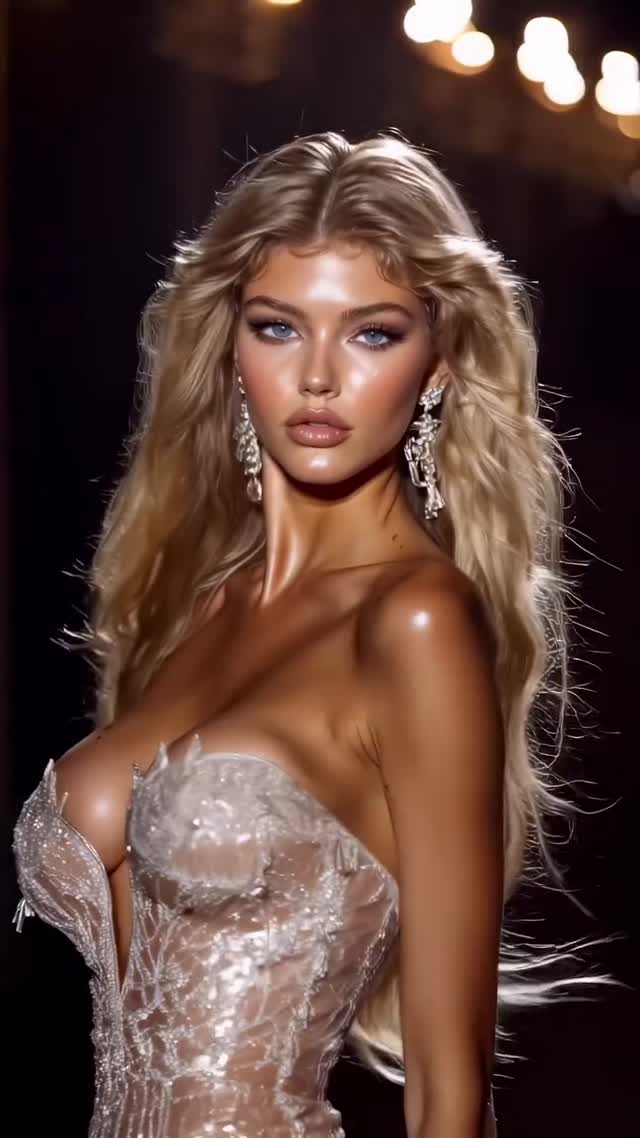
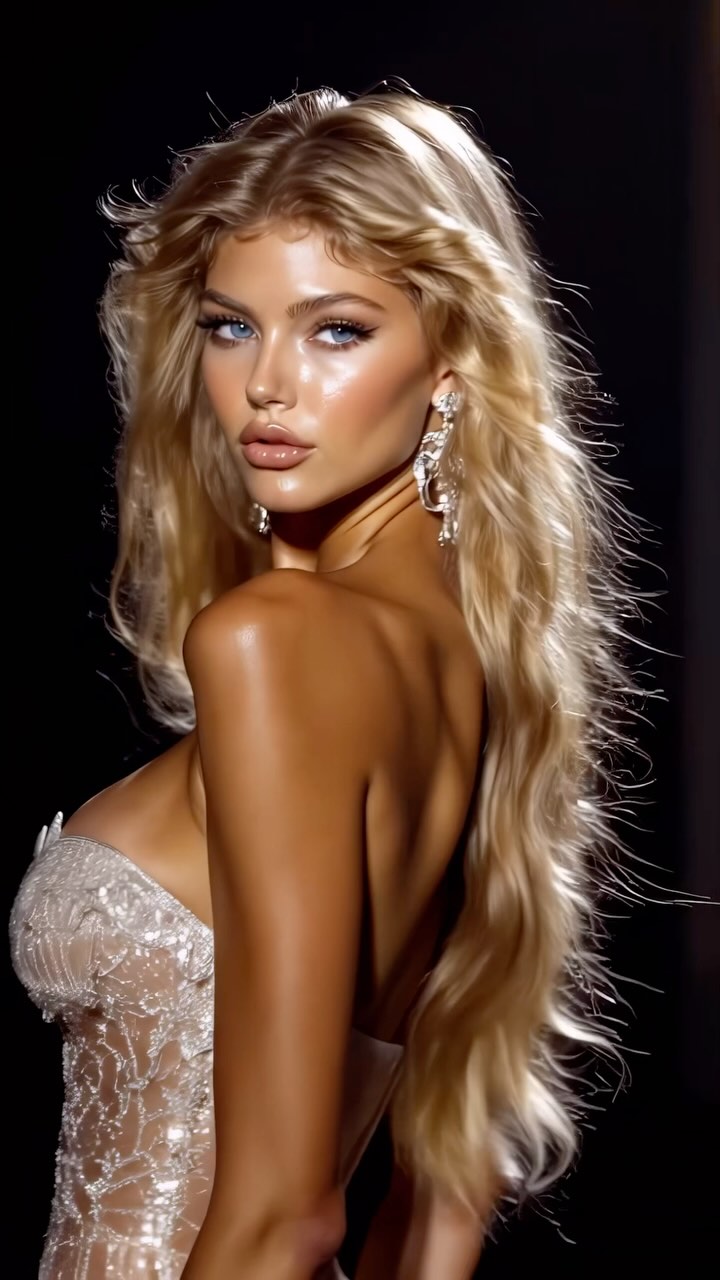
Which model is your favorite?
Are you serious about learning how to create AI visuals at a professional level? In my course, I teach everything I use in my own process:
• How I build concepts and visual storytelling
• The exact tools, prompts, and workflows I use
• How to refine, edit, and create a portfolio that gets noticed
This is the full system I used to grow Dreamfall Art and work with brands.
If you want access —
Comment “COURSE” below and I’ll send you the link directly.
Animated with @klingai_official
#virtualfashionshow #klingai #fashion #model #fashionshow #midjourney #art #artistsoninstagram #aiart #aiartcommunity #digitalart #fashionmodel
Why dreamfall.art's Virtual Fashion Show Went Viral — and the Formula Behind It
This video is a masterclass in Cinematic AI Fashion Editorial. It leverages the high-glamour aesthetic of a Victoria’s Secret or Versace runway show, featuring a series of hyper-realistic AI-generated models. The core keywords here are "High-Fashion Runway," "Cinematic Lighting," "Hyper-Realistic Textures," and "Model Consistency." By presenting a "collection" of diverse yet stylistically unified characters, the creator taps into the viewer's desire for aesthetic perfection and the "uncanny valley" curiosity that drives high engagement. The video uses a rhythmic editing style, switching models every 2-3 seconds to maintain a high "dopamine hit" frequency, making it nearly impossible to scroll away.
What You’re Seeing: A Visual Breakdown
The video presents a sequence of female models walking a dark, high-end runway. The wardrobe is incredibly detailed, featuring intricate corsetry, sequins, metallic fabrics, and heavy embroidery. The lighting is the star here: a strong rim light separates the models from the pitch-black background, while soft, warm key lights highlight skin textures and makeup. The color palette leans heavily into golds, silvers, and deep blacks, creating a "luxury" feel. The camera movement mimics professional fashion videography—slow-motion tracking shots, slight pans, and "hero" turns where the model acknowledges the camera. The music is a rhythmic, bass-heavy track that dictates the editing pace, creating a hypnotic loop effect.
Shot-by-Shot Analysis
Time Range
Visual Content
Shot Language
Lighting & Tone
Viewer Intent
00:00–00:03
Blonde model in silver corset, turning.
Medium Close-Up (MCU), slow-mo turn.
Warm rim light, high contrast.
The "Hook": Immediate visual "wow" factor.
00:03–00:05
Brunette model, black/blue floral dress.
MCU, hand-to-face gesture.
Soft focus background, golden hour glow.
Variety: Shows diversity in the "collection."
00:05–00:08
Blonde model, light blue/silver gown.
Medium Shot (MS), side profile walk.
Cooler highlights, cinematic bokeh.
Reinforce persona: The "Supermodel" walk.
00:08–00:11
Brunette, black sequin dress, hair blowing.
MCU, tracking shot.
Sparkling specular highlights on sequins.
Texture showcase: Highlighting AI detail.
00:11–00:14
Blonde, gold voluminous dress.
MS, dramatic turn.
Warm, opulent gold tones.
Escalation: More "extra" fashion.
00:14–00:16
Brunette, silver corset, front view.
Close-Up (CU), direct eye contact.
Symmetrical lighting, sharp focus.
Intimacy: Breaking the fourth wall.
00:18–00:20
Dark hair, black blazer, smiling.
MCU, candid feel.
Soft, diffused lighting.
Humanization: A rare smile to break the "stare."
00:20–00:23
Blonde, red sequin dress, walking forward.
MS, power walk.
Vibrant red, high saturation.
The "Finale": High energy to end the loop.
Why It Went Viral: The Psychology of Glamour
The primary driver of this video's success is Aesthetic Aspiration. Humans are biologically wired to respond to symmetry, beauty, and high-status cues. By mimicking the highest tier of fashion production, the video bypasses the "AI filter" in many viewers' brains—they aren't just seeing AI; they are seeing a dream-like version of reality.
The "Which model is your favorite?" hook is a classic Engagement Trap. It forces the viewer to stop being a passive observer and become a judge. This leads to a high comment-to-view ratio, which signals to the algorithm that the content is highly interactive. Furthermore, the sheer quality of the textures (skin pores, fabric weave, hair strands) triggers a "Wait, is this real?" debate in the comments, which further boosts reach.
Platform Signals & Algorithm Triggers
From a platform perspective (Instagram/TikTok), this video hits several key metrics:
Watch Time: The fast cuts and changing models prevent "boredom drops." Each new model is a fresh hook.
Saves: This type of content is frequently saved as "mood board" material or "AI prompt inspiration."
Shares: The "Which one?" question makes it highly shareable to friends or in stories to poll followers.
Loop Effect: The music and the seamless transition from the last model back to the first encourage multiple viewings.
5 Testable Viral Hypotheses
The "Uncanny Valley" Peak: If the AI is 95% realistic but 5% "off," it generates more comments (debates) than 100% perfect realism. Replicate by: Keeping slight imperfections in skin or movement.
The "Collection" Bias: People are more likely to watch a series of 10 items than 1 single item. Replicate by: Creating a "lookbook" style video rather than a single character showcase.
The "Hero Lighting" Effect: High-contrast rim lighting increases perceived "cinematic value" by 2x. Replicate by: Using "backlit" or "rim light" in your prompts.
The Choice Paradox: Asking "Which one?" is more effective than "Do you like this?" because it assumes the viewer already likes the content. Replicate by: Using comparative captions.
The Rhythmic Cut: Syncing visual transitions to the "drop" or "beat" of a song increases retention by over 30%. Replicate by: Using CapCut's "Auto-cut" or manual beat-matching.
How to Recreate: From 0 to 1
1. Concept & Character Sheet
Don't just generate random faces. Create a "Character Sheet" in Midjourney or Leonardo.AI to ensure your models look like they belong in the same "agency." Use consistent descriptors like "tanned skin," "high cheekbones," and "editorial makeup."
2. Wardrobe Prompting
Focus on textures. Use words like "intricate silver filigree," "sequined embroidery," "sheer silk organza," and "structural corsetry." This detail is what makes the AI look "expensive."
3. Setting the Stage
The background should be dark to make the model pop. Use: "dark fashion runway, out of focus audience, warm chandelier bokeh, cinematic atmosphere."
4. Video Generation (The Motion)
Use Luma Dream Machine, Runway Gen-3, or Kling AI. Use an image-to-video workflow.
Prompt: "Slow motion fashion runway walk, model turns to look at camera, hair blowing in the wind, cinematic lighting, 4k."
5. Maintaining Consistency
If using Runway, use the "Character Reference" feature. If using Kling, use the same seed or very similar image prompts. The goal is to make them look like different models from the same "show."
6. Upscaling for "Realism"
AI video often looks "mushy." Run your final clips through Topaz Video AI or Magnific AI to add skin texture and sharpen the details of the jewelry.
7. Rhythmic Editing
Import clips into CapCut. Find a trending "Fashion/Phonk" track. Cut each clip to 1.5 - 2.5 seconds. Ensure the "turn" or "eye contact" happens on a beat.
8. The Engagement Overlay
Add a simple text overlay: "1, 2, 3, or 4?" or "Which look is your favorite?" Use a clean, high-fashion font like Didot or Bodoni.
Growth Playbook: Distribution & Scaling
Opening Hook Lines
"The future of fashion is here. Which model is real?"
"I asked AI to design a Versace show. The results are insane."
"1, 2, 3, or 4? Pick your favorite runway look."
Caption Templates
Template 1 (Engagement Focus):
Which model is your favorite? 👇
I’ve been experimenting with [Tool Name] to create this digital runway. The detail on the [Specific Detail, e.g., sequins] is mind-blowing.
Let me know which look you’d wear! ✨
#AIFashion #DigitalArt #Runway