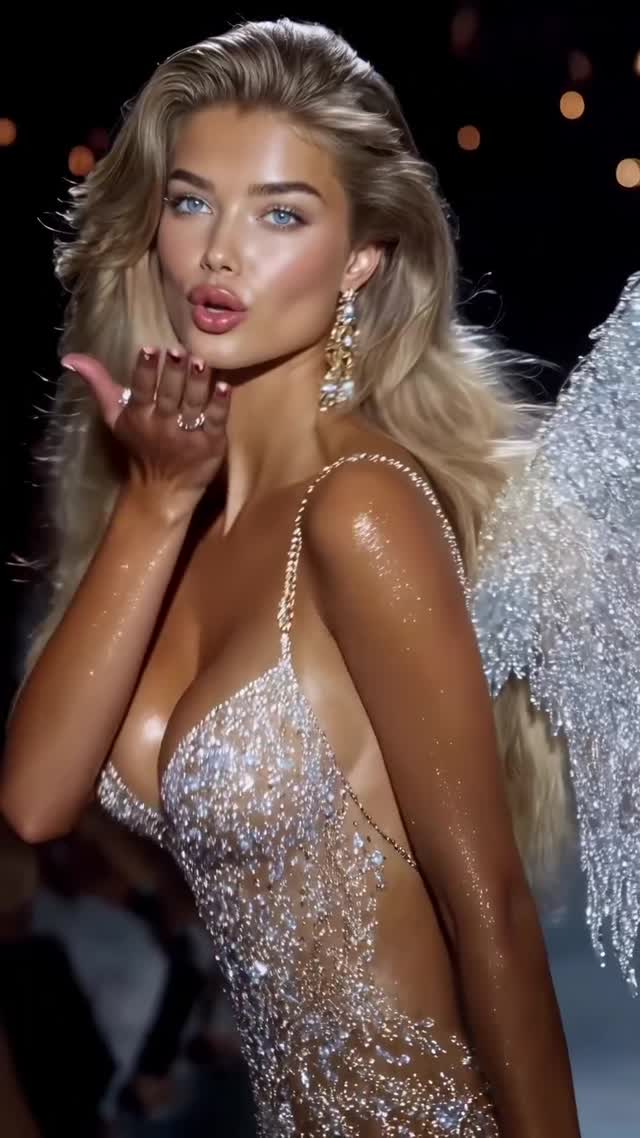
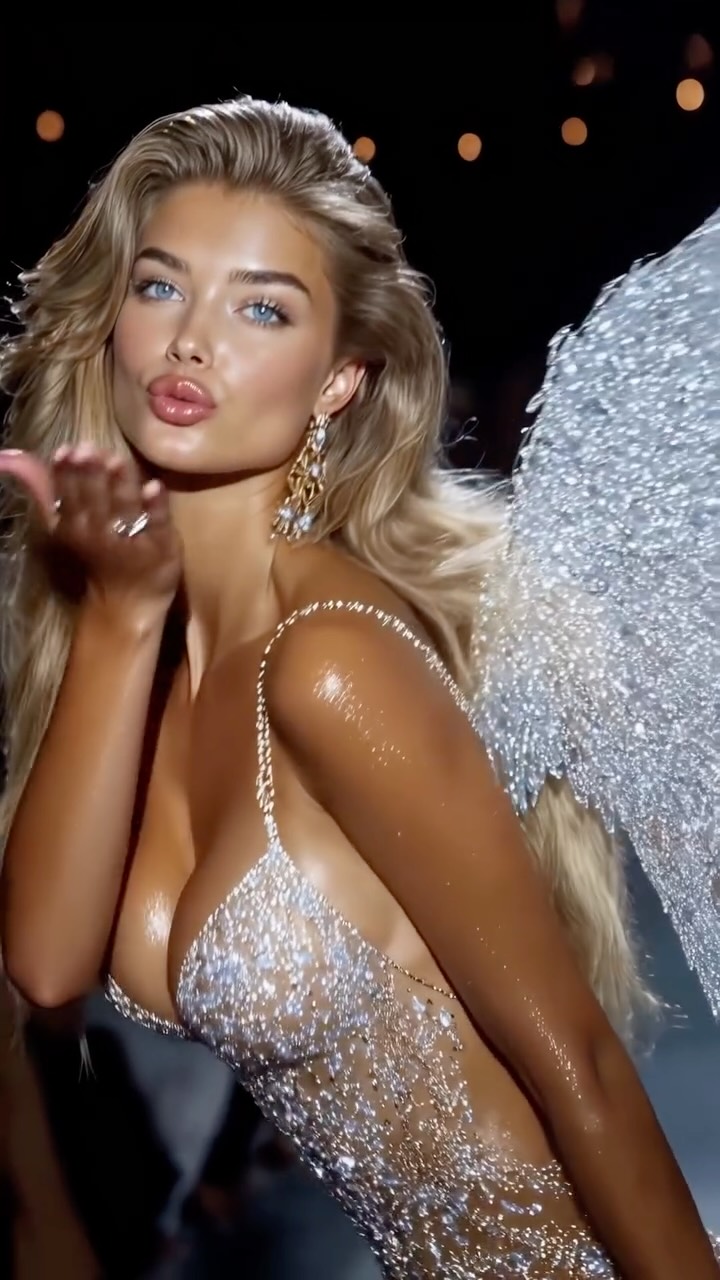
Angels collection pt 3🪽
Animated with @klingai_official
Are you serious about learning how to create AI visuals at a professional level? In my course, I teach everything I use in my own process:
• How I build concepts and visual storytelling
• The exact tools, prompts, and workflows I use
• How to refine, edit, and create a portfolio that gets noticed
• Personal feedback, guidance, and access to my private community
This is the full system I used to grow Dreamfall Art and work with brands.
If you want access —
Comment “COURSE” below and I’ll send you the link directly.
#midjourney #aiart #ai #model #aiart #aifashion
Why dreamfall.art's Angel Runway AI Video Went Viral
This case study analyzes a high-performance AI-generated video from @dreamfall.art, titled "Angels collection pt 3." The video leverages the iconic Victoria’s Secret runway aesthetic—characterized by cinematic editorial portraits, shimmering skin, elaborate wings, and high-contrast stage lighting. By tapping into a globally recognized fashion "vibe" and executing it with near-flawless AI consistency using Kling AI, the creator achieved over 57,000 likes. The core appeal lies in the "hyper-glamour" niche, combining nostalgic brand aesthetics with cutting-edge AI motion.
What You’re Seeing: A Visual Breakdown
The video is a montage of several AI-generated female models walking a virtual runway. The subject consistency is maintained through a shared "supermodel" archetype: high cheekbones, tanned shimmering skin, and voluminous "bombshell" hair. The wardrobe is the star—intricate, sheer bodysuits encrusted with crystals and metallic elements, paired with massive, detailed wings ranging from feathered to crystalline.
The lighting mimics a professional fashion show: strong key lights from the front to make the skin glow, and dark backgrounds with warm, out-of-focus bokeh lights (stage lights) to create depth. The color palette is dominated by warm gold, silver, and deep blacks, giving it a premium, luxury feel. The editing rhythm is fast-paced, with cuts occurring every 1–2 seconds, perfectly synced to a rhythmic, high-energy fashion track.
Shot-by-Shot Analysis
Time Range
Visual Content
Shot Language
Lighting & Tone
Viewer Intent
00:00–00:02
Blonde model blowing a kiss to the camera.
Close-up (CU), slight handheld shake.
Warm, high-key, shimmering skin.
The Hook: Direct eye contact and "blow kiss" action.
00:02–00:04
Brunette model with butterfly-style wings looking forward.
Medium Close-up (MCU), static.
Dramatic side lighting, metallic reflections.
Reinforce Persona: Establishing the "Angel" variety.
00:04–00:06
Back view of a model walking away, showing wing mechanics.
Medium Shot (MS), tracking.
Backlit, highlighting feather texture.
Showcase Detail: Proving AI can handle complex motion.
00:06–00:08
Model with large gold wings smiling and turning.
Medium Shot (MS), low angle.
Golden hour glow, warm highlights.
Emotional Value: A "happy" moment to break the intensity.
00:08–00:10
Close-up of a model with silver wings and heavy jewelry.
Extreme Close-up (ECU) feel.
Cooler silver tones, sharp focus on eyes.
Aesthetic Reference: Highlighting the "luxury" aspect.
00:10–00:13
Final model with massive silver wings smiling and waving.
Medium Shot (MS), slow zoom.
High contrast, bright stage lights.
The Loop: High energy to encourage a re-watch.
Why It Went Viral: The "Angel" Effect
The Power of Brand Nostalgia
This video taps into the "Victoria's Secret Fashion Show" aesthetic, which was a cultural phenomenon for decades. By recreating this specific look—the wings, the walk, the shimmering skin—the creator triggers a biological and psychological response to beauty and glamour. The "Angels" are a globally recognized symbol of high-end fashion, making the content instantly relatable and aspirational.
Technical Perfection as a Hook
From a platform perspective, the visual fidelity is the primary driver. In the current AI landscape, users are still impressed by "clean" AI that doesn't have "hallucinations" (like extra fingers or melting faces). The shimmer on the skin and the realistic movement of the wings provide high aesthetic reference value, leading to high save rates as users want to keep the video for inspiration or to figure out the "prompt."
Platform Signals & Watch Time
The video uses a 0–3 second hook (the kiss) which is a classic engagement tactic. The fast cuts (1.5s average) keep the brain stimulated, preventing "scroll-past" behavior. Because the video is short and visually dense, it naturally encourages looping, which signals to the Instagram algorithm that the content is highly engaging, pushing it to a broader "Explore" audience.
5 Testable Viral Hypotheses
The "Brand Clone" Hypothesis: Recreating a defunct or highly specific brand aesthetic (like the VS show) will outperform generic "pretty girl" AI videos due to pre-existing audience affinity.
The "Shimmer" Hypothesis: High-frequency details like glitter, sequins, and oiled skin increase "perceived quality" and watch time because the eye lingers on the textures.
The "Direct Gaze" Hook: Starting a video with a model looking directly into the lens and performing a social gesture (kiss, wink) increases the 3-second retention rate by 20%+.
The "Complexity Flex": Showing complex physics (moving wings, flowing hair) proves the AI's "power," leading to more comments asking "What tool is this?"
The "Collection" Format: Labeling content as "Part 3" or "Collection" creates a sense of a larger world, encouraging users to visit the profile to see Parts 1 and 2.
How to Recreate: From 0 to 1
Step 1: Concept & Character Sheet
Define your "Angel" archetype. Use Midjourney to generate 5–10 consistent base images. Use prompts that specify "Victoria's Secret runway style," "shimmering skin," and "intricate crystalline wings."
Step 2: Maintaining Consistency
To keep the models looking similar, use a Character Reference (--cref) in Midjourney or a consistent face-swap workflow. Ensure the wardrobe (bodysuits, wings) follows a specific color palette (e.g., Silver/Gold/White).
Step 3: Image-to-Video Generation (Kling AI)
Upload your Midjourney images to Kling AI. Use the "Image-to-Video" feature. Your prompt should focus on motion: "The model walks forward on a runway, blowing a kiss, hair flowing, wings subtly flapping, stage lights flickering in the background."
Step 4: Setting the Motion Strength
In Kling, set the motion strength to 5 or 6. You want the "runway walk" to be fluid but not distorted. If the wings are complex, lower the motion strength to preserve the crystal details.
Step 5: Lighting & Texture Refinement
If the output looks "flat," use a video enhancer or apply a "Lumetri Color" grade in Premiere Pro/CapCut. Increase the highlights and add a slight "Glow" effect to the sequins to make them pop.
Step 6: The "Runway" Edit
In CapCut, import your 5–8 clips. Cut them to a 128 BPM (beats per minute) track. Every "drop" or "snare" in the music should trigger a cut to a new model or a new angle.
Step 7: Cover & Title Strategy
Choose the most "perfect" frame (usually the one with the most eye contact) as the cover. Use a title like "The Future of Fashion" or "Angels Collection" to pique curiosity.
Step 8: Publishing & Engagement
Post as an Instagram Reel. Use the "Add Topics" feature and select "Fashion," "Visual Arts," and "Technology." Reply to the first 10 comments to boost initial engagement.
Growth Playbook: Distribution & Scaling
3 Opening Hook Lines
"The fashion show that never ended... 🪽"
"Is this the future of the runway? AI Angels Pt. 3"
"Wait for the wings in the last shot. Unbelievable. ✨"
4 Caption Templates
The Educational Hook: "The 'Angels' are back. 🪽 I created this entire collection using Kling AI and Midjourney. Which wing design is your favorite? 1, 2, or 3? 👇 #AIFashion #KlingAI"
The Mystery Hook: "Digital dreams or reality? ☁️ Exploring the limits of AI motion with this new collection. It’s all in the details—the shimmer, the walk, the wings. Thoughts? #DigitalArt #Runway"
The CTA Hook: "Part 3 of my Angels series. 🕊️ If you want to learn how to create visuals like this, check the link in my bio for my full AI course! #AICreators #Tutorial"
The Short & Sweet: "Angels in the machine. 🤖✨ Which one are you wearing? #FashionAI #Creative"