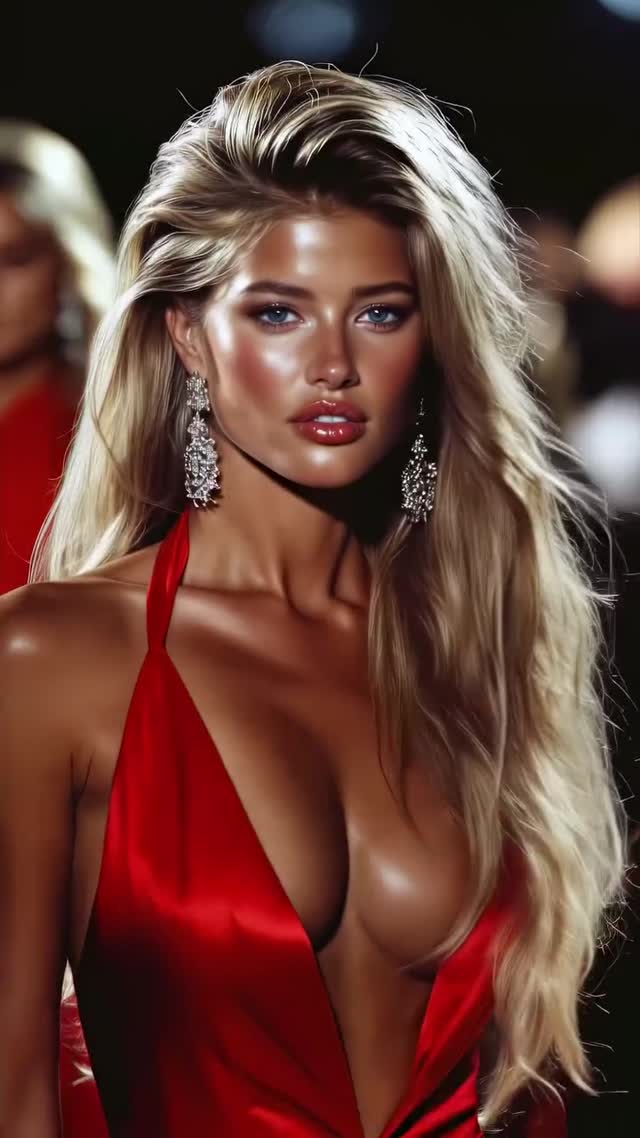
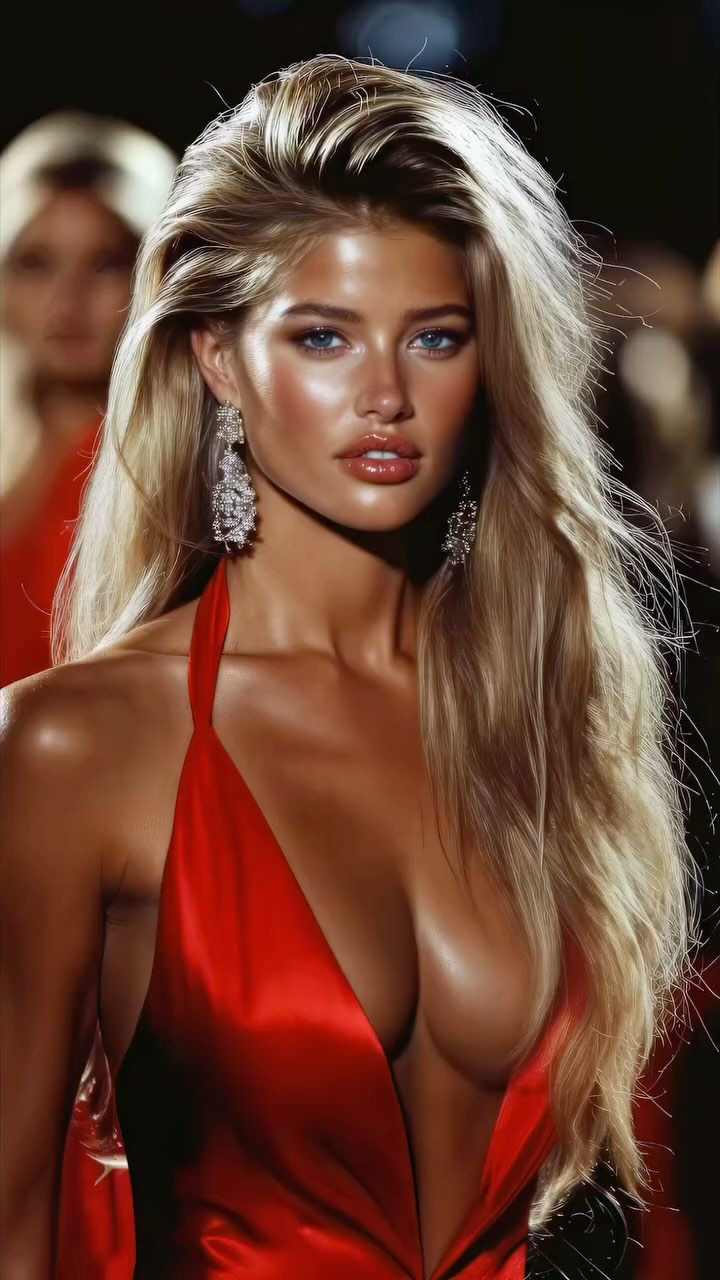
Which model do you like the most? Are you serious about learning how to create AI visuals at a professional level? In my course, I teach everything I use in my own process: • How I build concepts and visual storytelling • The exact tools, prompts, and workflows I use • How to refine, edit, and create a portfolio that gets noticed This is the full system I used to grow Dreamfall Art and work with brands. If you want access — Comment “COURSE” below and I’ll send you the link directly. Animated with @klingai_official #midjourney #aiart #aiartcommunity #midjourneyart #conceptart #aiartwork #aicommunity #ai #model #virtualfashionshow #virtualfashion #beauty
Why dreamfall.art’s Fashion Runway Editorial AI Video Went Viral — and the Formula Behind It
This case study analyzes a high-performing cinematic AI fashion editorial by @dreamfall.art. The video leverages the "AI Supermodel" aesthetic, featuring a series of hyper-realistic models in luxury runway settings. With over 20,000 likes, it demonstrates how high-contrast lighting, voluminous hair physics, and "Victoria's Secret" style glamour can stop the scroll. The core keywords for this aesthetic include editorial portrait, tanned skin glow, runway bokeh, and luxury silk textures. By combining Midjourney-level detail with fluid AI motion, the creator has tapped into the "aspirational beauty" niche that thrives on Instagram and TikTok.
What You’re Seeing
The video is a montage of five distinct "looks," each featuring a different AI-generated model. The common thread is the high-fashion runway atmosphere. The lighting is predominantly "golden hour" or high-end studio lighting, characterized by strong rim lights that define the models' silhouettes and hair. The color palette is warm, emphasizing bronzed skin tones and rich fabric colors like deep red, obsidian black, and intricate gold embroidery.
Shot-by-Shot Breakdown (Estimated)
| Time Range | Visual Content | Shot Language | Lighting & Tone | Viewer Intent |
|---|---|---|---|---|
| 00:00–00:03 | Blonde model in a plunging red silk dress and silver chandelier earrings. | Medium Close-Up (MCU), slight forward dolly. | Warm, high-contrast, glowing skin. | The "Red Dress" hook—immediate visual impact. |
| 00:03–00:06 | Brunette model in a black strapless gown, walking forward. | MCU, wind-blown hair effect. | Soft bokeh background, dramatic rim light. | Reinforce the "Runway" persona and motion quality. |
| 00:06–00:09 | Model in an intricate lace/beaded corset with silver earrings. | Close-Up (CU), static with micro-expressions. | Cooler background, warm skin highlights. | Showcase detail/texture (AI capability flex). |
| 00:09–00:12 | Side profile of a model with large hoop earrings, turning to camera. | Profile to 3/4 view, slow-motion turn. | Deep shadows, sharp highlights on the jawline. | Create mystery and cinematic "vibe." |
| 00:12–00:16 | Blonde model in a patterned blazer, smiling directly at the lens. | MCU, walking toward camera. | Bright, airy, commercial fashion feel. | The "Humanizing" finish—breaking the cold model stare. |
How to Recreate: Step-by-Step Guide
- Topic Selection: Choose a "High-End" niche (Fashion, Luxury Cars, Interior Design) where visual "perfection" is the standard.
- Character Consistency: Use Midjourney's
--cref(Character Reference) or consistent seed numbers to ensure the models look like they belong in the same "agency." - Prompting for Texture: Use keywords like "8k, cinematic lighting, silk texture, subsurface scattering, rim lighting, depth of field."
- Image-to-Video Generation: Take your best Midjourney frames into Runway Gen-3 Alpha or Luma Dream Machine. Use "Motion Brush" on the hair and eyes specifically.
- The "Wind" Secret: In your video prompt, always include "gentle breeze blowing hair" to add natural movement that hides AI jitter.
- Rhythmic Editing: Import clips into CapCut. Use a "Phonk" or "Luxury Fashion" beat. Cut exactly on the downbeat (every 2.5 to 3.2 seconds).
- Color Grading: Apply a "Warm/Golden" filter and increase "Glow" or "Bloom" slightly to give it that editorial dream-like quality.
- Engagement Caption: End with a question. "1, 2, 3, 4, or 5?" or "Which outfit would you wear?"
Growth Playbook
Opening Hook Lines
- "AI just replaced the runway... and I'm not mad."
- "Which of these 5 looks is your favorite? (Wait for #4)"
- "The secret to hyper-realistic AI fashion revealed."
Caption Templates
The Engagement Driver:
Which model do you like the most? 👇
I spent 10 hours perfecting the lighting for these AI visuals.
If you want to learn my exact workflow, check the link in bio!
#aifashion #digitalart #runway
Hashtag Strategy
- Broad: #AIArt #DigitalFashion #Cinematic (Reach)
- Mid-tier: #MidjourneyVideo #RunwayGen3 #AIModel (Targeted)
- Niche: #EditorialAI #VirtualInfluencer #AIVisuals (Community)
Frequently Asked Questions
What tools make it look the most similar?
Midjourney for the base image and Runway Gen-3 Alpha for the motion.
What are the 3 most important words in the prompt?
"Rim lighting," "Subsurface scattering," and "Cinematic bokeh."
Why does the generated face look inconsistent?
You aren't using a Character Reference (--cref) or a consistent face-swap tool like InsightFaceSwap.
How can I avoid making it look like AI?
Keep clips short (under 4s) and focus on realistic hair and fabric physics.
Is it easier to go viral on Instagram or TikTok?
Instagram, as its algorithm currently favors high-aesthetic "eye candy" content.

