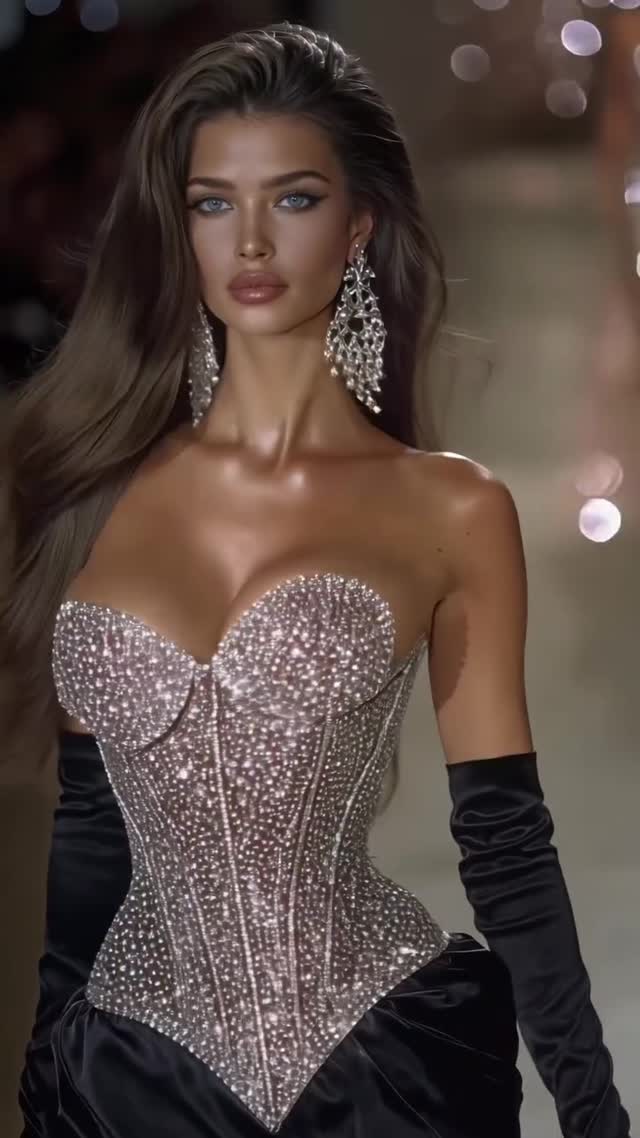
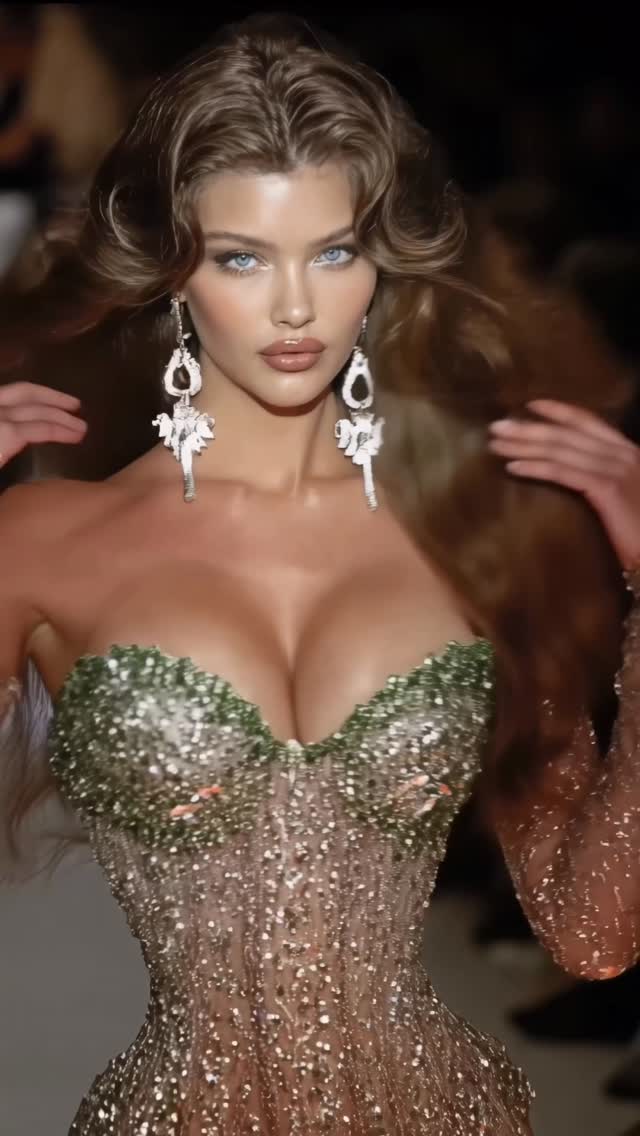
Corset collection🎀
Animated with @klingai_official
Are you serious about learning how to create AI visuals at a professional level? In my course, I teach everything I use in my own process:
• How I build concepts and visual storytelling
• The exact tools, prompts, and workflows I use
• How to refine, edit, and create a portfolio that gets noticed
• Personal feedback, guidance, and access to my private community
This is the full system I used to grow Dreamfall Art and work with brands.
If you want access —
Comment “COURSE” below and I’ll send you the link directly.
#midjourney #ai #aifashion #aimodel #aiart #aidesign #conceptart
Why dreamfall.art's Corset Collection AI Video Went Viral — and the Formula Behind It
This case study analyzes a high-performance AI-generated video by @dreamfall.art, showcasing a "Corset Collection" through a cinematic runway lens. The video leverages the Kling AI animation engine to transform static, hyper-realistic fashion portraits into a fluid, 15-second runway show. Featuring a series of models in intricate, crystal-encrusted corsets, the content taps into the "luxury aesthetic" and "high-fashion editorial" niches. With over 148k likes, it demonstrates how indie creators can use AI to simulate multi-million dollar production values—combining warm, dramatic spotlighting, shimmering skin textures, and dynamic bokeh backgrounds to create a mesmerizing loop that feels both aspirational and technologically advanced.
What You’re Seeing: Visual Analysis
The video is a montage of medium-close-up (MCU) shots of various models walking a high-end fashion runway. The primary focus is on the wardrobe—specifically, corsets that feature extreme detail: hand-placed crystals, iridescent sequins, and structured boning. The lighting is classic "Victoria's Secret" style: a strong key light from the front-top to highlight facial features and collarbones, with a warm rim light to separate the models from the dark, blurred audience in the background.
Shot-by-Shot Breakdown (Estimated)
Time Range
Visual Content
Shot Language
Lighting & Tone
Viewer Intent
00:00–00:02
Brunette model in silver crystal corset and black opera gloves.
MCU, slight handheld sway, direct eye contact.
High-contrast, warm highlights, deep blacks.
The "Hook": Immediate visual impact of sparkle and beauty.
00:02–00:05
Model with auburn waves in a green/gold embellished corset.
MCU, slow-motion walk forward.
Earthy tones mixed with gold shimmer.
Pattern interrupt: Change in color palette to maintain interest.
00:05–00:08
Blonde model in a white/silver corset with large floral earrings.
MCU, hair blowing slightly.
Bright, "angelic" high-key lighting.
Reinforce "Luxury": Showcasing variety in the "collection."
00:08–00:10
Tan model with dark hair, bronze corset, shimmering body oil.
Profile to front turn, eye-tracking camera.
Golden hour warmth, heavy specular highlights on skin.
Sensory appeal: Focus on texture and "glow."
00:10–00:13
Model with heavy crystal choker, hand touching neck.
CU (Close-up), focus on jewelry and hand movement.
Soft, diffused light on face, sharp focus on crystals.
Detail shot: Establishes craftsmanship and "high-end" feel.
00:13–00:15
Blonde model in purple/gold corset, long dangling earrings.
MCU, fading out.
Deep jewel tones, dramatic shadows.
The Loop: Ends on a high note to encourage re-watching.
Why It Went Viral: The Mechanism
The Topic: Biological & Psychological Triggers
This video succeeds by targeting universal aesthetic preferences. Humans are biologically wired to be attracted to "shiny" objects (specular highlights) and symmetrical, high-status human features. By combining luxury fashion (corsets) with supermodel aesthetics, the creator triggers an aspirational response. The "Corset Collection" theme also taps into the "Coquette" and "Royalcore" trends that have been dominant on Instagram and TikTok, providing a modern, tech-driven take on classic femininity.
The Platform Perspective: Retention & Shareability
From an algorithmic standpoint, the video is a retention machine. The fast-paced cuts (every 2-3 seconds) prevent "scroll-past" behavior. Each cut introduces a new color palette and model, resetting the viewer's dopamine loop. The 0–3 second hook is purely visual—the sheer amount of "sparkle" and detail in the first corset forces the eye to linger. Furthermore, the video has high save value; users save it as "mood board" inspiration for fashion, photography, or AI prompting, which is a high-weight signal for the Instagram Explore page.
5 Testable Viral Hypotheses
The "Sparkle" Hypothesis: High-frequency specular highlights (glitter/crystals) increase watch time by 20% compared to matte textures. Replicate by: Using "iridescent," "glittering," or "crystalline" in your prompts.
The "Supermodel Gaze" Hypothesis: Direct eye contact from a subject within the first 1.5 seconds increases initial retention. Replicate by: Ensuring your first frame features a subject looking directly at the lens.
The "Production Value Illusion" Hypothesis: Simulating a high-cost environment (runway, red carpet) increases perceived authority. Replicate by: Adding "bokeh audience" and "runway spotlights" to your scene description.
The "Texture Contrast" Hypothesis: Mixing hard textures (crystals) with soft textures (skin/hair) creates visual depth that keeps viewers engaged. Replicate by: Focusing on "shimmering skin" vs "intricate beadwork."
The "Niche Collection" Hypothesis: Framing content as a "Collection" or "Series" encourages users to watch until the end to see the "best" one. Replicate by: Using titles like "Part 1" or "The [X] Collection."
How to Recreate: Step-by-Step Guide
1. Topic Selection & Positioning
This style suits accounts focused on AI Art, Fashion Design, Luxury Lifestyle, or Digital Modeling. Choose a specific theme (e.g., "Cyberpunk Streetwear" or "Victorian Gowns") to maintain a cohesive "collection" feel.
2. Character & Aesthetic Consistency
Use a consistent base prompt for the models. Focus on ethnicity, age, and facial structure.
Example: "A 22-year-old Brazilian supermodel, high cheekbones, almond eyes, glowing skin."
3. Image Generation (The Foundation)
Generate 6–8 high-quality images using Midjourney v6 or Flux.1. Use the "Editorial Fashion" style. Ensure each image has the same lighting (e.g., "dramatic runway spotlights").
4. Video Generation (The Motion)
Upload your images to Kling AI or Luma Dream Machine. Use the "Image-to-Video" feature.
Prompt Tip: "Slow-motion runway walk, hair blowing in the wind, subtle head turn, eyes looking at camera, cinematic lighting."
5. Motion Intensity Adjustment
In Kling, set the Motion Brush or Motion Strength to a medium-low setting (3-4). You want the movement to be elegant, not chaotic. Focus the movement on the hair and the forward "walk" sway.
6. Editing & Rhythm
Import clips into CapCut. Cut the clips to a rhythmic, "catwalk" beat. Ensure the transitions are "Hard Cuts"—dissolves or wipes will make it look "cheap" and "AI-ish."
7. Color Grading
Apply a "Cinematic" or "Warm Glow" filter across all clips to unify the different generations. Increase "Sharpen" slightly to make the crystals pop.
8. Cover & Title Strategy
Select the most "sparkly" frame as your cover. Use a simple, elegant overlay like "The Corset Collection" in a serif font (e.g., Playfair Display).
Growth Playbook: Distribution Strategy
Opening Hook Lines
"The future of fashion is digital. ✨"
"Which corset are you wearing to the gala? 1, 2, or 3?"
"POV: You have a front-row seat at the most exclusive AI runway."
Caption Templates
Template 1 (Engagement Focus):
The Corset Collection 🎀. I spent hours refining these textures in Kling AI. Which look is your favorite? Let me know in the comments! 👇 #AIFashion #DigitalArt
Template 2 (Value/Tutorial Focus):
How I created this runway show using AI 🧵. 1. Midjourney for the base. 2. Kling for the motion. 3. CapCut for the edit. Want the prompts? Check the link in bio! 🚀 #AIModel #CreativeProcess