▶
Comment COURSE and I’ll send you the exact blueprint I use to create visuals like this. Belly Dancing collection 💃Which one is your favorite? Animated with @klingai_official #ai #midjourney #aiartist #aiart #midjourneyart #aidesign #aifashion
Comment COURSE and I’ll send you the exact blueprint I use to create visuals like this. Belly Dancing collection 💃Which one is your favorite? Animated with @klingai_official #ai #midjourney #aiartist #aiart #midjourneyart #aidesign #aifashion
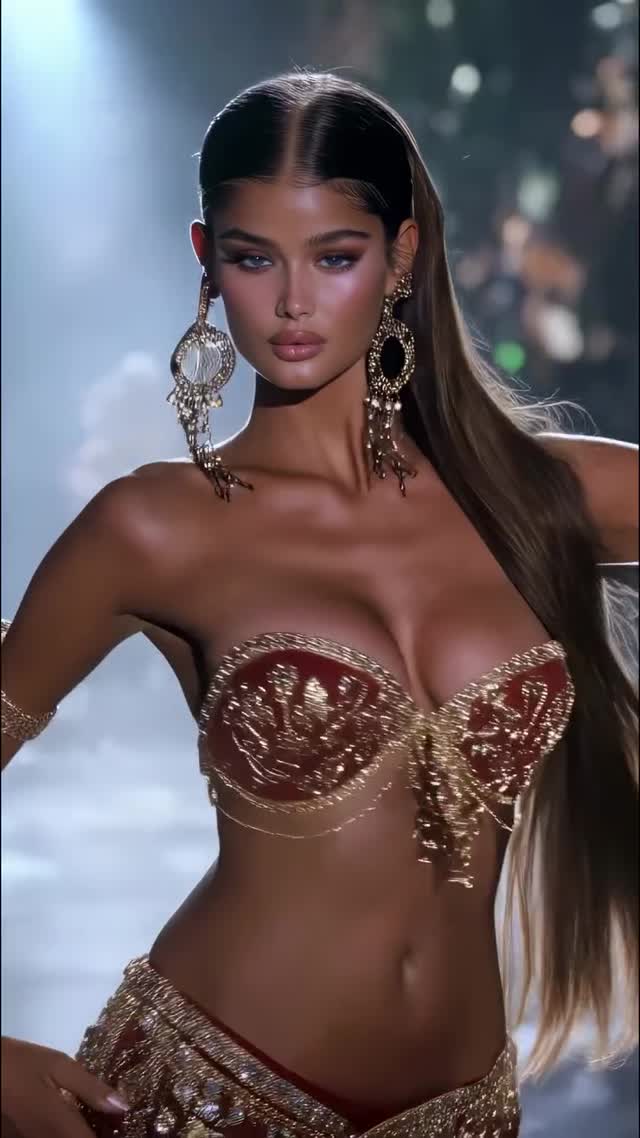
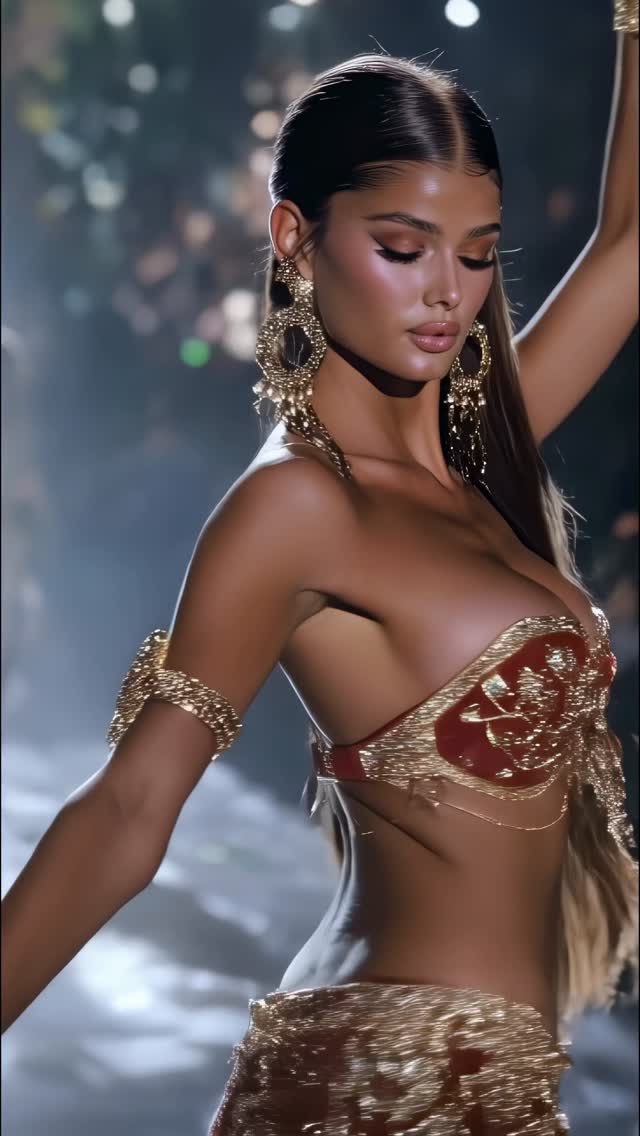
This case study analyzes a high-performance AI-generated video by @dreamfall.art, featuring a "Belly Dancing Collection." The video is a masterclass in cinematic editorial portraiture, blending the high-fashion aesthetic of a Victoria’s Secret runway with the intricate, cultural allure of traditional belly dancing attire. With over 70,000 likes, it leverages "hyper-aesthetic" visuals—characterized by warm, dramatic lighting, ornate jewel-encrusted wardrobe, and fluid, slow-motion character movement.
The core appeal lies in the visual density: every frame is packed with detail, from the shimmering gold chains to the soft bokeh of a dimly lit ballroom. For indie creators, this video demonstrates how to use AI tools like Kling AI and Midjourney to create "luxury-tier" content that stops the scroll through sheer beauty and technical polish. It targets an audience interested in AI art, fashion design, and high-end digital aesthetics, proving that "vibe-based" content can achieve massive reach when the execution is flawless.
The video presents a series of AI-generated models performing fluid, rhythmic movements. The subject is always a high-fashion model with "supermodel" features—sharp jawlines, expressive eyes, and perfectly styled hair. The wardrobe is the star: intricate bras and belts made of gold, silver, rubies, and crystals, often featuring delicate body chains that move realistically with the character.
The lighting is "motivated" by invisible spotlights, creating a strong rim light that separates the models from the dark, moody background. The color palette is dominated by warm golds, deep reds, and cool silver highlights, giving it a regal, expensive feel. The editing rhythm is fast-paced, with cuts occurring every 2-3 seconds to maintain high engagement and showcase variety.
| Time Range | Visual Content | Shot Language | Lighting & Tone | Viewer Intent |
|---|---|---|---|---|
| 00:00–00:03 | Model in red/gold ornate bra, rotating slowly. | MCU (Medium Close-Up), slow rotation. | Warm, high-contrast, golden rim light. | The Hook: Immediate visual "wow" factor. |
| 00:03–00:06 | Blonde model in red/silver crystal outfit. | Profile to 3/4 view, slight tilt. | Soft diffused key light, dark background. | Variety: Shows different "character" types. |
| 00:06–00:08 | Model with voluminous dark hair, crystal bra. | CU (Close-Up), hair movement focus. | Sparkling highlights on jewelry. | Detail: Highlights AI's ability to render physics. |
| 00:08–00:11 | Model in full gold ensemble, hip movement. | Medium Shot, focus on torso/hips. | Amber tones, shimmering fabric. | Action: Reinforces the "Belly Dance" theme. |
| 00:11–00:13 | Model with intricate headpiece and silver bra. | MCU, steady gaze into camera. | Cinematic, moody, low-key lighting. | Retention: Strong eye contact to end the loop. |
This video taps into the "Luxury & Beauty" psychological trigger. Humans are biologically wired to respond to symmetry, high-contrast lighting, and intricate patterns. By combining "Supermodel" aesthetics with "Royal" wardrobe, the creator triggers an aspirational response. The "Belly Dancing" theme adds a layer of rhythmic movement that is hypnotic, encouraging viewers to watch the loop multiple times to catch the details of the jewelry and the fluidity of the motion.
From a platform perspective (Instagram/TikTok), this video excels in Watch Time and Saves. The fast cuts prevent the viewer from getting bored, while the sheer complexity of the AI generation makes people "Save" the video as a reference for their own prompts or as "mood board" inspiration. The caption "Which one is your favorite?" is a classic but effective engagement bait, forcing users to comment "1", "2", or "the blonde one," which signals to the algorithm that the content is highly interactive.
This style suits accounts focused on AI Art, Digital Fashion, or Luxury Lifestyle. Choose a theme that allows for "ornate" details (e.g., Cyberpunk Royalty, Baroque Space Travelers).
Use Midjourney to generate your base images. To maintain consistency, use the --cref (Character Reference) tag with a consistent URL of your "main" model. Focus on prompts that specify "editorial lighting" and "8k skin texture."
In your prompt, be specific about materials: "intricate gold filigree," "Swarovski crystal embroidery," "delicate body chains." This creates the "high-end" look seen in the video.
Upload your Midjourney base image to Kling AI. Use the "Image-to-Video" feature. Key Prompt Tip: Describe the movement specifically: "slow rhythmic belly dancing, hips swaying, hair blowing in a light breeze, jewelry shimmering."
For this "editorial" look, keep motion strength moderate (around 4-6 out of 10). Too much motion will distort the intricate jewelry; too little will look like a static image.
Don't let one shot play for more than 3 seconds. Use CapCut or Premiere Pro to sync the cuts to a rhythmic, percussive beat (Middle Eastern fusion or Phonk works well here).
Apply a "Cinematic" filter. Increase contrast and slightly lower the blacks to create that "dark ballroom" depth. Add a subtle "Glow" or "Halation" effect to the jewelry highlights.
Use a "This or That" caption. Ask the audience to pick a favorite. This is the single most important step for scaling the reach.
Midjourney for the base image and Kling AI (Professional Mode) for the motion.
"Editorial," "Rim-lighting," and "Intricate."
Use the --cref tool in Midjourney and ensure your video AI prompt describes the face features consistently.
Lower the motion strength and focus on high-quality lighting; "bad" AI usually has flat lighting and "rubbery" movement.
Instagram favors this "high-aesthetic" editorial content, while TikTok prefers "behind-the-scenes" or tutorial-style versions of this.