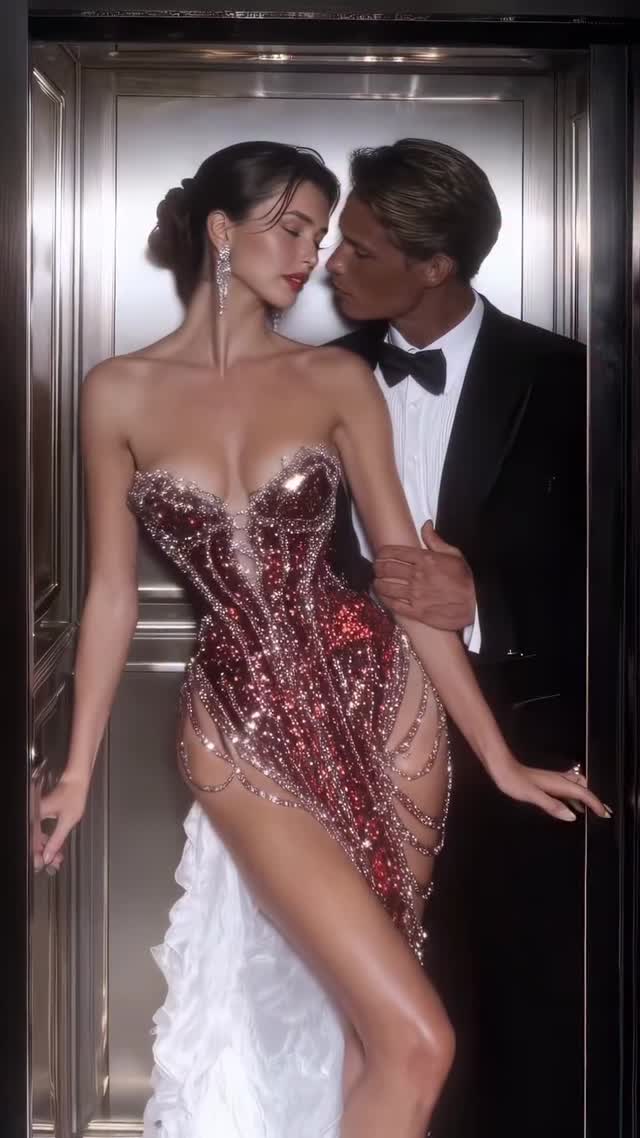
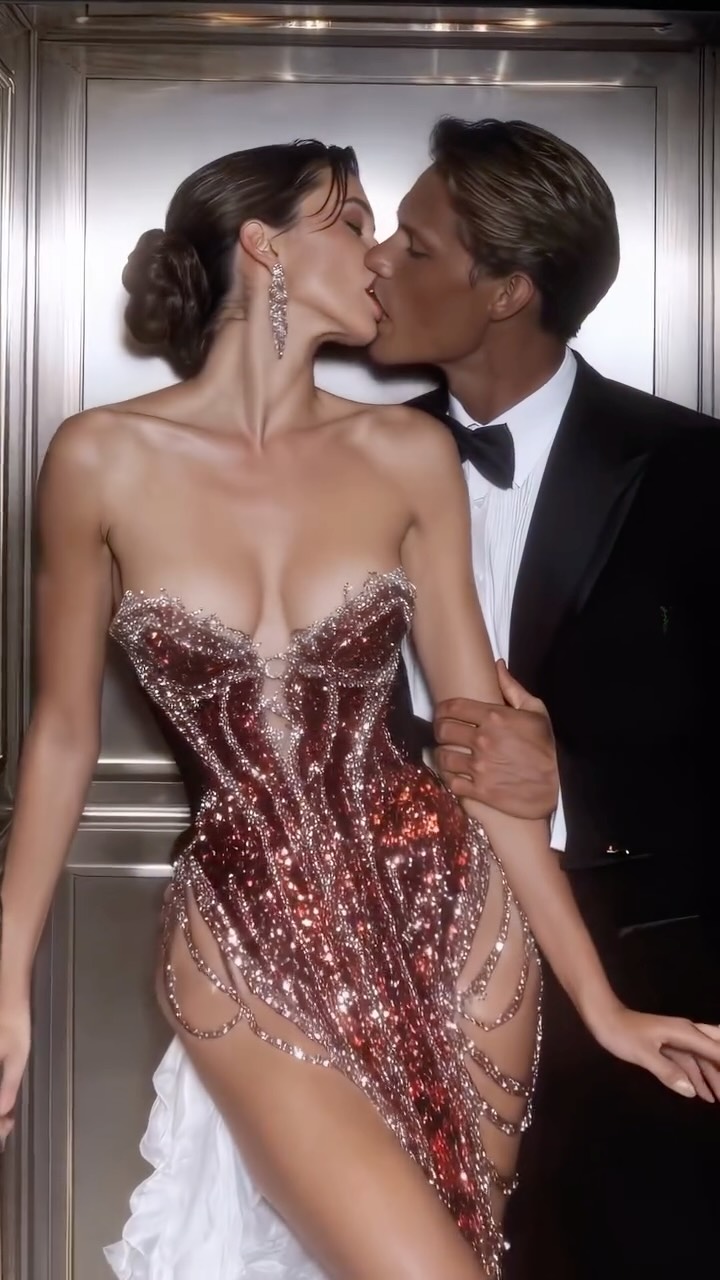
Elevator temptation✨
Animated with @klingai_official
Are you serious about learning how to create AI visuals at a professional level? In my course, I teach everything I use in my own process:
• How I build concepts and visual storytelling
• The exact tools, prompts, and workflows I use
• How to refine, edit, and create a portfolio that gets noticed
This is the full system I used to grow Dreamfall Art and work with brands.
• Personal feedback, guidance, and access to my private community
If you want access —
Comment “COURSE” below and I’ll send you the link directly.
#ai #midjourney #aiart #aiartcommunity #midjourneyart #aidesign #luxury #luxurylifestyle
Why dreamfall.art's Elevator Temptation AI Video Went Viral — and the Formula Behind It
This case study analyzes a high-performing "Cinematic Editorial Romance" video created by @dreamfall.art. The video features a series of intimate, high-fashion moments between a glamorous couple inside a luxury elevator. Utilizing Kling AI, the creator achieves a level of visual fidelity that mimics high-end perfume commercials or Vogue editorial shoots. The core aesthetic combines "Old Money" luxury, warm golden-hour lighting, and the "Elevator Temptation" trope, which leverages the psychological tension of a private moment in a semi-public space. With over 75,000 likes, this video demonstrates how indie creators can use AI to produce "prestige content" that previously required a six-figure production budget.
What You’re Seeing: A Visual Breakdown
The video is a montage of short, slow-motion clips. The subjects are a polished Caucasian couple: the woman wears a variety of intricate, sequined couture gowns with high slits and corset bodices, while the man is dressed in classic black and white tuxedos. The setting remains consistent—a lavish elevator with polished brass, ornate wood carvings, and mirrored panels that create complex light reflections.
Shot-by-Shot Breakdown (Estimated)
Time Range
Visual Content
Shot Language
Lighting & Tone
Viewer Intent
00:00–00:02
Couple in red sequined dress; man whispers/kisses.
Medium Close-Up (MCU)
Warm, high contrast, metallic reflections.
Hook: Immediate intimacy and high-fashion "wow" factor.
00:02–00:05
Switch to white beaded gown; man's hand on hip.
Medium Shot (MS)
Golden, soft-focus background.
Reinforce persona: Establishing the "luxury lifestyle" theme.
00:05–00:07
Woman in gold dress laughing; man kisses her cheek.
MCU, slight handheld feel.
Bright, sparkling highlights on sequins.
Emotional value: Showing a "candid" moment of joy.
00:07–00:10
Man kneeling to adjust the woman's silver dress.
Low Angle, Full Shot.
Deep shadows, rim lighting on the dress.
Aspiration: The "gentleman" trope, high-end service/care.
00:10–00:13
Man kissing woman's hand; white feathered gown.
Close-Up (CU) on hands/faces.
Soft, romantic glow.
Create contrast: Shifting from passion to tenderness.
00:13–00:15
Man holds woman from behind; elevator doors close.
Medium Shot, framing by doors.
Dimming light as doors shut.
Loop effect: The "end" of the scene invites a rewatch.
Why It Went Viral: The Luxury Loop
The Content Strategy
This video taps into the "Luxury & Romance" niche, which has a massive, built-in audience on Instagram and TikTok. By choosing an elevator as the setting, the creator utilizes a classic cinematic trope that implies a "stolen moment." The high-fashion wardrobe (sequins, corsets, tuxedos) triggers an aspirational response in viewers. Psychologically, it appeals to the "biological instinct" for status and romantic connection. The rapid succession of different outfits keeps the visual stimulation high, preventing the viewer from scrolling away.
The Platform Perspective
From a platform algorithm perspective, this video is a "watch time" goldmine. The 0–3 second hook is purely visual—the sheer detail of the red dress and the immediate intimacy of the couple stop the scroll. The loop effect is achieved by the closing elevator doors at the end, which naturally transitions back to the start of the video. Because the AI generation is so high-quality, users often rewatch the video to "check if it's real," which signals to the algorithm that the content is highly engaging, leading to wider distribution.
5 Testable Viral Hypotheses
The "Uncanny Quality" Hook: If the AI generation is indistinguishable from real film, users will rewatch to find flaws, boosting retention.
The "Wardrobe Change" Retention: Rapidly changing high-fashion outfits (3+ per 15 seconds) increases "save" rates for fashion inspiration.
The "Elevator Trope" Tension: Using a confined, intimate space creates a narrative tension that keeps users watching until the "doors close."
The "Old Money" Aesthetic: Content featuring tuxedos, gold elevators, and formal gowns triggers the "aspiration" algorithm, targeting high-net-worth or luxury-interested demographics.
The "Gentleman" Gesture: Shots of a man kneeling or kissing a hand trigger high "share" rates among female audiences (emotional value).
How to Recreate: Step-by-Step Tutorial
1. Topic Selection & Positioning
This style suits accounts focused on AI Art, Luxury Lifestyle, Fashion Inspiration, or Digital Storytelling. Your goal is to sell a "vibe" rather than a specific product.
2. Character Consistency
To keep the couple looking the same across shots, use a "Character Reference" (Cref) in tools like Midjourney or Kling. Define their features: "Caucasian woman, sharp jawline, brunette bun" and "Caucasian man, slicked-back brown hair, athletic build."
3. Scene Prompting
Use highly descriptive prompts for the environment. "Inside a 1920s luxury elevator, ornate gold panels, mirrored walls, warm cinematic lighting, 8k resolution."
4. Keyframe Generation
Generate high-quality static images first. Ensure the lighting remains consistent (warm, golden) across all images before animating.
5. Video Generation (Kling AI)
Upload your keyframes to Kling AI. Use the "Image-to-Video" feature. Set the motion strength to 4 or 5 to keep the movements subtle and elegant. Avoid high motion which can cause AI "melting."
6. Editing & Pacing
Cut your clips to 2-3 seconds each. Sync the cuts to a rhythmic, "moody" track (e.g., slow jazz or cinematic strings). Use "Match Cuts" where the couple is in a similar position but different outfit.
7. Cover & Title Strategy
The cover should be the most "glamorous" shot (e.g., the red dress). Use a title like "The Elevator Encounter" or "Midnight Gala" to set the scene.
8. Publishing & Adaptation
On Instagram, use the "Cinematic" or "Editorial" filters slightly to unify the AI clips. Add a subtle grain overlay to make it look like 35mm film.
Growth Playbook: Distribution & Scaling
3 Opening Hook Lines
"POV: You're leaving the most exclusive gala of the year."
"AI is officially reaching 'Vogue' levels of quality."
"The tension in this elevator is unmatched. ✨"
4 Caption Templates
The "Tech" Focus: "Can you believe this was made with AI? 🤖 I used Kling AI to create this cinematic sequence. Which dress was your favorite? Let me know in the comments! 👇 #AIArt #KlingAI"
The "Story" Focus: "Elevator temptation. ✨ Sometimes the best moments happen between floors. Follow for more cinematic AI stories. #LuxuryLifestyle #CinematicAI"
The "Tutorial" Tease: "Want to learn how to create visuals like this? 🎥 I'm breaking down my full process in my bio. Don't miss out on the future of content creation. #ContentCreator #AITutorial"
The "Short & Sweet": "Midnight in Paris vibes. 🥂 Which look is your 1, 2, or 3? #OldMoney #FashionAI"