▶
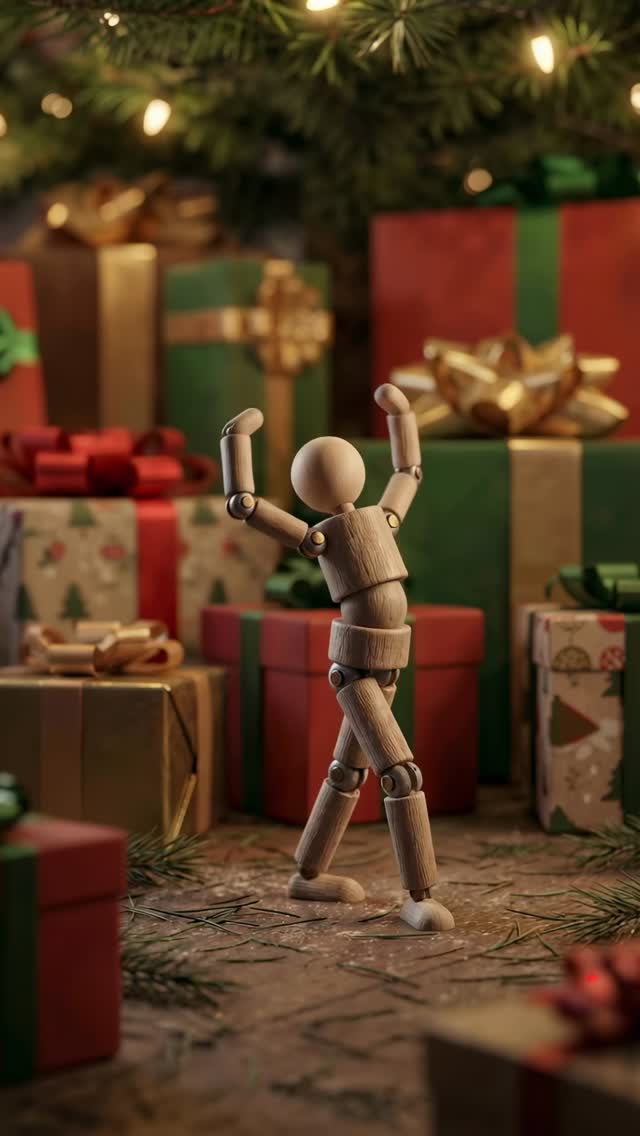
Underneath the Christmas tree 🎄🎁 . Performance based on @alinataratorin . #ai #surrealist #abstractart #holiday #christmas
Underneath the Christmas tree 🎄🎁 . Performance based on @alinataratorin . #ai #surrealist #abstractart #holiday #christmas
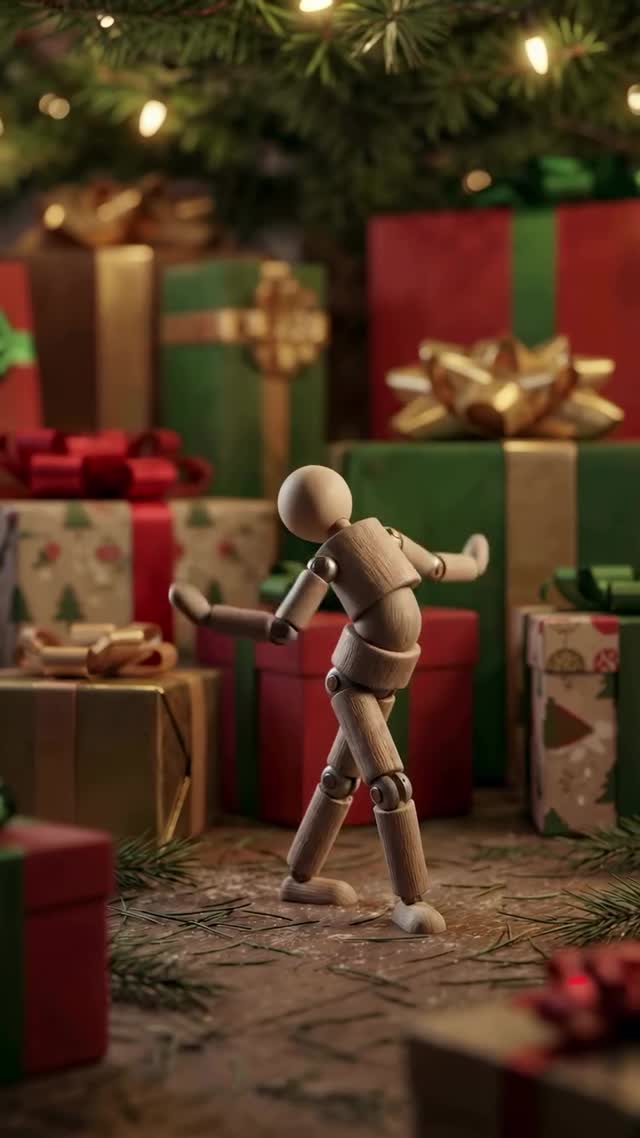
This viral sensation features a cinematic stop-motion style animation of a classic wooden artist's mannequin performing a high-energy, rhythmic dance underneath a Christmas tree. The video blends the nostalgic, tactile feel of a physical toy with the fluid, impossible motion of modern AI. Set against a backdrop of warm, festive bokeh and meticulously wrapped presents, the "Underneath the Christmas Tree" case demonstrates how to leverage seasonal trends and uncanny motion to capture massive engagement. It’s a masterclass in using AI to breathe life into inanimate objects, creating a "Toy Story" effect that resonates with audiences of all ages.
The video is a single-shot, low-angle sequence that focuses entirely on the wooden mannequin's performance. The subject is a standard articulated drawing doll, but its movements are remarkably human—fluid, bouncy, and perfectly synced to an upbeat rhythm. The setting is intimate: the "floor" is covered in scattered pine needles and textured brown paper, surrounded by a fortress of colorful gift boxes with satin bows. Above, the soft glow of Christmas lights creates a beautiful depth-of-field effect (bokeh).
| Time Range | Visual Content | Shot Language | Lighting & Tone | Viewer Intent |
|---|---|---|---|---|
| 00:00–00:02 | Mannequin starts with wide arm swings and a side-to-side step. | Low-angle MCU (Medium Close Up) | Warm, golden hour interior; soft shadows. | The Hook: Instant surprise at the doll's fluid movement. |
| 00:02–00:04 | Transition into a "dab" motion and rhythmic torso bounces. | Static camera, centered composition. | Vibrant reds and greens in the background gifts. | Retention: Recognizing a popular dance move on a toy. |
| 00:04–00:06 | High-energy leg kicks and arm rotations; mannequin leans back. | Slight handheld shake for realism. | Focus remains sharp on wood grain texture. | Engagement: Admiring the technical "physics" of the animation. |
| 00:06–00:08 | Full-body spin and final rhythmic shuffle before the loop. | Low angle emphasizes the "giant" scale of the tree. | Consistent festive warmth. | Loop Effect: Seamless transition back to the start. |
This video taps into a primal psychological fascination: animism. Seeing a wooden object—something we know is stiff and lifeless—move with the agility of a professional dancer creates a delightful cognitive dissonance. It’s the "uncanny valley" done right; instead of being creepy, it’s charming and impressive. By using a performance based on a real person (@alinataratorin), the creator ensured the motion felt authentic and "soulful," which is often what AI-generated video lacks.
From a platform standpoint, this video is a retention machine. The 0–3 second hook is purely visual—the immediate sight of a dancing doll. Because the dance is continuous and the environment is cozy, viewers are likely to watch it multiple times to catch the details of the wood texture or the gifts in the background. The "Holiday" theme makes it highly shareable during December, acting as a digital Christmas card that people send to friends because it "looks cool."
Option 1: The "Vibe" Approach
Underneath the Christmas tree 🎄🎁. Just a little holiday magic to brighten your feed. Which toy should I animate next? 👇 #aiart #holidayvibes #surreal
Option 2: The "Technical" Approach
Testing the limits of Video-to-Video AI 🤖. I took a dance by @alinataratorin and mapped it onto this wooden mannequin. The physics are insane! What do you think of the result? #ai #animation #creativecoding
Runway Gen-3 Alpha or Krea AI's video-to-video feature are currently the best for this level of motion fidelity.
"Articulated wooden joints," "Cinematic bokeh," and "Subsurface scattering."
Using a featureless mannequin avoids this issue entirely, which is why this specific case is so successful.
Add realistic "foley" sound effects (wood clicking) and a slight handheld camera shake in post-production.
Instagram Reels favors high-aesthetic, "magical" visuals like this, while TikTok favors the "how-to" process behind it.
Use the platform's "AI-generated" label and mention the tools used in the caption to build trust with your audience.