▶
Just spinning through Paris with my outfits: Vuitton, Balenciaga, Members of the Rage, Casablanca. Which one’s your favorite? 👽 - - - - - #fashion #art #virtualinfluencer #streetart #fooh #illusion #painting #artist
Just spinning through Paris with my outfits: Vuitton, Balenciaga, Members of the Rage, Casablanca. Which one’s your favorite? 👽 - - - - - #fashion #art #virtualinfluencer #streetart #fooh #illusion #painting #artist
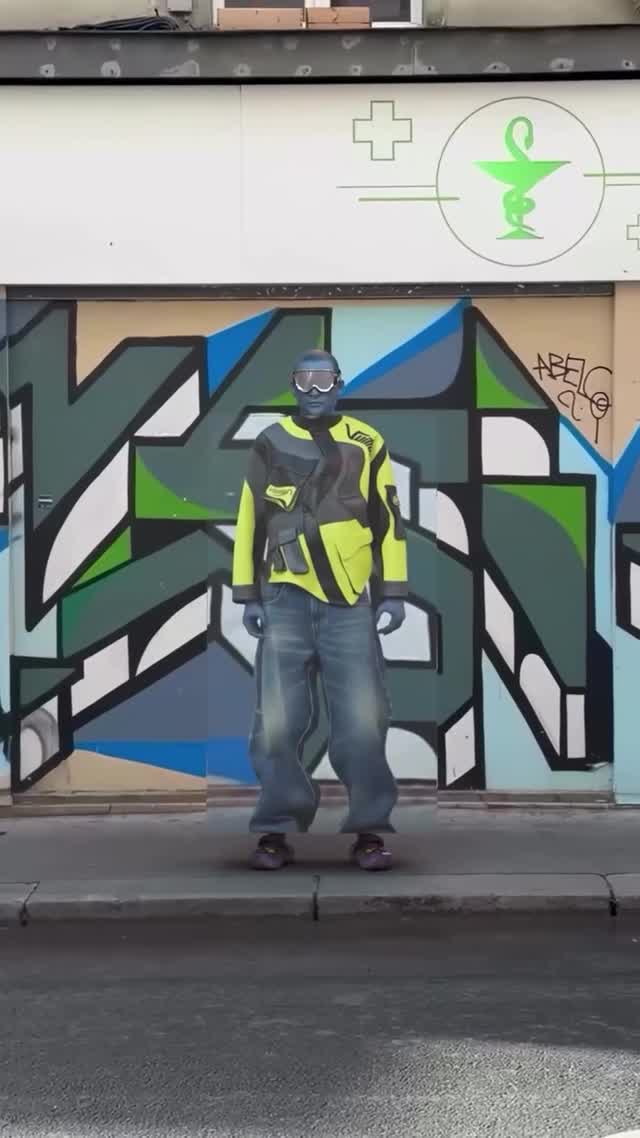
This case study analyzes a high-performing "FOOH" (Fake Out Of Home) style video by virtual influencer @iam_zlu. The video features a blue-skinned humanoid character standing on a Parisian sidewalk, utilizing a surreal "rotating prism" transition to showcase four distinct luxury fashion outfits (Louis Vuitton, Balenciaga, Members of the Rage, and Casablanca). By blending cinematic editorial portraiture with surreal CGI elements and a static urban backdrop, the creator achieves a seamless loop that captivates the viewer's attention through visual satisfaction and high-end brand association. The core keywords for this aesthetic are: Virtual Influencer, Surreal Fashion, Paris Street Style, Seamless Transition, and Blue Skin Aesthetic.
The video is a medium-full shot of a blue-skinned male character standing perfectly still against a wall covered in vibrant graffiti. The setting is clearly Paris, indicated by the classic architecture and a green pharmacy sign in the background. The character wears futuristic black goggles throughout. The primary "action" is a vertical rectangular prism that rotates around the character's axis. As each side of the prism passes the camera's view, the character's outfit instantly changes, creating a "magic mirror" effect. The lighting is bright, natural daylight, which helps ground the surreal character in the real-world environment. The color palette is a mix of the character's cool blue skin against the warm, sun-drenched Parisian street and the eclectic colors of the high-fashion garments.
| Time Range | Visual Content | Shot Language | Lighting & Tone | Viewer Intent |
|---|---|---|---|---|
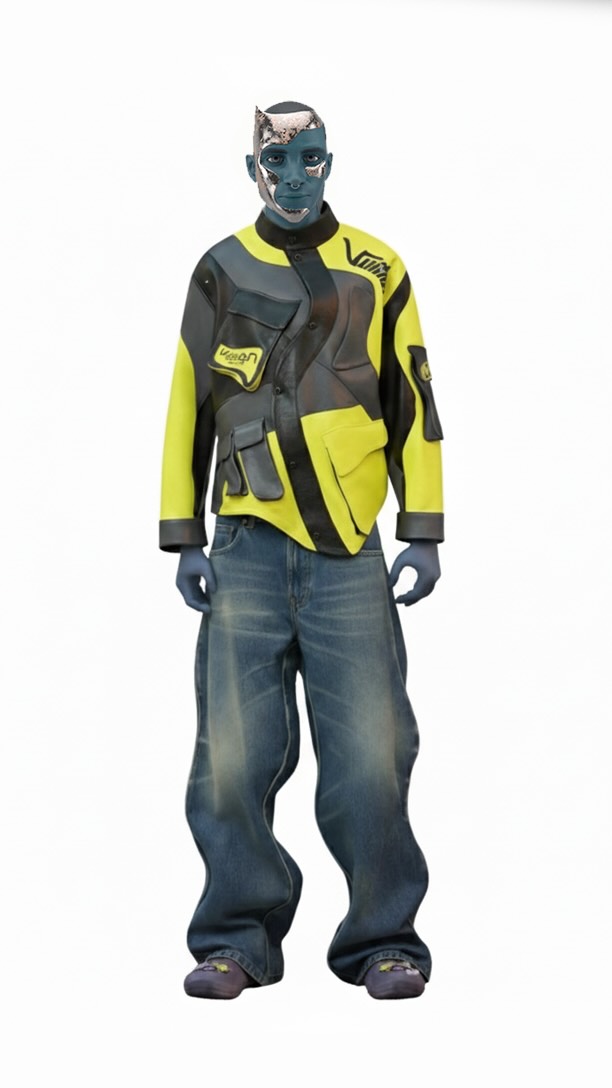
| 00:00–00:01 | Blue character in Vuitton techwear; prism starts rotating. | Static Medium-Full Shot | Natural Daylight, High Contrast | Hook: Establish surreal character + movement. |
| 00:01–00:03 | Prism face passes; outfit changes to orange Balenciaga tee. | Rotation Transition | Consistent, Sharp Focus | Reinforce Persona: Show fashion versatility. |
| 00:03–00:05 | Prism face passes; outfit changes to colorful tracksuit. | Rotation Transition | Vibrant, Saturated Colors | Visual Satisfaction: The "magic" of the swap. |
| 00:05–00:07 | Prism face passes; outfit changes to Casablanca set. | Rotation Transition | Soft Shadows, Urban Vibe | Maintain Engagement: Keep the rhythm going. |
| 00:07–00:08 | Prism completes rotation; returns to original Vuitton outfit. | Loop Completion | Natural Daylight | Loop Effect: Encourage re-watching. |
This video taps into the "Uncanny Valley" but in a positive, high-fashion way. The blue skin is an immediate biological hook—our brains are wired to notice skin tones that deviate from the norm. By placing this "alien" character in a mundane, recognizable setting like a Paris street, the creator creates a cognitive dissonance that stops the scroll. The "magic mirror" or "prism" transition is a classic visual trope that remains effective because it is inherently satisfying to watch; it mimics the feeling of a professional fashion editorial but with a CGI twist that physical reality cannot replicate.
From a platform perspective, this video is a retention machine. The 0–3 second hook isn't just the character; it's the start of the rotation. Viewers stay to see what the next outfit will be, and because the rotation is continuous, they often miss the "end," leading to multiple loops. The mention of high-end brands like Vuitton and Balenciaga triggers interest-based algorithms, pushing the content to fashion enthusiasts. Furthermore, the "Save" value is high here—creators save this as a reference for editing techniques or "outfit inspo," even if the character is virtual.
Decide on your character's "hook." Is it blue skin? A metallic texture? Use a consistent character sheet or a LoRA (Low-Rank Adaptation) in Stable Diffusion to ensure the face and skin tone remain identical across different outfits.
Film or source a high-quality 4K video of a street. Ensure the camera is on a tripod (static). Look for "texture" in the background—graffiti, interesting architecture, or a specific color palette that complements your character.
In your 3D software (Blender/C4D) or AI video tool, define a rectangular prism that rotates 360 degrees. Each 90-degree turn should represent a new "face" or outfit change.
Use AI (like Midjourney or Stable Diffusion) to generate your character in 4 distinct outfits. Use "Image-to-Image" to keep the pose identical but change the clothing. Pro Tip: Use specific brand names in your prompt to get the right "vibe."
Use a tool like Krea.ai, DomoAI, or a ComfyUI workflow (AnimateDiff + ControlNet) to map your character and the rotating prism onto your background plate. Use a "Canny" or "Depth" ControlNet to maintain the prism's edges.
In post-production (CapCut/After Effects), mask the character so they sit "behind" the front face of the prism but "in front" of the background. This creates the 3D depth effect.
Apply a global LUT (Look Up Table) to both the real-world background and the AI character. This "glues" the two elements together, making the CGI feel like it was actually filmed on-site.
Choose a rhythmic track. Sync the "clicks" or "swishes" of the prism rotation to the beat of the music. This reinforces the visual satisfaction.
Option 1 (Engagement Focused):
Just spinning through Paris with my latest pickups: Vuitton, Balenciaga, and more. 👽 The rotation never stops. Which one’s your favorite? Let me know in the comments! 👇 #virtualfashion #zlu #parisstyle
Option 2 (Mystery/Tease):
They said I couldn't change this fast. They were wrong. 🌀 Which look wins? 1, 2, 3, or 4? #aiart #digitalfashion #streetwear
Blender for the 3D prism and ComfyUI (AnimateDiff) for the character consistency.
"Blue-skinned," "Photorealistic," and "Static-pose."
You likely aren't using a LoRA or a consistent Seed; use IP-Adapter to lock the face.
Use a real-world video background and match the grain and lighting perfectly.
Instagram, as the "Aesthetic/Luxury" niche is more established there for virtual influencers.
Use the "AI-Generated" tag provided by the platform and mention "Virtual Influencer" in your bio.