▶
Why buy more clothes when you can just rotate? 👽 First outfit from @botter.world and last from @waltervanbeirendonckofficial - - - - - - - #fashion #virtualinfluencer #art #streetart #illusion #ia #fashionweek #couture #paris #fashiondesigner
Why buy more clothes when you can just rotate? 👽 First outfit from @botter.world and last from @waltervanbeirendonckofficial - - - - - - - #fashion #virtualinfluencer #art #streetart #illusion #ia #fashionweek #couture #paris #fashiondesigner
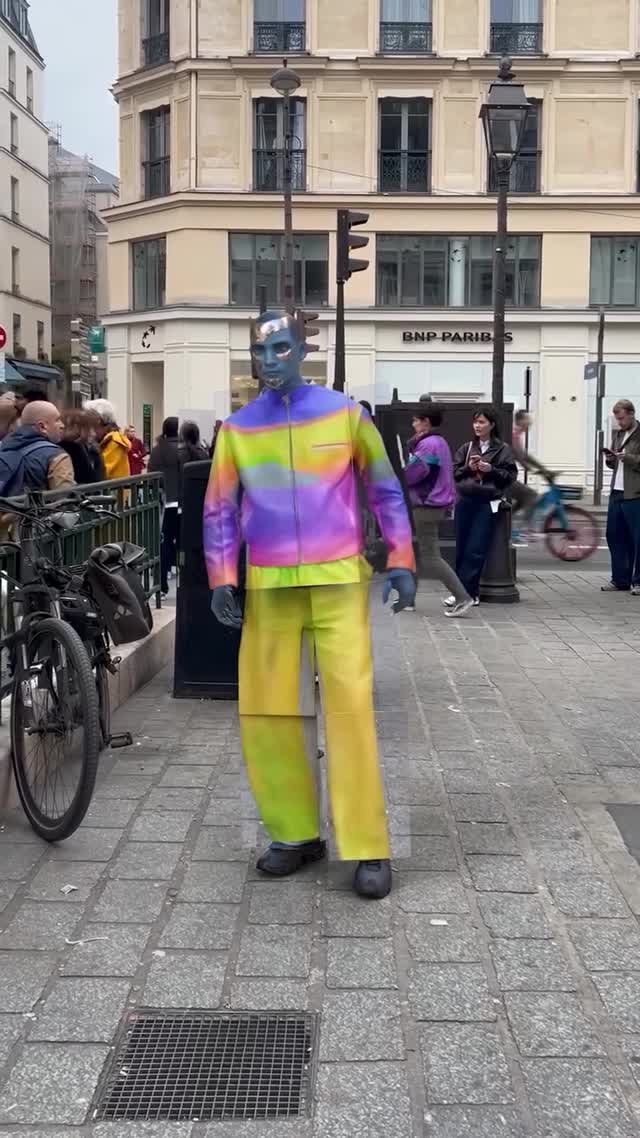
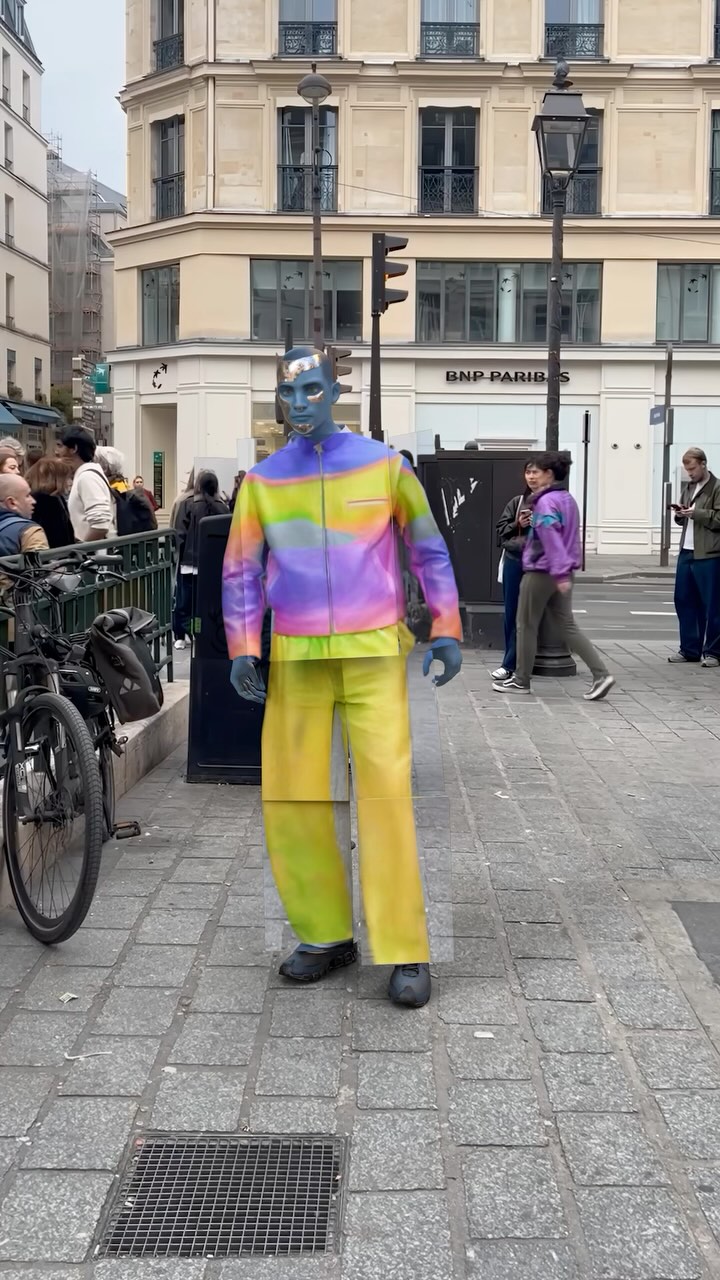
One-Sentence Summary: A hyper-realistic "virtual influencer" (blue-skinned humanoid) stands on a busy Parisian street corner and performs a mechanical 360-degree spin, seamlessly transitioning between three distinct high-fashion outfits in a single continuous shot.
Core Keywords: Mixed Reality (MR), Virtual Influencer, Seamless Transition, Paris Street Style, Digital Fashion, 3D Compositing, Surreal Aesthetic.
The Subject: A blue-skinned, bald, mannequin-like male figure ("Zlu"). The texture is smooth, almost plastic but with realistic light interaction. He looks like a 3D render composited into real footage.
The Scene: A recognizable Parisian street corner (BNP Paribas bank visible). It’s daytime, overcast (soft, diffuse lighting), with pedestrians walking naturally in the background, grounding the surreal subject in reality.
The Action: The character stands center frame and rotates counter-clockwise. As he turns away from the camera and back again, his clothing changes instantly yet smoothly.
Audio: Real ambient street noise (chatter, traffic) layered with a subtle "digital glitch/whoosh" sound effect synchronized with the outfit swaps.
| Time | Visual Content | Shot Language | Lighting & Color | Viewer Intent |
|---|---|---|---|---|
| 00:00–00:02 | Subject faces forward in a rainbow gradient jacket and yellow pants. Starts rotation. | Static, Eye-level, Medium Full Shot. | Natural overcast daylight. Soft shadows. | Hook: Establish the "uncanny valley" contrast of an alien figure in a mundane setting. |
| 00:02–00:05 | Subject shows back. Outfit morphs to a white graffiti t-shirt and white pants. | Same static shot. Subject rotates. | Consistent lighting on the back of the model. | Retention: The outfit change surprises the viewer; they watch to see the front again. |
| 00:05–00:08 | Subject completes rotation to face forward. Now wearing a green sweater with a pink cartoon snake. | Same static shot. | Lighting matches the start. | Payoff: The loop closes with a completely new look, encouraging a rewatch. |
While the original is likely high-end 3D software (Blender/Maya) composited over video, you can approximate this "Virtual Influencer" look using Generative AI tools.
Film a static shot of a street. Keep the camera on a tripod (locked off). Record for 10 seconds. Ensure people are walking in the background but not crossing the center foreground where your character will be.
Create a "Character Sheet" in Midjourney.
Prompt: "Full body shot of a futuristic blue-skinned humanoid male, bald, mannequin aesthetic, wearing [Outfit A], neutral lighting, white background --ar 9:16."
Generate variations for Outfit B and Outfit C.
Option A: Runway Gen-1 (Video-to-Video)
Film yourself (or a friend) doing the rotation in the exact location. Upload this as the "Driver Video." Use a style reference image of your blue character.
Prompt: "Blue skinned futuristic mannequin wearing colorful fashion, standing in Paris street."
Option B: Luma Dream Machine / Kling (Text-to-Video with End Frame)
This is harder for rotation consistency. You might need to generate the rotation in segments.
1. Generate clip 1: Character A starts turning.
2. Take the last frame, use it as the start frame for Clip 2, but change the prompt to describe Outfit B (back view).
3. Repeat for the final front view.
If generating the whole scene looks too "AI mushy," generate the character on a green screen (using prompts like "solid green background") and overlay them onto your real street footage in CapCut or Premiere. This keeps the background sharp and realistic.
Don't forget the sound. Add "city ambience" and a "mechanical servo" or "digital glitch" sound exactly when the outfit changes.
It is a "Mixed Reality" video. The background is real video footage, but the character is a 3D model (CGI) composited into the scene, likely created with tools like Blender or Maya, not just simple generative AI.
In AI video, use a "Character Reference" (cref) feature in Midjourney to generate consistent angles, or train a LoRA model if using Stable Diffusion. For 3D workflows, you use the same 3D mesh.
This is likely a texture map in 3D software. To replicate with AI, use prompts like "blue skin, matte plastic texture, avatar aesthetic" in your video generation prompt.
You can film the background and yourself with a phone. To add the "virtual" look, you will need AI video apps (like Runway or Kaiber) or AR filters (Snapchat/TikTok filters), though the quality won't match this high-end VFX case.
The creator used an HDRI map (a 360-degree image of the location) to light the 3D character, ensuring the shadows and reflections on the blue skin match the real-world overcast sky.