▶
Comment with „Prompt“ & I will send you the exact Guide to create this Video 🎬 The easiest way to do it with @invideo.io 🚀 ______________________________________ Ad #edit #videoedit #reels #invideo #aivideo
Comment with „Prompt“ & I will send you the exact Guide to create this Video 🎬 The easiest way to do it with @invideo.io 🚀 ______________________________________ Ad #edit #videoedit #reels #invideo #aivideo
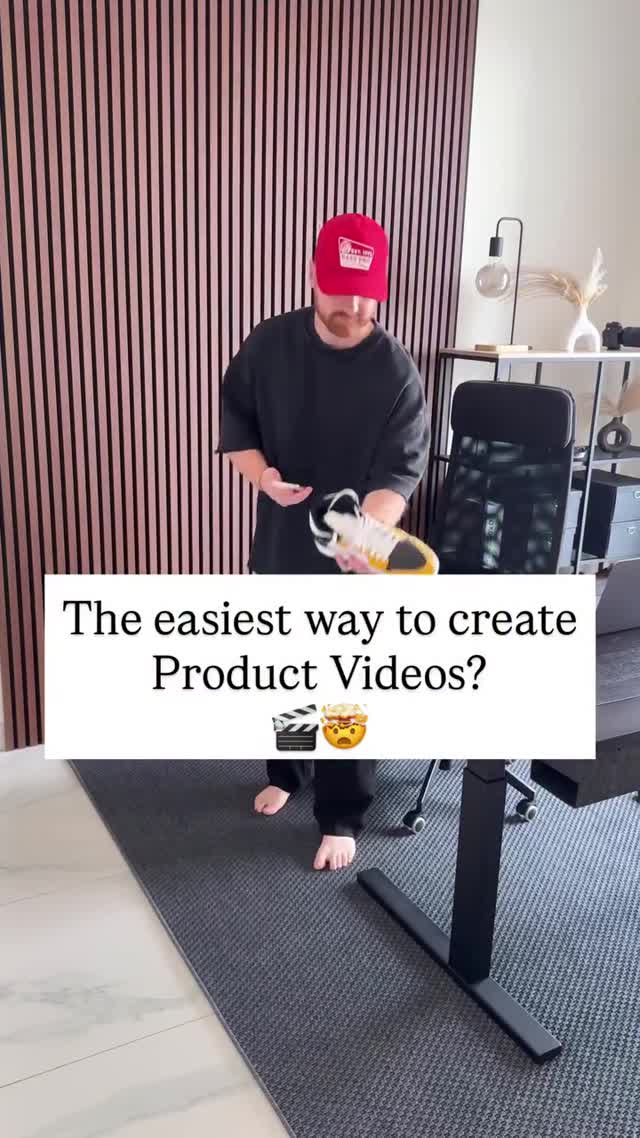
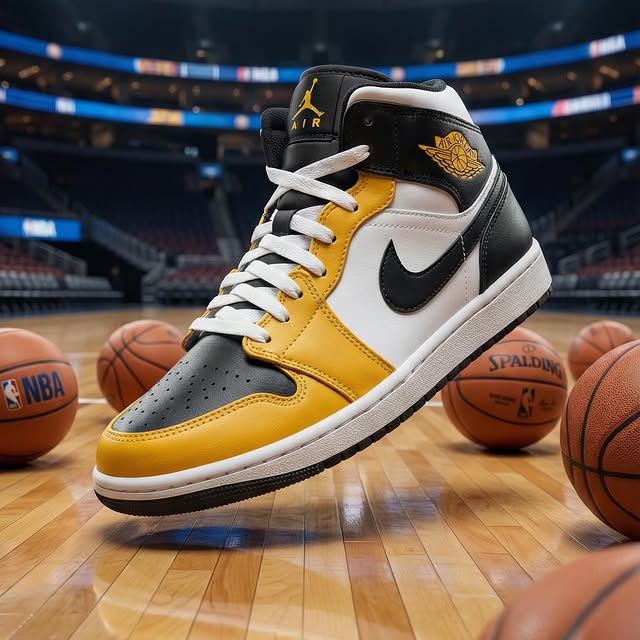
This reel is a compact creator-education format aimed at founders, marketers, and small product sellers who want ad-style results without a full studio. It opens with a male creator in a bright apartment workspace and a plain-language hook asking about the easiest way to create product videos. From there it shows simple phone-based capture behavior, then cuts into polished output examples across different categories: a sneaker in a basketball arena, an orange cleaning spray on a splash set, a luxury watch near sports cars, a dark fragrance bottle in a floral beauty world, and a bottled water hero shot in a frozen landscape. In search-intent terms, the clip overlaps product video tutorial, AI product ad workflow, UGC-to-commercial transformation, ecommerce video creation, simple product shoot ideas, and creator tool education. The reason it works is that it does not merely claim a workflow is easy. It demonstrates the contrast between ordinary inputs and premium outputs in under twenty seconds.
The reel begins with a blunt question rather than a polished slogan. That is important. It frames the post as a solution rather than a flex, which widens the audience beyond designers and toward business owners who need practical help.
The host is casual, approachable, and clearly not standing in a complex production set. Red cap, oversized dark shirt, home-office furniture, open fridge, and phone in hand all signal that the process starts from everyday conditions.
The phone-camera overlay is a smart visual device because it removes ambiguity. Viewers can see that the method begins with simple capture, not with invisible high-end equipment.
The second half matters because it expands the claim. One product example could be dismissed as a lucky case. Multiple categories make the workflow feel generalizable: fashion, cleaning, luxury accessories, fragrance, and beverages.
Each output example is staged like a miniature ad campaign. Arena lights suggest sports prestige, splash effects suggest cleaning power, cars suggest luxury performance, flowers suggest fragrance elegance, and ice suggests purity.
The deeper structure is not just tutorial plus examples. It is a before-and-after promise compressed into one reel: ordinary phone capture on one side, premium visual world-building on the other.
| Time range | Visual content | Shot language | Conversion purpose | Viewer takeaway |
|---|---|---|---|---|
| 00:00-00:03.0 (estimated) | Creator in home office with sneaker and question overlay | Tutorial hook | Stop the scroll with a clear problem statement | This post will teach something useful |
| 00:03.0-00:05.6 (estimated) | Desk demo with smartphone camera interface | Workflow proof | Show accessibility and low friction | The setup looks easy enough to copy |
| 00:05.6-00:08.8 (estimated) | Kitchen and fridge capture example | Real-world demonstration | Validate that ordinary environments can work | Any creator can start with what they already have |
| 00:08.8-00:12.0 (estimated) | Bathroom bottle and sneaker arena hero shot | Transformation reveal | Prove the jump from raw to polished | The output can feel commercial, not amateur |
| 00:12.0-00:15.0 (estimated) | Degreaser and luxury watch examples | Category expansion | Show versatility across price points | The workflow is not limited to one niche |
| 00:15.0-00:19.3 (estimated) | Perfume and bottled water hero scenes | Premium montage close | End on aspiration and breadth | The tool can support many ecommerce aesthetics |
Do not start with brand theater. Start with the exact problem your audience wants solved, such as creating product videos faster, cheaper, or at higher quality.
A room, desk, kitchen, or shelf can be more persuasive than a studio because it proves the workflow is usable by everyday creators and sellers.
Use a phone-camera overlay, app screen, or interface insert so viewers understand that a repeatable process exists behind the result.
Once the setup is clear, switch quickly into hero examples that look unmistakably more polished than the raw capture moments.
Even two or three categories can make your workflow feel more robust. Variety increases trust because it suggests the method can travel across niches.
Close with your strongest showcase examples rather than extra talking. Let the final memory be capability and aspiration.
Broad tags: #productvideo, #ecommerce, #marketing, #reels. These support broad discovery.
Mid-tier tags: #aivideo, #productphotography, #brandcontent, #contentcreation. These align with the workflow and audience.
Niche long-tail tags: #productvideotutorial, #ecommercevideo, #aiproductads, #ugccommercialworkflow. These target sharper business-intent search traffic.
It makes the workflow believable by showing that the process starts from a simple capture interface rather than from hidden high-end production gear.
Variety makes the promise feel repeatable. It tells viewers the method can work beyond a single lucky example.
That setting lowers perceived complexity and makes the tutorial feel accessible to solo creators, founders, and small teams.
The lighting, background worlds, and category-specific commercial styling make each object look like part of a real ad campaign.
Jumping straight to polished outputs without first proving the simple input workflow. Without that proof, the promise feels less trustworthy.