▶
I love you mommy 🥰 • • • #iloveyoumommy #ilovemymom #cuteanimals #penguin #cutepenguin
I love you mommy 🥰 • • • #iloveyoumommy #ilovemymom #cuteanimals #penguin #cutepenguin
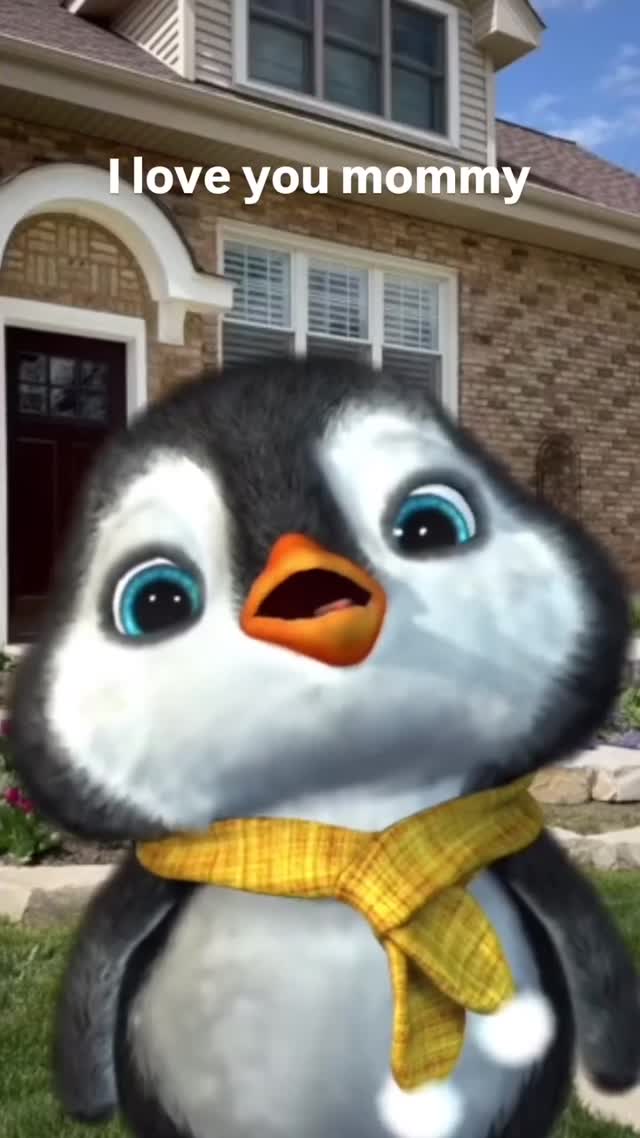
One-Sentence Summary: A highly shareable "digital greeting card" featuring a cute, Pixar-style 3D baby penguin singing a heartfelt song to "Mommy," utilizing high-saturation visuals, a child-like voice, and a relatable suburban backdrop to trigger deep emotional engagement and massive shareability.
Core Keywords: 3D Character Animation, Cute Aesthetic, Emotional Hook, Digital Greeting Card, Lip-Sync Content, Viral Song.
This video is a masterclass in "cute aggression" and emotional simplicity. It strips away complex storytelling for a direct, heart-to-heart performance.
| Time | Visual Content | Shot Language | Viewer Intent |
|---|---|---|---|
| 00:00–00:04 | Penguin looks at camera, sings "I love you mommy." | Medium Close-Up (MCU), Static. | The Hook: Immediate emotional connection via eye contact and "Mommy" keyword. |
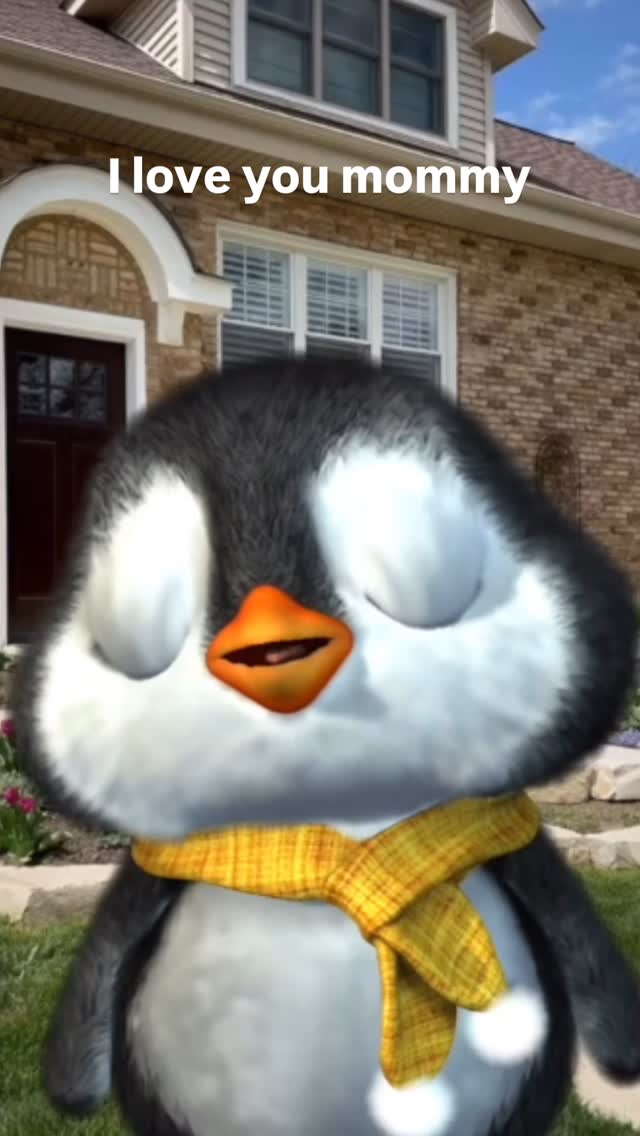
| 00:04–00:12 | Penguin closes eyes while singing "You make me happy when I am sad." | Slow punch-in (Zoom). | Deepen Emotion: Closing eyes signifies sincerity and vulnerability. |
| 00:12–00:20 | Penguin sways, "I always have you inside my heart." | Pull back slightly, then static. | Reinforce Bond: The swaying motion mimics a child reciting a poem. |
| 00:20–00:29 | "I feel happy... Cha cha cha!" Penguin does a quick wiggle. | MCU -> Rapid Zoom on "Cha cha cha". | The Payoff: A sudden burst of energy/humor to end on a high dopamine note. |
This video isn't just content to be watched; it's a tool to be used. Millions of users struggle to express affection verbally. This video acts as a proxy—sending this to a mother is a low-friction way to say "I love you." The "Share" button is the primary engagement metric here, likely outperforming likes.
The character design exploits our biological hardwiring. The massive eyes relative to the head size, the clumsy swaying motion, and the child-like voice trigger an involuntary caretaking response. This stops the scroll immediately because the brain registers "vulnerable infant" before it registers "AI/3D animation."
Watch Time: The song is short (under 30s) and has a clear lyrical progression. Viewers stay to hear the next line.
The "Cha Cha Cha" Ending: The sudden tempo change and dance move at the very end (00:28) acts as a "surprise reward," encouraging re-watches to catch the cute moment again.
Audio-Visual Sync: The lyrics appearing on screen (Captions) ensure the message is received even if audio is low, though the audio is the primary driver.
You need a consistent 3D character.
Prompt Concept: "Cute 3D baby penguin, Pixar style, fluffy texture, wearing a yellow plaid scarf, large blue eyes, standing in front of a suburban brick house, sunny day, soft lighting, 8k render."
Tools: Midjourney v6 (for base image) or 3D tools like Blender if you have modeling skills. For AI video, start with a strong image.
The audio is the soul of this video.
Option A (AI): Use Suno or Udio with prompts like "Acoustic guitar backing, simple melody, sung by a young child, sweet, sentimental."
Option B (Manual): Record a simple voice memo and pitch-shift it up slightly to sound like a child/cartoon. Add a stock acoustic guitar loop.
The "Talking Head" Method:
Use tools like Hedra, Runway Gen-3 Alpha (Live Portrait mode), or Sync Labs.
Upload your character image and your audio file. These tools will animate the mouth and head movement to match the speech.
Tip: Ensure the "blink" frequency is natural. Staring without blinking feels robotic.
Import the generated video into CapCut.
Digital Zooms: Add keyframes to slowly zoom in during emotional lines ("When I am sad") and zoom out or cut during transitions.
Captions: Use a rounded, friendly font (like VAG Rounded or Fredoka One). Animate them to pop up word-by-word or line-by-line.
Tools like Hedra, Runway Gen-3 (Live Portrait), or SadTalker are best for animating static images to audio. For full 3D control, Blender is the industry standard.
You can use AI voice changers (like Voice.ai) with a "child" preset, or simply record yourself and pitch-shift the audio up by +2 to +4 semitones in CapCut.
The specific song in the video might be copyrighted. For safety, generate your own simple song using Suno/Udio or use royalty-free "happy acoustic" tracks from YouTube Audio Library.
It combines "utility" (shareable greeting card) with "instinct" (cute baby animal). It solves a problem (expressing love) in an adorable way.
Absolutely. Kittens, puppies, and hamsters work incredibly well. The key is the "baby" proportions (big eyes, small body).