0:00 / 0:00
▶
I pray 🥺 • • • #sayyouloveme #iloveyou #cuteanimals #penguin #cutepenguin
I pray 🥺 • • • #sayyouloveme #iloveyou #cuteanimals #penguin #cutepenguin
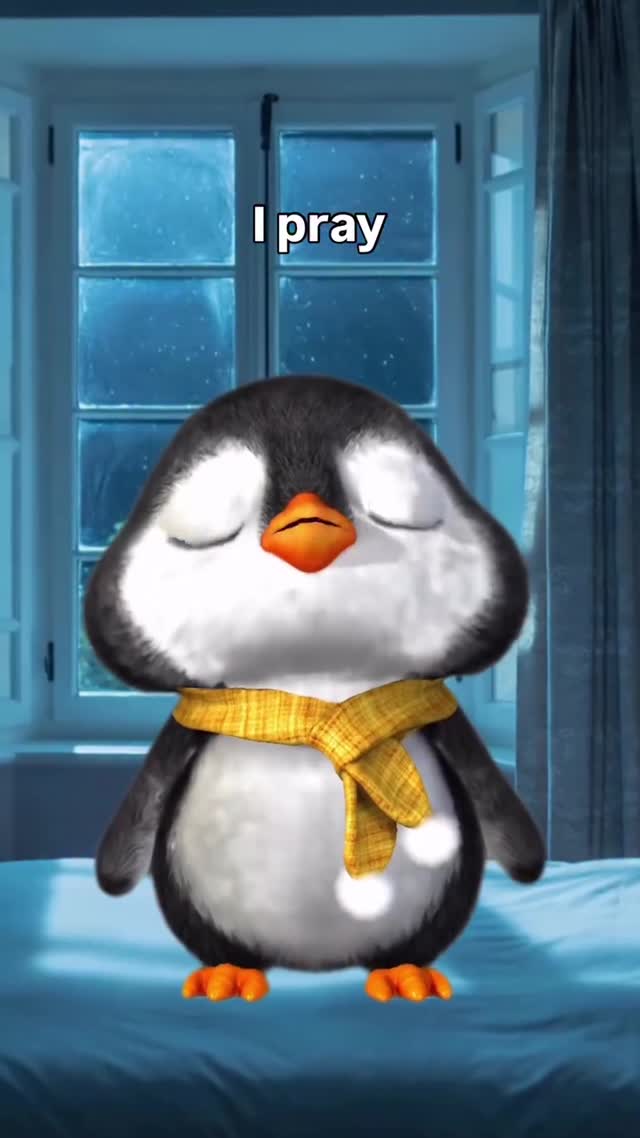
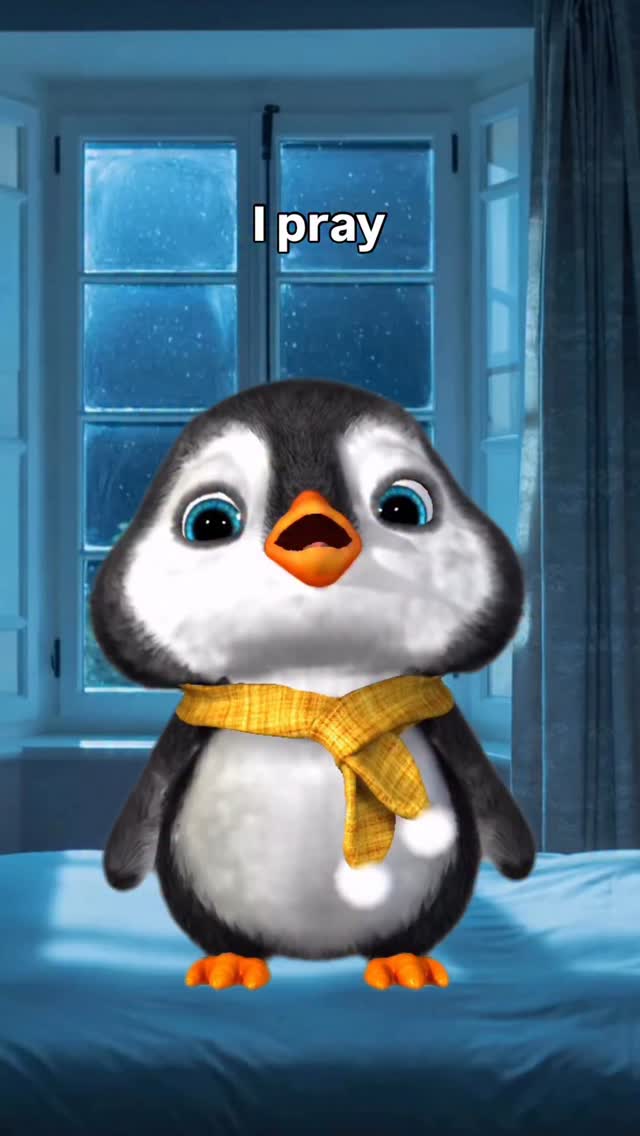
This viral short features a 3D animated baby penguin delivering a heartfelt lip-sync performance in a cozy, cinematic bedroom setting. The aesthetic combines Pixar-style character design with a moody, "blue hour" interior lighting scheme. Key elements include high-fidelity fur/feather textures, expressive oversized blue eyes, and a relatable emotional hook centered on longing and love. By leveraging a popular audio track and high-quality 3D assets, the creator taps into the universal appeal of "cute animal" content while maintaining a professional, editorial look that stands out from typical UGC.
The video centers on a single character: a round, fluffy baby penguin wearing a yellow checkered scarf. The setting is a dimly lit bedroom at night, with a large window in the background showing a rainy or snowy night, casting a cool blue light throughout the scene. The penguin's movements are fluid and expressive, mimicking the emotional cadence of the song lyrics displayed as text overlays.
| Time Range | Visual Content | Shot Language | Lighting & Tone | Viewer Intent |
|---|---|---|---|---|
| 00:00–00:03 | Penguin looks directly at camera, singing "I pray." | Medium Close-Up (MCU) | Soft blue ambient; warm rim light on scarf. | Establish emotional connection via eye contact. |
| 00:03–00:07 | Penguin looks up toward the window, singing "One day." | Medium Shot (MS) | Cooler tones; focus on the rainy window background. | Create a sense of longing and "dreaming." |
| 00:07–00:10 | Close-up on penguin's face; eyes blink slowly. | Close-Up (CU) | High detail on eye reflections and fur texture. | Reinforce the "cute" factor and vulnerability. |
| 00:10–00:13 | Penguin sings "You love me" with a wide-eyed look. | Medium Close-Up (MCU) | Brightest point of the video; focus on the beak movement. | The "climax" of the emotional hook; encourages "Aww" response. |
The success of this video lies in its mastery of emotional resonance and character design. The "baby schema" (large eyes, round face, small limbs) triggers an instinctive nurturing response in humans, making the content almost impossible to scroll past. The choice of a penguin—an animal widely perceived as loyal and sweet—amplifies this effect.
From a platform perspective, the video excels because it uses a high-retention audio hook. The song "Say You Love Me" is a recognizable emotional trigger. By perfectly syncing the 3D character's lip movements and facial expressions to the lyrics, the creator creates a "magic trick" effect—viewers wonder how an AI or animated character can feel so "real." This leads to high watch times and repeat views as people admire the technical execution and the emotional payoff.
Follow these steps to create your own high-quality 3D animated character video using AI tools.
Define your character. For this style, use prompts like: "3D Pixar style baby penguin, fluffy black and white feathers, giant expressive blue eyes, wearing a yellow checkered scarf, cinematic lighting, 8k resolution." Use Midjourney or DALL-E 3 to generate your base image.
Generate a separate background or include it in your character prompt. Ensure it has "depth of field" (blurred background) to keep the focus on the character. Keywords: "cozy bedroom at night, rainy window, soft blue moonlight, cinematic bokeh."
To keep the penguin looking the same across shots, use the Character Reference (--cref) feature in Midjourney or create a LoRA (Low-Rank Adaptation) if you are using Stable Diffusion. This ensures the scarf and eye color don't change.
Upload your character image and the audio file to a lip-sync AI tool like Hedra, LivePortrait, or SadTalker. These tools will map the audio's phonemes to the character's mouth movements and add natural head sways.
If your lip-sync tool allows, add "emotion" tags (e.g., "sad," "hopeful"). If not, you can use video-to-video tools like Runway Gen-3 to add subtle movements like blinking or scarf fluttering.
Import the video into CapCut. Use the "Auto Captions" feature but style them manually. Use a clean, sans-serif font (like "Montserrat" or "The Bold Font") and place them in the upper third of the screen to avoid covering the character.
Apply a "Cold" or "Night" filter in CapCut to unify the character and background. Increase the "Glow" or "Luminance" on the character's eyes to make them sparkle.
Export in 1080x1920 (9:16). Use a "hooky" cover image—usually the frame where the penguin has the widest eyes.
Template 1 (Emotional):
I pray for this every single day. 🥺
Tag someone who needs to hear this.
👇 Do you believe in soulmates?
#cuteanimals #penguin #lovequotes
Template 2 (Technical/Creator):
Can you believe this penguin is 100% AI? 🐧✨
I used Midjourney + Hedra to bring him to life.
Comment "TUTORIAL" if you want the full breakdown!
#aiart #3danimation #creatortips
Midjourney for the character and Hedra or LivePortrait for the realistic lip-syncing.
"Pixar-style," "Expressive eyes," and "Cinematic lighting."
You likely aren't using a character reference image or a fixed seed in your generation tool.
Focus on high-quality textures (fur/eyes) and ensure the lighting on the character matches the background.
Instagram Reels favors high-aesthetic, "pretty" content like this, while TikTok favors raw, relatable humor.