Who wants to touch them? 👣
Who wants to touch them? 👣
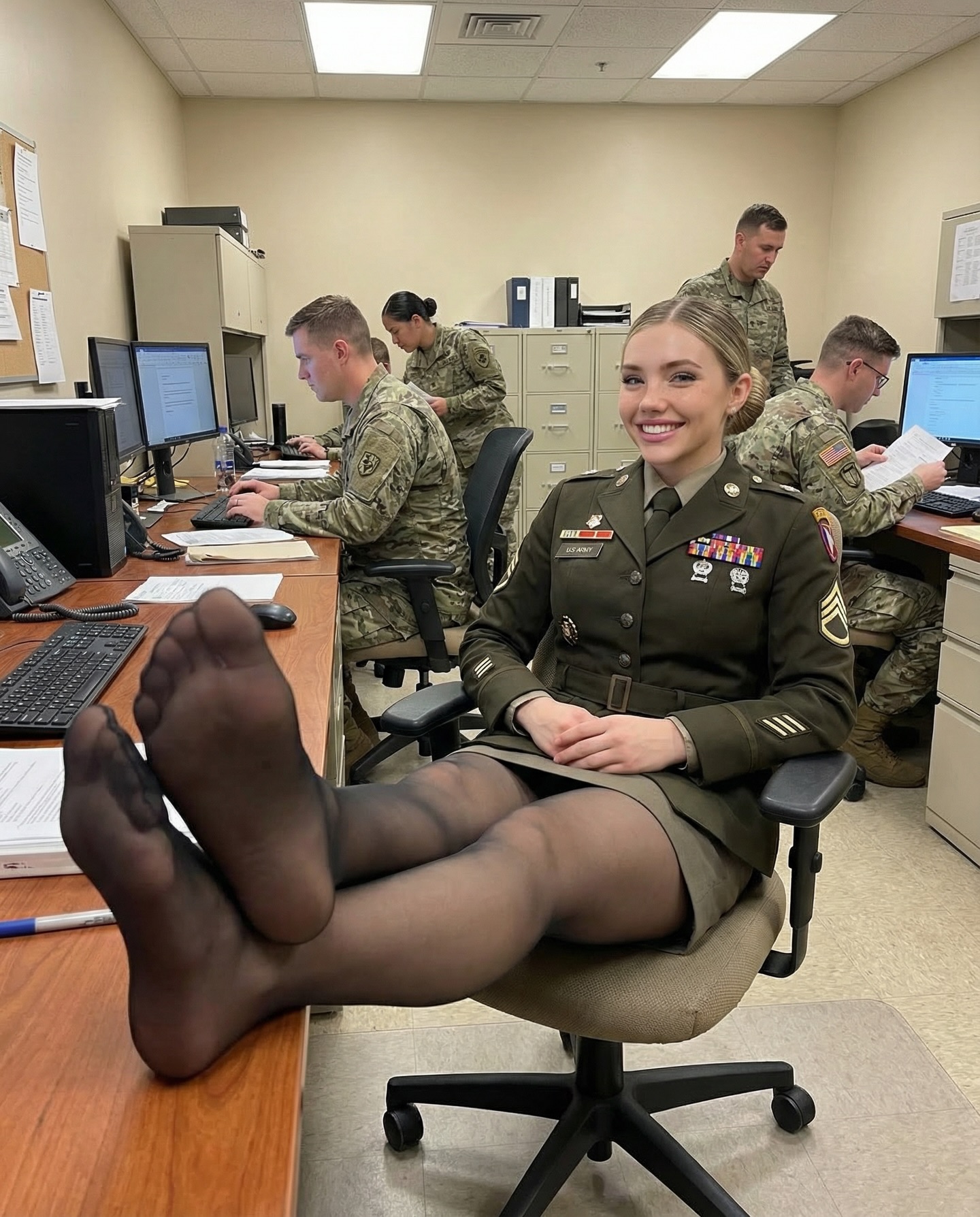
This image is engineered to control the first glance. The environment reads as structured and serious (computers, paperwork, uniforms), but the foreground pose breaks the “expected” posture in a way that’s instantly understandable—even at thumbnail size.
The hook is a simple visual contradiction: a formal work setting paired with relaxed, boundary-testing body language. In feeds full of predictable poses, one unexpected gesture becomes a magnet. Add strong wide-angle foreshortening—where the closest object grows oversized—and you get a built-in attention funnel: eyes land on the foreground first, then travel back to the face, then to the context (coworkers, desks, the “real office” cues).
The caption strategy amplifies that funnel by directly pointing the viewer back to the hook. A short, provocative question creates comments because it invites a reaction without requiring a long answer. The trick is that the image stays clean and readable: neutral walls, simple desks, and a tight palette keep the scene from becoming clutter.
One more important mechanic: authenticity cues. Background coworkers actually working (not posing) makes the moment feel captured rather than staged. That “caught in the middle of the day” realism is what turns a single frame into a shareable behind-the-scenes story.
| Signal | Evidence (from this image) | Mechanism | Replication Action |
|---|---|---|---|
| One readable rule-break | Relaxed pose in a structured office | Instant story + surprise | Choose one “unexpected but safe” gesture and make it the foreground anchor |
| Forced-perspective hook | Foreshortened wide-angle foreground | Controls first glance and scroll stop | Use a wide lens feel (24–28mm) and place the hook object closest to the camera |
| Authentic context | Coworkers working at computers | Believability increases shares | Keep 2–3 “work cues” visible: monitors, papers, phone, filing cabinets |
| Caption-as-pointer | A short question that references the hook | Drives comments and replays | Write captions that direct attention back to the frame instead of explaining the frame |
Recipe 1: “Open-plan boredom”
Recipe 2: “Training room candid”
Recipe 3: “Studio workday”
The aesthetic is “flat light, high clarity, real context.” Overhead office lighting is not glamorous, but it’s honest. That honesty is useful: it makes the hook feel like a real moment rather than a staged set. The composition uses a simple triangle: the oversized foreground, the centered face, and the background activity. That triangle creates a scanning path that keeps people in the frame longer than they expect.
Color is restrained—beige walls, wood desk, muted uniforms—so nothing competes with the hook. If you want to reproduce the effect, prioritize geometry (foreshortening), then context (coworkers working), then finishing detail (ribbons, patches, desk objects).
| Prompt chunk | What it controls | Swap ideas (EN, 2–3 options) |
|---|---|---|
| Foreground hook placement | First glance direction | “closest to lens”, “extreme foreground”, “oversized foreshortening” |
| Camera + lens feel | Perspective distortion | “24mm wide angle”, “phone camera wide lens”, “forced perspective” |
| Context cues | Believability | “desks with monitors”, “office phone”, “filing cabinets” |
| Lighting descriptor | Realism | “overhead fluorescent”, “flat neutral office light”, “even exposure” |
| Wardrobe micro-detail | Texture and credibility | “ribbon bars”, “badges”, “rank chevrons” |
Change only 1–2 knobs per run: hook object distance, background density, or wardrobe. Keep the camera angle and lighting locked until the image reads instantly.