▶
💋💗 . . . #model #influencerdigital #influencer
💋💗 . . . #model #influencerdigital #influencer
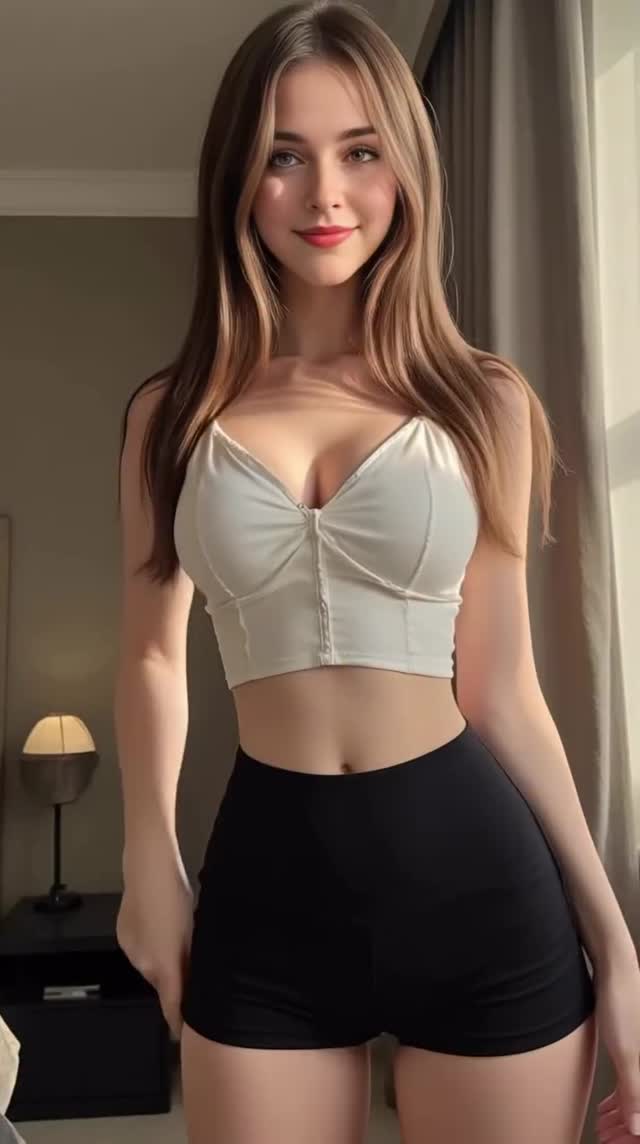
This case study examines a high-performing cinematic AI influencer portrait featuring a virtual model in a soft-lit bedroom setting. The video leverages the "outfit check" and "model pose" tropes common on Instagram and TikTok, but executes them with a hyper-realistic AI aesthetic. Key elements include warm natural window lighting, a minimalist modern interior, and a subject with high facial symmetry and expressive micro-movements. This style of content is currently a goldmine for indie creators looking to build "faceless" yet personality-driven brand accounts without the need for expensive camera gear or physical studio space.
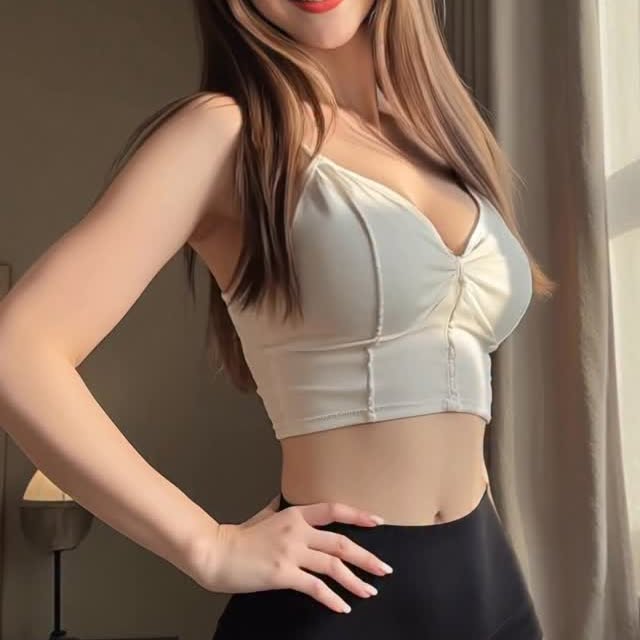
The video features a young woman with long, flowing brown hair and hazel eyes, dressed in a white ribbed zip-up crop top and black high-waisted athletic shorts. The scene is set in a contemporary bedroom; the background is softly blurred (shallow depth of field), showing a bedside table with a designer lamp and sheer curtains filtering bright daylight. The color palette is dominated by creams, blacks, and warm skin tones, creating a clean, "clean girl aesthetic" vibe. Her movements are fluid: a transition from a neutral gaze to a confident hand-on-hip pose accompanied by a radiant, toothy smile.
| Time Range | Visual Content | Shot Language | Lighting & Tone | Viewer Intent |
|---|---|---|---|---|
| 00:00–00:02 | Subject stands centered, looking directly at the lens. | Medium Shot (MS), 35mm feel, static camera. | Soft backlighting from window; high-key exposure. | Hook: Establish beauty and realism immediately. |
| 00:02–00:05 | Subject places right hand on hip and smiles broadly. | Subtle camera push-in; slight hip sway. | Warm highlights on hair; natural skin texture. | Retention: Emotional connection through a "human" smile. |
This video taps into the "Uncanny Valley" success zone—where the AI is so realistic it triggers the same biological response as a real person, but retains a "perfected" aesthetic that is difficult to achieve in real life without professional lighting and retouching. The subject's direct eye contact and sudden smile trigger a dopamine response in viewers, a classic psychological hook used in portrait photography for decades. The "outfit check" format is inherently relatable, making the AI character feel like a real influencer the audience might follow for lifestyle inspiration.
From a platform perspective, this video excels in Watch Time and Re-watchability. The short duration (5 seconds) makes it nearly impossible for a user to scroll away before the loop restarts. Because the visual quality is so high, users often watch it twice to determine if it's "real or AI," a behavior that signals to the Instagram/TikTok algorithm that the content is highly engaging. The high-contrast thumbnail (white top against dark shorts) also ensures a high Click-Through Rate (CTR) when appearing on the Explore page.
Option 1 (Engagement Focus):
Morning light hits different ☀️. Which look should I try next? Let me know below! 💗 #aiinfluencer #ootd #aesthetic
Option 2 (Mystery Focus):
Can you spot the detail that gives it away? 🔍 Hint: Look at the curtains. #virtualmodel #digitalart #cinematic
Kling AI or Runway Gen-3 Alpha are currently the best for high-fidelity human movement and skin texture.
"Soft window lighting," "Photorealistic skin," and "Subtle micro-expressions."
Usually due to high motion settings; keep "Motion" at a 4-6 range to maintain facial structure.
Add "film grain" and "slight lens flare" in post-production to break the digital perfection.
Instagram Reels currently favors this "high-aesthetic" portrait style more than TikTok's "lo-fi" trend.
Use the platform's built-in "AI-generated" tag and include #aiart in the caption to stay transparent.