▶
🥹❤️ . . . #model #influencerdigital #influencer
🥹❤️ . . . #model #influencerdigital #influencer
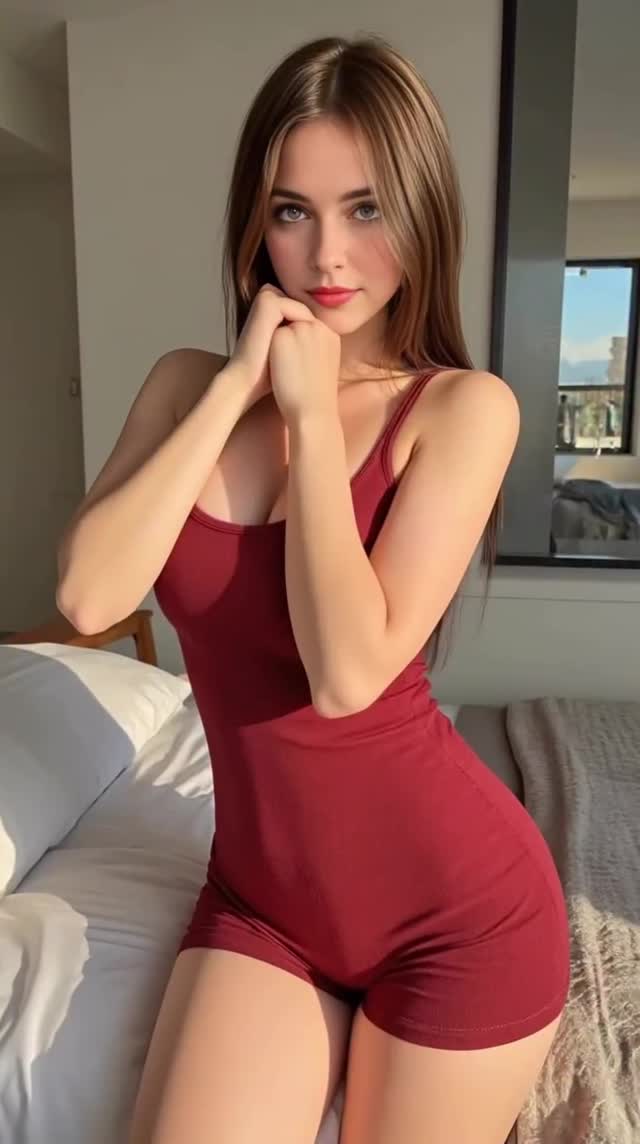
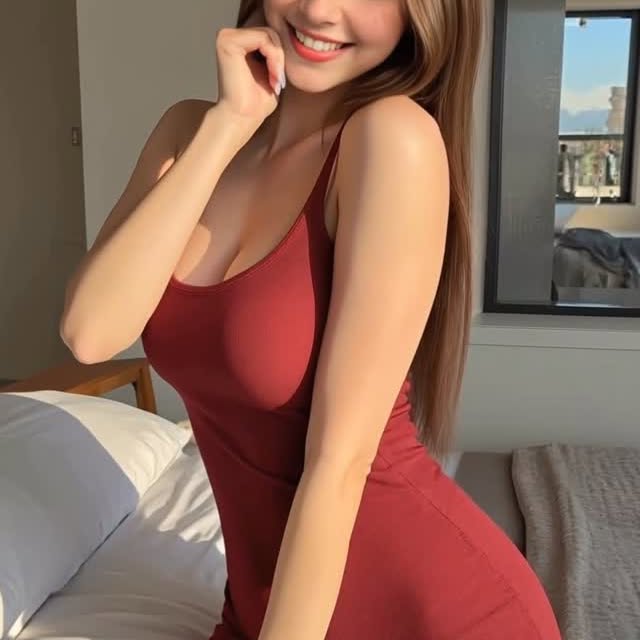
One-Sentence Summary: A hyper-realistic AI influencer "girlfriend POV" clip featuring a consistent character in a red romper, utilizing soft natural bedroom lighting and subtle "loopable" motion to drive engagement through aesthetic perfection and digital curiosity.
Core Keywords: AI Influencer, Digital Model, Red Romper, Bedroom Aesthetic, Soft Natural Light, Image-to-Video, Stable Diffusion, Luma Dream Machine.
This video is a prime example of the "Digital Influencer" niche. The subject is @zoe_zoe_nova, a virtual persona. The scene is set in a modern, bright bedroom with a large window in the background, suggesting a high-rise apartment.
| Time | Visual Content | Shot Language | Lighting & Mood | Viewer Intent |
|---|---|---|---|---|
| 00:00 - 00:01 | Subject stands with hands clasped near chest/neck, looking shyly at camera. | Medium Shot, Eye-level. | Soft daylight, "Golden Hour" feel. | The Hook: Immediate eye contact and "innocent" pose to stop the scroll. |
| 00:01 - 00:03 | Hands transition smoothly; right hand moves to chin, left hand drops. Smile widens. | Static Frame, focus on subject motion. | Consistent natural light. | Engagement: The movement creates a "flirty" interaction, simulating a real video call or candid moment. |
| 00:03 - 00:05 | Pose settles with hand on chin, slight head tilt, maintaining eye contact. | Medium Shot. | Bright, airy. | Retention: The loop point. The pose is static enough to allow the viewer to admire the details. |
You cannot just prompt randomly. You need a consistent character.
Tools: Stable Diffusion (WebUI or ComfyUI) or Midjourney.
Action: Train a LoRA on a specific face or use a consistent "seed + name" strategy in Midjourney (e.g., "A photo of [Name], a 20-year-old woman...").
Prompt Key: "Raw photo, 8k uhd, dslr, soft lighting, high quality, film grain, Fujifilm XT3" to avoid the "plastic" AI look.
Generate the "First Frame" image.
Prompt: "Medium shot of a woman sitting on a bed, wearing a red ribbed romper, bedroom background, window with city view, hands clasped near chest, looking at camera, smiling, morning light."
Tip: Ensure the hands are perfect in this initial image. Use Photoshop or Inpainting to fix fingers before animating.
Tools: Luma Dream Machine, Runway Gen-2, or Kling AI.
Workflow: Upload your fixed source image.
Prompting the Motion: "She gently moves her hand to her chin, smiles wider, subtle breathing, high quality, no morphing."
Motion Brush (Runway): Paint over the head and arms to restrict movement to those areas, keeping the background static.
Raw AI video output is often low resolution (720p) or blurry.
Tool: Topaz Video AI or CapCut "Image Quality Upgrade."
Action: Upscale to 4K and add a very subtle "Film Grain" overlay in editing to mask the "smooth" AI texture.
Since there is no speech, choose a trending "Aesthetic/Chill" audio from the Instagram/TikTok library. Do not generate AI speech unless lip-sync is perfect (which is hard).
Option 1 (Mystery):
Just another quiet morning. ☕️
.
Rate this fit 1-10? 👇
#aiart #digitalinfluencer #ootd
Option 2 (Tech/Educational):
Testing the new [Model Name] workflow.
The hand consistency is getting scary good.
.
Want the prompt? Comment "PROMPT" and I'll DM you. 📩
#stablediffusion #aivideo #runwayml
Likely Luma Dream Machine or Kling AI, as they currently handle human motion with better consistency than older Gen-2 models.
You must use a trained LoRA (Low-Rank Adaptation) model in Stable Diffusion or the "Character Reference" (--cref) feature in Midjourney.
The creator likely "inpainted" (fixed) the hands in the source image before animating, or curated through many generations to find one with good hands.
Yes. Platforms like Instagram and TikTok are rolling out mandatory "AI Labeling." Being transparent also builds trust with a tech-focused audience.
Once the character is established, generating the image takes minutes. Animating takes ~5 minutes. Upscaling and editing take another 10. Total: ~20-30 mins.