😅 #virtualinfluencer
😅 #virtualinfluencer
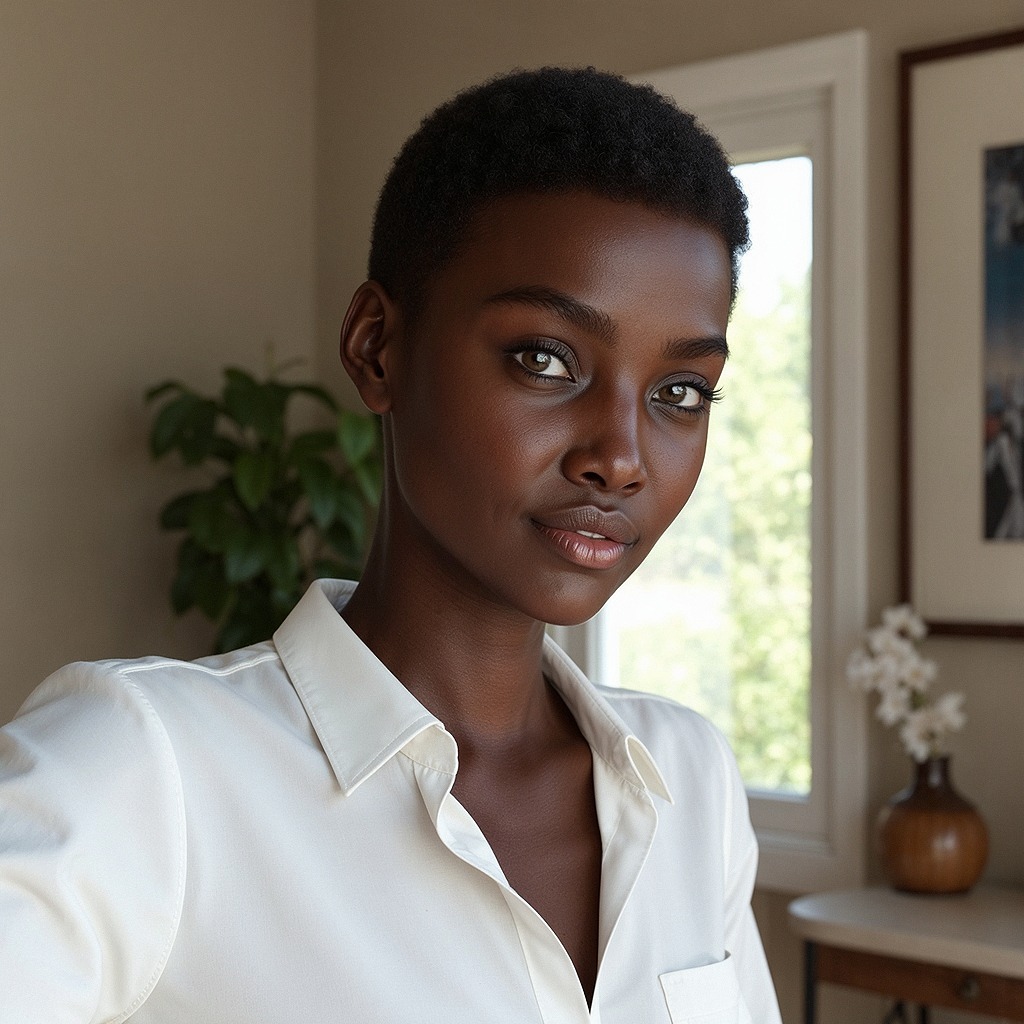
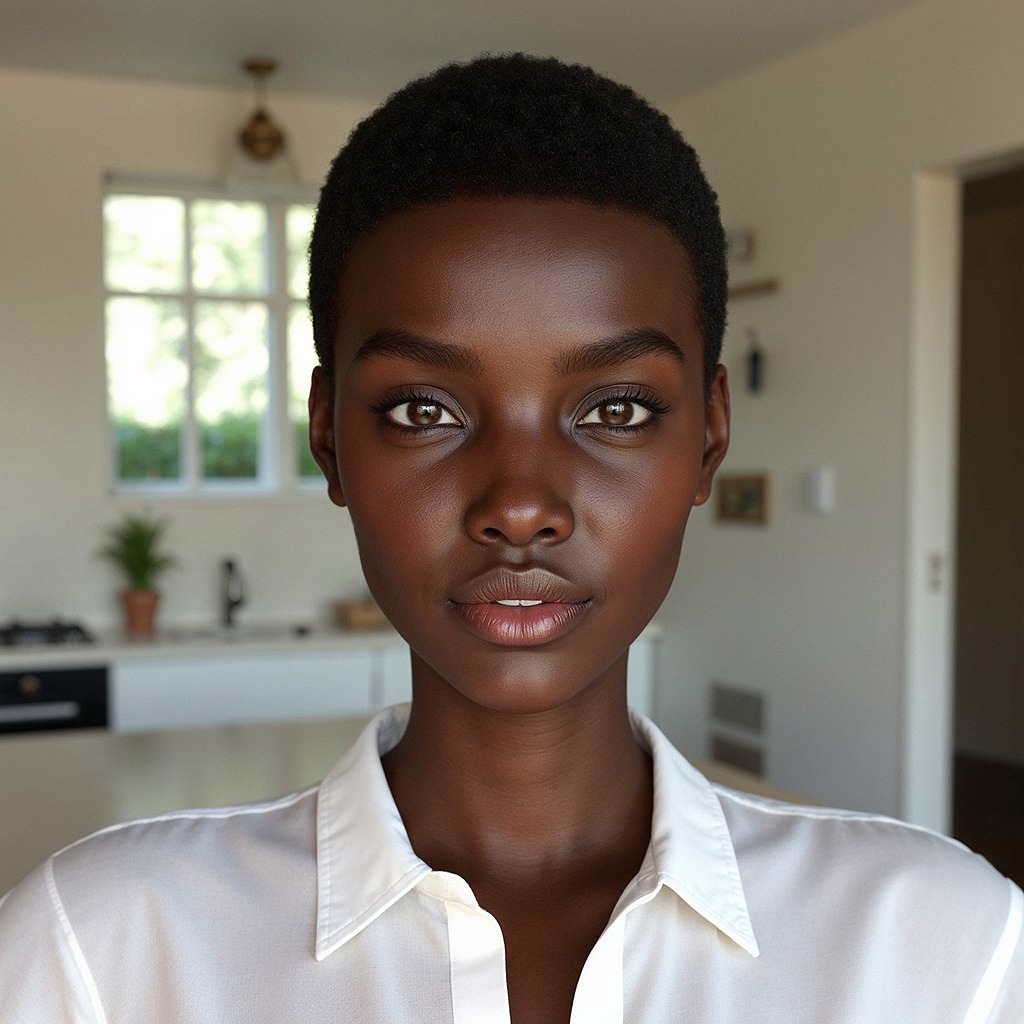
This image works because it feels intimate without feeling staged. A single subject, clean background, natural window light, and direct eye contact create instant trust in the first second. For creators, that trust is the real growth lever: when viewers feel the frame is honest and premium at the same time, they stop scrolling, then save, then reuse the style in their own prompts.
What makes this especially useful is transferability. The setup is simple enough for small creators to reproduce, but polished enough to look editorial. That combination is rare. You are not chasing a one-off visual trick here; you are building a reliable portrait system that can support brand posts, creator intros, product storytelling, and profile refreshes.
Transfer recipe 1: Home office founder portrait
Keep: window-light direction, centered portrait, natural texture. Change: swap white shirt to neutral blazer and replace plant with desk lamp. Slot template (EN): "{subject} in {workspace_scene}, {wardrobe}, soft window key from right, clean editorial realism".
Transfer recipe 2: Beauty close-up campaign
Keep: calm expression, shallow depth, warm-neutral grading. Change: tighter crop and subtle makeup emphasis with cleaner background. Slot template (EN): "{subject} close-up, {makeup_focus}, soft daylight portrait, minimal interior, realistic skin detail".
Transfer recipe 3: Wellness coach introduction
Keep: natural light mood, approachable smile, uncluttered room. Change: wardrobe to soft earth tones and add one wellness prop in background blur. Slot template (EN): "{coach_subject} in {wellness_space}, {earth_tone_wardrobe}, gentle window light, calm trustworthy mood".
The image is built on controlled restraint. Color is limited to warm wall neutrals, skin tones, white fabric, and muted greens. This limited palette prevents style noise and lets micro-contrast do the work. You can see it in the collar folds, cheek highlights, and the crisp edge around the eyes.
Another key is directional softness. Light comes from the window side, but diffusion keeps transitions gradual instead of theatrical. That produces facial dimensionality without drama. The background details remain recognizable enough to feel lived-in, yet blurred enough to avoid visual competition.
Finally, composition carries confidence. The square crop gives stability, while the slight body angle avoids stiffness. Combined with direct gaze and a half-smile, the frame feels both personal and professional, which is exactly why it adapts well across creator niches.
| Observed | How to recreate | Evidence cue |
|---|---|---|
| Directional soft daylight | Place subject beside window, key from camera-right/back-right | Right-side edge lift and gentle left-side shadow |
| Limited color system | Use white wardrobe + beige room + muted green accents | No loud colors; clean editorial calm |
| Face-priority depth | Set moderate shallow DoF and keep eyes tack sharp | Subject crisp, room context softly blurred |
| Balanced square framing | Medium close-up with centered headroom and shoulder structure | Stable composition that reads well on feed grids |
| Natural skin realism | Lower retouch intensity and avoid heavy texture smoothing | Skin looks human, not plastic |
| Prompt chunk | What it controls | Swap ideas (EN, 2-3 options) |
|---|---|---|
| "single young woman, direct eye contact, calm half-smile" | Identity clarity and emotional tone | "confident neutral gaze"; "soft closed-lip smile"; "thoughtful expression" |
| "white collared button-up shirt, no accessories" | Styling cleanliness and timelessness | "cream knit top"; "light beige blazer"; "minimal black turtleneck" |
| "indoor beige room, plant left, window right, framed art" | Scene structure and environmental credibility | "home office with bookshelf"; "studio apartment wall"; "hotel room corner" |
| "soft window key from right, gentle ambient fill" | Face modeling and realism | "soft left window key"; "overcast daylight"; "north-facing cool daylight" |
| "65-85mm portrait feel, moderate shallow depth of field" | Compression and focus separation | "50mm natural look"; "105mm tighter compression"; "35mm environmental portrait" |
| "realistic skin texture, clean editorial color grading" | Final render quality and authenticity | "film-like gentle grain"; "high-key clean beauty"; "slightly warm magazine tone" |
Change only 1-2 knobs per run. If you modify lighting, do not also modify lens and wardrobe in the same pass. This prevents false positives and speeds convergence.
If the model adds clutter, restate "clean minimal interior" and remove optional props. If skin looks plastic, lower style strength and reinforce "realistic skin texture." If framing drifts, hard-code "square medium close-up from upper torso to above head."