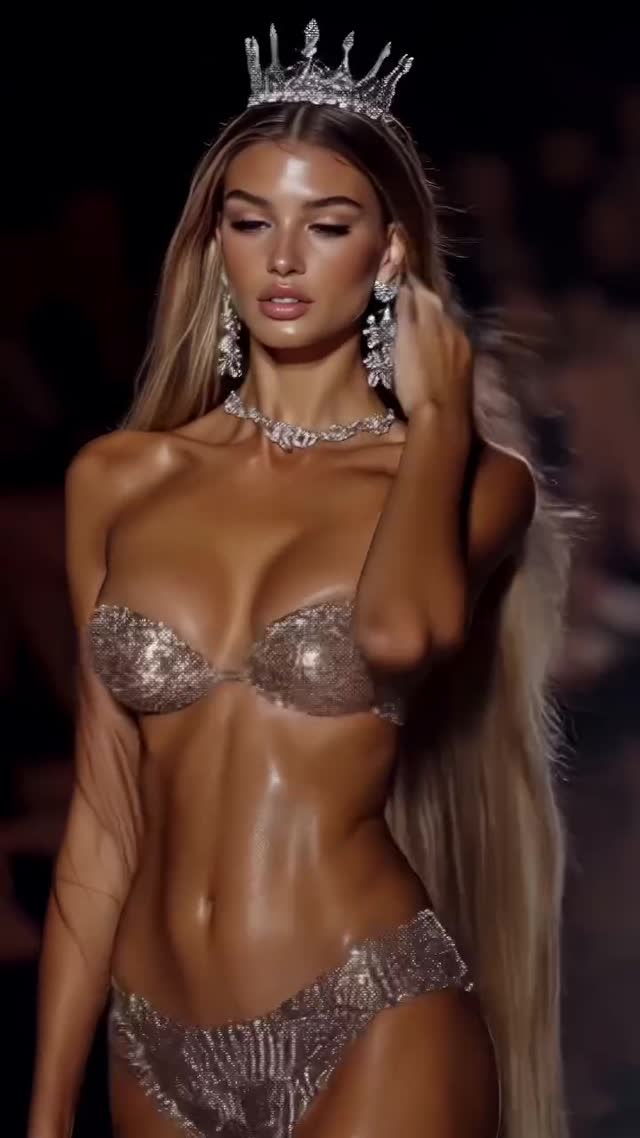
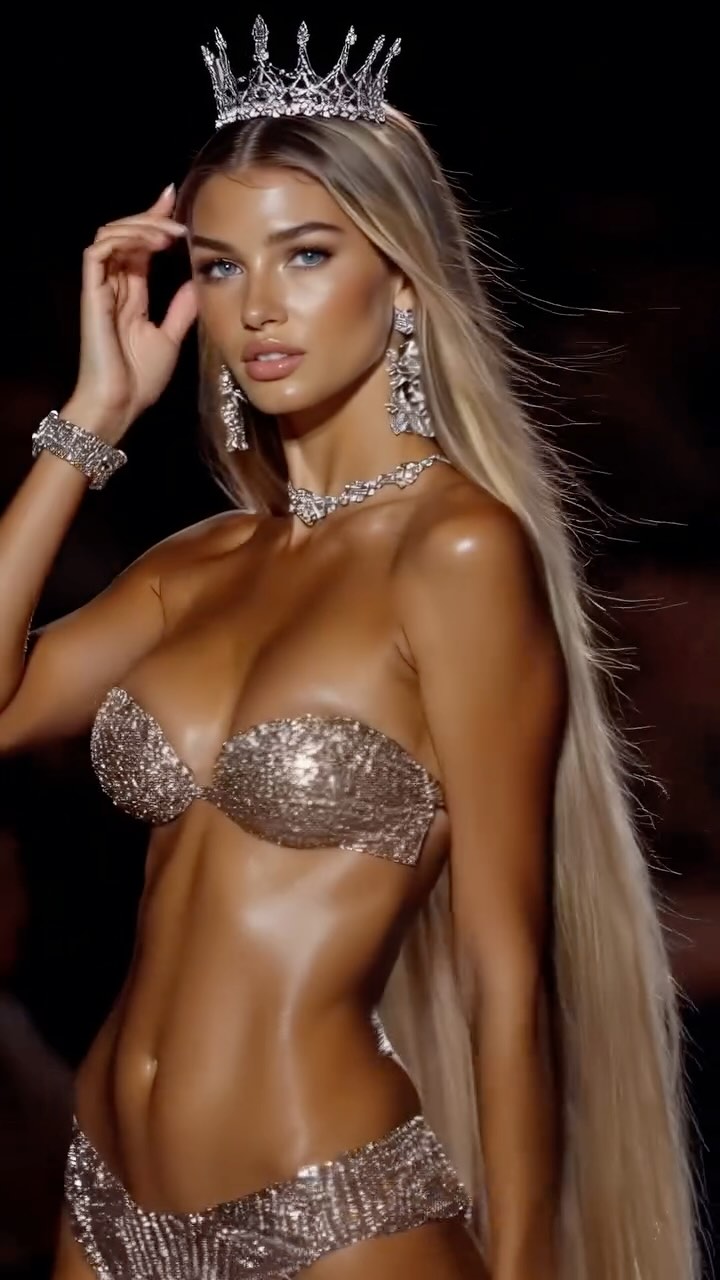
Summer collection👍🏼👙
Are you serious about learning how to create AI visuals at a professional level? In my course, I teach everything I use in my own process:
• How I build concepts and visual storytelling
• The exact tools, prompts, and workflows I use
• How to refine, edit, and create a portfolio that gets noticed
This is the full system I used to grow Dreamfall Art and work with brands.
If you want access —
Comment “COURSE” below and I’ll send you the link directly.
Animated with @klingai_official
#ai #summer #summercollection #virtualfashionshow #aifashion #aimodel #aiartist #aiart
Crowned Runway Close-Up: The Spotlight Formula That Performs
Why dreamfall.art's Crown Runway AI Portrait Went Viral
This frame looks expensive for one main reason: it’s built around a single hierarchy—crown, face, sparkle—everything else fades into darkness.
Why it goes viral (fashion edition)
When a post reads like a “finale walk,” people treat it like an event. The crown instantly assigns status, the jewelry adds micro-detail, and the spotlight makes the skin and fabric behave like a luxury ad. Even if viewers don’t know the brand, they recognize the language of prestige.
The second driver is contrast control. A dark runway background with creamy bokeh is basically a scroll-stopper because it removes noise. Your brain can’t help but lock onto the sharp subject. Add glitter fabric and you get tiny highlight points that keep the eye moving—an attention loop in texture form.
And finally, the pose is calm. No exaggerated expression, no chaos—just forward motion and confidence. Calm reads as power, and power is a shareable fantasy.
Signal
Evidence (from this image)
Mechanism
Replication Action
Status icon
Tall crystal crown + chandelier earrings
Instant “finale” narrative
Add one unmistakable status prop (crown, sash, trophy) and keep it large in frame
Texture attention loop
Glitter/sequin lingerie reflecting spotlight
Micro-sparkles reward a pause
Use reflective materials and prompt for specular highlights (not flat lighting)
Noise-free background
Dark runway + blurred audience bokeh
Subject pops on small screens
Force a low-key background and shallow DOF; remove signage and set clutter
Use cases & transfers (where it fits + how to adapt)
Best-fit scenarios
Collection highlights — Use this as the “hero” frame; follow with wider shots for context.
Creator portfolio posts — One polished runway close-up can signal skill faster than ten average renders.
Beauty + styling edits — Spotlight + jewelry is perfect for showcasing skin, hair, and accessory detail.
Teaser thumbnails — Dark background + sparkle reads clearly at small sizes.
Not ideal
Casual lifestyle feeds — The editorial tone can feel too “produced” without the right audience.
Information-heavy posts — Dark minimal frames don’t carry lots of text well.
Outdoor daylight content — This look depends on controlled spotlight contrast.
Transfers (exactly 3)
1) Street “afterparty” version
Keep: crown + low-key background + sparkle
Change: swap runway bokeh to night street bokeh, add a subtle rim light
Change: reduce palette to silver/black, higher contrast, sharper highlights
Slot template (EN):silver crown + black background + {metallic_material}
3) Soft “bridal finale” version
Keep: status icon and calm pose
Change: swap glitter lingerie to satin/embroidery, soften the spotlight, add gentle haze
Slot template (EN):finale walk portrait, soft spotlight, {white_satin_look}, crown-like headpiece
Aesthetic read: the three controls that make it look premium
1) Light hierarchy: the subject is bright, the background is quiet. 2) Material behavior: sequins and crystals catch the spotlight in tiny points. 3) Lens compression: a telephoto feel makes the scene look like a professional runway still, not a wide phone capture.
If you’re recreating this, don’t chase “beauty” first. Chase spotlight + bokeh + sparkle. Beauty is what happens when those three are under control.