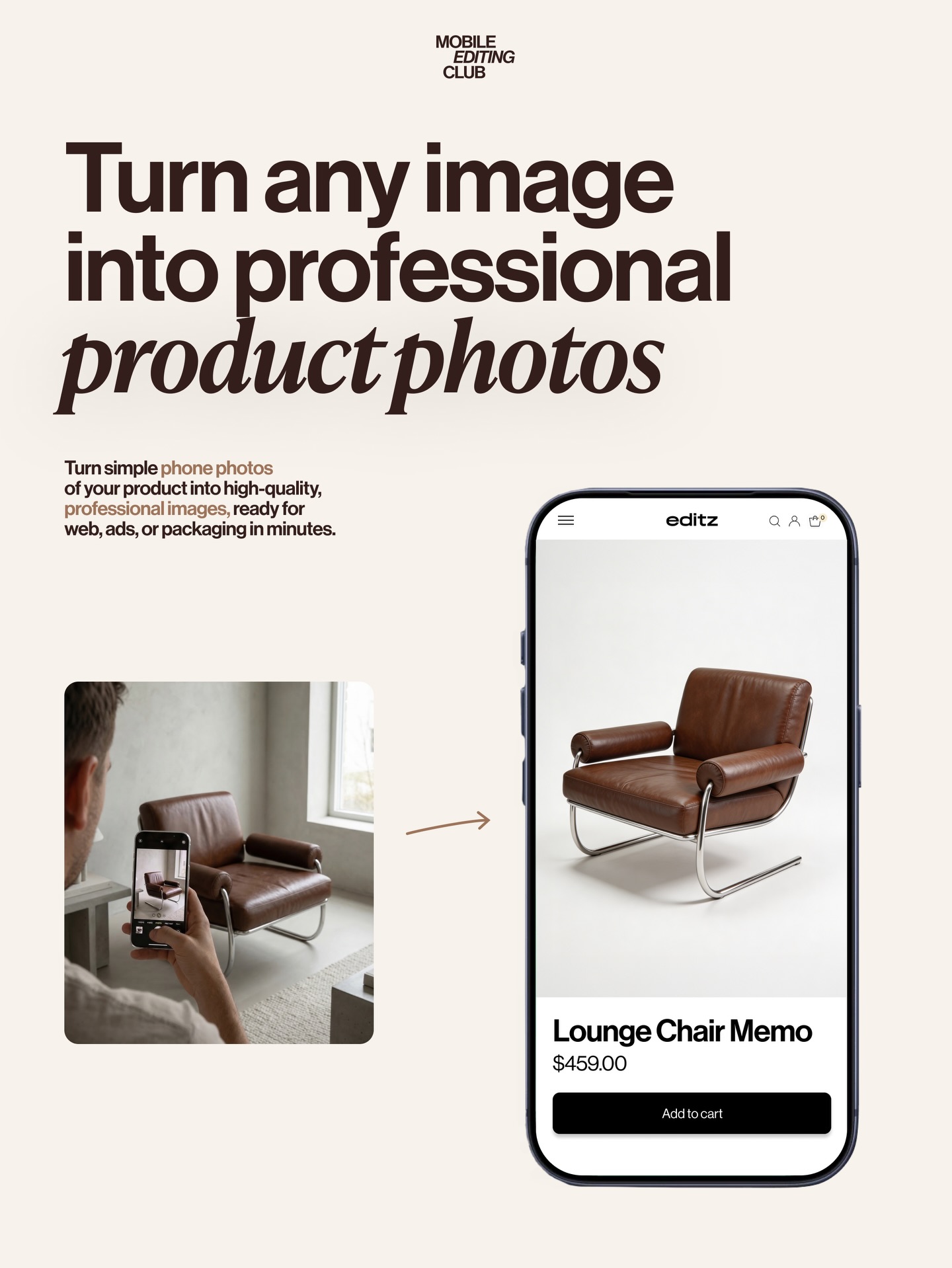
This image works because it explains a workflow instantly. The viewer does not need to read a long caption to understand the promise. A casual phone photo becomes a clean e-commerce product image. That clarity is what makes the cover effective as both an educational asset and a marketing visual.
The best tutorial covers reduce complexity into one obvious transformation. Here, the small source image creates context, the arrow creates movement, and the polished product render inside the phone creates the reward. The layout is doing instructional work before the viewer reads any supporting text.
| Element | Why It Works |
|---|---|
| Before-photo inset | Shows the starting point and makes the workflow believable. |
| Large phone mockup | Frames the result as a mobile-first tool experience rather than a generic design poster. |
| Single product example | Keeps the message simple and focused on one transformation story. |
| Minimal off-white background | Supports readability and keeps the composition feeling premium. |
| Oversized headline | Delivers the promise immediately and anchors the design hierarchy. |
This is creator-education design at its best: direct, soft, and productized. The cover borrows from SaaS landing pages, mobile-app marketing, and editorial typography. The main strength is not visual experimentation but friction reduction. Every element exists to help the viewer understand the offer in one glance.
That is why the layout is reusable. It is not tied to one niche product category. The same structure can sell beauty-product photography, food shots, furniture listings, handmade goods, or marketplace listing upgrades.
| Prompt Move | Purpose |
|---|---|
| Use a before-and-after transformation structure | Turns the visual into a workflow explanation instead of a static advertisement. |
| Show the source image in a real-life environment | Makes the promise practical and relatable for creators. |
| Present the final result inside a phone UI | Keeps the tool positioning modern and mobile-native. |
| Keep the layout minimal and typographic | Improves legibility and makes the offer feel premium. |
| Use one hero product only | Prevents confusion and focuses attention on the transformation proof. |
This format works for AI editing tools, photo-enhancement apps, mockup generators, marketplace-selling courses, and mobile content tutorials. Any time the offer is “turn simple input into polished output,” this structure is a strong fit. It teaches while it sells.
Try the same layout with cosmetics, home decor, shoes, food packaging, or ceramic goods. Another strong remix is to replace the arrow with a split-screen swipe effect. If you want a more premium enterprise look, reduce the headline size slightly and increase the whitespace around the phone.
When prompting tutorial covers like this, define the workflow first, then the layout, then the styling. If you begin with vague “modern marketing poster” language, the result may look polished but not useful. This image succeeds because every part of the design is tied to the transformation story.