0:00 / 0:00
▶
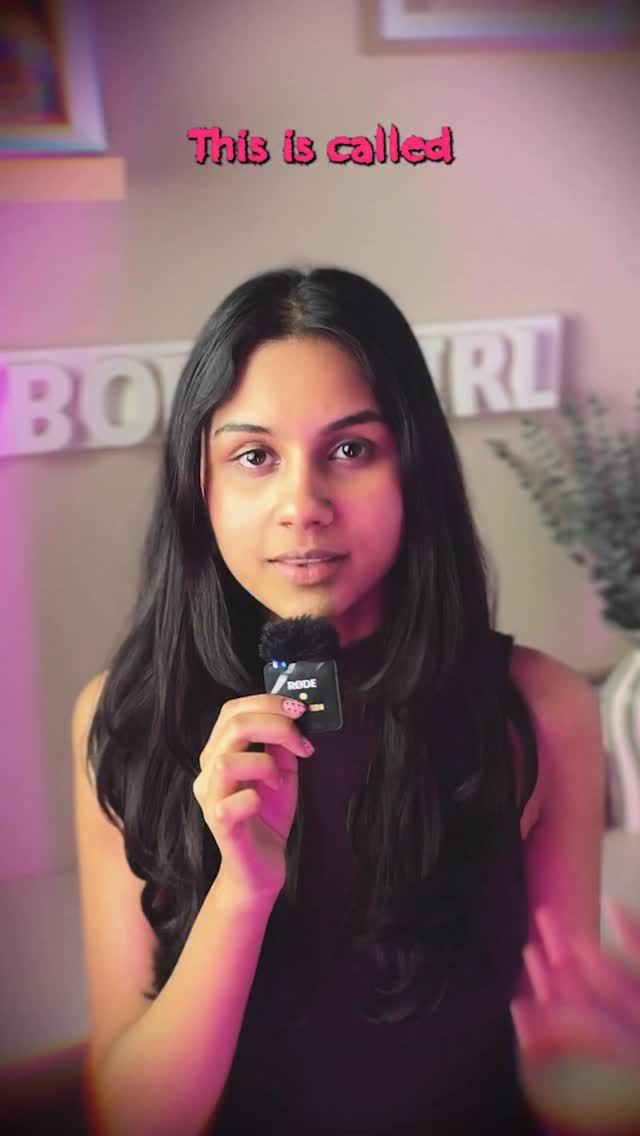
This case study analyzes a high-retention AI tutorial by @cyborggirll, which demonstrates how to create a "match cut" animation using Google Gemini (referred to as "Nano Banana"). The video features a cinematic tech-aesthetic, characterized by vibrant pink and purple bedroom lighting, a "CYBORG GIRL" neon sign, and a crisp, direct-to-camera delivery. By blending UGC (User Generated Content) authenticity with high-value AI workflows, the creator successfully captures the "indie creator" audience looking for professional-grade effects without a production budget. The core keywords include AI match cut, Google Gemini tutorial, cinematic iPhone aesthetic, and low-budget production hacks.
The video is a masterclass in "Educational Aesthetic." The subject is a young woman of South Asian descent with long dark hair, wearing a black sleeveless top. She speaks directly into a small, handheld Rode microphone, which adds a professional "podcast" feel to the UGC setup. The environment is a cozy, tech-forward bedroom with soft-focus background elements and a distinct pink/purple color grade that aligns with the "Cyborg Girl" persona.
| Time Range | Visual Content | Shot Language | Lighting & Color | Viewer Intent |
|---|---|---|---|---|
| 00:00–00:01 | Creator holding mic, text "This is called" | Medium Close-up (MCU) | Pink/Purple neon, warm skin tones | Hook: Immediate curiosity |
| 00:01–00:03 | Rapid cuts of the word "purpose" on different textures | Top-down Macro shots | High contrast, varied textures | Proof: Show the "Magic" result |
| 00:03–00:06 | Creator explaining the "Free" aspect | MCU with hand gestures | Consistent vibrant grade | Value Prop: Lowering the barrier |
| 00:06–00:15 | Screen recording of Google Gemini & prompt list | UI Overlay / Screen Capture | Clean, high-legibility | Tutorial: Step-by-step logic |
| 00:15–00:22 | Grid of 9 generated images + Creator talking | Split screen / Grid view | Multi-texture visual interest | Reinforce: AI's capability |
| 00:22–00:27 | Premiere Pro timeline showing "Time Remapping" | Software UI Close-up | Dark mode UI | Technical: How to finish the look |
| 00:27–00:30 | Final match-cut sequence (The word "purpose") | Fast-paced montage | Dynamic and rhythmic | Satisfaction: The "Aha!" moment |
| 00:30–00:35 | Outro with "Follow the Cyborg Girl" text | MCU with logo overlay | Branded outro | CTA: Conversion to follower |
The success of this video lies in its "Utility-Aesthetic" balance. The AI niche is currently saturated with low-quality "faceless" accounts; by putting a face to the tech and wrapping it in a highly curated, "cool girl" aesthetic, the creator builds immediate trust and authority. The topic—Match Cuts—is a classic filmmaking technique that is notoriously difficult to do manually, making an "AI shortcut" highly shareable for other creators.
From a platform perspective, the video triggers several high-performance signals. The 0–3 second hook uses a "Visual Proof" loop (showing the result before the explanation), which drastically reduces drop-off. The loop effect is enhanced by the rhythmic nature of the match cuts, encouraging users to watch multiple times to see the individual frames. The mention of "Google Gemini" (a trending AI tool) leverages search interest, while the "Nano Banana" nickname creates a "secret club" feel that encourages comments asking for clarification.
The "Value Drop" Template:
Match cuts used to take me 4 hours. Now they take 4 minutes. ⚡️
Here is the exact workflow using Gemini and Premiere.
Prompt is in the comments! 👇
Save this for your next edit. #AI #VideoEditing
Use Google Gemini for prompt generation and Midjourney for the most consistent "editorial" image quality.
"Global camera lock," "identical composition," and "centered anchor."
In this specific tutorial, we are matching objects/text, not faces, which avoids the AI "flicker" issue.
Add real film grain and a slight motion blur in post-production (Premiere/CapCut).
Instagram Reels favors this "high-aesthetic" tech content more than the raw UGC style of TikTok.