0:00 / 0:00
▶
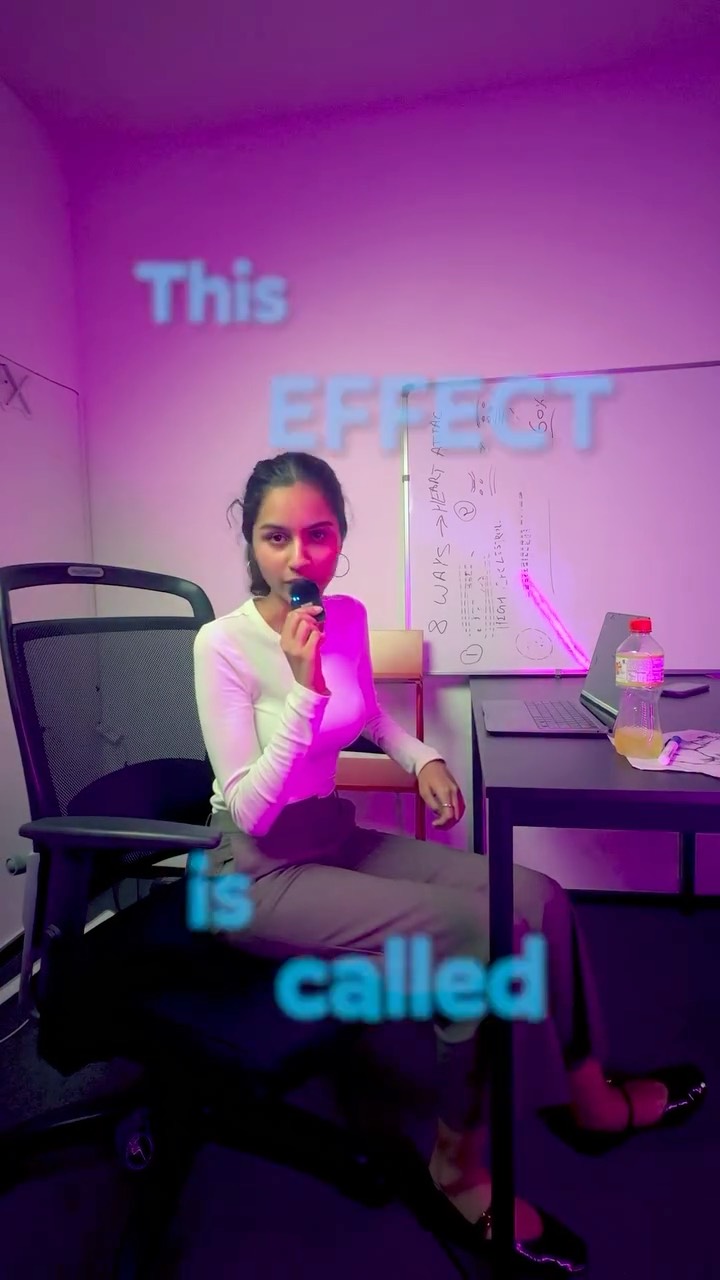
This case study analyzes a high-performing Instagram Reel by @cyborggirll, which showcases the "Re-arrange" effect—a cinematic AI-driven transition that morphs one environment into another. The video features a young South Asian woman in a dual-setup environment: one bathed in vibrant purple/pink neon lighting with a whiteboard background, and another featuring a clean, professional desk setup against a bold orange wall. The aesthetic is a blend of "tech-minimalist" and "cinematic editorial," utilizing sharp focus, shallow depth of field, and high-contrast color palettes to create a visually arresting hook. By combining a "magic" visual with a clear, actionable tutorial, the creator successfully bridges the gap between entertainment and utility, driving massive engagement through a "comment for prompt" call-to-action.
The video is a masterclass in visual storytelling through contrast. We see the subject, a woman in a white ribbed long-sleeve top and grey trousers, positioned in two distinct zones. The first zone uses a purple LED wash to create a "hacker/creator" vibe, while the second zone uses warm, natural-looking light against an orange accent wall to signify a "productive workspace." The transition between these two is not a simple cut but a fluid, mechanical morph where objects seem to fly into place—a hallmark of modern AI video generation tools like Midjourney's "Vary Region" or Luma/Runway's image-to-video capabilities.
| Time Range | Visual Content | Shot Language | Lighting & Tone | Viewer Intent |
|---|---|---|---|---|
| 00:00–00:03 | Subject sitting in purple-lit room, holding a mini mic. | Medium Shot (MS), Static | Cool Purple/Magenta, High Contrast | Hook: Introduce the "magic" effect immediately. |
| 00:03–00:07 | The "Re-arrange" transition: room morphs into a desk setup. | AI-generated morphing motion | Transition from Purple to Orange/Warm | Awe: Demonstrate the capability of the AI. |
| 00:07–00:19 | Step 1: Screen recording of Midjourney/Google search. | Screen Capture + Picture-in-Picture | Neutral UI colors | Instruction: Show the "how-to" starting point. |
| 00:19–00:25 | Step 2: Editing in Premiere Pro/CapCut interface. | Screen Capture | Dark Mode UI | Instruction: Show the technical assembly. |
| 00:25–00:34 | Subject back on camera, explaining the "Comment" CTA. | Medium Close-Up (MCU) | Warm Orange/Key Light | Conversion: Drive comments and follows. |
The core topic—AI Video Transitions—is currently at the intersection of two massive trends: the democratization of high-end VFX and the "AI Gold Rush." This video works because it solves a specific problem (how to make cool transitions) while providing a "wow" factor that appeals to biological curiosity. Humans are naturally drawn to metamorphosis and fluid motion; seeing a room physically reassemble itself triggers a "how did they do that?" response that stops the scroll.
From a platform perspective, the video maximizes Watch Time by placing the most impressive visual in the first 3 seconds. The tutorial structure then ensures that users who are interested in the "how" will watch until the end. The creator uses a "Comment 'PROMPT'" strategy, which is a powerful signal to the Instagram algorithm. Every comment is a high-weight engagement signal, telling the platform that the content is valuable and should be pushed to a wider audience. This "Lead Magnet" approach turns passive viewers into active participants.
The "Value-First" Template:
I finally figured out the "Re-arrange" effect! 🤯
This isn't just a transition; it's a whole new way to tell stories with AI. I used [Tool Name] to morph these two scenes together in seconds.
Want the exact prompt I used to get this smooth motion?
👇 Comment "PROMPT" and I'll DM it to you! Don't forget to follow for more AI secrets. #AIVideo #ContentCreatorTips
Luma Dream Machine or Runway Gen-2 using the "End Frame" feature are best for this.
"Morph," "Re-assemble," and "Consistent Subject."
You need to use a strong reference image and keep the motion intensity low (around 3-5).
Add real film grain and motion blur in post-production to blend the AI frames with your real footage.
Instagram Reels currently favor high-aesthetic AI tutorials, while TikTok favors raw "behind-the-scenes" looks.