▶
Le chat de la Maison @maisonvalentino - - - - - - #fashion #luxurylifestyle #paris #lechat #fashionweek #imaginarycampaign #streetart #illusion #art
Le chat de la Maison @maisonvalentino - - - - - - #fashion #luxurylifestyle #paris #lechat #fashionweek #imaginarycampaign #streetart #illusion #art
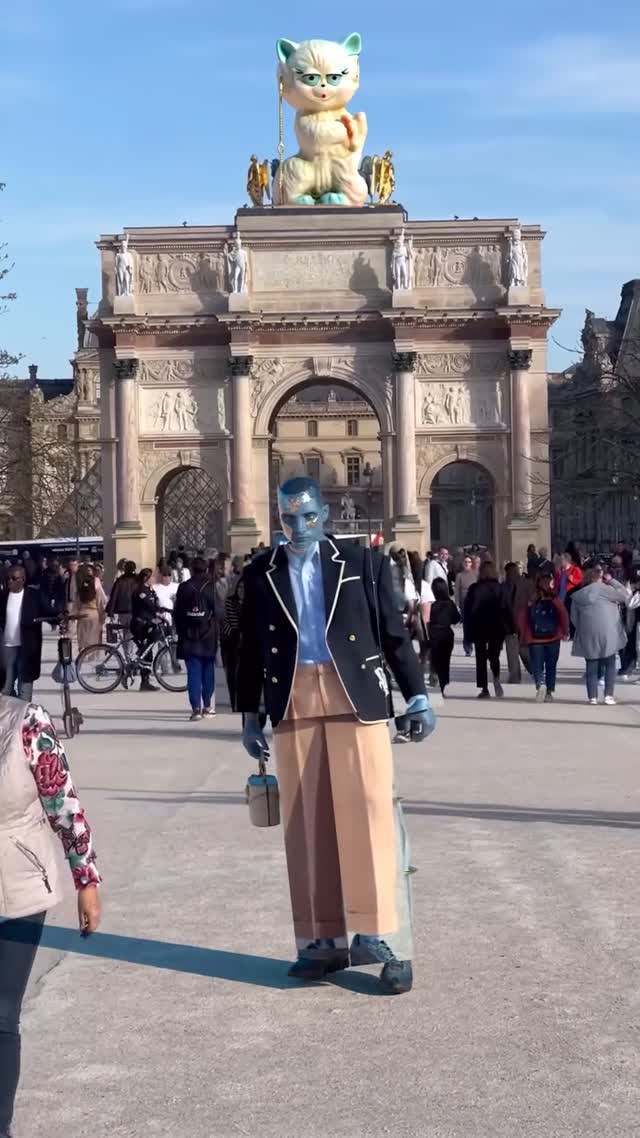
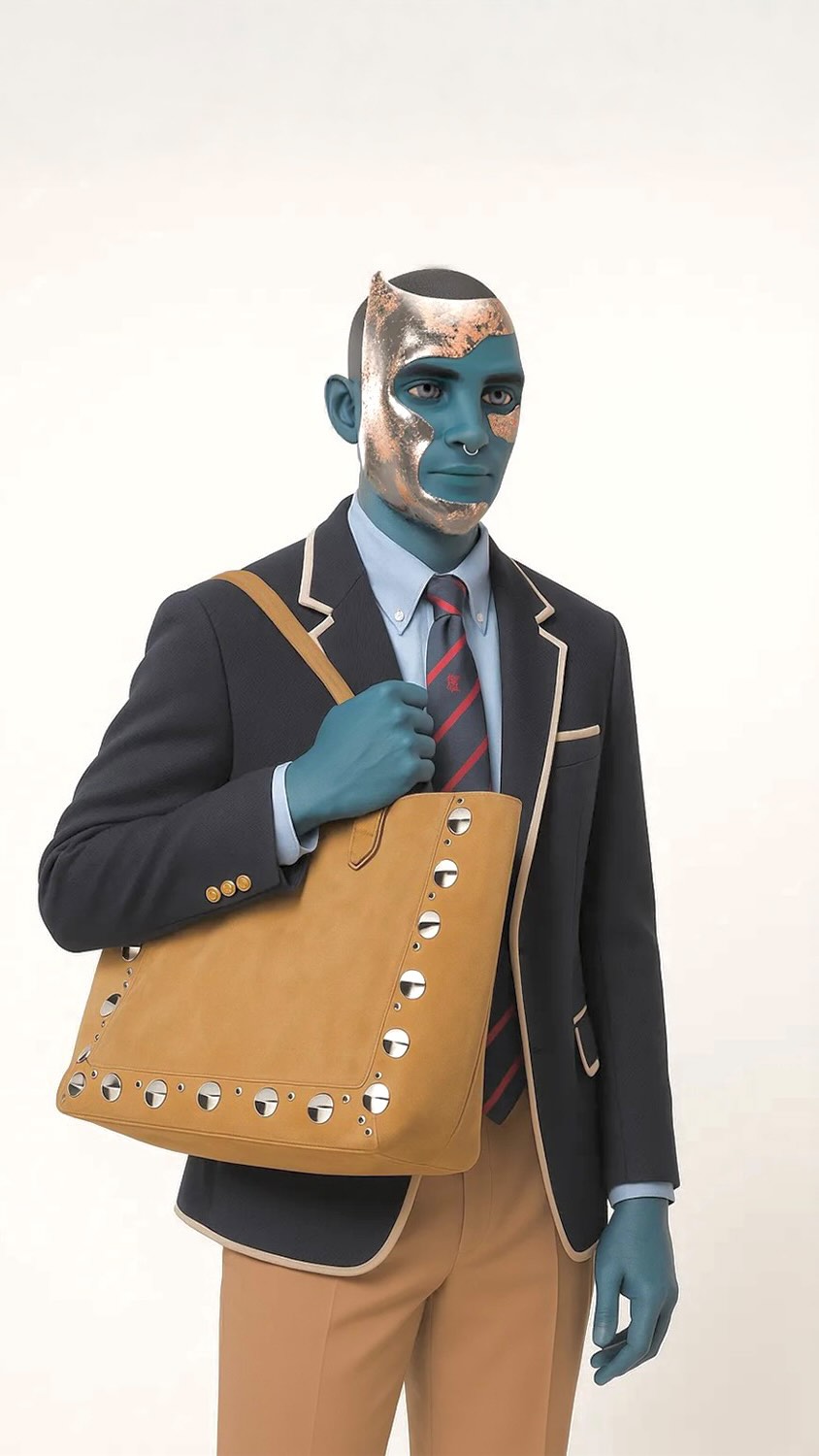
This 7.9-second vertical “imaginary campaign” street clip is a clean visual illusion: a blue-skinned fashion character stands in a busy Paris plaza in front of a pale stone triumphal arch, while an oversized cute cat sculpture sits on top like a surreal installation. The hook is instant because the landmark-like arch gives location clarity, but the giant cat twist makes it feel impossible. The second hook is the wardrobe switch: the subject rotates and the outfit changes from a tailored black blazer look to a graphic T-shirt back view, then to a gold-patterned coat, all while the background crowd stays continuous. This is exactly the kind of short-form that works for fashion and luxury audiences, street art/illusion audiences, and AI creators searching “AI fashion campaign video prompt,” “Paris street illusion reel,” “giant sculpture on landmark,” or Chinese long-tail like “巴黎 街头 幻觉 短视频” and “AI 虚构广告 质感提示词.”
The arch is the stabilizer: it’s centered, symmetrical, and keeps the viewer oriented while the character and wardrobe change.
The giant cat perched on the roofline is the “wait, what?” moment. It reads as public art and instantly frames the clip as an illusion campaign.
The subject is visibly non-human (smooth blue skin), which makes the campaign feel intentionally artificial rather than accidentally “AI.”
The outfit shifts across beats: blazer with white piping, then a black T-shirt with white back print, then an ornate patterned coat. This creates novelty without needing a new location.
Crutches and a small bucket bag give the character readable physical constraints and add believable secondary motion.
Pedestrians and bicycles behind the subject keep moving. That continuous background motion is what sells the illusion.
Strong sun and long crisp shadows make it feel like real phone footage. You can’t fake this look with generic “studio lighting.”
| Time range | Visual content | Shot language (framing / focal-length feel / movement) | Lighting & color tone | Viewer intent |
|---|---|---|---|---|
| 00:00-00:01.8 (estimated) | Front view: blazer look, arch + cat centered | Handheld phone, mostly static | Bright daylight, crisp shadows | Hook: landmark + surreal sculpture |
| 00:01.8-00:03.6 (estimated) | Back view: T-shirt with white print | Same framing, subject turn | Consistent daylight | Novelty: wardrobe switch |
| 00:03.6-00:06.2 (estimated) | Side walk with crutches | Small lateral motion | High-contrast sun | Believability: real constraints |
| 00:06.2-00:07.9 (estimated) | Final front: ornate coat look | Centered ending frame | Same daylight | Payoff: third look reveal |
The composition is clean, the wardrobe feels curated, and the “public art” twist makes it feel like a brand stunt rather than a random VFX clip.
Copy the structure (landmark anchor + surreal roof sculpture + wardrobe switches). Change the creature, brand reference, and the city to create a series.
Pick one simple anchor: an arch, a bridge, a tower, a storefront facade. Keep it centered and symmetrical.
Use one cute, readable silhouette (cat, balloon dog, giant handbag). Make it oversized and clearly perched on top.
Lock skin color (blue), facial proportions, and one prop (bucket bag). Keep the character’s look consistent even if wardrobe changes.
Front reveal, back reveal, side walk constraint (crutches), final front payoff. This is your storyboard.
Generate keyframes for each beat. Reject any with warped architecture or floating roof objects. These are non-negotiable.
Render each beat as a short segment to keep geometry stable, then stitch with clean cuts. Match exposure across segments.
Either use a real crowd plate as reference or prompt for natural pedestrian motion. Avoid frozen background extras.
Caption angle: “imaginary campaign” + brand-like language. Ask a simple question: “Would you buy this?” or “Which city next?”
Template A: Hook: "Le chat de la Maison." Value: "Landmark anchor + surreal roof sculpture." Question: "Which animal next?" CTA: "Comment your pick."
Template B: Hook: "This is a fake campaign." Value: "Three looks, one location." Question: "Did you catch the outfit switch?" CTA: "Rewatch and tell me when it happens."
Template C: Hook: "Paris street illusion." Value: "Continuous crowd motion sells it." Question: "Which city should I do next?" CTA: "Drop a city."
Template D: Hook: "AI fashion is turning into street art." Value: "Public installation vibe." Question: "Would you share this?" CTA: "Send to a friend."
Broad: #aivideo #fashion #paris #art
Why: broad reach.
Mid-tier: #imaginarycampaign #streetillusion #digitalfashion #aifilmmaking
Why: targets people who like campaign concepts.
Niche long-tail: #giantsculpture #surrealfashion #parisillusion #lechatdelamaison #虚构广告
Why: higher intent and better saves.
Use a keyframe-first workflow and render short segments so architecture and the roof sculpture stay stable.
Your geometry constraints are too weak; lock the background anchor and reduce camera motion.
Keep extras blurred and avoid over-dense crowds; small continuous motion beats look more real than detailed faces.
"centered arch," "giant cat sculpture," and "continuous crowd motion".
Instagram tends to reward polished campaign aesthetics; TikTok may need a clearer “how it’s made” framing.