Le chat de la Maison @maisonvalentino - - - - - - #fashion #luxurylifestyle #paris #lechat #fashionweek #imaginarycampaign #streetart #illusion #art
Le chat de la Maison @maisonvalentino - - - - - - #fashion #luxurylifestyle #paris #lechat #fashionweek #imaginarycampaign #streetart #illusion #art
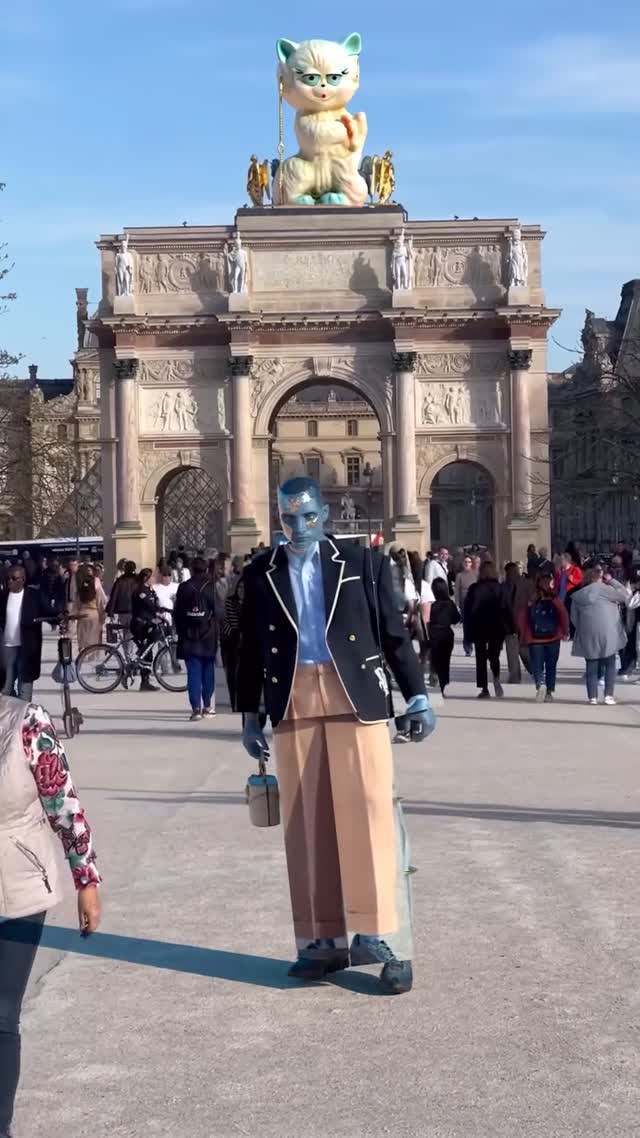
This image feels like a fashion-week rumor you missed in real time: a real landmark, a real crowd, and one impossible object that turns the whole plaza into an ad. The genius isn’t the cat. It’s the evidence—sunlight, pedestrians, and perspective that read like an actual street photo.
If you’re a small creator, this is one of the most powerful growth angles: build a “public spectacle” that looks documented, not designed.
Viewers stop because the scene is instantly legible: a famous-looking arch, daytime crowd, and a giant lucky cat perched on top like a temporary installation. It triggers the same curiosity you feel when you see a real city takeover—is that actually there?
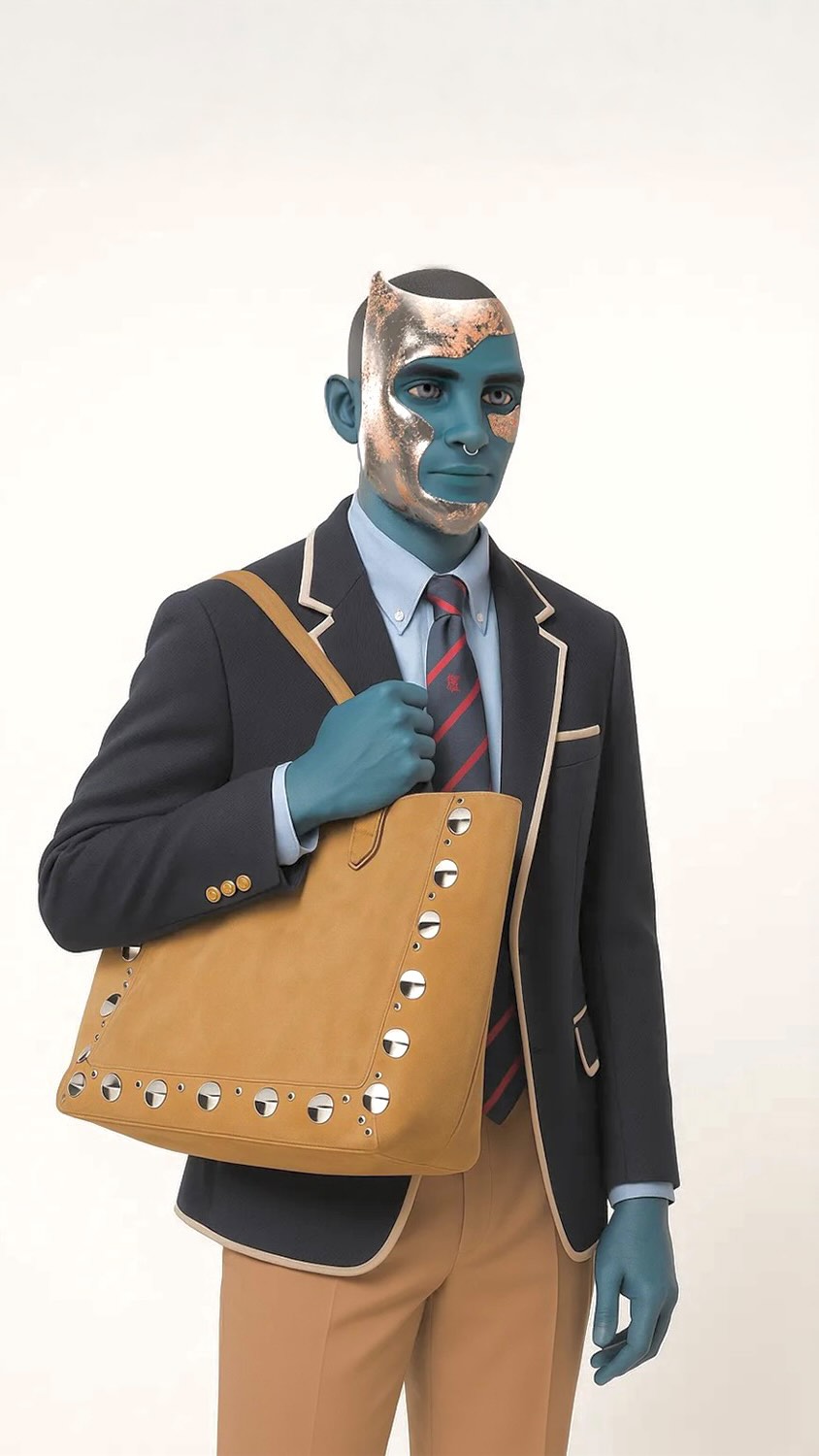
Then the styling adds a second hook. The blue-skinned figure in tailored clothing reads like a campaign model, but the crowd reads like tourists. That mismatch creates conversation. People aren’t just admiring the image; they’re trying to categorize it: street art? fashion stunt? film set?
Finally, the shot is clean. No dramatic color effects, no heavy haze, no fantasy skyline. The realism of the base layer makes the surreal layer believable.
| Signal | Evidence (from this image) | Mechanism | Replication Action |
|---|---|---|---|
| Reality anchors | Crowd, bicycles, street-level shadows | “Documented moment” beats “concept art” | Always include mundane anchors (pedestrians, cars, bikes) with realistic spacing and lighting |
| One impossible object | Giant lucky cat installation | Pattern break creates comments and shares | Add exactly one oversized anomaly and keep everything else normal |
| Campaign-coded styling | Tailored blazer with crisp piping | Signals “fashion” without needing a logo | Use clean tailoring cues (piping, sharp lapels, limited palette) to imply brand-level polish |
| Exposure discipline | Midday light, clear sky, readable architecture | Believability comes from boring lighting | Lock “bright midday documentary street photo” before you add surreal elements |
The illusion holds because the camera feels like a tourist photo: wide lens, straight lines, and deep focus. The architecture is sharp, the crowd is present, and the sky is plain. That plainness is important. It leaves no “cinematic excuse” for the surreal object—so the viewer has to deal with it as if it’s real.
| Observed | How to recreate (prompt/control) |
|---|---|
| Landmark symmetry and carved detail | “ornate stone arch, carved relief panels, centered composition, deep focus” |
| Oversized installation with believable scale | “gigantic mascot statue on top, correct shadows, realistic material” |
| Documentary crowd anchors | “dozens of pedestrians, bikes, realistic spacing, no staged poses” |
| Neutral daylight exposure | “bright midday light, clear sky, crisp ground shadows, natural color” |
| Prompt chunk | What it controls | Swap ideas (EN, 2–3 options) |
|---|---|---|
| Landmark base | Instant realism and “this happened” credibility | “museum plaza” / “historic arch” / “city square monument” |
| Oversized installation | The hook and share trigger | “giant mascot statue” / “floating sculpture” / “wrapped façade” |
| Reality anchors | Believability and scale proof | “pedestrians” / “bicycles” / “cars at curb” |
| Campaign figure styling | Fashion read without logos | “tailored blazer with piping” / “minimal trench coat” / “monochrome suit” |
| Lens + focus | Tourist photo vs cinematic fantasy | “24–35mm deep focus” / “50mm cleaner look” / “slight telephoto compression” |
| Lighting discipline | Whether the composite feels real | “midday sun” / “overcast soft light” / “late afternoon warm” |
Documentary street photo at a historic stone arch in a busy plaza, bright midday sunlight with crisp shadows, dozens of pedestrians for scale. A gigantic {mascot} statue installed on top of the arch, believable scale and shadows. One campaign-style figure in the foreground wearing {tailored outfit cues}, photoreal composite, deep focus, no text, no logos.Baseline Lock: lock (1) landmark composition, (2) midday exposure, (3) crowd anchors.
One-change rule: change only 1–2 knobs per run. First make reality look real. Then add the weird thing.