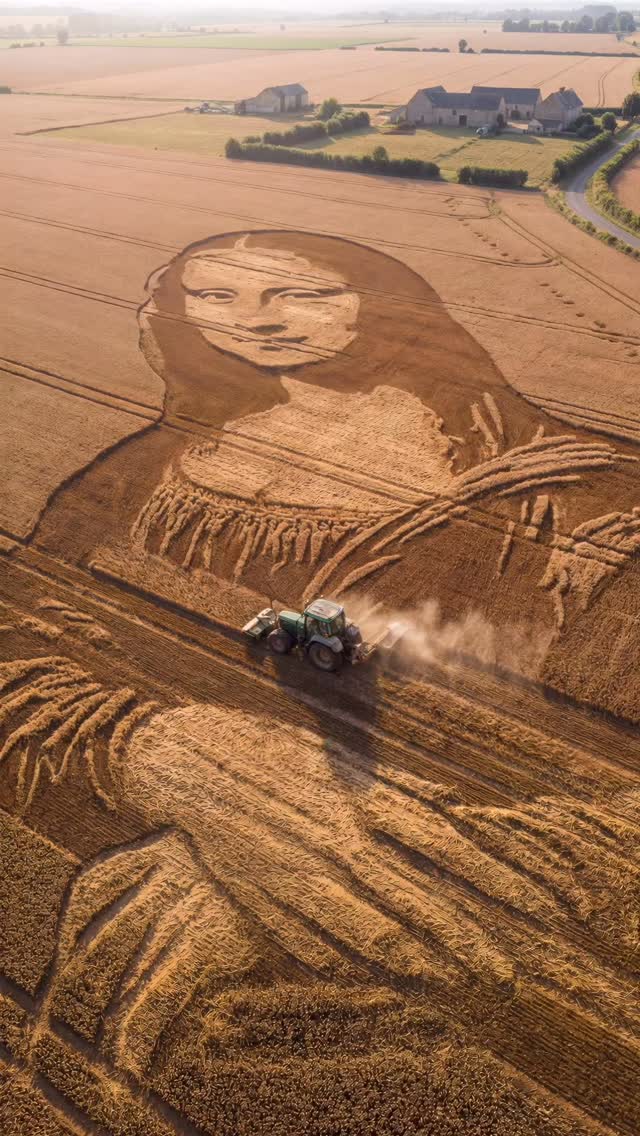
If only art and landscape became one. Art/Prompts by @ifonly.ai AI-generated (@midjourney • @higgsfield.creators • @klingai_official)

Why ifonly.ai's Landscape Portrait Illusion Went Viral — and the Formula Behind It

  • Format: 9:16 vertical montage, ~17 seconds
  • Hook: “Wait… is that a giant portrait?” repeated 5 times with hard cuts
  • Core idea: gigantic human portraits appearing in unexpected mediums (crops, clouds, tire marks, firelight, foam on water)
  • What viewers feel: scale shock → recognition → curiosity → next reveal

What you’re seeing

This video is a fast-paced “scale illusion” montage. Each shot is a wide view where the environment itself becomes the canvas: fields become shading, contrails become linework, tire marks become sketch strokes, wildfire glow becomes a silhouette, and foam becomes a portrait. The viewer’s brain tries to resolve the image, and the cut arrives right when recognition peaks.

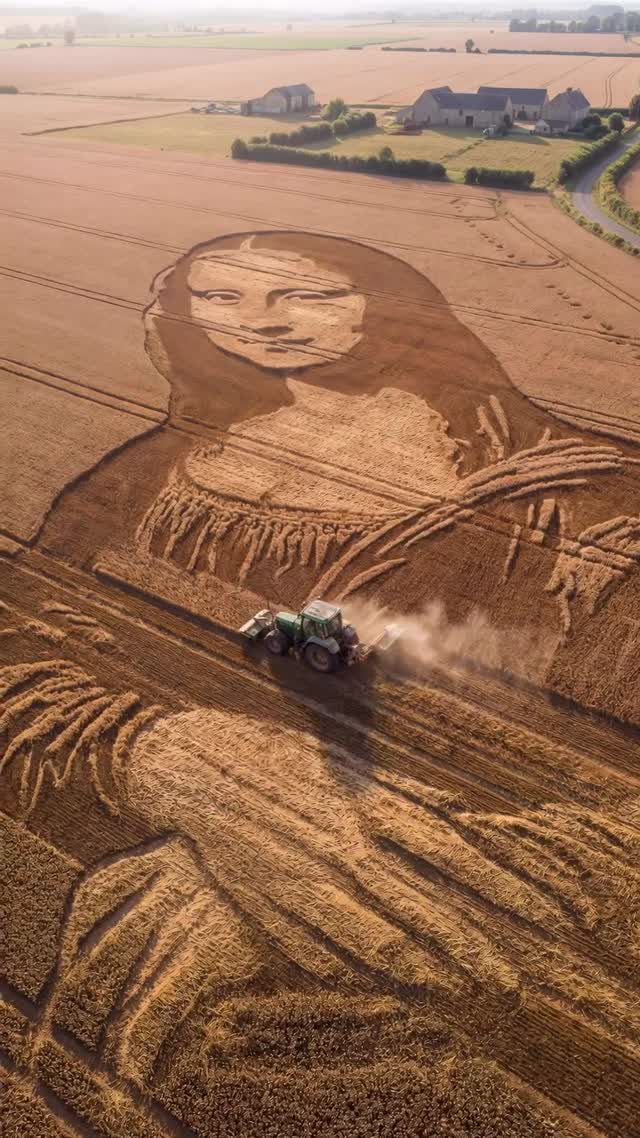
  • Scene 1: drone over a wheat field portrait being “drawn” by a tractor
  • Scene 2: upward shot through trees where contrails form a floating face
  • Scene 3: container yard drift patterns forming an enormous line-art portrait
  • Scene 4: wildfire flames outlining a mythic horned silhouette while firefighters work
  • Scene 5: canal shot where foam on the water surface forms a bearded face portrait

Shot-by-shot breakdown (estimated)

Time Shot What must match
00:00–00:03 Sunrise drone over crop portrait + tractor dust trail Golden field texture, enormous portrait readability, slow stable drone drift
00:03–00:07 Skywriting portrait framed by tree silhouettes Phone-look sway, wispy contrail face, airplane placement, high sky contrast
00:07–00:12 High drone over tire-mark portrait + neon car drifting smoke Container-port context, thick black loops, bright car color, continuous smoke ribbon
00:12–00:14 Wildfire scene with firefighters and flame “figure” silhouette Dusk lighting, heat shimmer, strong orange glow, silhouettes in foreground
00:14–00:17 Canal wide shot + foam portrait + boat moving away Static bridge framing, foam portrait readability, gentle ripple distortion

Why it went viral

  1. Pattern interruption: you don’t expect “portrait art” to exist at kilometer scale.
  2. Recognition dopamine: the image resolves over 1–2 seconds, then you get a cut (reward loop).
  3. Scale contrast: tiny tractor / airplane / car / boat against a huge face is instantly legible on mobile.
  4. Hard-cut pacing: no filler. Every cut is a new medium + new environment.
  5. Physicality: dust, smoke, heat shimmer, ripples make it feel “real,” not purely digital.

How to recreate (0→1)

  1. Decide the 5 mediums: pick 4–6 “canvases” that are visually distinct (snow tracks, sand, light painting, neon signs, etc.).
  2. Lock the structure: 5 scenes, each 2–5 seconds, hard cuts only. Make the first frame of each scene instantly readable.
  3. Generate keyframes first: create 2–4 reference keyframes per scene (wide establishing shot, peak readability, motion beat).
  4. Animate per scene: use an AI video model to generate each segment separately (2–5s clips), then assemble in an editor.
  5. Add physical cues: dust plume (field), contrail diffusion (sky), tire smoke (drift), ember particles (fire), ripple distortion (water).
  6. Unify the grade: keep it photoreal; avoid “AI glossy.” Add subtle film grain to glue shots together.

Tip: this format works best when each scene has a single moving element (tractor / plane / car / firefighters / boat). Motion makes the portrait feel “constructed,” not pasted.

Prompt template (copy & adapt)

Use one global prompt (identity/style lock) and five timecoded scene prompts. Keep them chronological and generation-oriented.

  • Global lock: “9:16 vertical, photoreal documentary montage, subtle film grain, no text overlays, hard cuts between scenes.”
  • Scene lock: specify camera type (drone vs phone), time of day, and the one moving element.
  • Motion lock: describe the exact motion beat (dust plume, contrail drifting, smoke ribbon, heat shimmer, ripples).
  • Negative prompt: “no captions, no logos, no watermarks, no CGI look, no cartoon.”

Editing & audio notes

  • Cut timing: cut as soon as the portrait becomes recognizable (don’t overstay each scene).
  • Sound design: layer whoosh transitions, subtle drone hum, tire squeal + smoke hiss, crackle/embers, water lap.
  • Music bed: keep it minimal; let the reveal be the star.
  • Optional captions: avoid text if you’re optimizing for “clean” SEO embeds; if you must, keep it 1 short line per scene and never cover the portrait.

Common mistakes

  • Too many moving parts: if everything moves, the portrait won’t read.
  • Weak silhouette/readability: always check the first second of each scene on a phone-sized preview.
  • Inconsistent camera grammar: keep drone shots stable and the sky shot lightly handheld.
  • Over-stylized AI look: reduce “hyper-detailed” prompts; add mild grain instead.

Variations to try

  • Single-city version: all five portraits appear within one city (street puddles, building shadows, rooftop gravel, river foam, stadium lights).
  • One-portrait evolution: the same face appears in different mediums across time (snow → sand → crops → smoke → water).
  • Abstract icon version: swap portraits for symbols (animals, constellations, calligraphy strokes) to avoid recognizable faces.
  • Color twist: keep everything monochrome until the neon drift car shot pops with a single accent color.