▶
I looove her songs!!! thx @oshuclips for stopping me 🎧⚡️❤️ #oshuclips
I looove her songs!!! thx @oshuclips for stopping me 🎧⚡️❤️ #oshuclips
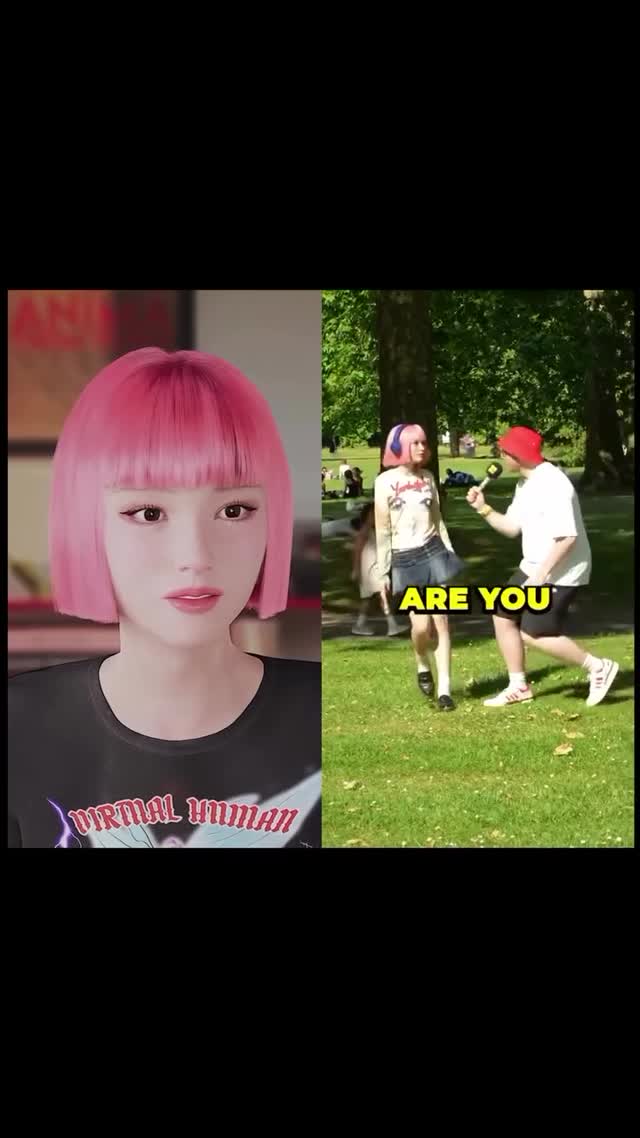
This reel works because it uses one of the strongest short-form comparison formats, split-screen identity contrast, and fills each side with a clearly readable version of the same pop-coded look: on the left, a polished pink-bob virtual human portrait; on the right, a real pink-haired girl in a park street-interview setup being asked "WHAT SONG," so the viewer instantly understands both the aesthetic connection and the fan-culture context, which is exactly why the caption about loving her songs and thanking @oshuclips feels natural: the clip reads as a real-world reaction orbiting a digital or idol-like persona, making it strong for creators searching pink bob avatar prompt, split-screen reaction reel, virtual human aesthetic video, street interview fan edit, and digital-vs-real pop identity content that is easy to watch and easy to share.
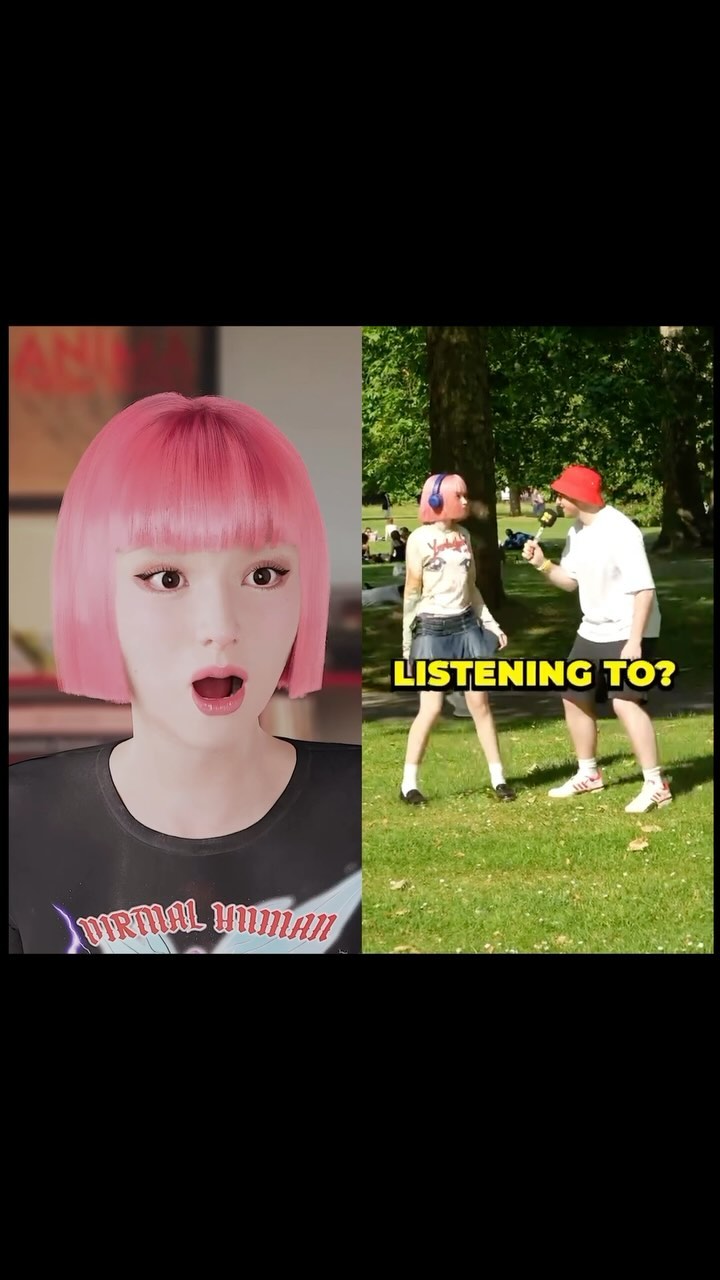
This is a fourteen-second split-screen fan-culture reel. The left panel presents a pink-bob virtual human in clean close-up with smooth skin, controlled lighting, and a black "VIRTUAL HUMAN" shirt. The right panel presents a real pink-haired young woman in a sunny park, approached by an interviewer holding a microphone, with the text "WHAT SONG" appearing as an instant setup cue. The right-side subject then moves toward camera while the left-side avatar holds a poised, still comparison presence. That contrast is what makes the video strong. The clip is not only about a hairstyle. It is about a look crossing from polished digital identity into public real-world culture. For creators, the lesson is that split-screen edits perform best when each side has a distinct job. The left side anchors the iconography. The right side supplies motion, context, and human energy. This reel also benefits from clean readability. The left close-up is simple, the right interview scene is easy to decode, and the yellow question text gives viewers immediate story context without requiring long captions.
The frame is split vertically into two panels. On the left is a digital-looking young woman with a blunt pink bob, pale skin, and a black T-shirt. On the right is a real pink-haired young woman in a grassy park, with an interviewer in a red cap stepping in from the side with a microphone.
The real hook is that the hairstyle and overall vibe rhyme across both sides. The left panel behaves like a polished character or idol image, while the right panel shows that same aesthetic translated into a real person in a casual public setting. That bridge creates instant comparison value.
The left side is a controlled close-up portrait with almost no movement. The right side is a candid-style park interaction with more movement and social context. The edit works because the left panel stays visually stable while the right panel provides story progression.
The left panel uses soft, even indoor-style lighting, while the right side uses bright natural sunlight and saturated green park scenery. The yellow "WHAT SONG" text appears early and functions like a short-form story trigger, telling viewers what type of interaction they are watching.
| Estimated time | Visual content | Shot language | Lighting and color tone | Viewer intent |
|---|---|---|---|---|
| 00:00-00:03.00 | Split-screen established: pink-bob virtual portrait left, park interview setup right, WHAT SONG text visible. | Static comparison layout with strong visual contrast between panels. | Soft indoor polish left, bright outdoor sunlight right. | Hook the viewer with instant digital-versus-real identity comparison. |
| 00:03.00-00:07.00 | The real girl reacts and starts moving while the avatar remains composed. | Motion begins only on the right side, left remains anchor image. | Green park and summer light intensify the real-world contrast. | Build narrative energy while keeping the visual match obvious. |
| 00:07.00-00:10.50 | The right-side subject walks closer to camera, hair bouncing slightly. | Casual interview energy on right versus beauty-close-up stillness on left. | Sunlit skin and grass on right, flatter controlled tones on left. | Deliver the fan-reaction payoff and make the look feel embodied in real life. |
| 00:10.50-00:14.00 | Right-side subject arrives closer while the left avatar holds the identity reference. | Clean split-screen comparison held to the end. | Color contrast stays strong and readable between panels. | Leave viewers with a complete visual comparison that is easy to replay and share. |
This format fits AI idol pages, virtual-human creators, pop-fandom edit accounts, street-interview remix pages, and creators building digital-versus-real visual identities.
Vertical split-screen video: left side a polished virtual girl close-up with blunt pink bob, pale skin, black graphic T-shirt, calm idol-like expression; right side a sunny park street-interview scene with a real pink-haired young woman in a graphic top and short skirt walking toward camera while an interviewer in a red cap holds a microphone, yellow WHAT SONG text on screen, strong digital-versus-real comparison, no spoken dialogue reconstruction.Broad: #AIArt, #PopCulture, #SplitScreen, #Reels. These widen discovery. Mid-tier: #VirtualHuman, #StreetInterview, #FanEdit, #AestheticVideo. These target viewers already near pop edits and digital identity content. Niche long-tail: #PinkBobEdit, #VirtualHumanReel, #SongReactionEdit, #AvatarToRealWorld. These fit the exact structure and search intent.
The style match is obvious and the on-screen question text frames the interaction instantly.
Pink bob, split-screen comparison, and park interview setup are the key anchors.
Give them one unmistakable shared identity cue such as hair, makeup, or outfit language.
It gives the live-action side an instant story frame without needing long captions or audible dialogue.
No, it usually works better when one side anchors the identity and the other side carries the story motion.
It can work on both, but Instagram especially rewards clean visual comparisons that still read on mute.
Yes, especially for virtual-human content, but keep the note brief so the split-screen idea still leads.