An entire AI production house inside your laptop. We take 500+ creative calls on script, voiceover, sound, and edit to bring ANY idea you have, to life. With just a prompt.
Created with ❤️ using ‘Agents & Models’ in invideo.
🎁 GIVEAWAY: Like + Comment an idea even more absurd than the post-credits scene - wildest one gets 100$ worth of credits free to use on ANY image or video model in invideo.
How to Recreate the Viral "AI Production Studio" Meta-Ad
How invideo.io Made This AI Production Studio Meta Ad AI Video - and How to Recreate It
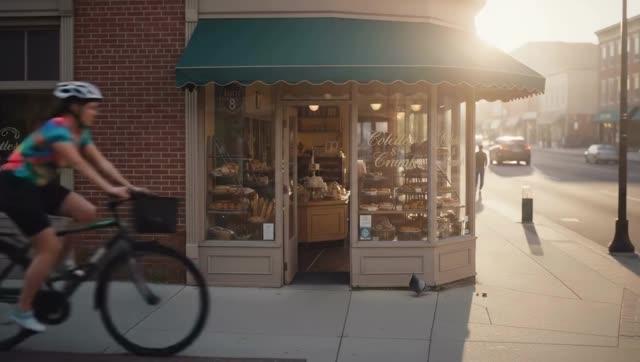
This brilliant meta-narrative commercial visualizes the "inner workings" of an AI video generator (invideo) as a bustling, high-end production studio. By contrasting the warm, sunlit reality of a small French bakery with the fast-paced, corporate brainstorming of a diverse creative team, the video perfectly illustrates the value proposition: "An entire AI production house inside your laptop." The climax—a hilarious, high-quality generated ad featuring a talking city pigeon—cements the tool's capability to turn any prompt into cinematic reality.
2. What You’re Seeing
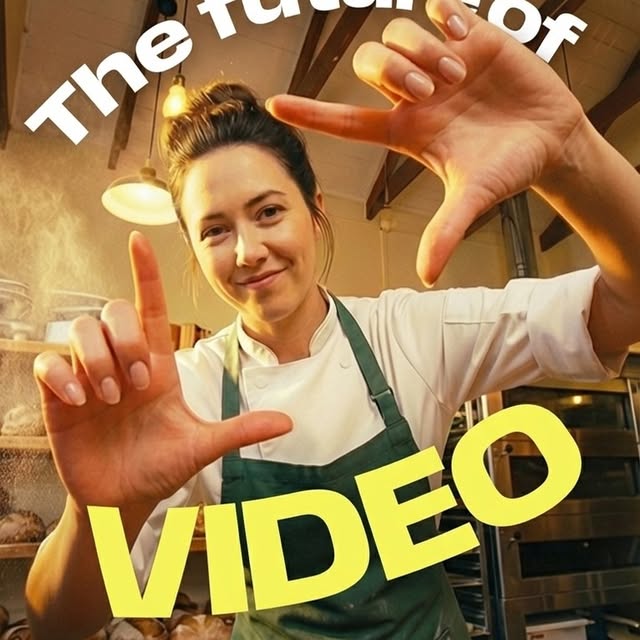
The video masterfully alternates between two distinct visual worlds. The first is the user's reality: a rustic French bakery bathed in warm, golden-hour sunlight, featuring a baker (Caucasian woman, 30s, tattoos, chef's coat) typing on her laptop. The second is the "AI Studio": a modern, slightly cooler-toned corporate environment filled with glass walls, corkboards, and a diverse cast of creatives (a distinguished director, a sharp producer, a quirky sound designer playing a violin, etc.). The camera work is smooth and cinematic, utilizing shallow depth of field to focus on character reactions and the text being typed. The pacing accelerates as the prompt gets more complex, culminating in the "generated ad"—a comedic masterpiece featuring a talking pigeon, slow-motion pastry shots, and even a fake behind-the-scenes green screen setup.
Shot-by-Shot Breakdown
Time Range
Visual Content
Shot Language
Lighting & Color Tone
Viewer Intent
00:00 - 00:07
Bakery exterior, baker prepping dough, putting bread in oven.
Wide establishing shot, medium close-ups on hands. Smooth pans.
Warm, golden hour, sunlit, rustic browns and greens.
Establish the setting and the user's authentic reality.
00:08 - 00:18
Baker typing on laptop. Screen shows "CREATE VIDEOS WITHOUT LIMITS". She types "I want a video for my French bakery". Close up on her eyes.
Over-the-shoulder, extreme close-up on eyes.
Warm interior lighting, soft focus on background.
Introduce the action (prompting) and build anticipation.
00:19 - 00:31
Fast zoom into the "invideo PRODUCTION STUDIO". The team is gathered around a corkboard. Director asks what they are cooking up.
Fast zoom transition, medium shots of the team.
Cooler, corporate lighting, bright and diffused.
Reveal the "magic" behind the tool; introduce the ensemble cast.
00:32 - 00:48
Team pitches ideas. Baker types more details. Assistant gets an update.
Quick cuts between characters, medium close-ups.
Consistent corporate lighting.
Show the iterative process of prompting and the AI's "brainstorming."
00:49 - 01:15
Baker adds goal. Sound designer plays violin. Director pitches a quiet morning scene.
Medium shots, focus on the sound designer and director.
Corporate lighting, slightly warmer on the director.
Highlight the tool's ability to understand mood and audio cues.
01:16 - 02:07
Baker adds website and says she's camera shy. Team looks at photos, gets stumped, then art director suggests an "out of the box" idea.
Over-the-shoulder of laptop, close-ups on team members looking concerned, then inspired.
Contrast between warm bakery and cool studio.
Demonstrate the tool's problem-solving capabilities and creativity.
02:08 - 02:54
The generated pigeon ad plays. Pigeon talking, flying, eating crumbs. Glamour shots of pastries. BTS shot of pigeon on green screen.
High contrast, vibrant colors, dramatic lighting on pastries.
Deliver the payoff: a high-quality, funny, unexpected result.
02:55 - 03:16
Director says "This is gold." Baker smiles at the finished video. Tagline appears.
Medium close-ups, smooth pull back.
Warm lighting returns as the primary focus.
Provide a satisfying resolution and a strong call to action.
03:17 - 03:34
Post-credits: New user typing on retro keyboard. Director reads prompt about frogs mating. Sound designer plays clarinet.
Close-ups, quick cuts.
Slightly muted, retro lighting for the new user.
Leave the viewer with a laugh and emphasize the tool's versatility.
3. Why It Went Viral (Breakdown of the Viral Mechanism)
This video taps into the universal frustration of content creation: the gap between a great idea and the technical ability (or budget) to execute it. By personifying the AI as a team of highly skilled (and slightly eccentric) Hollywood professionals, it demystifies the technology while simultaneously elevating its perceived value. The target audience—small business owners, indie creators, and marketers—instantly relates to the baker's hesitation ("camera shy") and the desire for a high-end result without the high-end cost.
The humor is a massive driver of its success. The contrast between the serious, dramatic brainstorming of the studio team and the absurd final product (a dramatic monologue by a city pigeon) creates a perfect comedic payoff. The inclusion of the sound designer earnestly playing a violin, and later a clarinet, adds a layer of quirky charm that makes the video highly rewatchable. The "behind-the-scenes" shot of the pigeon in front of a green screen with a human voice actor is a brilliant touch of meta-humor that rewards viewers who pay attention to the details.
From a platform perspective, the video is engineered for retention. The 0-3 second hook establishes a high-quality, cinematic aesthetic that stops the scroll. The pacing is relentless, with quick cuts between the user typing and the studio reacting, creating a loop of anticipation and payoff. The dialogue is snappy and overlapping, requiring the viewer to stay engaged to catch every joke. The post-credits scene acts as a perfect loop mechanism, encouraging viewers to watch again or share it with a friend ("Did you see the frog part?").
5 Testable Viral Hypotheses
The "Meta-Narrative" Hypothesis: Showing the *process* of creation (even a fictionalized one) is more engaging than just showing the final product. Replicate it: Create a video where you "argue" with your editing software or AI tool.
The "Absurd Payoff" Hypothesis: Building up serious tension only to deliver a ridiculous (but high-quality) result drives shares. Replicate it: Script a dramatic build-up for a mundane product or topic.
The "Relatable Constraint" Hypothesis: Highlighting a common pain point (e.g., being "camera shy") makes the solution more appealing. Replicate it: Explicitly state the problem your tool/method solves in the first 10 seconds.
The "Ensemble Cast" Hypothesis: Using multiple distinct characters (even if AI-generated) keeps the visual language dynamic and prevents viewer fatigue. Replicate it: Use different camera angles, outfits, or voice filters to play multiple "roles" in your video.
The "Post-Credits Easter Egg" Hypothesis: Adding a final joke after the main message encourages rewatches and comments. Replicate it: Include a blooper or a funny, unrelated tag at the very end of your video.
4. How to Recreate (Step-by-Step)
Recreating this level of production requires a solid script and a mastery of AI video generation tools to maintain character consistency.
Topic Selection & Positioning: This format works best for SaaS companies, creative agencies, or any tool that simplifies a complex process. The core message is "We do the hard work for you."
Script the "Two Worlds": Write a script that alternates between the "User" (relatable, simple constraints) and the "Engine" (complex, dramatic, fast-paced). Use overlapping dialogue for the "Engine" scenes.
Character Consistency (The Hard Part): To keep the "Studio Team" looking consistent across shots, you must use character reference images (Image-to-Video) or highly specific, locked-in prompts (e.g., "Older Caucasian male, grey beard, black turtleneck, clear glasses"). Create a "Character Sheet" document before you start generating.
Generate the User Scenes: Focus on warm, inviting lighting. Use prompts like "cinematic, golden hour, soft focus, over-the-shoulder shot."
Generate the Studio Scenes: Focus on cooler, corporate lighting. Use prompts like "modern office, glass walls, diffused lighting, medium close-up, sharp focus."
Generate the "Final Ad": This should look distinctly different from the rest of the video. If it's comedic (like the pigeon), lean into dramatic, high-contrast lighting to heighten the absurdity.
Audio is Crucial: Use a tool like ElevenLabs to generate distinct voices for each character. Pay attention to pacing, pauses, and overlapping dialogue in your edit. Add subtle sound effects (typing, paper rustling, the violin).
The Edit: Cut back and forth rapidly between the User typing and the Studio reacting. The pacing should accelerate as the prompt gets closer to completion.
5. Growth Playbook
3 Ready-to-Use Opening Hooks
"What actually happens inside your laptop when you hit 'generate'..."
"I fired my entire ad agency and replaced them with this."
"The hardest part of making a video is having the idea. The rest is just this..."
4 Caption Templates
The "Behind the Curtain" Template: Ever wonder what AI is actually doing when it's "thinking"? 🤯 We visualized the process, and it turns out, it's just a bunch of stressed-out Hollywood directors in a tiny room. What would you ask them to create? 👇 [Link to tool]
The "Problem/Solution" Template: Camera shy? No budget for a film crew? No problem. 🎥 Watch how we turned a simple text prompt into a cinematic ad (featuring a very dramatic pigeon). The future of video is here. Try it yourself: [Link]
The "Relatable Creator" Template: Me: "I want a simple video." My brain: *Cue the dramatic violin music and a full production crew.* 🎻 If you overthink your content, you need to see this. What's the craziest idea you've ever had for a video? 💭
The "Direct Pitch" Template: An entire production house, right inside your browser. 💻 From script to voiceover to final edit, we take your idea and bring it to life. Just type what you want. What are you waiting for? 🚀 [CTA Link]
Hashtag Strategy
Broad (Reach): #AIVideo #ContentCreation #VideoMarketing #TechHumor (These cast a wide net for anyone interested in digital media and AI).
Mid-Tier (Targeted): #VideoEditingTips #MarketingAgency #SmallBusinessTips #CreatorEconomy (These target the specific pain points addressed in the video—budget and time constraints).
Niche Long-Tail (Search Intent): #HowToMakeAnAd #AIVideoGenerator #InvideoTutorial #MetaCommercial (These capture users actively searching for solutions or specific tools).
6. FAQ
What tools make it look the most similar?
To achieve this high-end cinematic look, you'll need a top-tier AI video generator like Runway Gen-3 Alpha or Luma Dream Machine for the live-action scenes, and ElevenLabs for the diverse voice acting.
What are the 3 most important words in the prompt?
Cinematic, shallow depth-of-field, and motivated lighting.
Why does the generated face look inconsistent?
Maintaining character consistency across multiple shots requires using reference images and specific character sheets within your AI tool's prompt.
How can I avoid making it look like AI?
Focus on realistic camera movements (like subtle handheld drift), natural lighting, and adding film grain or slight imperfections in post-production.
Is it easier to go viral on Instagram or TikTok with this type of content?
This high-production, narrative-driven content performs exceptionally well on LinkedIn and YouTube Shorts, but its humor also makes it highly shareable on Instagram Reels.
How should I properly disclose AI use for this type of content?
Use platform-specific AI disclosure labels and mention the tools used in your caption to build trust with your audience.