
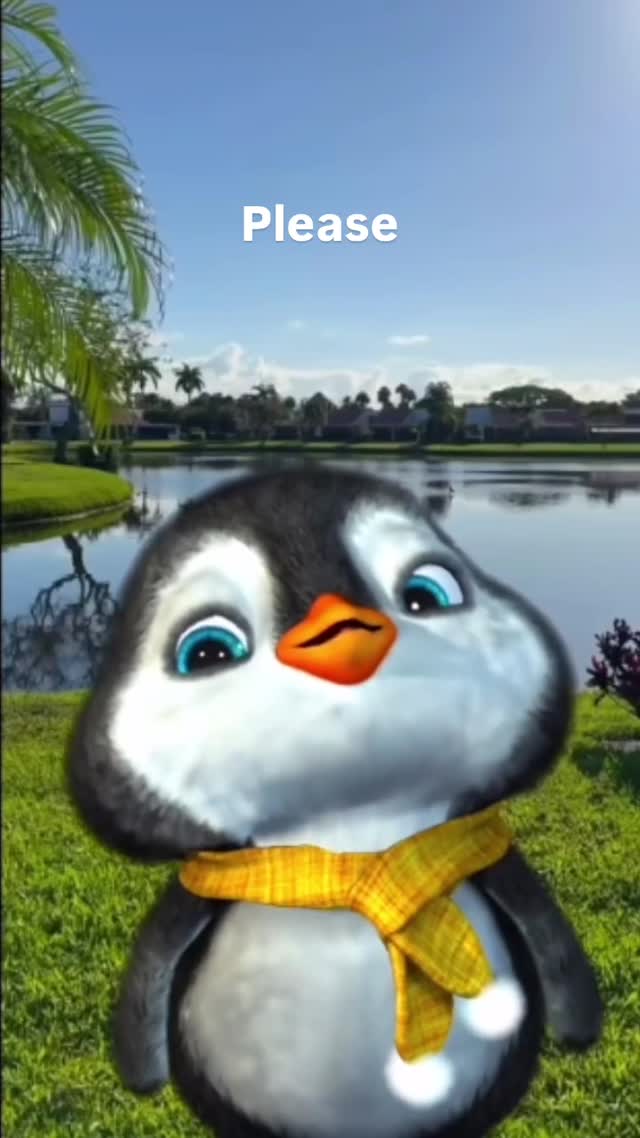
Stay with me 🥹 • • • #dontleaveme #staywithme #cuteanimals #penguin #cutepenguin
Stay with me 🥹 • • • #dontleaveme #staywithme #cuteanimals #penguin #cutepenguin
This visual uses a very simple emotional equation: cute character + short polite word + clear outdoor background. The result is instantly readable and shareable. People do not need context to understand the mood. That low-friction comprehension is exactly why mascot-based posts spread quickly.
For creators, this is a useful reminder that virality does not always require complexity. A single expressive character and one short caption can outperform heavy edits when the emotional signal is clear and universal.
| Signal | Evidence (from this image) | Mechanism | Replication Action |
|---|---|---|---|
| Cuteness trigger | Round baby penguin proportions and oversized eyes | High "aww" response improves shares and saves | Use infant-like proportions: big eyes, small limbs, rounded body |
| Minimal text hook | Single word "Please" | Short captions increase meme adaptability | Limit overlay copy to 1-2 words for remix flexibility |
| Clean visual hierarchy | Character center, text top, simple background | Fast scan improves watch completion on short loops | Place character and text on separate vertical zones |
| Mood-safe backdrop | Bright lake and sky scene | Positive background supports wholesome tone | Choose open, bright outdoor scenes for friendly meme formats |
Not ideal:
{cute_mascot} + {single_word_caption} + {clean_outdoor_bg} + {vertical_layout}{mascot_identity} + {seasonal_accessory} + {bright_scene} + {minimal_copy}{brand_mascot} + {one_line_copy} + {safe_palette} + {high_readability}The design is vertically optimized and cognitively light. There are only three layers to decode: sky text, mascot face, and natural setting. This makes it ideal for stories and short reels where viewers decide quickly whether to continue watching or share.
The character design uses high empathy cues: large eyes, soft gradient shading, and compact body shape. Combined with bright daytime colors, the image avoids ambiguity and stays emotionally positive. For creators, this is a practical micro-template for repeatable engagement content.
| Prompt chunk | What it controls | Swap ideas (EN, 2-3 options) |
|---|---|---|
| "chibi penguin with oversized blue eyes" | Core emotional appeal and mascot identity | chibi owl; baby seal; tiny fox mascot |
| "yellow plaid scarf accessory" | Character specificity and charm detail | red knit scarf; blue ribbon; tiny backpack |
| "single top text: Please" | Meme message brevity | Help; Sorry; Hi |
| "sunny lake park background" | Tone positivity and visual openness | city park pond; beach sunrise; flower field |
| "vertical social-video framing" | Platform fit and readability | 4:5 feed crop; square meme crop; story-safe 9:16 with extra headroom |
Baseline lock: lock mascot face proportions, lock one-word top text, lock bright positive background.
One-variable testing helps identify whether expression, word choice, or scene drives shares.