0:00 / 0:00
▶
Happy new year 😊 • • • #happynewyear #penguin #cutepenguin
Happy new year 😊 • • • #happynewyear #penguin #cutepenguin
This viral Instagram reel by @itspuffpuff features an incredibly adorable, 3D-animated penguin character delivering a high-pitched, melodic New Year's greeting. Set against a sunny park backdrop with the iconic Taipei 101 skyscraper in the distance, the video combines high-quality Pixar-style character design with a simple, catchy audio hook. With nearly 300k likes, it demonstrates the power of "cute-core" aesthetics paired with seasonal relevance. The video uses vibrant colors, smooth lip-syncing, and playful text overlays to create a high-retention loop that feels both professional and personal.
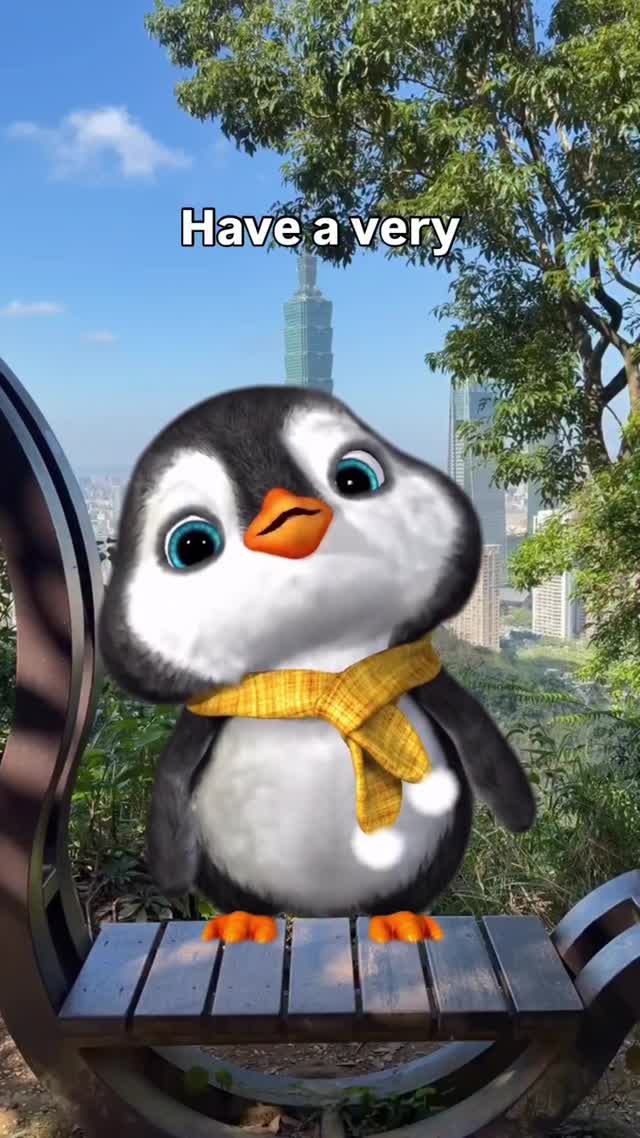
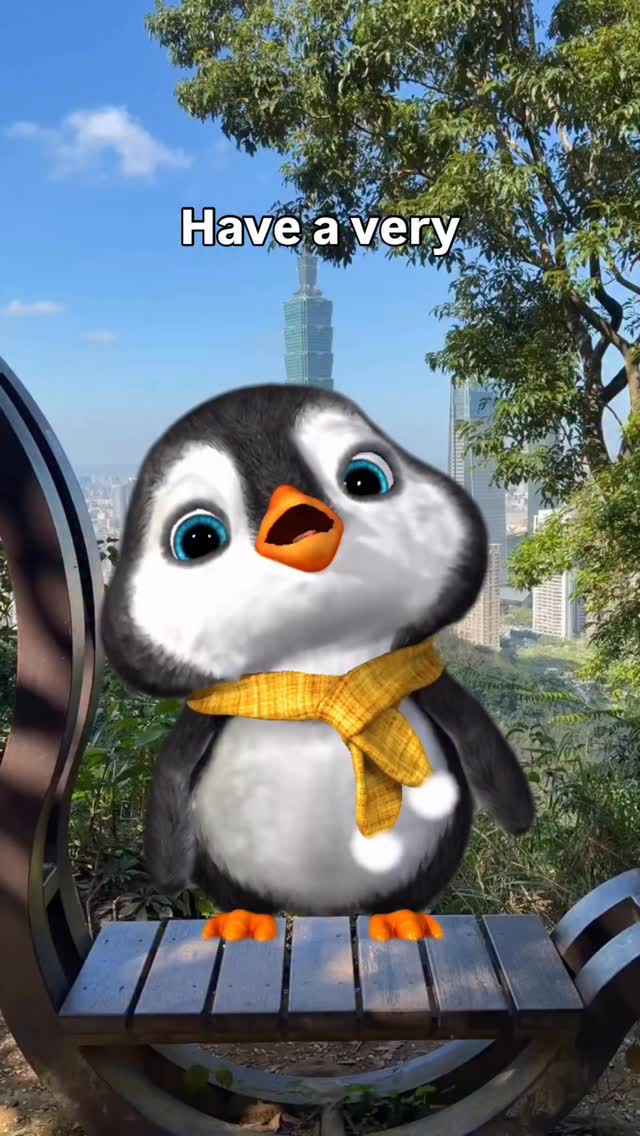
The video centers on a chubby, fluffy penguin with large, expressive blue eyes and a small orange beak. It wears a bright yellow checkered scarf, which adds a pop of color and reinforces its "cozy" persona. The setting is a lush green park in Taipei, evidenced by the distinct architecture of Taipei 101 in the background. The lighting is bright, natural daylight, creating soft shadows and highlighting the penguin's fur texture.
The editing is snappy, with text overlays that change in sync with the audio. The "HAPPY!" text at the 0:03 mark is particularly eye-catching, featuring a rainbow gradient and a bouncy animation. The audio is a high-pitched, child-like singing voice that is perfectly lip-synced to the 3D model, making the character feel "alive." The video concludes with a celebratory burst of digital fireworks and a bold "HAPPY NEW YEAR" graphic.
| Time Range | Visual Content | Shot Language | Lighting & Tone | Viewer Intent |
|---|---|---|---|---|
| 0:00–0:02 | Penguin on a curved wooden bench, "Have a very" text. | Medium Shot, static. | Bright daylight, warm. | Hook: Establish character & setting. |
| 0:02–0:04 | Penguin sings "happy happy happy", animated rainbow text. | Medium Shot, slight head tilt. | Vibrant, high energy. | Retention: Audio-visual synchronization. |
| 0:04–0:06 | Zoom in on penguin's face, "New year" text. | Close-up (CU), digital zoom. | Focus on expressions. | Reinforce Persona: Emotional connection. |
| 0:06–0:08 | Fireworks background, "HAPPY NEW YEAR" gold text. | Medium Shot, celebratory graphics. | High contrast, festive. | CTA/Loop: Final greeting & shareability. |
This video succeeds by tapping into biological instincts. Humans are hardwired to respond to "baby schema" traits: large eyes, round faces, and small limbs. By applying these traits to a penguin—an already beloved animal—the creator ensures immediate likability. Furthermore, the timing (posted for New Year's) leverages a massive global search trend. People are actively looking for positive, shareable content to send to friends and family during the holidays.
From a platform perspective, the watch time is driven by the short, 8-second duration and the rhythmic audio. The lip-syncing is so precise that users often re-watch to see how well it's done. The shareability is off the charts because it serves as a "digital greeting card." Instead of writing "Happy New Year," users simply share this reel to their stories or DMs, which the Instagram algorithm interprets as a high-value signal, pushing it to the Explore page.
Start by generating a consistent character. Use a prompt that specifies "Pixar-style 3D render, chubby penguin, large blue eyes, yellow checkered scarf." Save this as your "Character Sheet" to ensure the penguin looks the same in every shot.
Generate a background image of a sunny park with a curved wooden bench. If you want the Taipei vibe, include "Taipei 101 skyscraper in the far background, lush green trees, clear blue sky."
Use an AI voice tool (like ElevenLabs) to create a "high-pitched, cute, child-like" voice. Record or generate the script: "Have a very happy, happy, happy New Year."
Use a tool like HeyGen or LivePortrait to animate the penguin's face using the audio file. Ensure the "lip-sync strictness" is set to high so the beak movements match the "p" and "y" sounds in "happy."
Use a video-to-video or image-to-video tool (like Runway Gen-2 or Luma Dream Machine) to add subtle body movements, like the head tilt and the scarf blowing slightly in the wind.
In CapCut or Premiere Pro, add the text overlays. Use a bold, rounded font. For the "HAPPY!" part, use a rainbow gradient and a "bounce" or "pop" animation preset.
Overlay a green-screen firework effect in the final 2 seconds. Adjust the color grading to be warm and saturated to match the "happy" theme.
Post as a Reel/TikTok with a simple, emoji-heavy caption. Use the "Add Topics" feature on Instagram to select "Visual Arts" and "Animals."
Midjourney for the character, ElevenLabs for the voice, and HeyGen for the lip-sync.
"Pixar-style," "Subsurface scattering" (for skin/fur texture), and "Volumetric lighting."
You need to use a "Character Reference" (cref) image in your AI video generator.
Focus on high-quality textures and ensure the eyes have a "sparkle" or reflection.
Instagram, as "aesthetic" and "cute" content often performs better there than on TikTok's raw UGC style.