Happy new year 😊 • • • #happynewyear #penguin #cutepenguin
Happy new year 😊 • • • #happynewyear #penguin #cutepenguin
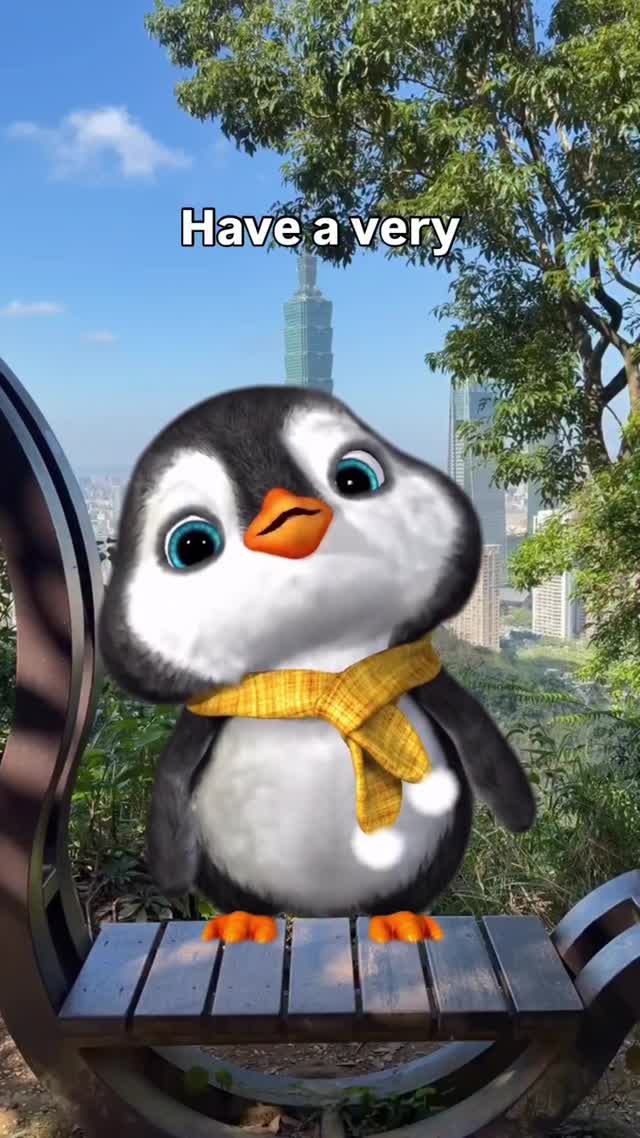
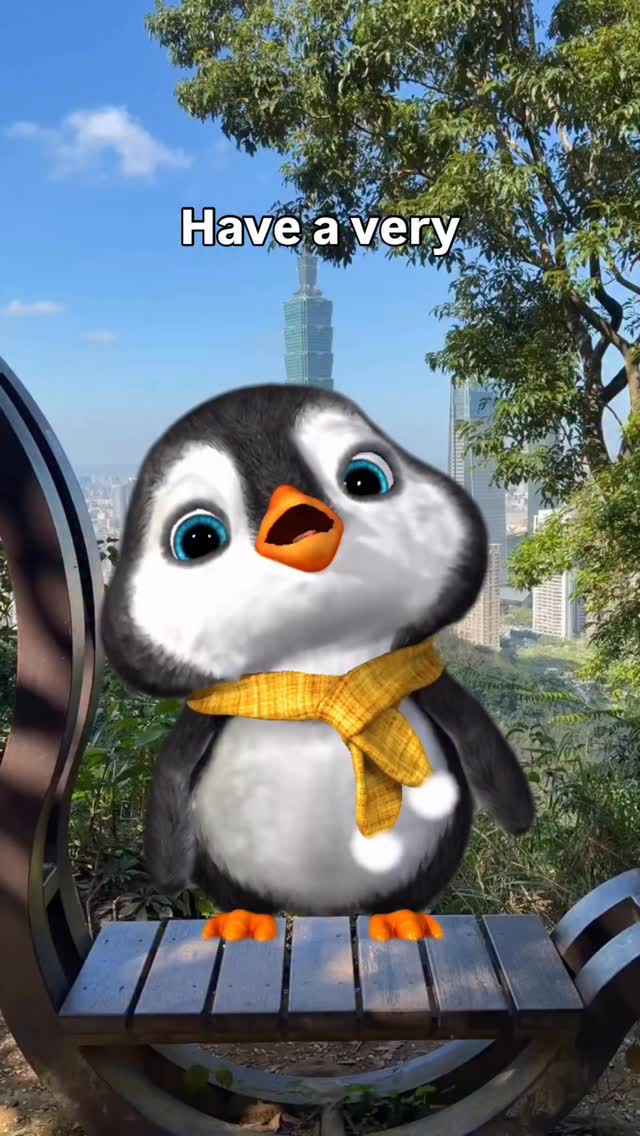
This post works because it does not try to be complicated. One adorable penguin, one bright scarf, one recognizable city backdrop, and one unfinished line at the top: “Have a very”. That unfinished phrase is the hook. It creates a micro curiosity gap that makes people pause for half a second longer, and in short-form feeds that half second is often the difference between a skip and a watch.
There is also a strong contrast strategy here. The character shape is rounded and soft, while the background is structured and real. The viewer immediately understands that this is playful fiction placed in a real location. That hybrid look is very shareable because it feels both relatable and magical. Creators can repeat this format at low production cost by changing only location, scarf color, or headline fragment.
The final growth advantage is emotional clarity. The penguin expression is innocent and slightly tilted, which naturally reads as “talking to me.” The image does not require language fluency to be understood, so it travels across audiences. If your goal is broad reach instead of niche discourse, this kind of character-led visual grammar is extremely effective.
| Signal | Evidence (from this image) | Mechanism | Replication Action |
|---|---|---|---|
| Open-loop text | Top caption says only “Have a very” | Incomplete sentence triggers prediction behavior and increases pause rate | Use 2-4 word partial headline; finish the thought in carousel slide 2 or caption |
| Character-first focal point | Single penguin occupies central lower frame | Clear subject identity improves instant recognition and repeat followers | Lock one mascot template and keep body scale around 40-55% of frame height |
| Reality + fantasy blend | 3D-style penguin composited into real city-park photo | Hybrid visuals feel novel but still familiar, boosting shares | Keep real-world backgrounds and swap only the character layer each post |
| High color readability | Yellow scarf pops against black-white body and blue-green environment | Single accent color stabilizes visual memory and brand recall | Assign one signature accent color per character series and keep it consistent |
{city in rain} {mascot colorway} {bench foreground} {unfinished phrase}
{night skyline} {single mascot} {accent scarf} {open-loop headline}
{nature trail} {wood surface} {cute mascot} {gentle phrase start}
The strongest aesthetic decision is scale contrast. The penguin is oversized relative to a realistic bench, which instantly creates a whimsical narrative without needing animation. The head tilt adds directionality: the viewer feels addressed, not merely shown an object. That social intimacy is a repeatable design choice for creator feeds.
The background is also doing strategic work. It is not generic blur; trees and skyline are still legible, giving location credibility. This creates a subtle “I know where this is” effect that can increase comments. The text placement at the top avoids covering the character face and keeps mobile readability high.
Color harmony is restrained. Blue sky and green foliage are natural, while yellow scarf acts as a single emotional spark. Combined with black-white penguin tones, the frame feels clean, not noisy. For growth-oriented creators, this is key: clarity beats complexity when you need broad audience retention.
| Observed | Recreate |
|---|---|
| Single cute subject with oversized eyes | Lock one mascot model and enforce large-eye stylization in prompt |
| Real location with clear depth layers | Use foreground platform + mid trees + far skyline structure |
| Open-loop text at top | Reserve upper negative space for 2-4 words only |
| One bright accessory color | Set one accent garment and keep all other tones neutral |
| Hybrid composite style | Pair photoreal environment with polished 3D mascot render |
| Prompt chunk | What it controls | Swap ideas (EN, 2-3 options) |
|---|---|---|
| "single stylized baby penguin, head tilt, glossy blue eyes" | Character identity, emotional read, mascot consistency | "tiny fox mascot" / "robot bunny mascot" / "mini bear character" |
| "yellow knitted scarf" | Signature accent and brand memory cue | "red wool scarf" / "mint hoodie" / "blue neckerchief" |
| "city park overlook with landmark tower" | Place credibility and local relevance | "coastal boardwalk skyline" / "old town square" / "mountain valley town" |
| "top text: Have a very" | Hook style and conversation setup | "Today feels" / "Just a little" / "Before you scroll" |
| "3D mascot composited into real photo" | Hybrid visual novelty level | "flat sticker overlay" / "pixel character overlay" / "hand-drawn doodle insert" |
Use this as a production loop, not random experimentation.
The key is discipline: if results improve, you know exactly which knob caused the lift.