0:00 / 0:00
▶
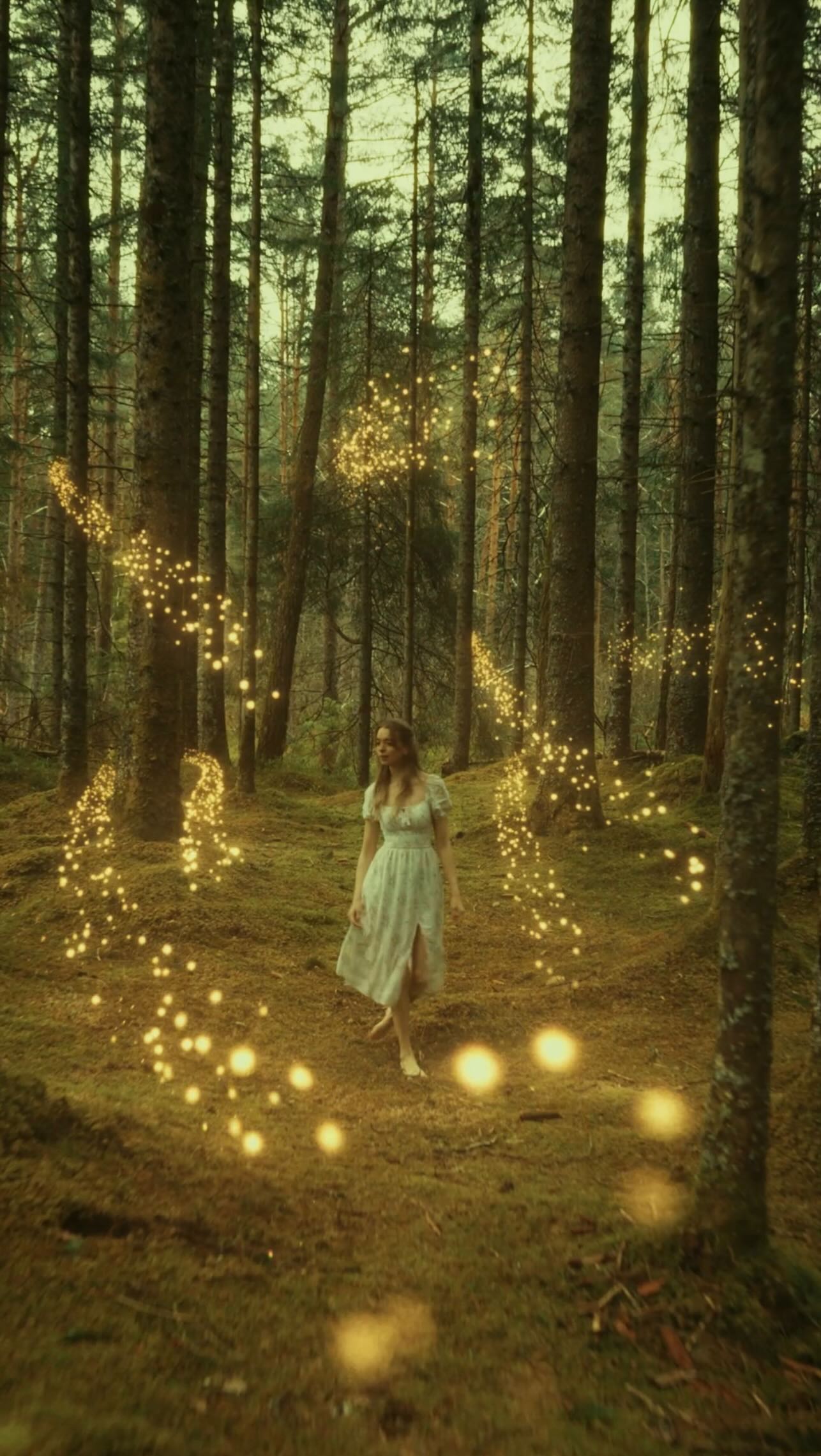
This case study analyzes a high-production-value VFX breakdown tutorial by creator Maria Kallevik. The video masterfully blends "behind-the-scenes" (BTS) grit with "cinematic fantasy" polish, specifically focusing on a Narnia-inspired portal effect. By showcasing the bridge between raw iPhone/mirrorless footage and professional post-production tools (Blender, After Effects, DaVinci Resolve), the content appeals to both aspiring filmmakers and casual viewers who enjoy "magic revealed" narratives. The aesthetic transitions from a muted, mossy forest palette to a vibrant, golden-hour fantasy world, utilizing glowing particle systems and dynamic portal compositing to create a high-retention loop.
The video follows a hybrid structure: a direct-to-camera "talking head" host in a cozy green sweater provides the narrative thread, while the B-roll alternates between technical screen recordings and cinematic final shots. The setting is a dense, evergreen forest with heavy moss coverage, providing a naturalistic "fairytale" backdrop. The wardrobe shifts from the creator's casual knitwear to a flowing white sundress for the cinematic sequences, creating a clear distinction between the "teacher" and the "character."
| Time Range | Visual Content | Shot Language | Lighting & Color | Viewer Intent |
|---|---|---|---|---|
| 00:00–00:03 | Host intro + quick flash of the final portal effect. | MCU (Medium Close Up) + Fast Cut. | Natural overcast forest light. | The Hook: Promise of high-quality result. |
| 00:03–00:09 | BTS: Running barefoot in the forest, camera rigs shown. | Wide Shot / Handheld. | Raw, desaturated green/brown. | Humanize: Show the "struggle" (freezing weather). |
| 00:09–00:17 | AI Image Generation (Artlist) UI walkthrough. | Screen Recording. | Digital UI (Dark Mode). | Tutorial Value: Show the starting point. |
| 00:17–00:29 | 3D Modeling in Blender (Orbs and particles). | Screen Recording / 3D Viewport. | Technical grey/wireframe. | Authority: Prove technical skill. |
| 00:29–00:47 | Compositing in After Effects (Rotoscoping & Portal). | Screen Recording / Masking. | High contrast masks (pink/purple). | The "Magic": Show how layers come together. |
| 00:47–00:52 | Color Grading in DaVinci Resolve. | Screen Recording / Color Wheels. | Warm golden shift. | Polish: The final "look" transformation. |
| 00:52–01:00 | Final cinematic reveal vs. AI reference. | Full Screen Cinematic. | Golden, glowing, ethereal. | Satisfaction: The "Big Reveal" and CTA. |
This video succeeds because it doesn't just show a result; it documents a technical journey. The "Narnia" theme taps into deep-seated childhood nostalgia and a universal love for fantasy. By starting with the "freezing" BTS footage, Maria creates an immediate emotional connection—viewers respect the effort before they even see the art. The transition from a "messy" reality to a "perfect" VFX shot triggers a dopamine release associated with problem-solving and transformation.
Modern audiences are obsessed with "how it's made." By naming specific tools (Artlist, Blender, AE), the video moves from "entertainment" to "educational resource." This encourages Saves (to reference later) and Shares (to show other creator friends). The mention of AI specifically targets the current tech zeitgeist, showing a practical, non-threatening way to use AI as a "reference" rather than a replacement for craft.
From an algorithmic standpoint, the video uses a rapid-fire editing rhythm. Every 2-3 seconds, the visual changes—from a face to a forest to a software UI. This prevents "scroll-away" boredom. The "Comparison" at the end (AI vs. My Version) is a classic high-retention tactic that forces the viewer to watch until the very last second to see if the creator "beat" the AI or matched the vision.
The "Process" Template:
I spent 2 hours running barefoot in the forest for this 5-second shot. 🥶 Worth it?
Here’s the breakdown of how I used AI, Blender, and AE to create this Narnia-inspired portal.
Which part of the process surprised you most? 👇
#VFX #Filmmaking #BehindTheScenes
Blender for 3D particles and After Effects for the final compositing and rotoscoping.
Add "Light Wraps" in compositing so the portal's glow bleeds onto the edges of the subject.
No, but it speeds up the "concept art" phase significantly by giving you a lighting reference.
Only use AI for the background or reference; keep the human subject and the primary movement real.
Instagram Reels and TikTok both love "Magic vs. Reality" transitions, but YouTube Shorts has better long-term search intent.