A moving tribute to one of Lady Gaga’s most emotional performances.
Milla Sofia channels the raw vulnerability and timeless beauty of Always Remember Us This Way in a powerful visual interpretation.
Every glance, every frame is a quiet echo of love, loss, and memory.
🎤 Vocals: Original by Lady Gaga
🎥 Visual Performance: Milla Sofia
✨ Tribute style only – no AI vocals used
Subscribe for more heartfelt visual performances and timeless moments.
How millasofiafin Made This Lady Gaga Tribute AI Video — and How to Recreate It
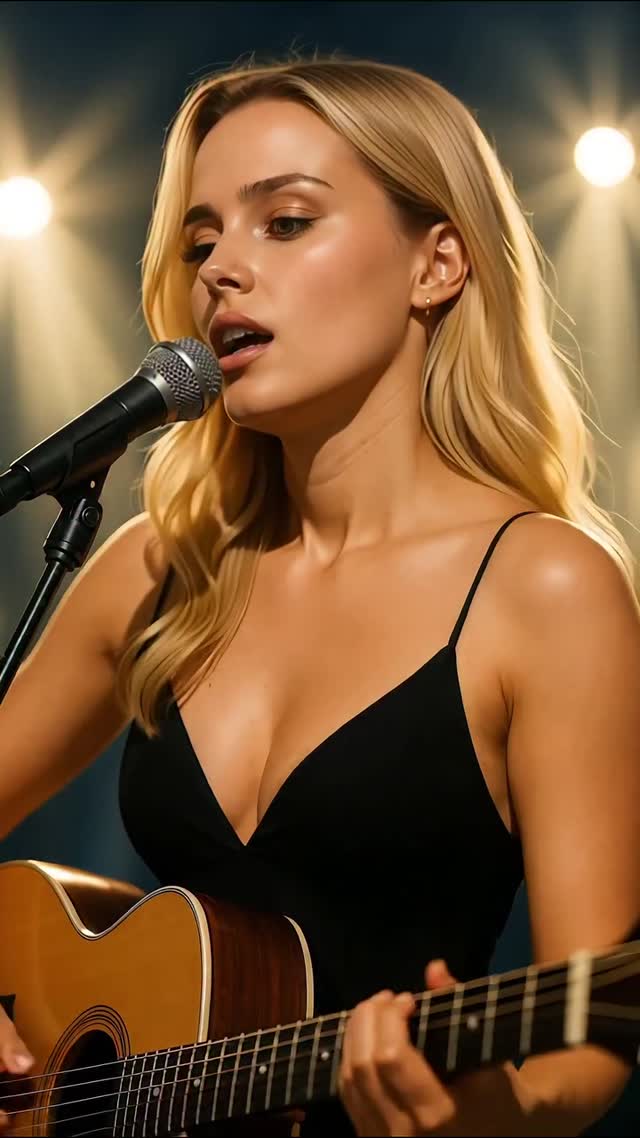
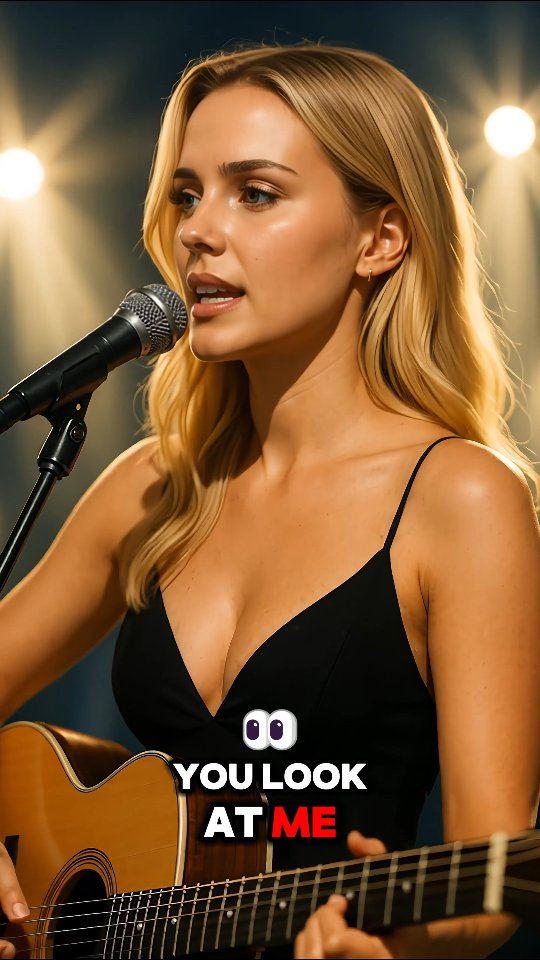
This case study analyzes a high-performance AI-generated video featuring the digital persona Milla Sofia. The video is a cinematic, editorial-style portrait of a singer-songwriter performing a cover of Lady Gaga’s "Always Remember Us This Way." It leverages a warm, stage-lit aesthetic with heavy bokeh, a minimalist wardrobe (black spaghetti strap dress), and high-fidelity lip-syncing. By combining the "pretty girl with a guitar" trope with cutting-edge AI video generation, the creator achieves a level of "uncanny valley" realism that stops the scroll and drives massive engagement through emotional resonance and technical curiosity.
What You’re Seeing: A Visual Breakdown
The video features a young blonde woman with a soft, cinematic glow. She is positioned in a medium close-up, holding an acoustic guitar and singing into a professional studio microphone. The background is a dark stage environment illuminated by several large, out-of-focus warm lights, creating a professional "live performance" atmosphere.
Shot-by-Shot Breakdown (Estimated)
Time Range
Visual Content
Shot Language
Lighting & Tone
Viewer Intent
00:00–00:03
Subject begins singing "That Arizona sky."
Medium Close-up (MCU), static.
Warm key light, golden rim light on hair.
Hook: Establish talent and high-quality AI realism.
00:03–00:07
Close-up on face during "Burning in your eyes."
Slight zoom-in (digital).
Soft shadows, emphasis on eye contact.
Emotional Connection: Deepen the "vulnerability" mentioned in the caption.
00:07–00:11
Singing "You look at me," strumming guitar visible.
MCU, slight handheld sway.
Consistent warm bokeh background.
Reinforce Persona: Show the subject as a multi-talented artist.
00:11–00:14
Climax of the phrase "And babe I wanna catch."
Tight Close-up (CU).
High contrast, dramatic highlights on the face.
Retention: High-energy vocal moment keeps the viewer watching.
00:14–00:17
Softening expression on "It's buried in my soul."
MCU, subject looks slightly down.
Fading light feel, gentle shadows.
Loop Effect: Emotional resolution that invites a rewatch.
Why It Went Viral: The Mechanics of Aesthetic AI
The Content Strategy
This video taps into the "Aesthetic Perfection" niche. By choosing a globally recognized, emotionally charged song like Lady Gaga's, the creator bypasses the need to "sell" the music and focuses entirely on the visual delivery. The "singer-songwriter" archetype is universally appealing and carries a built-in sense of authenticity, which contrasts interestingly with the fact that the subject is AI-generated. This creates a "Wait, is she real?" friction that drives comments and shares.
The Platform Perspective
From an Instagram/TikTok algorithm standpoint, this video is a retention monster. The combination of a 0-3 second visual hook (a beautiful face in high-quality lighting) and an audio hook (a familiar, powerful song) ensures high watch time. The dynamic, colorful captions ("Arizona Sky" in green, "Babe" in red) serve two purposes: they keep the eyes moving and make the video consumable in "sound-off" environments, though the audio is the primary driver here.
5 Testable Viral Hypotheses
The "Uncanny Realism" Friction: If the AI looks 95% real, viewers will spend more time looking for "glitches," increasing total watch time. Action: Focus on high-quality skin textures and eye reflections.
The Nostalgia Audio Bridge: Using a trending or classic emotional song reduces the barrier to entry for new viewers. Action: Use "Always Remember Us This Way" or similar power ballads.
The "Warm Bokeh" Authority: Professional stage lighting signals "high value" content to the brain instantly. Action: Use prompts that specify "cinematic stage lighting" and "f/1.8 bokeh."
Dynamic Caption Engagement: Changing caption colors based on lyrics keeps the visual field "fresh" every 2 seconds. Action: Use tools like Submagic or CapCut for multi-color dynamic text.
The Vulnerability Loop: Ending on a soft, looking-down gesture creates an emotional "hang" that makes the viewer want to see the start again. Action: End your video on a subtle, quiet movement rather than a hard cut.
How to Recreate: Step-by-Step Guide
Character Design: Create a consistent AI persona using Midjourney or Leonardo.ai. Focus on a "relatable yet editorial" look. Save your seed numbers or use a "Character Reference" (--cref) tag.
Audio Selection: Choose an emotional, high-quality vocal cover. Ensure you have the rights or use platform-provided commercial music.
Base Image Generation: Generate a high-resolution image of your character holding a guitar in a stage setting. Prompt Tip: "Cinematic portrait, blonde woman, black dress, acoustic guitar, stage microphone, warm bokeh lights, 8k resolution."
Video Generation (Lip-Sync): Use a tool like Hedra, LivePortrait, or HeyGen. Upload your base image and the audio file. Ensure the "expressiveness" setting is high to capture the "raw vulnerability."
Motion Enhancement: If the lip-sync tool is too static, run the output through Luma Dream Machine or Runway Gen-3 using an "Image-to-Video" workflow to add subtle body sways and hair movement.
Dynamic Captions: Import the video into CapCut. Use "Auto Captions," then manually highlight keywords (e.g., "Arizona," "Fire," "Soul") and change their colors to match the mood.
Color Grading: Apply a "Warm/Golden" filter to unify the AI generation and the captions. Increase the "Glow" or "Bloom" slightly to enhance the stage light effect.
Publishing: Post as a Reel/TikTok with a caption that focuses on the emotion of the song rather than the technicality of the AI.
Growth Playbook: Distribution & Scaling
Opening Hook Lines
"Can you feel the raw emotion in this cover? 🎸"
"Lady Gaga’s lyrics hit different in this light... ✨"
"Is it just me, or is this the most beautiful version of this song? 🎤"
Caption Templates
The Emotional Connection:
"Always Remember Us This Way. 🖤 This song has a way of finding the pieces of your soul you forgot were there. Which Lady Gaga song is your all-time favorite? Let me know in the comments! 👇 #LadyGaga #AIsinger #EmotionalMusic"