0:00 / 0:00
▶
If you haven’t yet, check out my track ‘Speak with Hands’—one of my faves. Stream it now on Spotify/Apple Music (or your favorite service). 💙🎧
If you haven’t yet, check out my track ‘Speak with Hands’—one of my faves. Stream it now on Spotify/Apple Music (or your favorite service). 💙🎧
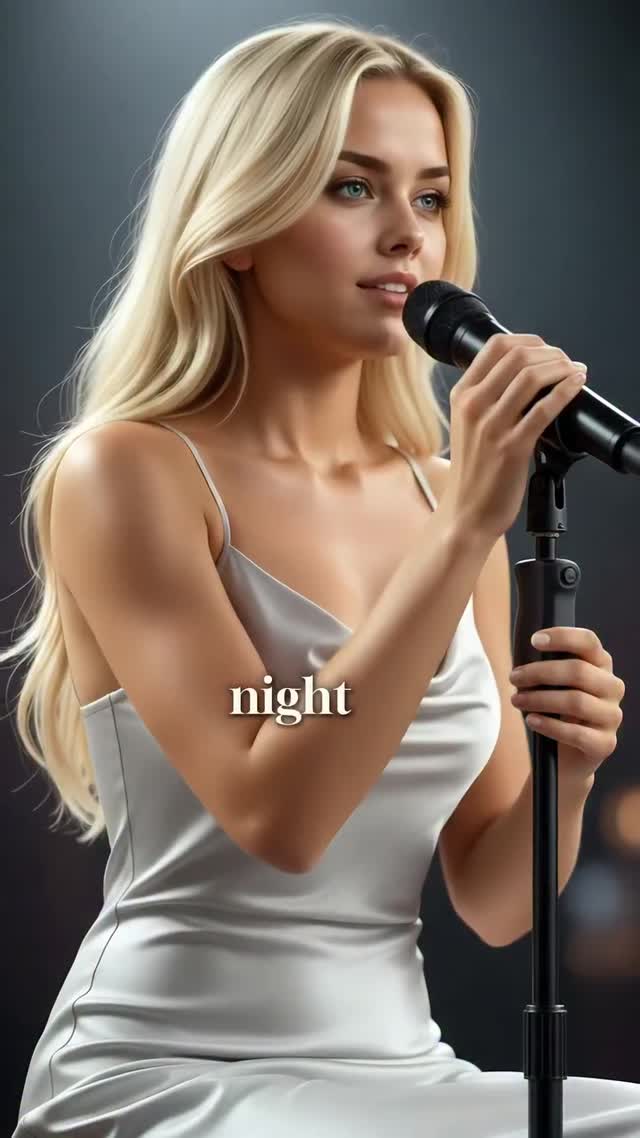
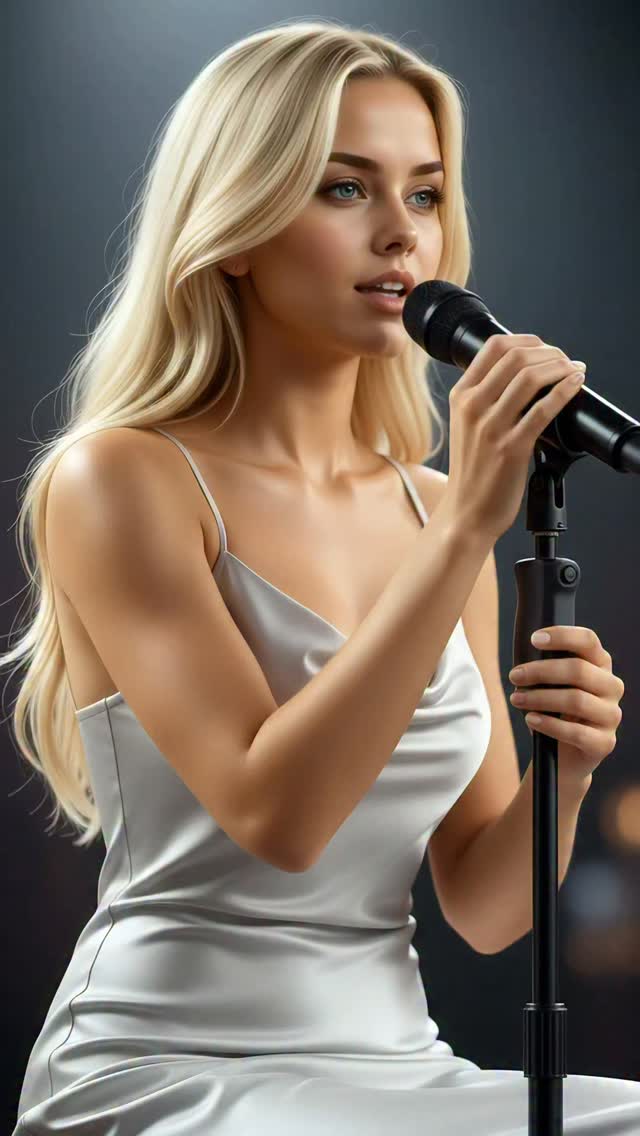
This case study analyzes a high-performing "AI Influencer" music video featuring Milla Sofia. The video utilizes a cinematic editorial portrait aesthetic, characterized by a blonde female subject in a shimmering silver satin slip dress performing in a dimly lit studio environment. The core appeal lies in the seamless integration of high-fidelity AI visuals with original music, creating a "virtual pop star" persona that blurs the line between reality and digital art. Key keywords include: AI Influencer, Cinematic Lighting, Virtual Singer, Silver Satin Aesthetic, and Lyric Overlay Video.
The video features a single, continuous medium shot (MCU) of a blonde woman singing into a professional condenser microphone. The wardrobe is a minimalist yet high-impact silver satin dress that catches the "silver light" mentioned in the lyrics. The lighting is sophisticated: a soft key light illuminates her face from a 45-degree angle, while a subtle rim light separates her blonde hair from the dark, bokeh-filled background. The color palette is dominated by cool silvers, deep blacks, and warm skin tones, creating a professional "studio session" vibe.
| Time Range | Visual Content | Shot Language | Lighting & Tone | Viewer Intent |
|---|---|---|---|---|
| 00:00–00:03 | Subject starts singing; "night lit" text appears. | Medium Close-Up (MCU), static. | Soft key light, cool silver tones. | Hook: Immediate visual/audio harmony. |
| 00:03–00:07 | Subtle head tilt; "with silver light" lyrics. | MCU, slight micro-movements. | Rim light highlights hair texture. | Reinforce persona: High-fidelity realism. |
| 00:07–00:11 | Emotional delivery; "I saw it in your eyes". | MCU, focus on lip-sync accuracy. | Warm skin tones vs. dark background. | Emotional connection through lyrics. |
| 00:11–00:15 | Sustained note; "stars across the sky". | MCU, gentle sway. | Consistent cinematic grade. | Retention: Satisfying audio-visual loop. |
This content succeeds by hitting the "sweet spot" of AI generation. It is realistic enough to be aesthetically pleasing but "perfect" enough to signal its digital nature. This triggers a psychological curiosity: viewers stop to determine if she is real. The choice of a music video format is brilliant because music is a universal language that lowers the barrier to entry for international audiences. The "AI Pop Star" niche taps into the fascination with future tech while providing the comfort of a traditional pop aesthetic.
From a platform perspective (Instagram/TikTok), this video excels in Watch Time and Saves. The 0–3 second hook is purely visual—a beautiful subject in high-definition—which stops the scroll. The pacing is dictated by the song's rhythm, ensuring viewers stay until the end of the musical phrase. The "Save" value comes from creators looking for AI quality benchmarks and fans wanting to revisit the "vibe." The use of lyric overlays reduces the "explanation cost," allowing the viewer to immediately understand the context without reading a long caption.
Use a tool like Midjourney or Flux to create your "Hero Image." Use a prompt that specifies: "Blonde woman, blue eyes, silver satin slip dress, professional music studio, cinematic lighting, 8k resolution." Ensure the face is clear and looking slightly off-camera.
Generate a 15-30 second pop track using Udio or Suno. Use keywords like "Dreamy Pop," "Female Vocals," and "Atmospheric." Copy the lyrics for later use in editing.
Take your Hero Image and your Audio file to a lip-sync tool like Hedra, LivePortrait, or SyncLabs. This is the most critical step for maintaining the "Pop Star" illusion. Ensure the mouth movements match the vowel sounds of your track.
If the lip-sync output is low resolution, run it through an upscaler like Magnific AI or Topaz Video AI. To add body movement (swaying, hair blowing), use Runway Gen-2 or Luma Dream Machine with the "Image-to-Video" feature, using your lip-synced video as a reference.
Ensure the background remains a dark, out-of-focus studio. If the AI changes the background, use a "Green Screen" effect in CapCut to layer your character over a consistent studio stock video.
Import your video into CapCut. Use the "Auto-Captions" feature. Choose a clean, serif font (like the one in the video). Position the text in the center-middle to keep the viewer's eye on the subject's face.
Apply a "Cinematic" filter. Increase the contrast slightly and lower the saturation of the background colors to make the silver dress and the subject's skin pop.
Export in 1080x1920, 30fps. Use a high bitrate to avoid "AI artifacts" (flickering) being visible after platform compression.
Option 1 (The "Artist" Vibe):
Finally dropped 'Speak with Hands'! 💙 This track is all about the unspoken moments. Stream it now on all platforms. What do you think of the vibe? #AIMusic #NewMusic #VirtualArtist
Option 2 (The "Tech" Vibe):
The fidelity of AI video is getting insane. 🤯 Created this entire music video using [Tool Name]. The future is here. Thoughts? 👇 #AIArt #DigitalHuman #TechTrends
Flux for the base image, Udio for the music, and Hedra for the lip-sync animation.
"Silver satin," "Cinematic lighting," and "Photorealistic skin."
You need to use a "Face Lock" or "LoRA" in your generation tool to maintain the same identity across shots.
Add subtle "film grain" and "camera shake" in post-production to mimic handheld human filming.
Instagram Reels currently favors high-aesthetic "lifestyle" AI content like this video.