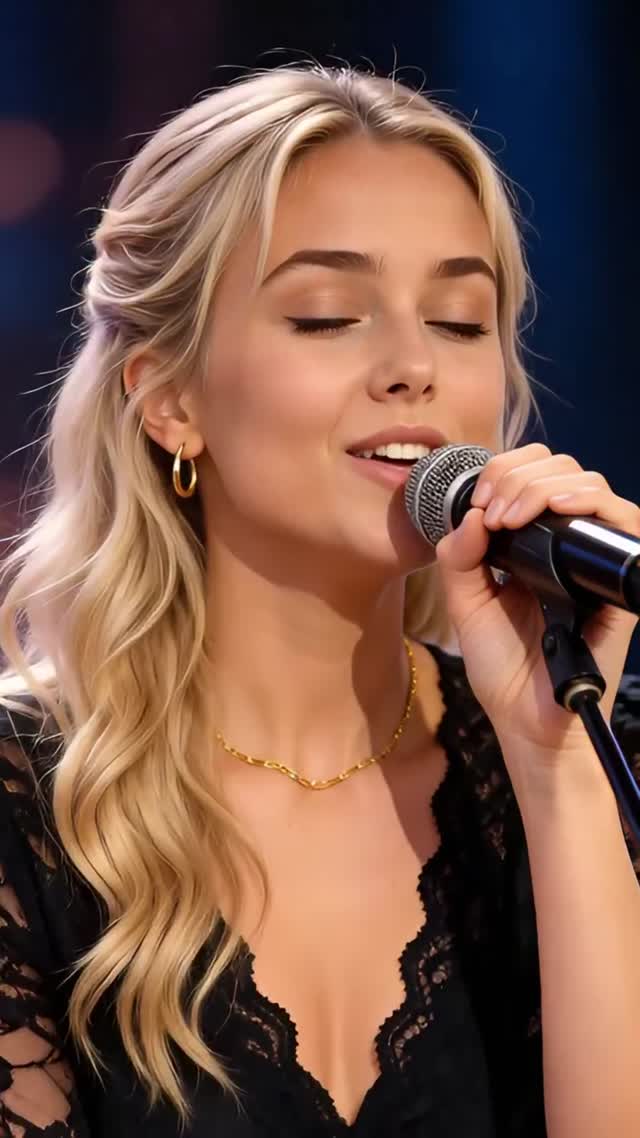
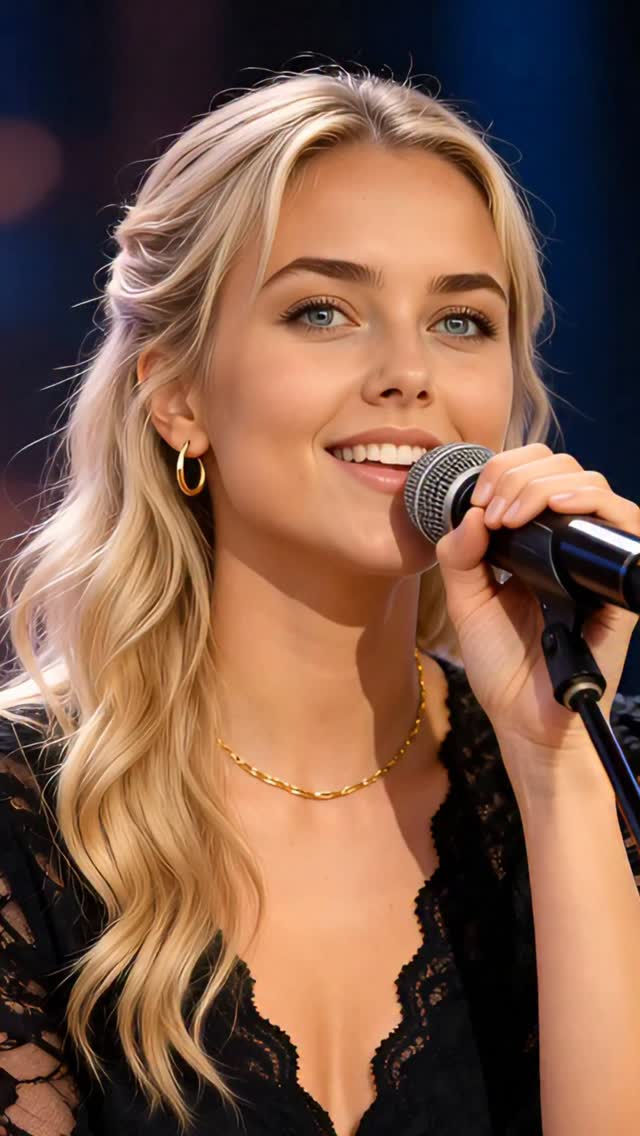
“Woman in Love” is such a timeless and emotional song. Every line feels like devotion, vulnerability, and quiet strength. I wanted to focus purely on the feeling and let the emotion speak 🤍 This is lip sync performance using the original song performed by Dana Winner.
How millasofiafin Made This Woman in Love AI Lip Sync
This case study analyzes a high-fidelity AI-generated performance by digital creator @millasofiafin. The video features a cinematic editorial portrait of a blonde woman lip-syncing to the timeless classic "Woman in Love." Set against a warm, bokeh-rich studio background, the video leverages emotional nostalgia and cutting-edge AI lip-sync technology to create a piece of content that feels both intimate and professional. With over 15,000 likes, it demonstrates how indie creators can use AI to produce "performance" content without a physical film crew or expensive studio space.
What You’re Seeing
The video is a single, continuous medium close-up (MCU) shot. The subject is a young Caucasian woman with blonde hair styled in a half-up, half-down look with soft waves. She wears a black lace V-neck top, complemented by minimalist gold hoop earrings and a thin gold chain necklace. She holds a professional black stage microphone close to her mouth, emphasizing the "live performance" aesthetic.
Shot-by-Shot Breakdown (Estimated)
Time Range
Visual Content
Shot Language
Lighting & Tone
Viewer Intent
00:00–00:04
Subject begins singing with eyes closed, expressing deep emotion.
MCU, Static, 50mm feel.
Warm, soft key light; golden rim light on hair.
Hook: Establish emotional intimacy immediately.
00:04–00:08
Eyes open, looking directly into the lens; lip-sync is tight and expressive.
MCU, slight digital zoom-in.
High contrast, cinematic shadows.
Reinforce persona: Build a connection with the viewer.
00:08–00:12
Text overlay appears: "Send this to someone special ❤️".
MCU, subject continues performance.
Consistent warm palette.
Call to Action: Trigger shares and emotional tagging.
00:12–00:15
Final high note/expression; text changes to "Did it reach you too?".
MCU, slight fade out.
Soft focus on background lights.
Retention/Loop: Encourage a second watch or comment.
Why It Went Viral
The Power of Emotional Resonance
The choice of "Woman in Love" is a masterstroke in nostalgia marketing. By using a song that carries significant emotional weight for a broad demographic, the creator bypasses the "AI barrier." The audience isn't just looking at a digital human; they are feeling the emotion of the music. The performance captures "devotion and vulnerability," which are universal human experiences that trigger high engagement on social platforms.
Platform Signals & Algorithm Triggers
From a platform perspective, this video succeeds through high retention and shareability. The 0–3 second hook is purely visual and auditory—a beautiful face and a familiar voice. Because the lip-sync is so precise (high-fidelity AI), viewers often watch multiple times to "check" if it's real, significantly boosting watch time. The text overlay "Send this to someone special" directly targets the Share button, which is a high-weight signal for the Instagram algorithm.
5 Testable Viral Hypotheses
The Nostalgia Hook: Using a 70s/80s classic song increases average watch time among users aged 35+, who are more likely to save and share emotional content.
The "Uncanny Valley" Curiosity: High-quality AI lip-syncing creates a "wait, is this real?" moment, leading to longer view durations as users inspect the details.
The Direct Eye Contact: Opening the eyes and looking into the lens at the 4-second mark creates a psychological "bond" that reduces skip rates.
The Micro-Niche CTA: Asking "Did it reach you too?" is a low-friction engagement question that prompts users to comment "Yes" or tag a partner.
The Aesthetic Consistency: The warm, "golden hour" studio lighting creates a premium feel that makes the content stand out from typical low-quality UGC.
How to Recreate (Step-by-Step)
Define Your Persona: Choose a consistent character. For this video, it's a "Cinematic Singer." Use a tool like Midjourney to generate a high-quality base image of your character in a studio setting.
Select a High-Emotion Audio: Find a trending or classic song with clear vocals. Ensure the lyrics match the "vibe" of your character.
Generate the Base Video: Use a video generation tool (like Kling or Luma) to create a 5-10 second clip of the character holding a microphone and looking emotional.
Apply High-Fidelity Lip-Sync: Use tools like LivePortrait or HeyGen. Upload your base video and the audio file. Ensure the "expression strength" is set high for emotional songs.
Enhance Visual Quality: Run the final output through an AI video enhancer (like Topaz Video AI) to ensure the skin textures and eyes look sharp.
Add Cinematic Color Grading: Use CapCut or Premiere Pro to add a "Warm/Golden" filter. Increase the contrast slightly to mimic professional stage lighting.
Overlay Engagement Text: Use a clean, serif font (like the one in the video) to add a "Send to someone" CTA in the bottom third.
Publish with Intent: Post as a Reel/TikTok. Use the first comment to ask a question related to the song's lyrics.
Growth Playbook
Opening Hook Lines
"This song always hits different... 🤍"
"POV: You're at a private concert for one."
"Can AI feel emotion? You tell me."
Caption Templates
Template 1 (Emotional):
[Song Title] is a masterpiece of [Emotion]. 🤍 Every note feels like a memory. Who does this song remind you of? Tag them below. 👇 #MusicNostalgia #AISinger
Template 2 (Tech-Focused):
The future of digital performance is here. 🎤 Created this purely with AI to capture the feeling of [Song Title]. Did it reach you? #AIArt #DigitalHuman #CreativeTech