A timeless melody filled with longing, history, and emotion.This song carries a deep sense of reflection and quiet strength, and I love how its message still resonates today.
If this performance touched you even a little, feel free to leave a comment or share it. Every interaction truly means a lot and encourages me to create more. This is a visual lipsync performance using the original recording of By the Rivers of Babylon by Boney M. 🎶
How millasofiafin Made This By The Rivers Of Babylon AI Video
This case study analyzes a high-performing AI-generated video featuring a "virtual influencer" performing a soulful acoustic cover of "Rivers of Babylon." The video leverages a cinematic studio aesthetic, combining hyper-realistic character design with professional-grade lighting and audio. By tapping into a timeless, emotionally resonant song and presenting it through a polished, "perfect" AI persona, the creator achieves a high level of engagement. Key elements include the warm, golden-hour studio lighting, the shallow depth of field (bokeh), and the seamless lip-syncing that blurs the line between digital and reality. This is a prime example of the "AI Singer" niche, which focuses on aesthetic perfection and nostalgic musical triggers to capture attention in the fast-paced Instagram Reels environment.
What You’re Seeing
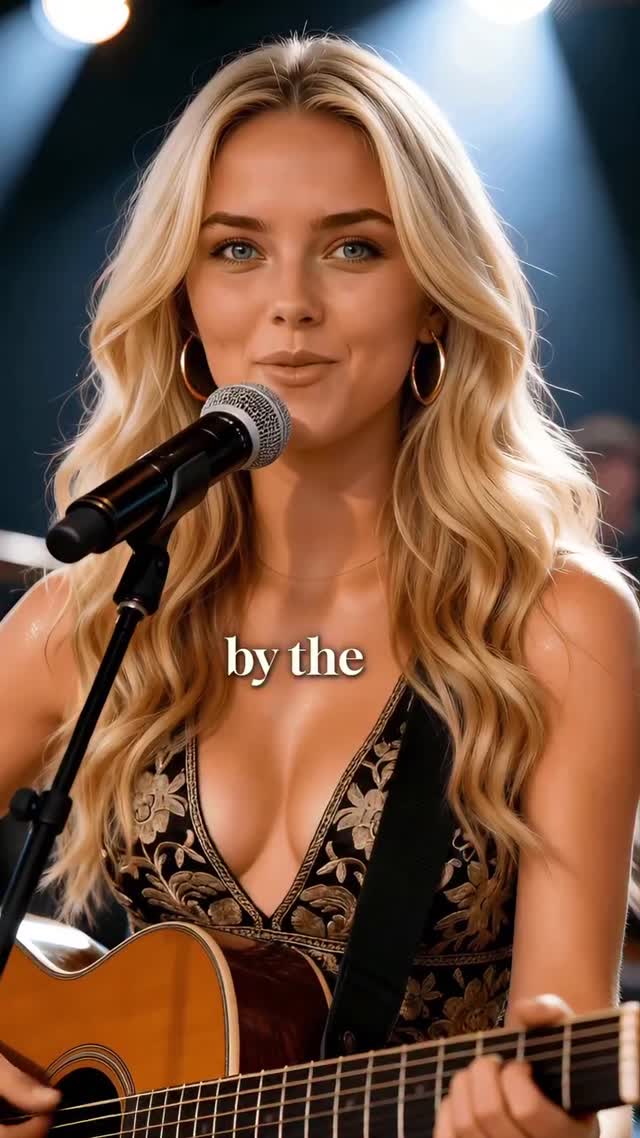
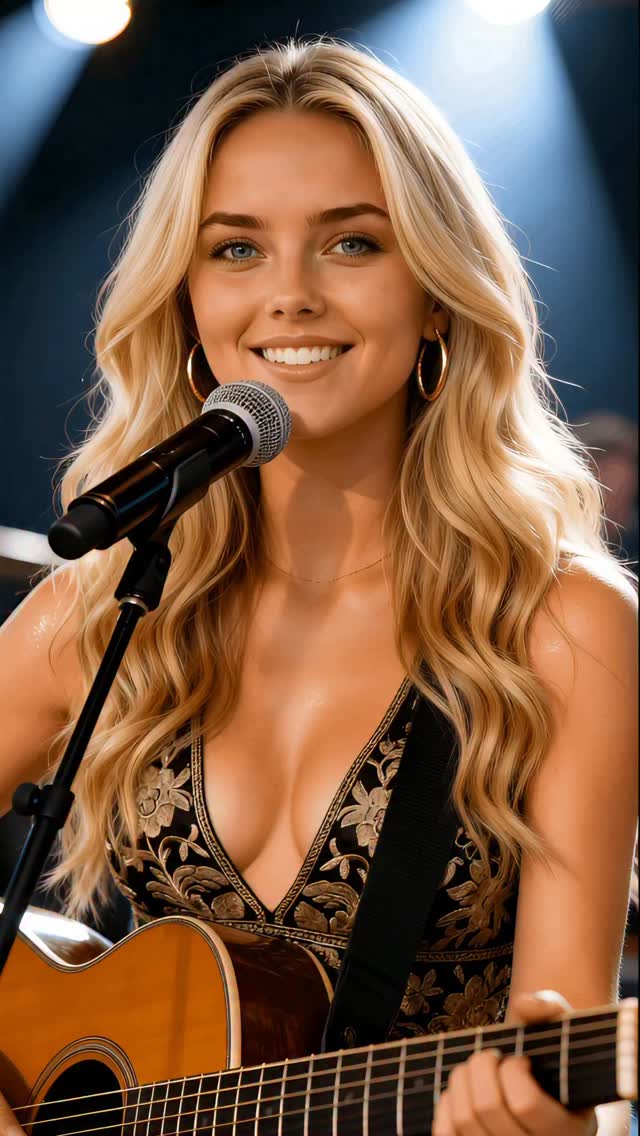
The video features a young Caucasian woman with long, wavy blonde hair and striking blue eyes. She is positioned in a medium close-up (MCU) shot, centered behind a professional condenser microphone. She wears a black V-neck top with intricate gold floral embroidery and large gold hoop earrings, suggesting a "boho-chic" or "editorial folk" style. She holds an acoustic guitar, though only the top portion is visible. The background is a dark studio setting with soft, out-of-focus warm lights creating a beautiful bokeh effect.
Shot-by-shot Breakdown
Time Range
Visual Content
Shot Language
Lighting & Tone
Viewer Intent
00:00–00:03
Subject starts singing "By the rivers of Babylon." Gentle smile.
MCU, Static, Eye-level
Warm key light, soft shadows, blue/gold contrast.
Hook: Immediate visual and auditory recognition of a classic song.
00:03–00:07
"There we sat down." Mouth movements are precise; eyes are expressive.
MCU, slight digital zoom-in (estimated)
Consistent studio glow; highlights on hair.
Retention: Demonstrating high-quality AI lip-sync to build trust/awe.
00:07–00:11
"Yeah we wept." Emotional peak; eyes squint slightly, head tilts.
MCU, focus on facial micro-expressions.
Deep blacks in background enhance the subject's vibrance.
Emotional Connection: Using "human" cues to trigger empathy.
00:11–00:15
"When we remembered Zion." Closes eyes briefly, then smiles at the end.
MCU, static.
Soft roll-off on skin textures.
Closure: Leaving the viewer with a positive, "perfect" image.
Why It Went Viral
The Power of "Uncanny Perfection"
This video succeeds by hitting the "sweet spot" of the uncanny valley. The subject is too perfect—perfect skin, perfect hair, perfect lighting—which triggers a "stop-and-stare" response. In a feed full of messy UGC (User Generated Content), this level of editorial polish stands out. Furthermore, the choice of "Rivers of Babylon" is a masterstroke in nostalgia marketing. It’s a song that spans generations, ensuring a broad audience base from Boomers to Gen Z who recognize the melody, even if they don't know the AI is "fake."
Platform Signals & Algorithm Triggers
From a platform perspective, the video is optimized for Watch Time and Replays. The short duration (15 seconds) combined with a familiar, catchy chorus encourages users to listen to the whole clip. The high-quality audio (likely a high-fidelity AI voice model or a licensed cover) ensures that users don't scroll past due to poor sound. The "Save" rate is likely high because creators and AI enthusiasts use such videos as "quality benchmarks" for their own work.
5 Viral Hypotheses
The Nostalgia Hook: Using a globally recognized 70s/80s hit triggers immediate dopamine, reducing the "scroll-past" rate. Replicate by: Using top 100 hits from 20-30 years ago.
The "Is She Real?" Debate: High-fidelity AI often sparks comments debating its authenticity. This engagement (even if skeptical) boosts the video in the algorithm. Replicate by: Pushing skin texture and micro-expressions to the limit.
The "Studio Aesthetic" Authority: The professional mic and bokeh background signal "high value" content, making the viewer more likely to stay. Replicate by: Using "cinematic studio lighting" in your prompts.
The Eye-Contact Loop: The character maintains consistent, soft eye contact with the camera, creating a pseudo-intimate connection. Replicate by: Ensuring the AI model looks directly at the "lens."
The Minimalist Text Overlay: Using a classic serif font for lyrics helps accessibility and keeps the viewer focused on the performance. Replicate by: Using "Playfair Display" or "Times New Roman" style captions.
How to Recreate (Step-by-Step)
Character Design (Midjourney/Flux): Generate a consistent character. Use prompts like: "Photorealistic 25-year-old blonde woman, blue eyes, gold hoop earrings, black embroidered folk top, holding acoustic guitar, studio setting, cinematic lighting --ar 9:16."
Audio Selection: Find a high-quality acoustic cover or generate one using AI music tools (like Udio or Suno) focusing on "soulful female acoustic folk."
Face-Swapping/Consistency: Use a tool like InsightFaceSwap or LoRA training to ensure the character remains identical across different shots.
Lip-Sync Generation: Use LivePortrait or Hedra. Upload your character image and the audio file. These tools are currently the best for maintaining facial structure while animating the mouth.
Video Enhancement: Run the output through Topaz Video AI or Magnific to upscale the resolution and add realistic skin pores/texture.
Background Dynamics: If the background is too static, use Runway Gen-3 or Luma Dream Machine with an "Image-to-Video" prompt to add subtle light flickers or hair movement.
Editing & Captions: Use CapCut. Add the serif font lyrics. Ensure the text appears exactly as the words are sung.
Color Grading: Apply a "Warm/Gold" filter to unify the AI-generated elements and make the skin tones look healthy and vibrant.
Growth Playbook
Opening Hook Lines
"This melody just hits different today... ✨"
"Can you believe this voice? Wait for the chorus."
"Bringing back a classic. Does this song bring back memories for you?"
Caption Templates
Template 1 (Emotional):
A timeless melody filled with longing and quiet strength. 🕊️ I love how this message still resonates today. Which song should I cover next? #AISinger #RiversOfBabylon #Nostalgia
Template 2 (Technical/Creator):
Testing the limits of AI realism with this acoustic session. 🎙️ The lighting and lip-sync are getting scary good. What do you think—real or AI? #AIArt #DigitalHuman #VirtualInfluencer