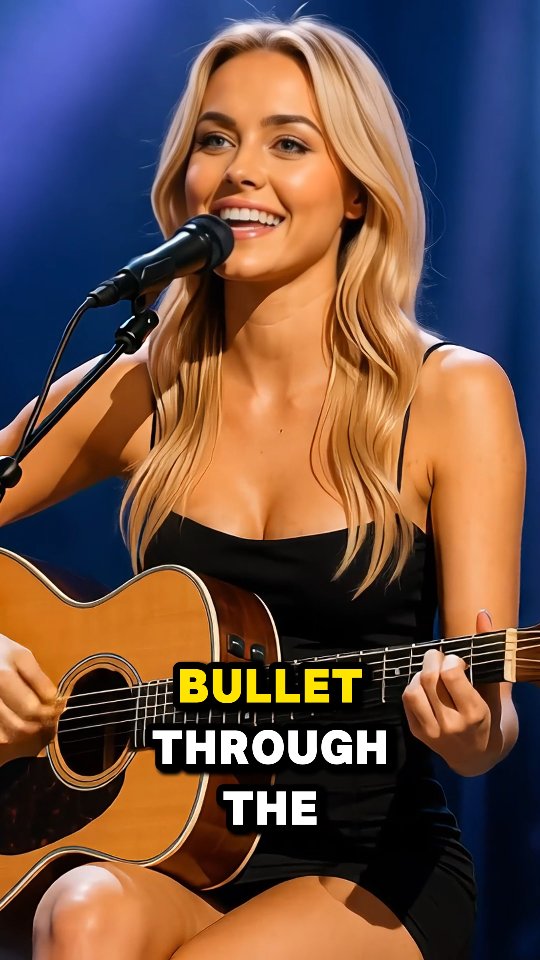

This is my latest track, Boom Boom Bazooka — performed especially for you! 💥🎶 What do you think of the song and the performance?
This is my latest track, Boom Boom Bazooka — performed especially for you! 💥🎶 What do you think of the song and the performance?
This image combines two proven engagement drivers: authentic performance cues and on-screen lyric text. The microphone and guitar confirm that the moment is real, while the subtitle gives viewers a hook before audio fully registers. That is especially important in muted autoplay environments.
For creators, this format is powerful because it is modular without feeling generic. You can keep the same visual setup and rotate lyric lines per post, turning one session into a consistent content series.
| Signal | Evidence (from this image) | Mechanism | Replication Action |
|---|---|---|---|
| Audio-to-text bridge | Bold subtitle “BULLET THROUGH THE” over performance frame | Text captures attention even before sound starts | Add one short lyric fragment in high-contrast type per clip cover |
| Performance authenticity | Singer actively holding guitar and singing into microphone | Action proof increases trust and watch intent | Use real play/sing moments, not staged static poses |
| Color contrast hierarchy | Yellow/white text over darker outfit and guitar zone | Readable typography improves retention and screenshot value | Place captions on darker image areas and add stroke/shadow |
| Clear vertical composition | Face, mic, guitar, and subtitle all visible in one frame | Complete story at thumbnail scale boosts CTR | Frame for 9:16 with all core anchors visible |
{performance frame} + {short lyric line} + {contrast text styling} + {instrument cue}{outdoor acoustic setup} + {lyric fragment} + {single hero color} + {9:16 framing}{studio close-up} + {lyric text block} + {mic anchor} + {clean background}The composition succeeds because it layers information in priority order: face first, performance tools second, text hook third. This creates a natural scan path and avoids clutter even with captions on screen.
The cool blue background and warm skin/guitar tones also create a balanced contrast that helps subtitles pop without overpowering the performer. For creators, this is a practical lesson: text works best when color separation is planned in advance.
| Prompt chunk | What it controls | Swap ideas (EN, 2-3 options) |
|---|---|---|
| solo singer with acoustic guitar and mic | Authenticity and music context | “solo vocal with ukulele”, “piano-vocal close-up”, “unplugged guitar session” |
| bold uppercase subtitle block | Hook readability in mute autoplay | “one-line lyric hook”, “two-line chorus excerpt”, “keyword highlight caption” |
| yellow + white text hierarchy | Visual emphasis and keyword highlighting | “accent word in yellow”, “accent word in cyan”, “accent word in red” |
| blue stage background blur | Mood and depth without distraction | “purple stage wash”, “amber live-room glow”, “teal haze background” |
| 9:16 medium close composition | Reel/TikTok cover optimization | “tight chest-up vertical”, “head+guitar crop”, “centered mic portrait” |
By isolating one variable at a time, creators can identify whether performance comes from wording, color emphasis, or scene mood.