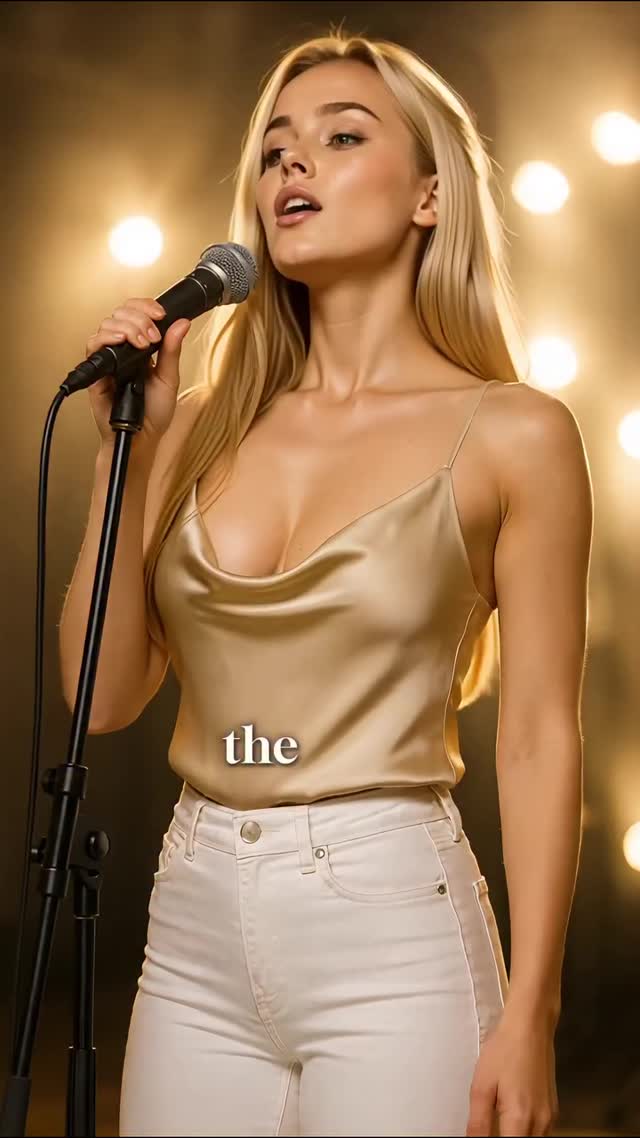
✨ A heartfelt visual tribute to Woman in Love — originally by Dana Winner. Brought to life through elegant style, soft light, and emotional depth by Milla Sofia.
🎬 Not a vocal cover — a cinematic performance capturing the quiet strength of love.
🎧 Let the music speak beyond words.
💫 Follow for more visual tributes & timeless moments.
Why millasofiafin's Woman in Love Tribute AI Video Went Viral — and the Formula Behind It
This case study analyzes a high-performance AI-generated video featuring the digital persona Milla Sofia. The video is a cinematic, editorial-style performance piece where the subject "performs" a heartfelt tribute to the classic song "Woman in Love." Utilizing a warm, golden-hour stage aesthetic, the video combines high-end fashion (a champagne silk camisole and white denim) with professional studio lighting and emotional lip-syncing. This specific content type bridges the gap between "uncanny valley" AI and high-fashion editorial, making it highly shareable for its aesthetic perfection and nostalgic musical hook.
What You’re Seeing: A Visual Breakdown
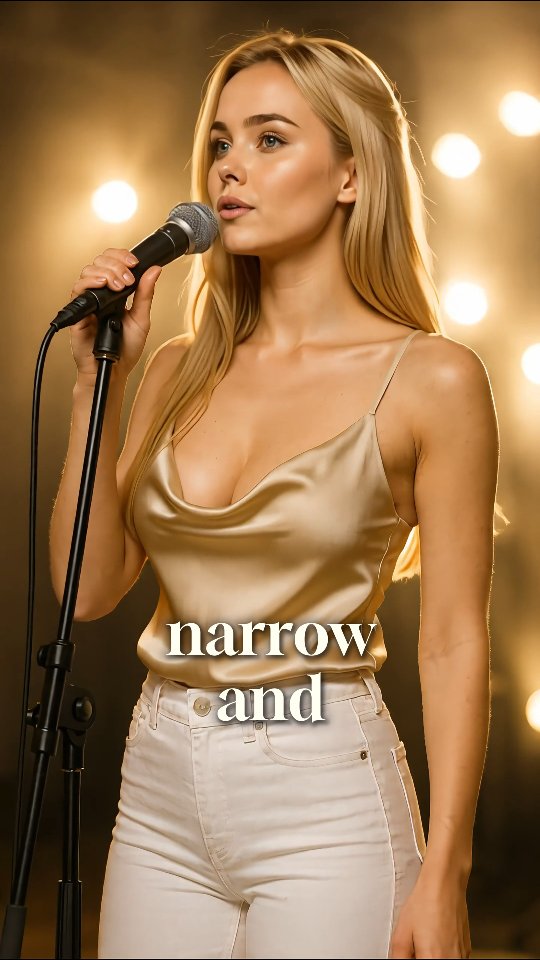
The video features a medium shot of a young blonde woman with a refined, athletic build. She is positioned in what appears to be a professional stage or studio setting. Her wardrobe consists of a lustrous champagne-gold silk camisole with a cowl neckline and thin spaghetti straps, paired with crisp white high-waisted jeans. She holds a professional black stage microphone on a stand, her hands occasionally gripping the pole or the mic itself.
The lighting is the standout feature: a warm, golden "stage glow" with large, soft-focus bokeh circles in the background, suggesting a shallow depth of field (likely a 50mm or 85mm lens equivalent). The color palette is monochromatic and warm, focusing on golds, creams, and soft skin tones. Kinetic typography (subtitles) appears in a classic serif font, synchronized perfectly with the emotional delivery of the lyrics.
Shot-by-Shot Analysis
Time Range
Visual Content
Shot Language
Lighting & Tone
Viewer Intent
00:00–00:03
Subject starts singing "the narrow and long."
Medium Shot (MS), static.
Warm golden key light, soft rim.
Hook: Establish the "is she real?" curiosity.
00:04–00:07
Eyes look directly at camera, then drift away.
MS, slight micro-movements.
High-contrast gold highlights.
Emotional connection: Building intimacy.
00:08–00:11
Subtle head tilt, eyes closing slightly.
MS, focus on facial expressions.
Soft bokeh background.
Reinforce persona: Showcasing "soulful" AI.
00:12–00:15
Mouth opens wider for "I turn away."
MS, increased lip-sync intensity.
Consistent warm editorial.
Climax: Satisfying the musical payoff.
Why It Went Viral: The Mechanism
The Power of Nostalgia and Aesthetic Perfection
This video succeeds by tapping into musical nostalgia. "Woman in Love" is a globally recognized ballad that evokes strong emotions. By pairing this with a visually "perfect" AI avatar, the creator creates a cognitive dissonance: the voice is familiar and human, but the visual is hyper-real and digitally curated. This "Aesthetic Excellence" acts as a thumb-stopper in a crowded feed of low-quality UGC.
The "Digital Human" Curiosity Factor
From a platform perspective (Instagram/TikTok), the algorithm prioritizes watch time and replay rate. Users often watch these videos multiple times to look for "glitches" or to confirm if the person is real. This behavior signals to the algorithm that the content is highly engaging, pushing it to a broader "Explore" or "For You" page audience. The use of high-end fashion (silk/satin textures) further increases the "save" rate for users looking for style inspiration.
5 Testable Viral Hypotheses
The Texture Hook: High-sheen fabrics (like silk) under warm light increase "stop-rate" because the human eye is naturally drawn to luster and light reflection.
The Nostalgic Audio Bridge: Using a 70s/80s classic cover performed by a modern AI avatar creates a cross-generational appeal (Gen X nostalgia + Gen Z tech curiosity).
The "Uncanny" Retention: Slight imperfections in AI movement actually increase watch time as users scrutinize the video to determine its authenticity.
Monochromatic Color Theory: Keeping the wardrobe, lighting, and background in the same "Golden/Cream" family creates a premium, luxury feel that attracts high-value ad-tier audiences.
Kinetic Typography Placement: Placing serif text directly over the subject's chest/center-frame forces the eye to stay centered, increasing focus on the facial expressions.
How to Recreate: Step-by-Step
Step 1: Concept & Audio Selection
Choose a classic, emotional ballad. The audio should be a clean "cover" version to avoid copyright strikes while maintaining the emotional weight. This suits "Virtual Influencer" or "Digital Art" accounts.
Step 2: Character Consistency
Use a consistent character seed. If using Midjourney, use the --cref (Character Reference) tag with a high-quality portrait of your blonde avatar to ensure the facial features remain identical across shots.
Step 3: Wardrobe & Environment Prompting
Prompt for "champagne silk cowl neck camisole" and "white high-waisted denim." For the background, use "blurred stage lights, golden bokeh, professional studio setting."
Step 4: Generating the Base Image
Generate a high-resolution 9:16 image. Ensure the subject is holding a microphone to set the "performance" context immediately.
Step 5: Video Animation (The Performance)
Use a tool like Runway Gen-2 or Luma Dream Machine. Use the "Motion Brush" on the lips and hair. For the best lip-sync, export the video and run it through HeyGen or LivePortrait using the audio track.
Step 6: Lighting & Color Grading
In post-production (CapCut/Premiere), add a "Warm Glow" filter. Increase the "Highlights" and add a slight "Film Grain" to mask the AI smoothness and make it look more like a cinematic camera.
Step 7: Kinetic Typography
Add subtitles using a Serif font (like Playfair Display). Animate them to appear word-by-word, synchronized with the vocals. Place them in the lower-middle third of the frame.
Step 8: Final Polish & Loop
Ensure the video ends on a neutral expression that can loop back to the start, encouraging multiple views.
Growth Playbook: Distribution & Scaling
Opening Hook Lines
"Can you feel the emotion in this digital soul? ✨"
"A classic song, a new digital era. 🎤"
"Is it real or is it AI? The lines are blurring... 🕯️"
Caption Templates
Option 1 (Emotional):
✨ A heartfelt visual tribute to Woman in Love. Capturing the quiet strength and elegance of a classic. 🎬 What song should Milla perform next? Let me know below! 👇 #AIArt #DigitalInfluencer #WomanInLove
Option 2 (Tech-Focused):
The future of performance is here. 🤖 Exploring the emotional depth of AI through cinematic lighting and silk textures. Which detail caught your eye first? 🥂 #AIVideo #CinematicAI #TechStyle