How millasofiafin Made This Black Dress AI Video and How to Recreate It
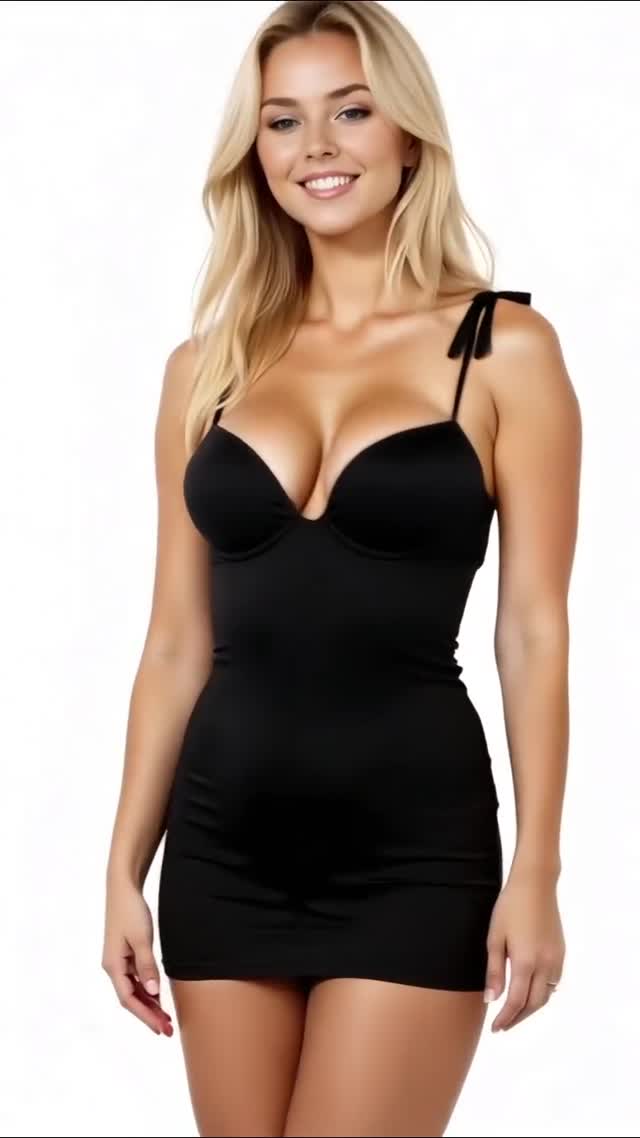
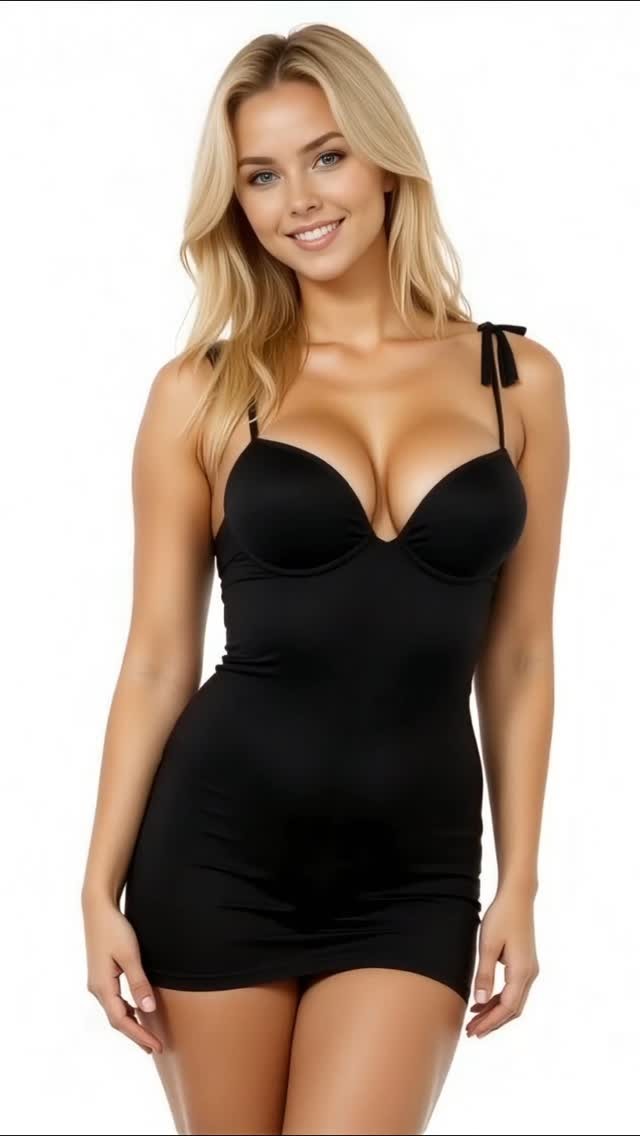
This video is a clean studio fashion loop: one model, one outfit, one white seamless background, and a simple pose progression (front smile → slow turn to side/back → over-shoulder glance → return toward camera).
It’s essentially a “mini lookbook” condensed into ~8 seconds.
The styling is the entire hook: a fitted black mini dress with thin straps and small bow details on the straps.
The background is pure white, which makes the dress silhouette and skin tones pop and keeps the frame ultra-readable on mobile.
The lighting is high-key and soft (big studio softboxes), so there are no harsh shadows or busy textures.
That simplicity is why this format spreads: it’s aesthetic, easy to loop, and easy for creators to replicate with a single setup.
Keywords you can target: white seamless studio video, black mini dress posing, studio fashion loop, high-key portrait lighting, AI fashion prompt.
What you’re seeing
Set: pure white seamless background (no corners, no props)
The background is a clean white seamless, which removes all context.
That forces attention onto the outfit silhouette and the pose.
Lighting: soft high-key studio look
Light is even and flattering, with gentle shadows under the chin and along the body.
This is the easiest lighting style for consistent AI video because it reduces flicker and texture crawling.
Wardrobe detail: thin straps with small bow ties
The dress is a fitted black mini with thin straps.
The visible bow details on the straps are the “specificity anchors” you should lock in your prompt.
Pose progression: front → side/back → over-shoulder glance
The clip doesn’t need cuts.
The movement is a slow rotation and a glance back, which gives enough progression to hold attention.
Camera behavior: stable framing with a subtle push-in
The camera stays stable (no whip pans).
It shifts from a mid-thigh framing to a slightly tighter chest-up look, which adds intimacy.
Expression: friendly smile into a small smirk
The facial arc is simple but effective.
Start approachable (smile), then add a “me, myself” confidence beat (smirk) during the over-shoulder glance.
Shot-by-shot breakdown (estimated)
Time range
Visual content
Shot language (framing / movement)
Lighting & color tone
Viewer intent
00:00–00:02
Front-facing smile on white seamless; black dress silhouette clear.
Stable medium shot, mid-thigh to head.
Soft high-key, clean whites.
Instant outfit readability (hook).
00:02–00:04.5
Slow turn into side profile; glance back over shoulder.
Continuous rotation, gentle push-in.
Even studio light; stable skin tones.
Retention via progression.
00:04.5–00:06.5
Hold side/back three-quarter pose; small smirk.
Minimal motion; micro-expression emphasis.
High-key with soft edge shadows.
Screenshot beat (save-worthy frame).
00:06.5–00:08.4
Turn back toward camera; end on soft smile.
Return rotation; framing matches opening.
Consistent high-key grade.
Loop trigger.
Why it went viral (breakdown of the viral mechanism)
Topic selection: one outfit, one idea, zero noise
“Me, myself and this black dress” is a one-line concept.
The video matches it exactly: no scene changes, no props, just a clean studio moment.
That clarity makes the clip easy to process at scroll speed.
Psychology: silhouette and symmetry are satisfying
A black dress on a white background is the simplest contrast you can give the brain.
It reads instantly, and viewers can enjoy the pose change without needing explanation.
The slow turn also creates a small “completion bias”: you want to see the over-shoulder glance and the return.
Platform perspective: loopable, saveable, and low cognitive load
Platforms reward completion and replays.
This clip is short, visually clean, and ends in a framing similar to the start.
It’s also saveable for creators as a template for “white seamless fashion loop.”
5 testable viral hypotheses (evidence → mechanism → how to replicate)
High contrast minimalism (black dress on white seamless) → instant readability → use a simple two-tone palette.
Slow rotation progression (front → side/back) → completion bias → add one smooth movement that reveals a second angle.
Specific anchor details (strap bows) → rewatch value → include 1–2 small unique details to lock identity and style.
Micro-expression arc (smile → smirk) → personality → plan facial beats, not just poses.
Loop engineering (return to front framing) → replays → end close to the opening composition.
How to recreate (replication tutorial: from 0 to 1)
HowTo checklist (8+ steps)
Pick the concept: “one outfit, one angle, one confidence line.”
Build the set: white seamless background (real or generated) with no props.
Choose a high-contrast outfit: black dress is the easiest, but any strong silhouette works.
Lock character consistency: generate 6–10 reference portraits and 2–3 full-body shots in the same outfit.
Lock outfit details: specify strap shape, bow details, hemline length, and fabric finish (matte vs satin-matte).
Storyboard 4 beats: front smile → rotate to side → over-shoulder glance → return to front.
Generate keyframes: create key images for each beat and verify straps and bows don’t morph.
Animate gently: slow rotation, minimal camera movement; avoid fast motion that breaks fabric and anatomy.
Edit for loop: end with a framing similar to the opening; hold the last smile for 0.5–1.0s.
Copy-ready prompt locks
Locks: “white seamless studio, high-key softbox lighting, fitted black mini dress, thin straps with bow details, slow pose rotation, over-shoulder glance, stable camera, no text.”
Variables: outfit color (black → red), background (white → light gray), pose beats (turn + hair touch), music vibe.
Common failures and fixes
Straps warp: lock strap width and placement; reduce rotation speed.
White background shows seams: add “pure seamless, no corners, no gradients” to the lock.
Hands deform: keep arms relaxed; avoid complex hand poses during rotation.
Growth Playbook (distribution & scaling strategy)
3 opening hook lines (ready to use)
“Me, myself and this dress.”
“One outfit, one take.”
“Minimal studio loop, maximal confidence.”
4 caption templates (hook → value → question → CTA)
Template 1: “Me, myself and this black dress. White seamless + slow turn is the whole formula. Which angle is your favorite: front or over-shoulder? Save this template.”
Template 2: “If your AI fashion clips glitch, go minimalist: high-key light and one rotation. Want the prompt locks? Comment ‘SEAMLESS’.”
Template 3: “Studio loop series: black dress today, red dress tomorrow. What color next? Follow for part 2.”
Template 4: “Confidence is a practice. Drop a 🖤 if you’re feeling yourself today.”