0:00 / 0:00
▶
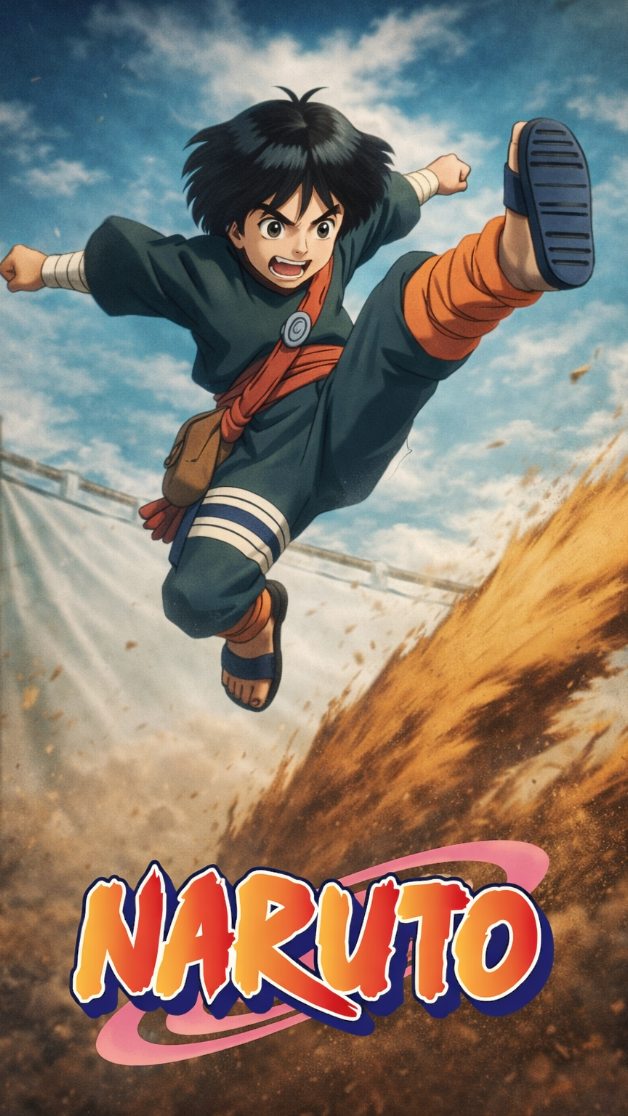
This case study analyzes a high-octane AI-generated reimagining of the iconic Rock Lee vs. Gaara fight from Naruto. Clocking in at over 90 seconds, the video leverages a nostalgic 90s cel-shaded anime aesthetic—reminiscent of Dragon Ball Z or early Naruto episodes—to deliver a "what-if" cinematic experience. With 43,000 likes and a highly engaged comment section, it demonstrates the power of IP-based nostalgia combined with advanced AI motion control. The video captures the essence of Rock Lee's "Hidden Lotus" and Gaara's "Sand Shield" with a level of fluid choreography that rivals traditional hand-drawn animation, proving that AI can now handle complex, multi-character combat sequences without losing character consistency.
The video is a masterclass in dynamic action choreography. It features two primary subjects: Rock Lee (green jumpsuit, spiky hair, bandages) and Gaara (red hair, sand gourd, teal robes). The scene is set in a sun-drenched, dusty ninja arena. The lighting is high-contrast, typical of vintage anime, with sharp shadows and bright highlights that emphasize muscle definition and facial expressions.
| Time Range | Visual Content | Shot Language | Lighting & Color | Viewer Intent |
|---|---|---|---|---|
| 00:00–00:03 | Lee poses; Gaara releases a swirl of sand. | Medium Shot (MS) to Close-Up (CU) | Warm, dusty earth tones. | Hook: Establish the legendary rivalry immediately. |
| 00:04–00:10 | Lee performs a high-speed kick; sand blocks the impact. | Tracking shot, low angle. | High contrast, motion blur. | Action: Showcase the "Unstoppable Force vs. Immovable Object." |
| 00:11–00:14 | Lee opens the Second Gate; skin turns red, steam rises. | Extreme Close-Up (ECU) | Red tinting, glowing highlights. | Emotional Peak: The iconic "power-up" moment. |
| 00:15–00:27 | Rapid-fire punches and kicks; Gaara struggles to keep up. | Fast cuts, whip pans. | Saturated blues and greens. | Retention: High-density motion prevents scrolling. |
| 00:28–00:34 | Lee wraps Gaara in bandages and spins into a tornado. | Wide Shot (WS) to 360-degree orbit. | Desaturated background, focused subject. | Spectacle: The "Primary Lotus" payoff. |
| 00:35–00:42 | Massive impact crater; dust settles to reveal Gaara's sand shell. | Bird's-eye view. | Muted, debris-filled atmosphere. | Suspense: Did the attack work? |
| 00:43–01:32 | The fight continues with sand spears and Lee's "Inner Gates" transformation. | Mixed framing, POV shots. | Dynamic, shifting palettes. | Loop/Completion: Reward the viewer for staying. |
This video taps into a specific psychological trigger: Nostalgia for the "Golden Age" of Shonen anime. The Rock Lee vs. Gaara fight is widely considered one of the greatest moments in anime history. By recreating it with a 90s aesthetic, the creator bypasses modern "clean" digital looks in favor of a grittier, more emotional style that resonates with older fans. Furthermore, Rock Lee is the ultimate underdog—a character who succeeds through pure hard work. Seeing him rendered with such fluid, high-budget-feeling AI motion creates a "wish fulfillment" effect that drives shares.
From a platform perspective, the video succeeds through Visual Density. Instagram and TikTok reward "Watch Time" and "Re-watches." Because the action is so fast and the AI-generated details (like the individual grains of sand or the steam from Lee's skin) are so intricate, viewers often re-watch the video to catch what they missed. The use of original Japanese voice lines (Seiyuu) adds an layer of Authenticity that signals to the algorithm that this is "high-quality fan content" rather than "low-effort AI spam."
"90s retro anime style, cel-shaded, hand-drawn texture, Rock Lee from Naruto, thick eyebrows, green jumpsuit --v 6.0".Template 1 (Nostalgia Focus):
The fight that defined a generation. ⬇️
I used AI to bring back that gritty 90s anime aesthetic for Lee vs Gaara. The fluid motion of the Hidden Lotus is finally here.
Which fight should I reimagine next?
#Naruto #RockLee #90sAnime #AIVideo
Template 2 (Technical Focus):
Can AI handle Shonen combat? 🥊
Testing the limits of motion consistency with this Rock Lee tribute. From the sand gourd to the Inner Gates, every frame was styled for nostalgia.
Check the link in bio for the prompt breakdown!
#AIArt #AnimeEdit #Gaara #DigitalAnimation
Use Midjourney v6 with "90s cel-shaded" prompts for base images, then Runway Gen-3 for motion.
Use a consistent "Character Reference" (cref) in Midjourney and high "Motion Bucket" settings in your video tool.
This is achieved using "Motion Brushes" or "Area-Specific Motion" to tell the AI to move the particles independently.
For fan content, original Japanese audio usually performs better due to the emotional connection of the fans.
Lower the motion intensity and use a "Deflicker" plugin in DaVinci Resolve or CapCut.