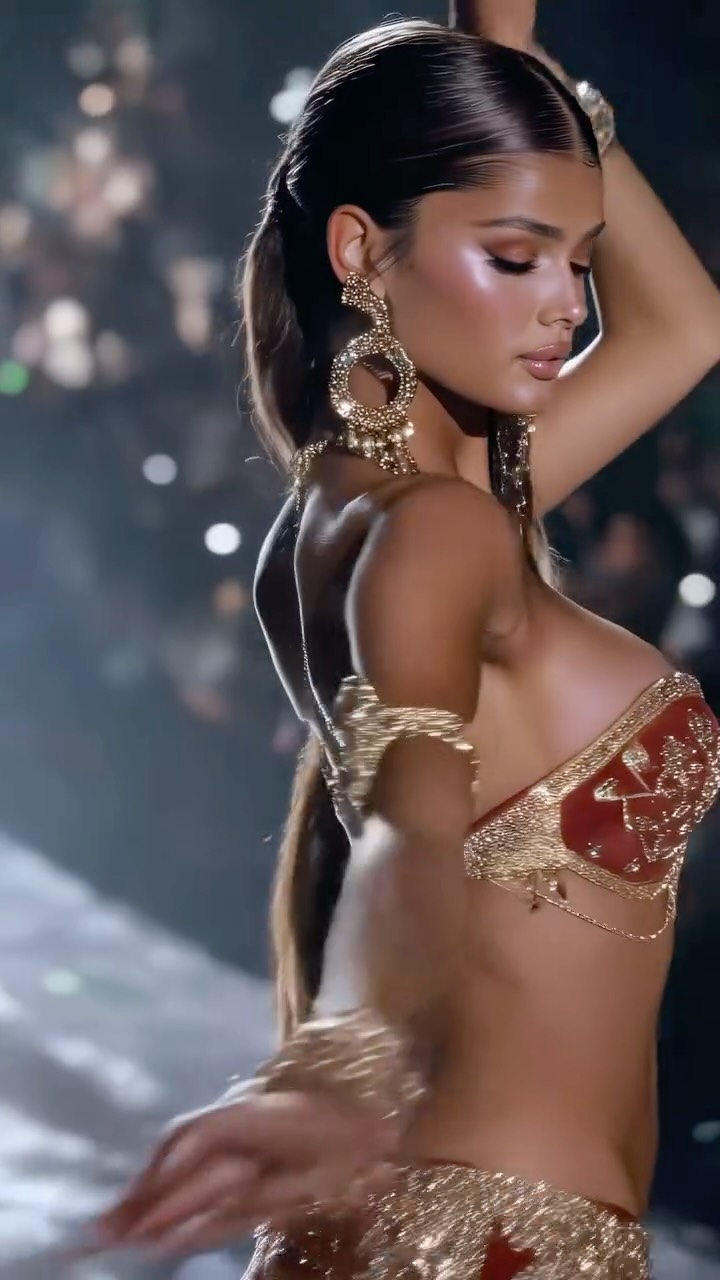
Belly dancer collection✨
Animated with @klingai_official
Are you serious about learning how to create AI visuals at a professional level? In my course, I teach everything I use in my own process:
• How I build concepts and visual storytelling
• The exact tools, prompts, and workflows I use
• How to refine, edit, and create a portfolio that gets noticed
This is the full system I used to grow Dreamfall Art and work with brands.
If you want access —
Comment “COURSE” below and I’ll send you the link directly.
#ai #klingai #midjourney #aiart #aiartcommunity
How dreamfall.art Made This Belly Dancer AI Portrait - and How to Recreate It
This image succeeds because it concentrates luxury signals in a tight frame. Instead of relying on a wide set, it uses three high-impact elements: sculpted beauty lighting, oversized jewelry, and high-frequency metallic texture. That combination creates immediate “editorial value” even before the viewer reads any caption.
The post also works through hierarchy discipline. Face and earrings read first, garment texture second, background mood third. Nothing distracts from the main status narrative. For creators, this is useful when you want maximum glamour impact in limited frame space, especially for reels covers and campaign teasers.
Signal Table
Signal
Evidence (from this image)
Mechanism
Replication Action
Jewelry Dominance
Oversized ornate statement earrings
Raises perceived styling budget instantly
Use one oversized accessory as a primary visual anchor
Texture Density
Metallic beaded garment surfaces
Encourages zoom behavior and saves
Prompt explicit micro-bead and reflective detailing
Beauty Light Sculpting
Soft highlights on cheekbones and collar line
Adds professional editorial polish
Lock soft key direction and control specular highlights
Low-Noise Background
Dark haze with subtle bokeh
Keeps luxury focus on subject details
Reduce background objects and retain only atmospheric lights
Use Cases and Transfer Recipes
High-fashion campaign teasers: ideal for premium brand signaling.
Jewelry collab posts: ideal because accessory detail is central.
Runway recap hero frame: ideal when selecting one iconic close-up.
Beauty-artist portfolio posts: ideal for makeup and lighting showcase.
Not ideal for casual lifestyle storytelling: tone is highly stylized.
Not ideal for product explanation carousels: visual intensity can overpower text-heavy messages.
Not ideal for low-light phone-only captures without controlled highlights.
Silver Editorial Transfer — Keep: close-medium crop and jewelry emphasis. Change: gold textures to silver chrome palette. Slot template (EN): {single model close-up} {oversized accessories} {high-detail metallic styling} {dark atmospheric background}
Velvet Luxe Transfer — Keep: face-first hierarchy and bokeh depth. Change: beaded look to matte velvet plus one metallic accent. Slot template (EN): {editorial portrait} {statement earring} {rich fabric focus} {sculpted beauty light}
Runway Flashback Transfer — Keep: confident pose and shallow depth. Change: hazy stage to archival runway light streaks. Slot template (EN): {fashion-show setting} {hero accessory} {controlled highlights} {luxury close framing}
Aesthetic Read
The frame is driven by contrast between smooth skin rendering and complex metallic surfaces. Jewelry and garment embellishments create a high-detail field, while hair is kept sleek to avoid pattern overload. The dark background acts as a tonal canvas, letting warm gold tones carry status and drama. Composition avoids clutter by staying close, which increases impact in vertical mobile feed formats. This is a textbook luxury close-up strategy: fewer objects, stronger material cues.