AI Thumbnails vs Human-Made: Which One Gets More Clicks in 2026?

AI drafts fast, humans set the direction: who really wins?
|
13 min
Key Takeaways
AI delivers speed and more variations; with clear direction, it becomes your most efficient creative partner.
Conversational AI tools like Alici.ai's thumbnail expert let you describe, generate, and refine in a natural loop - turning "AI + human" into a seamless workflow.
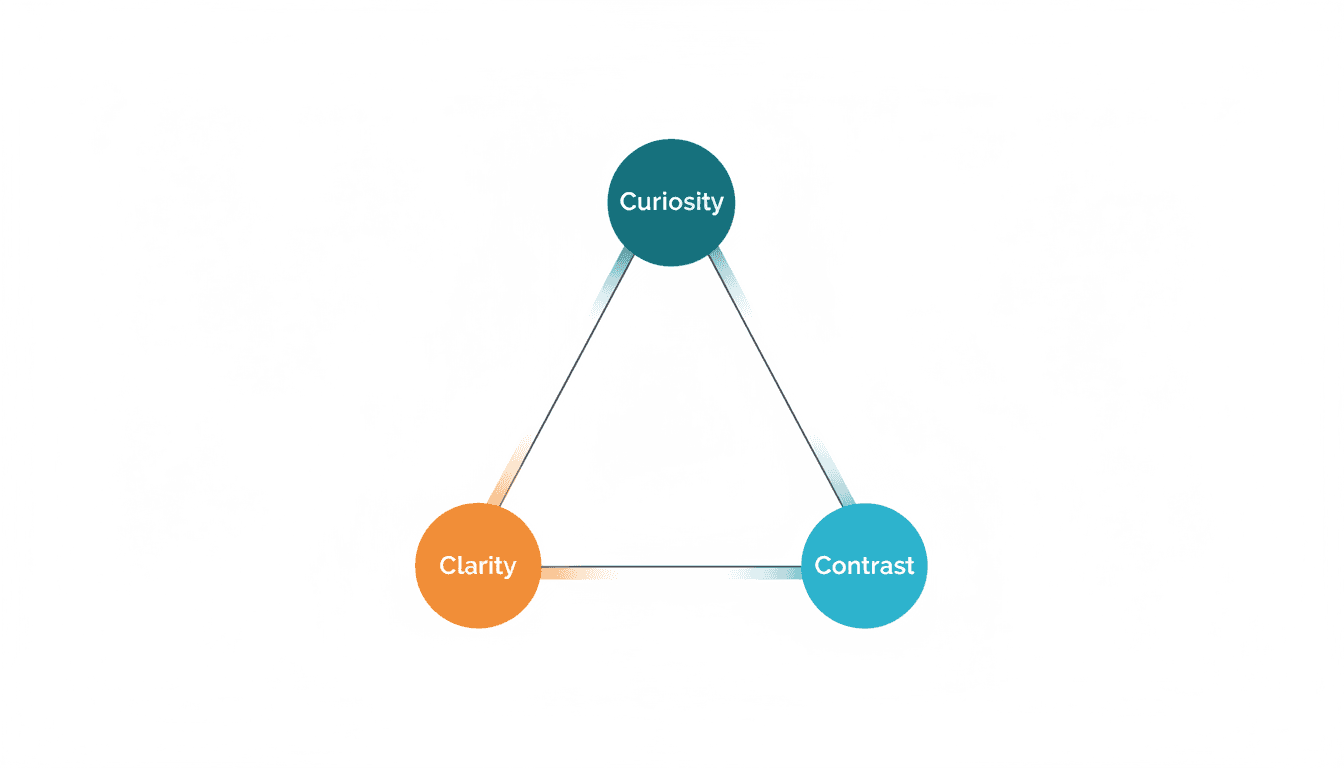
Effective thumbnails still follow the 3C rule: Curiosity, Clarity, Contrast.
The most reliable answer is a hybrid workflow: AI drafts, human direction, A/B validation.
The goal is not the prettiest thumbnail, but the one that best keeps its promise.
For small creators, consistent style matters more than one-off spikes; long-term it decides whether viewers recognize you.
Quick Comparison
Approach | Best for | Core advantage | Main risk | Typical use case |
|---|---|---|---|---|
AI generation | High frequency, no design background | Fast, many variations | Needs direction for stronger story | Rapid testing, ideation |
Human-only | Clear brand style and narrative | Strong emotion and storytelling | Higher cost, slower | Channel hero visuals, series covers |
AI + human | Most small and mid creators | Speed + identity | Needs human judgment | Steady iteration, long-term growth |
Decision Matrix: Which Approach Fits You?
If you are unsure, use a simple decision matrix to narrow it down:
Dimension | What you care about | Better fit |
|---|---|---|
Speed | Multiple uploads per week | AI-led + human filtering |
Identity | Building channel style | Human-led + AI assist |
Complexity | Topic is hard to explain at a glance | Human-led |
Budget/Time | Limited resources | AI-led |
Iteration | Want continuous improvement | AI + A/B workflow |
This is not a final answer. It is a "filter first, optimize next" framework. Once you pick a primary approach, refine it with a hybrid workflow. That prevents you from oscillating between speed and style, and makes iteration cumulative instead of reset-driven.
1. The Real Question Isn't AI vs Human
A lot of debate focuses on whether AI will replace humans. But for thumbnails, the real question is not who is stronger, but who owns which part.
AI can generate 10 options fast, but it cannot judge whether the image feels like part of your channel, whether it honestly promises the video, and whether it will be remembered in a crowded feed.
Those three questions are different ways of asking one thing: does this thumbnail represent you?
So the best answer is not "AI or human". It is AI output + human direction + testing and iteration.
2. What Makes a Thumbnail Actually Work?
The 3C framework is the backbone of this topic: Curiosity creates the question, Clarity makes it instantly readable, and Contrast helps it pop against similar videos.
The 3Cs sound like a method, but in practice they still require human judgment.
AI often nails contrast, but may need guidance on curiosity and clarity. The human role is to turn the topic into a question worth clicking.
For more detailed thumbnail design tips, check out our 10 best practices for thumbnails that get clicks.
2.1 How Titles and Thumbnails Split the Work
A useful rule: the title defines the scope, the thumbnail makes the promise.
If the title already says "AI vs Human," the thumbnail should not repeat "AI vs Human." It should turn the conflict into a specific promise like "Speed vs Identity," "Who decides your style?" or "Which one feels like you?"
When title and thumbnail split the work, click-through rate becomes more stable.
2.2 The 5-Second Readability Test
Shrink your thumbnail to phone size and run a simple test: if text is unreadable, cut it in half; if the subject is unclear, enlarge it; if the focus is vague, move it to the center.
AI tends to add elements. Human judgment is often about removing them. Many times, deleting a decoration beats adding a new layer.
More importantly, humans understand context. The same image can be clear for tutorials and boring for entertainment. AI can generate images, but it cannot understand what your audience is actually here for. That is why you still need final human judgment.
3. How to Keep Your Style When Using AI
When thumbnails across YouTube start to look similar, standing out requires clear personal anchors - not avoiding AI, but using it with intention.
The key is not whether you use AI, but whether your thumbnails are recognizable as yours.
If you are a small creator, being remembered matters more than being "prettier."
Three "Identity Anchors"
To make your thumbnails recognizable, lock three anchors: a face anchor (consistent angle or expression), a color anchor (stable palette), and a layout anchor (text placement that stays consistent, like top-left or bottom).
With these anchors in place, AI becomes a powerful tool for generating variations while keeping your identity intact. If you do not have a face yet, use a consistent icon, gesture, or prop as your anchor.
4. AI vs Human: What Each Does Best
Dimension | AI thumbnails | Human design |
|---|---|---|
Speed | Extremely fast, batchable | Slower, requires thinking |
Variation output | Strong | Limited by time |
Narrative and emotion | Works best with clear direction | Better at conveying complex meaning |
Brand consistency | Strong when using features like One-Face | Easier to keep stable manually |
Best use | Rapid tests, ideation, high-frequency output | Positioning, hero visuals, long-term style |
The conclusion is not "who wins," but "who owns which stage."
Human Review Checklist for AI Outputs
When AI gives you 10 options, start with five checks: Is the promise clear? Does the emotion match? Is the subject dominant? Is the text competing with the subject? Is the identity consistent? In short: does it look like you, is it clear, and is it worth the click?
This only takes 3-5 minutes, but it turns AI's batch advantage into real, usable results.
If it fails this gate, generating more is just repeating the waste.
5. Recommended Workflow: AI Output + Human Direction + A/B Validation
A practical workflow for small creators: generate 5-10 AI drafts to explore directions, let a human pick the 2-3 most "on brand" options, run the 3C check for clarity and meaning, then test them in YouTube's Test & Compare and iterate the next round based on results.
A/B in Reality: Fewer Variants, More Consistency
YouTube's Test & Compare supports multiple versions, but the most effective approach for small creators is not to test many at once. Compare only 2-3 core directions each time, and keep validating across similar videos.
The advantage: you are not misled by one-off results. You build a stable, repeatable style through iteration.
Hook Matrix and Scorecard (Ready to Use)
For proven thumbnail formulas from top creators, see our breakdown of Veritasium's clickbait strategy.
Use a simple Hook Matrix to control variables:
Variable | Version A | Version B | Version C | Note |
|---|---|---|---|---|
Subject | Half-body | Close-up | No face | Change only once |
Copy | Question | Result | Contrast | Keep text 2-4 words |
Background | Solid | Scene | Gradient | Avoid too many changes |
Emotion | Tense | Neutral | Excited | Match the content |
Then use a quick 5-question scorecard:
Can you name the topic at a glance?
Is there a clear promise of what you will get?
Is it clean enough to read on a phone?
Does it feel like your channel, not a template?
Would you click this?
You do not need a numeric score. You just need faster decisions. If you cannot choose, you likely changed too many variables. Narrow the range, then iterate.
6. When AI Is Better, When Humans Are Better
When AI is better
If you need high frequency output, rapid testing, or early composition ideas, AI is a great fit. If you already have a fixed template and just need to swap content, AI can save significant time.
When humans are better
If you want to build channel identity, your topic is complex, or you care about long-term recall and brand trust, human judgment remains irreplaceable.
Quick Decision Tree (5 minutes)
If you must publish today, generate many AI options and use the 3C filter to pick 2-3 for testing. If you are building a series, lock face and color first, then let AI do small variations. If you are testing a new direction, change only one variable at a time to avoid confusion.
Remember: AI can help you run faster, but you still choose the direction.
7. Practical Playbook for Small Creators (No Design Background)
Even without design experience, you can stay consistent with simple rules: define a channel "visual skeleton" first (1-2 fonts, 1 primary palette, 1 face style), change only one variable each time (background, expression, or text), and treat the thumbnail as a promise card - the title sets scope, the thumbnail highlights the conflict.
Not sure what size to use? Check out our guide to official YouTube thumbnail dimensions and design tips.
Lightweight Cases: Two Takes on the Same Topic
Case 1: Tutorial video
Common AI output: tool icons + big text "Full Tutorial."
Human revision: keep one key scene, change copy to "You will get stuck here."
Case 2: Review video
Common AI output: left-right comparison + "VS."
Human revision: emphasize the difference, e.g., "Faster" vs "More stable."
Case 3: Vlog / diary
Common AI output: heavy filters, exaggerated expressions.
Human revision: light edits, keep real expression and feeling.
These examples show: more effective thumbnails are often more restrained.
Thumbnail Style System: 3 Layers
If you want long-term stability, use a simple three-layer system:
Recognition layer: lock the person, font, and primary color so viewers recognize you instantly.
Information layer: highlight one key message per thumbnail.
Variation layer: change only one variable (background/text/expression) each time.
This makes AI output more controllable and human judgment easier.
Common Mistakes (and Fixes)
Mistake 1: Too much text -> cut to 2-4 core words and let the title carry the rest.
Mistake 2: Emotion does not match content -> describe the video emotion first, then pick the expression.
Mistake 3: Subject too small -> enlarge the subject before adding decorations.
Mistake 4: Too many variables changed -> keep 80% consistent, change only one variable.
Mistake 5: Looks like a template -> add a consistent personal element (face/font/color).
These are judgment errors, not tool errors. AI cannot decide for you.
8. Where Alici.ai Fits in Your Workflow
Alici.ai uses a conversational AI agent - you describe what you want, see the result, give feedback, and refine. This turns "AI + human direction" into a natural chat, not two separate steps.
Here's what you can do during the conversation:
Describe and refine: tell the AI what you want, see the result, and ask for adjustments in plain language.
Script -> Thumbnail: extract visual concepts from the script to reduce mismatches.
URL Reference: input competitor/reference URLs to generate a similar starting style.
One-Face: upload once, keep the same person across all thumbnails for recognition.
Use Case Matching: Which Mode to Use?
Scenario | Suggested mode | Notes |
|---|---|---|
Daily/weekly high-frequency uploads | AI-led + human filtering | Keep speed first, direction second |
Series content | AI + fixed style system | Keep identity and iterate |
Key videos (flagship) | AI + extra human polish | Use AI for drafts, refine the winner |
New direction tests | AI batch + A/B | Validate quickly before investing |
Looking for more AI thumbnail tools to compare? See our best AI YouTube thumbnail makers roundup.
Turn Thumbnails into Reusable Assets
The problem for small channels is not "making a good image." It is starting from zero every time. A better approach is to treat thumbnails as an asset library:
Lock face and color first to form a stable recognition layer.
Use scripts or URL references to derive the core scene (content layer).
Use multi-version generation for fast tests (iteration layer).
This frees you from one-off thumbnails and turns each release into a long-term asset.
9. Thumbnail-Content Alignment: Do Not Turn Clicks into Disappointment
A thumbnail is a promise. If you overpromise and the video does not deliver, long-term outcomes usually are:
Lower retention
Lower engagement
Lower channel trust
So even if you want strong contrast or conflict, the video must fulfill the promise.
A practical method: write the video's core sentence first, then make the thumbnail revolve around it. If the core is "AI thumbnails solve speed but sacrifice identity," the thumbnail should focus on "speed vs identity," not a random exaggerated face.
Three Questions for Expectation Alignment
Before publishing, ask yourself: will viewers feel the thumbnail matches the video, does the thumbnail emotion match the video emotion, and can you describe the video value from the thumbnail alone?
If any answer is no, you need one more revision.
10. Pre-Publish Checklist (Most Useful for Small Creators)
This checklist does not require design training: readability is strong, only one key message is emphasized, emotion matches the video, text is 2-4 words, style still looks like your channel, it stands out next to similar videos, the promise is clear, and variables are trackable.
If you have only 5 minutes, this list is enough.
It seems long, but after a few rounds your decision speed will improve.
11. FAQ
Q1: How do I keep my thumbnails from looking generic?
Lock your identity anchors first (face, color, layout), then use AI to generate variations within those constraints. The key is direction, not the tool.
Q2: Why is A/B still important?
Because even great thumbnails need validation. YouTube's Test & Compare lets you choose at low cost.
Q3: I cannot design. Can I rely only on AI?
You can, but keep at least one human decision step: pick 2-3 options that feel like your channel, then test.
Q4: Should I chase cooler effects?
Not necessarily. Clean, readable thumbnails often perform more consistently.
🎁
Limited-Time Creator Gift
Start Creating Your First Viral Video
Join 10,000+ creators who've discovered the secret to viral videos