What AI Tools Can Make Videos Like soy_aria_cruz?
If you are asking what AI tools can make videos like soy_aria_cruz, start with roles, not a single app name. The creator has not publicly disclosed a complete tool stack in the supplied materials. I analyzed 5 works to r
Explore Aria Cruz | Influencer AI ProfileIf you are asking what AI tools can make videos like soy_aria_cruz, start with roles, not a single app name. The creator has not publicly disclosed a complete tool stack in the supplied materials. I analyzed 5 works to recommend what could produce this kind of content: consistent AI persona visuals, motion effects, Spanish narration, screen captures, and final editing.
Methodology: I analyzed 5 of @soy_aria_cruz's works to identify the kind of toolkit that can produce this content: visual style, motion characteristics, audio profile, interface proof, and post-production needs. I cross-referenced recommendations against approved cards in research/tool-capabilities/. Last updated 2026-05-01.
What This Content Looks Like: Observable Signals to Match
The stack has to support two content modes at once. The first is creator education: Aria appears as a Spanish-speaking AI influencer, then the video cuts to tool interfaces, pricing pages, app demos, and a comment-to-DM CTA. The second is persona showcase: Aria stays visually recognizable while the setting changes from a museum gallery to a character-selection UI or surreal sky scene.
I observed four recurring requirements across the selected works: locked facial/persona cues, clean vertical social framing, enough motion control for short hero effects, and a separate editing layer for narration, screen capture, and CTA pacing. That is why this guide treats the stack as a role map rather than a single-tool guess. For the editorial formula behind those choices, the existing methodology guide is the soy_aria_cruz breakdown.

The 1:28 content description includes 9 named tool segments, screen recordings from 00:10-00:15 and 00:31-00:46, Spanish speech, lip-sync requirements, and a final "Comenta ARIA" CTA at 01:26-01:28.
This 5.20-second example isolates the character-selection role: full-body Aria, cyan HUD glow, a left avatar grid, a right stat panel, and a single front-to-three-quarter pose rotation.
Key Insight: All 5 analyzed works require at least 2 production roles, and the anchor tutorial requires 4 roles: persona visuals, motion/video, Spanish audio, and editing/interface capture.
Takeaway: Before choosing a model, decide whether your clip is a tutorial, a persona image, a short motion effect, or a hybrid. Each format needs a different minimum stack.
Bottom Line: Role-based stack planning appears in 5/5 analyzed works. Recommend tools by job, not by a single creator-use claim.
Tools That Can Produce This Kind of Work
The safest stack starts with reference images, then routes the best frames into a video model, then finishes with audio and editing. For Aria-style work, the image layer matters first because glasses, facial structure, hairstyle, earrings, and styling cues have to survive costume and scene changes.
I recommend treating Pika-labeled examples in the source set as task evidence, not full-stack proof. Pika appears in two selected media titles/descriptions, but this repo has no approved Pika capability card. For capability claims, the stronger source base is the approved card set for Nano Banana Pro, GPT Image 2, Seedream, Midjourney, Veo 3.1, Kling 3.0, Seedance 2.0, and audio post-production tools.
| Role | Recommended tools | What each is good at | Distinctive signature if any | Alici alternative |
|---|---|---|---|---|
| Character reference and persona boards | Nano Banana Pro · GPT Image 2 · Seedream · Midjourney v8.1 | Nano Banana Pro is strongest for multi-reference likeness; GPT Image 2 is useful for storyboard sets and text-heavy image work; Seedream is strong for filmic photoreal portraits; Midjourney is useful for visual exploration, but Alici exposes only text-to-image mode. | — | Nano Banana Pro · GPT Image 2 · Seedream · Midjourney text-to-image |
| Video generation and motion | Veo 3.1 · Kling 3.0 · Seedance 2.0 · Pika | Veo 3.1 fits dialogue-ready vertical scenes; Kling 3.0 fits short multi-beat character clips; Seedance 2.0 fits stylized camera-driven motion but is weaker for realistic human faces; Pika is task-relevant in the selected examples, but tool_card_missing applies. | — | Veo 3.1 · Kling 3.0 · Seedance 2.0 |
| UI/tutorial capture and editing | Screen recording · CapCut/Premiere/Final Cut-style editor · in-app captions | This role assembles talking-head footage, tool screens, pricing pages, labels, and CTA pacing. The exact editing app is not visible from the selected works. | — | none as a named editor inside this repo |
| Voice, music, and SFX | ElevenLabs · OpenAI TTS · Suno · Udio · native video-model audio | ElevenLabs is strongest for cloned/branded voice and dubbing; OpenAI TTS fits controllable non-cloned voice; Suno/Udio fit music beds; native video-model audio can work for short draft dialogue. | — | none on Alici for dedicated audio |
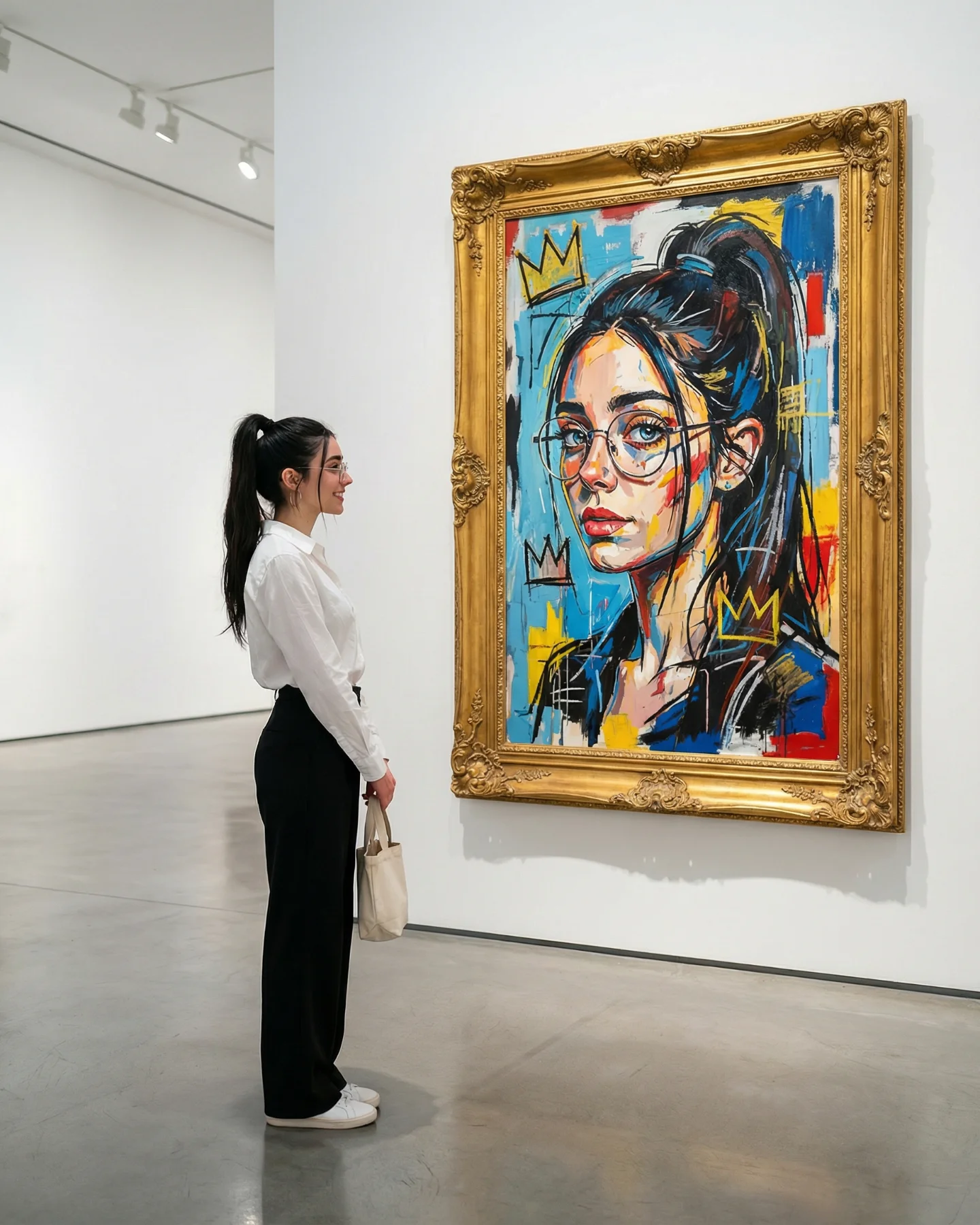
The image description specifies exactly 1 real woman plus 1 painted female portrait, with the woman on the left third and the artwork dominating the center-right two-thirds.
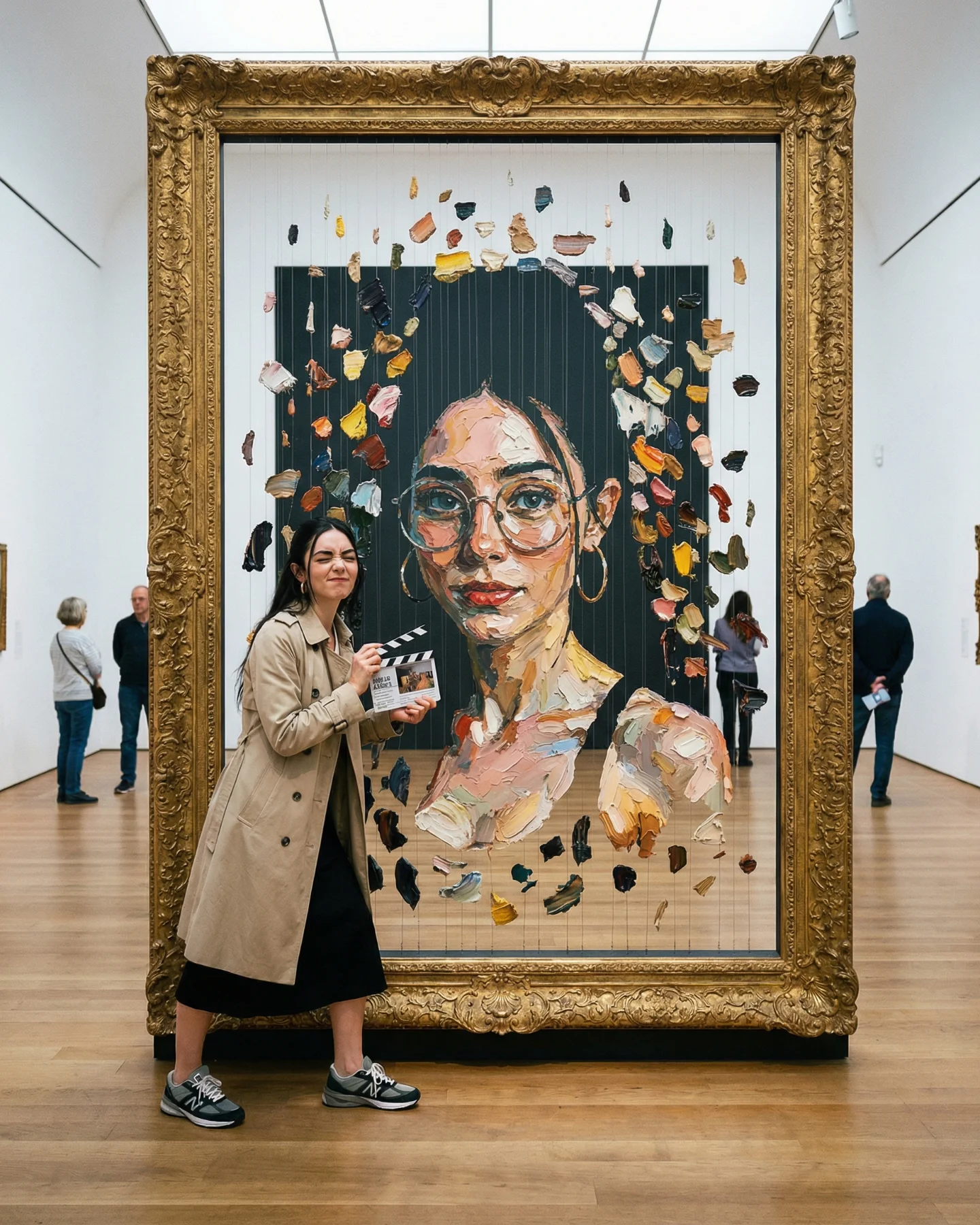
The dual-identity setup calls for exactly 1 foreground woman, 4 small background visitors, and 1 central painted portrait inside a giant gold frame.
Key Insight: 5 of 5 analyzed works depend on recurring Aria identity cues, including glasses, Latina-presenting styling, face structure, or portrait likeness across environments.
Takeaway: Start with a repeatable visual reference layer. If the face or glasses drift, the later video model cannot reliably repair the persona.
Bottom Line: Character consistency appears in 5/5 analyzed works. Choose the reference-image layer before choosing the video model.
What's Hard About Making This Kind of Content
The hard part is not generating a pretty AI influencer frame. It is keeping the same persona credible while the format changes. The anchor tutorial demands Spanish voice, lip-sync, screen captures, tool labels, rapid costume changes, and an engagement CTA. The Pika-labeled motion examples demand short, clean effects: a character-select pose turn and a levitation push-in.
I counted only 1 of 5 selected works as a full tutorial, but it is also the highest-engagement case. That makes it the production benchmark. To make this kind of content well, plan for the editor before the generator: where the UI proof appears, when the narrator speaks, where the CTA lands, and how the persona remains recognizable through every cut.
The 5.20-second sequence pushes from a full-body floating tableau to a tight coffee close-up while upward hair, a red handbag, papers, lipstick, a helmet, and accessories drift around Aria.
What's harder to do well
- Character lock across format changes: glasses, face structure, hair, earrings, and persona styling have to survive both screen tutorials and cinematic scenes.
- Readable UI proof: pricing pages, app screens, and tool labels need to be legible enough to prove workflow value.
- Spanish narration and lip-sync: the anchor work requires energetic Spanish delivery and clean sync, which usually needs a separate audio/post layer.
- Physics effects: levitation, hair motion, and floating props can break in basic video generations.
- Final editing: the stack needs a CTA and pacing system, not only AI generation.
Key Insight: The anchor tutorial contains 9 named tool segments across 1:28, plus screen recordings, Spanish narration, lip-sync requirements, and a comment-to-DM CTA.
Takeaway: Build a production checklist before generating clips: persona reference, scene goal, motion role, audio role, screen capture, captions, CTA, and final edit.
Bottom Line: Tutorial proof-layer evidence appears in 1/5 analyzed works, but it is the 38,680-like anchor. Treat editing and audio as required for tool-list formats.
Where the Recommendation Is Strong and Where It Stays Thin
The recommendation is strongest at the role level. The selected works clearly need image/reference generation, video/motion generation, audio or narration handling, and an edit layer. The recommendation is weaker when naming exact model versions, because finished social clips rarely expose one unmistakable model fingerprint.
The two Pika-labeled examples are useful for task fit: character selection and levitation. Still, without an approved Pika capability card in this repo, I would not rank Pika against Veo, Kling, or Seedance beyond those observed tasks. The same caution applies to HeyGen, Hedra, Pippit, APOB, Meshy AI, and Higgsfield.
Key Insight: 2 of 5 analyzed works are Pika-labeled examples, covering one 5.20-second character-select reveal and one 5.20-second levitation push-in.
Takeaway: Use approved tool cards for capability claims. Use observed labels as case context. Keep those two evidence types separate.
Bottom Line: Pika-labeled task evidence appears in 2/5 analyzed works. Use it as example evidence, not as full-stack identification.
Where the Recommendation Falls Short
- Exact model used by the creator: The supplied materials do not disclose a complete production stack. This page recommends a compatible tool pool; it does not identify the creator's production stack.
- Specific model version: Visual signatures rarely identify a single exact model version after editing. Use role-based alternatives instead of one-version claims.
- Missing tool cards: Pika, HeyGen, APOB, Meshy AI, Hedra, Pippit, and Higgsfield do not have approved cards in this repo. Claims about those tools stay conservative and evidence-thin.
- Post-production pipeline: The selected works do not reveal whether final editing happened in CapCut, Premiere, Final Cut, DaVinci, or an in-app editor.
- Custom trained models: The media does not show whether a LoRA, fine-tune, saved character system, or private reference library is involved.
FAQ
What AI tools can produce videos like soy_aria_cruz?
A compatible pool includes Nano Banana Pro, GPT Image 2, Seedream, or Midjourney for image/reference work; Veo 3.1, Kling 3.0, Seedance 2.0, or task-specific Pika examples for video; and ElevenLabs, OpenAI TTS, Suno, Udio, or native model audio for sound. Treat this as a recommendation pool, not a claim about the creator's production stack.
Can I make this style without paying for premium tools?
You can prototype parts of it with free or low-cost tiers, especially image references, short motion tests, and manual editing. The limits show up in consistency, queue time, watermarks, voice quality, and the number of failed generations you can afford.
How do I know which tool to start with?
Start with the bottleneck. If Aria-like identity consistency matters most, start with image/reference tools; if movement or lip-sync matters most, start with video and audio tools; if the clip is a tutorial, start by planning the screen capture and edit sequence.
How long does this kind of workflow take per video?
The selected data does not reveal production time. A realistic planning range is one short session for static persona frames, several iterations for 5-second motion effects, and a longer edit pass for tutorial reels that combine narration, app screens, labels, and CTA timing.