0:00 / 0:00
▶
This case study analyzes a high-fidelity AI-generated cinematic tribute to Muzan Kibutsuji, the primary antagonist of the hit anime Demon Slayer (Kimetsu no Yaiba). The video leverages a "Cinematic Editorial Portrait" aesthetic, blending traditional Japanese Heian-era elegance with gritty Taisho-era realism and modern "Michael Jackson-esque" flair. With over 21,000 likes, this video demonstrates how indie creators can use AI to produce "Live Action" adaptations that rival big-budget studio teasers. Key keywords include: AI Anime Realism, Muzan Kibutsuji Cosplay, Cinematic Lighting, Japanese Gothic, and Temporal Consistency.
The video is a masterclass in character consistency across multiple "personas." We see the subject transition through four distinct phases: a refined Heian noble drinking tea, a blood-stained demon in a field of red spider lilies, a Taisho-era family man in a bustling street, and a cold scientist in a laboratory. The wardrobe is meticulously detailed, from the silk textures of the kariginu to the sharp tailoring of the white fedora and suit.
The lighting is predominantly low-key and motivated, using candles, lanterns, and moonlight to create deep shadows and high-contrast highlights. The color palette is anchored in deep blacks and whites, punctuated by the recurring "Higanbana" red (spider lilies) and the glowing crimson of the character's eyes. The editing rhythm is fast-paced, synced to a high-energy J-Rock track, utilizing speed ramps and match cuts to maintain a high-tension atmosphere.
| Time Range | Visual Content | Shot Language | Lighting & Tone | Viewer Intent |
|---|---|---|---|---|
| 00:00–00:05 | Heian noble drinking tea in a dim room. | Medium Shot, Profile. | Warm candle light, soft shadows. | Hook: Establish elegance and mystery. |
| 00:06–00:12 | Sudden violence; blood on floor, character looking down. | Low angle, Close-up. | High contrast, moody. | Shock: Introduce the "Demon" element. |
| 00:13–00:18 | Walking through red spider lilies; eyes glow red. | Wide to Extreme Close-up. | Cool moonlight vs. Red glow. | Reinforce Persona: The iconic villain reveal. |
| 00:19–00:25 | Combat sequence with fire effects and swords. | Dynamic handheld, fast cuts. | Orange fire light, flickering. | Engagement: High-action spectacle. |
| 00:26–00:33 | Walking through a Taisho street with a family. | Tracking shot, Medium. | Warm street lanterns, crowded. | Contrast: The "human" disguise. |
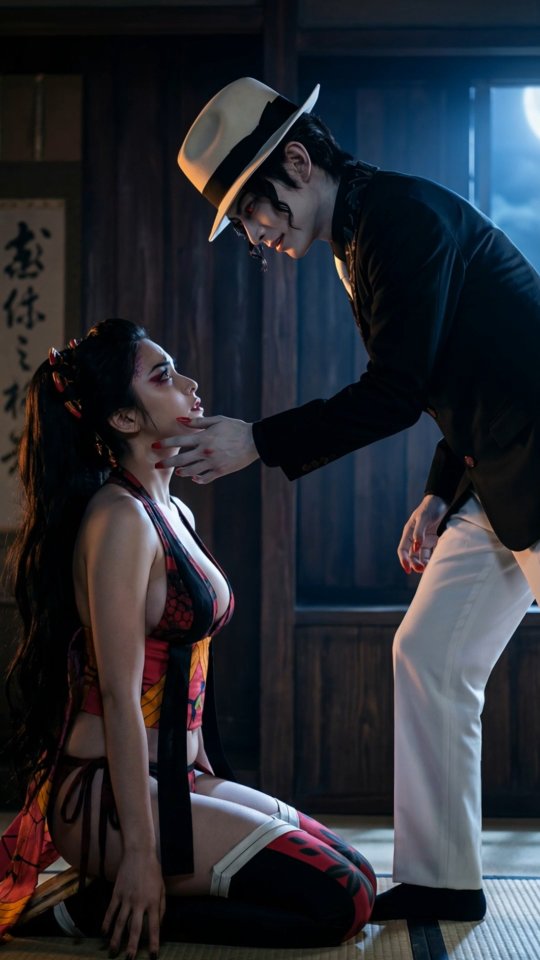
| 00:34–00:42 | Intimidating a subordinate in a traditional hall. | Static, Eye-level. | Dramatic top-down lighting. | Power Dynamic: Establish dominance. |
| 00:43–00:52 | Scientist persona in a lab with red liquids. | Close-up, Shallow DOF. | Clinical but warm, candle-lit. | Lore: Show the character's motivations. |
| 00:53–00:61 | Final walk in a white suit towards a sleeping figure. | Dolly back, Wide. | Blue moonlight, cinematic grain. | Cliffhanger: Create a sense of impending doom. |
This video taps into the massive Demon Slayer global fanbase. By providing a "Live Action" look that surpasses the quality of many official adaptations, it triggers a "What if?" curiosity. The creator didn't just make a generic demon; they meticulously recreated specific outfits and scenes (like the Lower Moon meeting and the Asakusa encounter) that fans immediately recognize.
Within the anime community, Muzan is famously compared to Michael Jackson due to his Taisho-era suit and fedora. The video leans into this by emphasizing the character's "Smooth Criminal" walk and sharp tailoring. This creates a secondary layer of "meme-ability" that encourages shares and comments about the "Hee-Hee" demon.
From a platform perspective, the visual fidelity is the primary "stop-the-scroll" mechanism. The use of volumetric fog, realistic skin textures, and accurate light physics (e.g., the glow of the red eyes reflecting on the face) signals to the Instagram algorithm that this is high-value, high-retention content. The 0–3 second hook—a calm tea ceremony suddenly interrupted by blood—perfectly utilizes the "contrast" principle to spike watch time.
Choose a character with high "visual recognition" but low "live-action representation." Collect 5-10 high-quality anime stills of the character in different outfits to use as IP-Adapter references.
Use Midjourney (v6) or Flux.1 [dev] with a "Character Reference" (--cref) tag. Ensure your prompt specifies "Japanese male, sharp jawline, pale skin, wavy black hair, piercing plum-red eyes."
Generate separate base images for each "persona" (Heian, Taisho, Modern). Use specific fabric terms like "heavy silk embroidery," "wool felt fedora," and "crisp white cotton."
Upload your base images to Luma Dream Machine or Kling AI. Use "End Frames" to ensure the character moves from a tea-drinking pose to a standing pose. For the walk, use a "Dolly tracking shot" prompt.
Use Runway Gen-2 (Motion Brush) to specifically animate the fire in the combat scene or the drifting smoke from the incense burner in the first shot.
In post-production (CapCut or Premiere), add a "Film Grain" overlay and use a "Teal and Orange" or "Dark Gothic" LUT to unify the different AI generations.
Select a trending J-Rock or "Phonk" track. Use "Match Cut" techniques to ensure every scene transition happens on a beat drop.
Add a subtle watermark and clearly state "AI Reimagining" in the caption to manage expectations and build a brand around "AI Cinematography."
The Fan-Service: Muzan Kibutsuji: The many faces of the Demon King. 🌙 Which era is your favorite? (Heian vs Taisho) 👇 #DemonSlayer #Muzan #AICinema
The Technical Hook: Can AI finally bridge the gap to Live Action? 🤖 I spent 10 hours prompting this Muzan tribute. Let me know if the vibe is right! #AIArt #Midjourney #LumaAI
The Mystery: He’s been hiding in plain sight for 1000 years. 🩸 Don’t look into his eyes. #KimetsuNoYaiba #AnimeLiveAction #DarkAesthetic
The CTA: Tag a friend who needs to see this "Smooth Criminal" Demon King! 🕺🔥 Full breakdown in bio. #MuzanKibutsuji #AnimeEdit
Flux.1 for the base images and Kling AI for the most realistic human movement and lip-sync.
"Volumetric lighting," "Hyper-realistic skin texture," and "Cinematic anamorphic lens."
You likely aren't using a "Character Reference" (cref) or a LoRA to lock the facial features across different seeds.
Add real film grain, avoid over-saturated colors, and use "Negative Prompts" to remove "plastic skin" or "extra fingers."
Instagram Reels favors high-aesthetic "Cinematic" content, while TikTok favors "Behind the Scenes" and "Tutorial" versions of this content.